
I spent a weekend reading konosuba-rpg's code and here's what I found
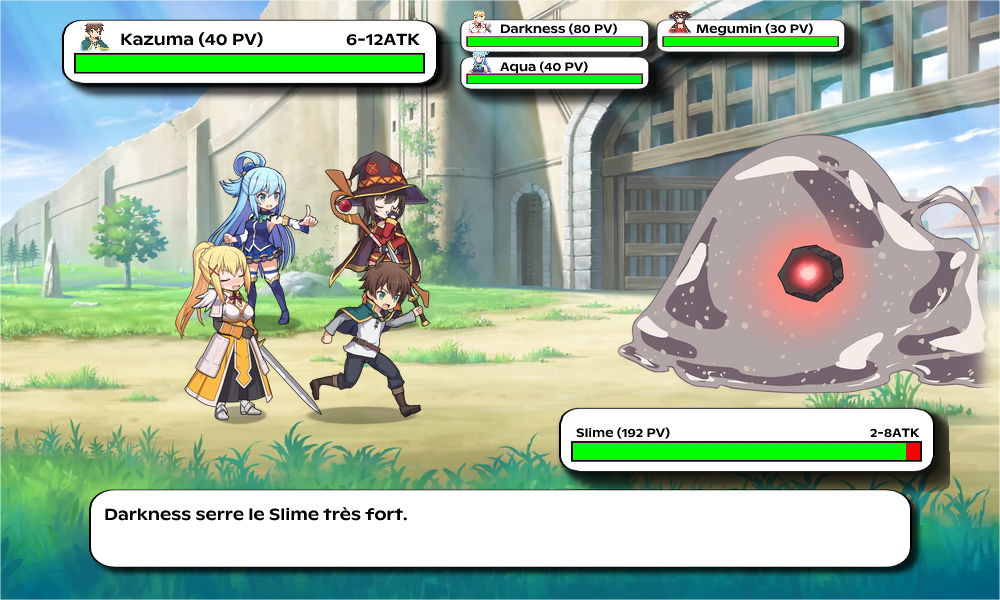
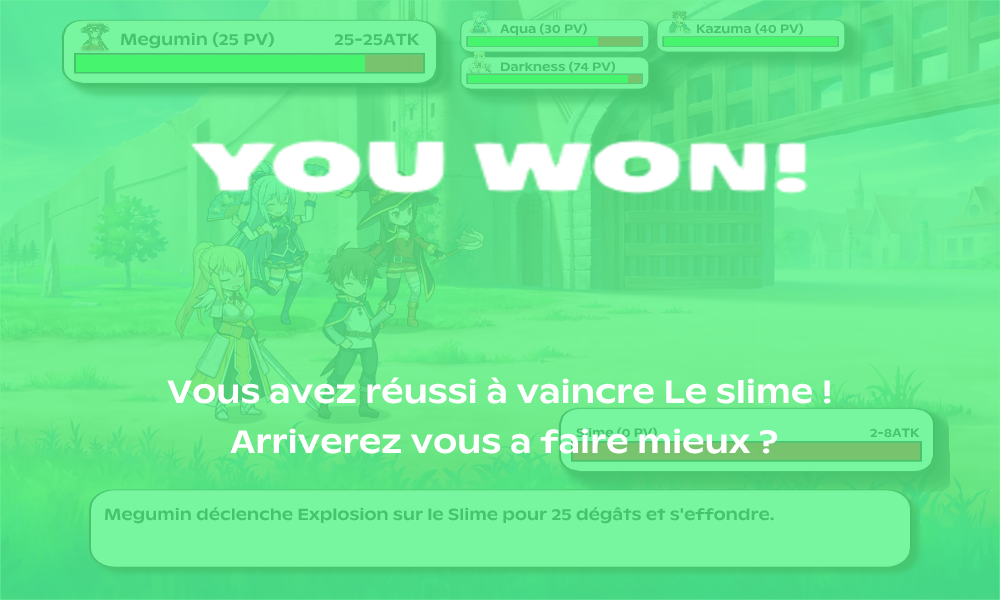
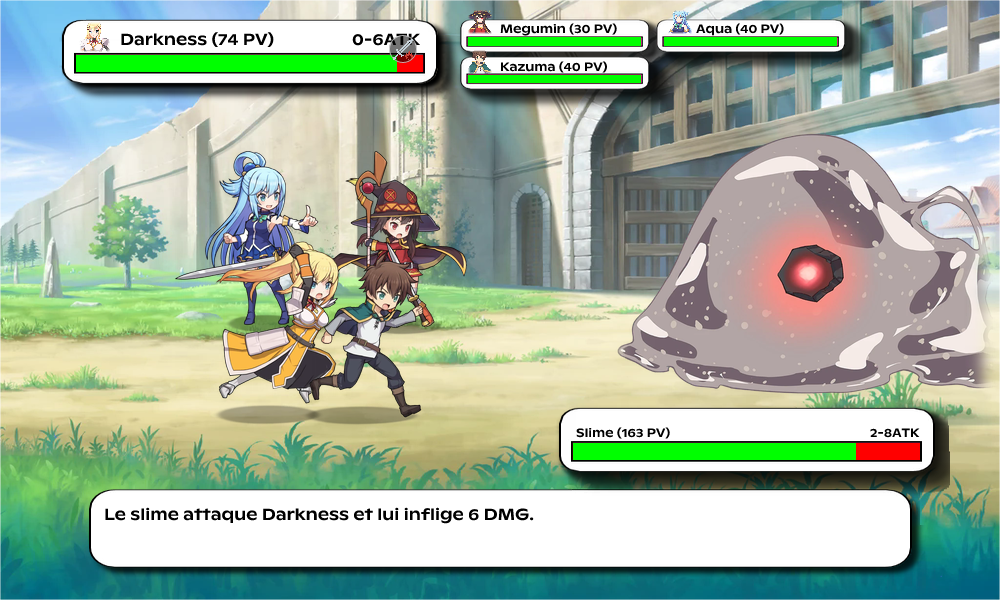
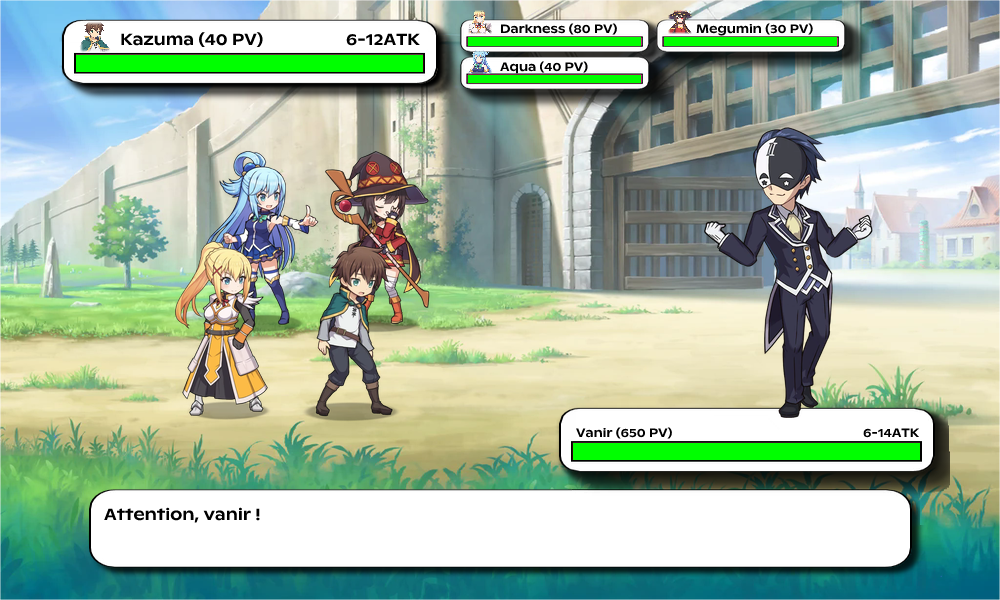
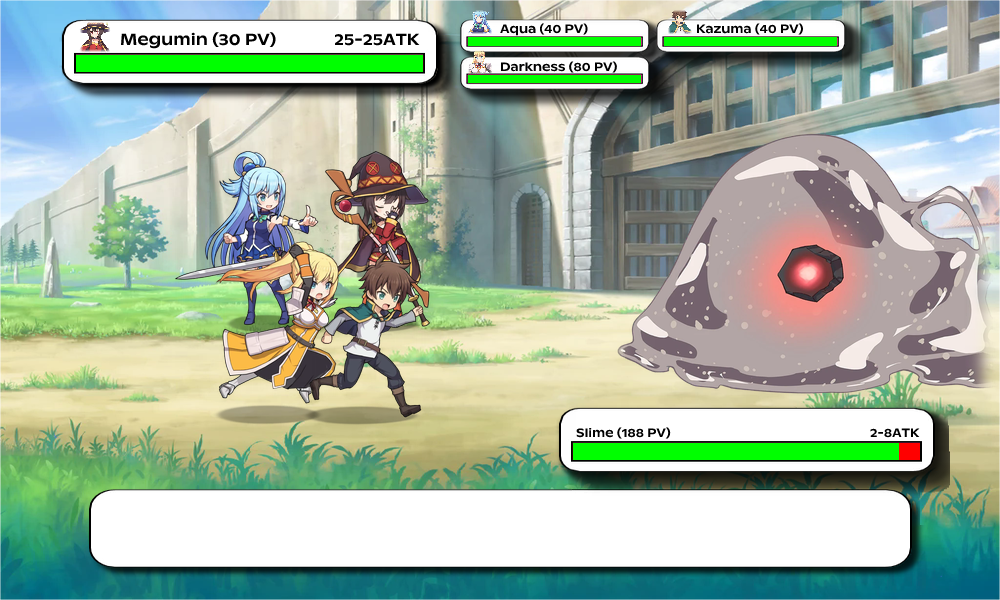
I've been maintaining this project for a while, but re-reading your own code with a clear head is always instructive. konosuba-rpg is a turn-based Discord RPG where every action generates a WebP image on the fly. Not a text embed. A real composed image, with sprites, health bars, combat messages -- everything.
The stack: TypeScript, Hono, Vercel, Cloudflare Workers, Supabase. Entirely free hosting. And the Discord bot runs without a persistent server. This post explains how it all fits together.
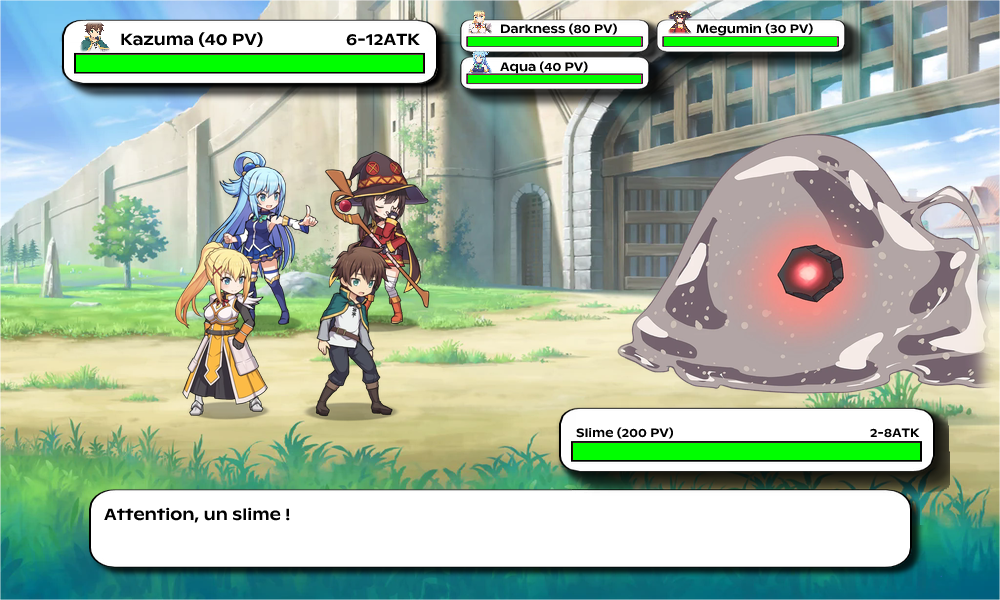
The basic design: the URL as game state
The first thing that stands out: there is no server-side state for gameplay. The complete state of a fight is in the URL.
/konosuba-rpg/en/abc123/ATK/DEF/ATK/HUG?monster=Vanir&difficulty=hard
Every segment after the seed is an action played. The server receives this URL, starts from the beginning, replays all actions in order, and returns an image of the fight at that exact moment. No session, no RAM state tied to a user.
Discord works through interactive buttons -- when the player presses "Attack", Discord sends the button's custom_id to the server. This custom_id contains the compressed fight URL with the new action appended. The server recalculates everything from scratch and returns the updated image.
// processUrl.ts
const VALID_MOVES_SET = new Set(["ATK", "DEF", "HUG", "HEA", "SPE", "USE"]);
// Precompiled outside function -- not recreated on every call

export default function processUrl(url: string): [Random, string[], string, string | null, string | null] {
  const urlParts = url.split("/");
  const moves: string[] = [];
  for (const part of urlParts) {
    if (VALID_MOVES_SET.has(part.toUpperCase())) moves.push(part.toUpperCase());
  }
  // seed = 6th segment, hashed over 8096 values
  const seedStr = (urlParts[5] || "").toLowerCase();
  let seed = 0;
  for (let i = 0; i < seedStr.length; i++) {
    seed = (seed + seedStr.charCodeAt(i)) % 8096;
  }
  return [new Random(seed), moves, seedStr, monster, difficulty];
}
The precompiled Set outside the function is a detail, but it avoids rebuilding the structure on every invocation in an edge context where modules can be re-evaluated.
The RNG: modified RC4
The random generator is an RC4 implementation (stream cipher algorithm) repurposed as a PRNG.
export class Random {
  private S: number[]; // 256-entry table
  private i: number;
  private j: number;

  constructor(seed?: number) {
    this.S = Array.from({ length: 256 }, (_, i) => i);
    let j = 0;
    let workingSeed = seed || Date.now();
    for (let i = 0; i < 256; i++) {
      j = (j + this.S[i] + (workingSeed & 0xff)) & 0xff;
      // swap S[i] and S[j]
      [this.S[i], this.S[j]] = [this.S[j], this.S[i]];
      workingSeed >>>= 8;
    }
  }

  next(): number { /* ... */ }
  randint(min: number, max: number): number { /* ... */ }
  choice(array: T[]): T { /* ... */ }
}
Why RC4? Because it's a deterministic PRNG with decent distribution and reasonable seed collision resistance. Same seed = same number sequence = same fight every time. This allows "replaying" any fight by keeping its URL, and guarantees that two different servers (Vercel + Cloudflare) produce exactly the same result for the same URL.
The 100-character Discord limit problem
Discord imposes a 100-character limit on custom_id values for buttons. After a few dozen actions, a fight URL easily exceeds this limit.
Two mechanisms address this.
1. RLE compression of actions
Actions are encoded with a single character (a=attack, d=defend, h=hug...) and compressed using run-length encoding:
// movesUtils.ts
export function compressMoves(moves: string): string {
  // "aaaaaadddh" → "a6d3h"
  let result = "";
  let count = 1;
  for (let i = 1; i <= actions.length; i++) {
    if (actions[i] === actions[i - 1]) {
      count++;
    } else {
      result += actions[i - 1] + (count > 1 ? String(count) : "");
      count = 1;
    }
  }
  return head + result;
}
Simple, but when the player spams Attack x10 it goes from aaaaaaaaaa (10 chars) to a10 (3 chars). The "Attack x4" and "Attack x10" buttons in the UI exist precisely for this -- speeding up the fight while compressing the payload well.
2. Session tokens when compression is not enough
If the compressed payload is still too long, it's stored in the database with a short token:
// gameSessionService.ts
const TOKEN_PREFIX = "gs.";
const TOKEN_SIZE = 10; // "gs.aBcDeFgHiJ"

export async function encodeGameplayButtons(buttons: RawButton[]): Promise {
  // Groups payloads by battle_key, inserts in batch into Supabase
  // Replaces custom_id with "gs.{token}:{userId}"
}

export async function decodeGameplayPayloadWithStatus(encodedPayload: string, userID: string) {
  if (!encodedPayload.startsWith(TOKEN_PREFIX)) {
    return { payload: encodedPayload }; // No lookup if not needed
  }
  // Lookup in memory first, then Supabase if absent
  const cached = tokenToSession.get(token) || await loadTokenRowByToken(token);
  // Checks ownership, TTL (7 days), and turn_version (prevents replaying an old state)
}
Sessions have a TTL of 7 days and automatic pruning every 10 minutes. The turnVersion check prevents replaying a stale state if the player has progressed -- a discreet protection against accidental "rollback."
Both in-memory Maps (tokenToSession, latestTurnByBattle) use the same globalThis as unknown as GameSessionGlobals pattern as the image caches, for the same reasons we'll see below.
The image rendering pipeline
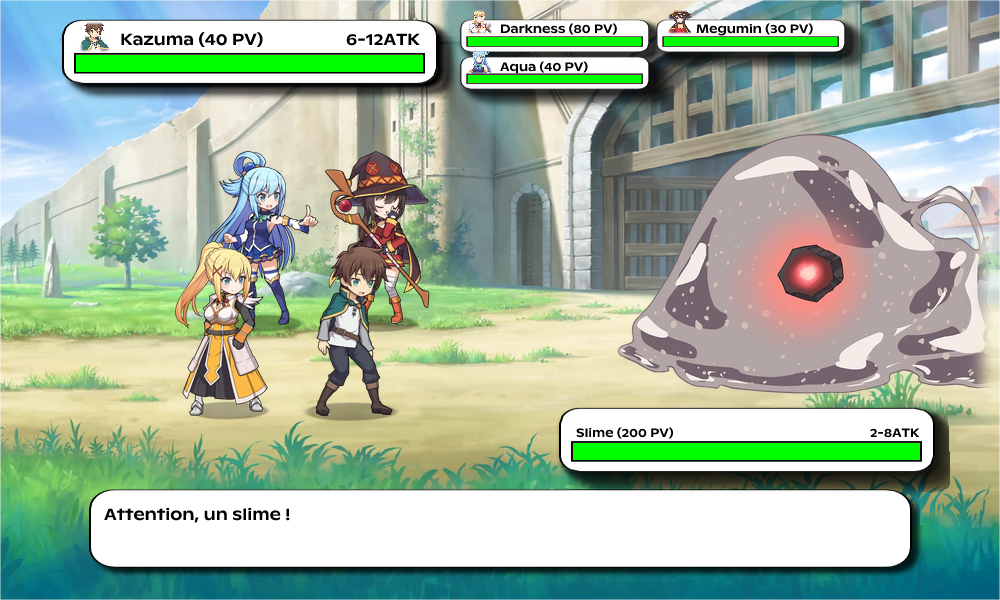
The route /konosuba-rpg/:lang/* does not return JSON. It returns a WebP image generated on demand.
The pipeline is organized into 3 composited layers:
Background (board + frame)
    +
Characters layer (player sprites + mob, fixed positions)
    +
UI overlay (HP bars, messages, character icons via Satori → SVG → PNG)
    ↓
Photon.watermark() × 2
    ↓
WebP output
Background: two fixed images (the board and the frame), loaded from the filesystem and composited once.
Characters layer: sprites are positioned according to calculated coordinates. Dead players are excluded (activeSlots = slots.filter(s => playerHp[s.i] > 0)). Enemy sprites are mirrored horizontally with a custom flipX -- a pixel-by-pixel loop rather than an external dependency.
function flipX(img: Photon.PhotonImage): Photon.PhotonImage {
  const w = img.get_width(), h = img.get_height();
  const raw = img.get_raw_pixels();
  const flipped = new Uint8Array(raw.length);
  for (let y = 0; y < h; y++) {
    for (let x = 0; x < w; x++) {
      const src = (y * w + x) * 4;
      const dst = (y * w + (w - 1 - x)) * 4;
      flipped[dst] = raw[src]; flipped[dst+1] = raw[src+1];
      flipped[dst+2] = raw[src+2]; flipped[dst+3] = raw[src+3];
    }
  }
  return new Photon.PhotonImage(flipped, w, h);
}
UI overlay: this is the heavy part. The interface JSX (health bars, texts, icons) is described in React-like style with Satori, rendered to SVG, converted to PNG by @cf-wasm/resvg, then imported into Photon for the final composition. Satori + resvg are two WASM modules compiled specifically for Cloudflare Workers with the edge-light flag.
The caching system -- the most refined part
There are 5 distinct cache levels. Each targets a different granularity of the pipeline.
// renderImage.ts -- all on globalThis
G.__imageCache  ??= {} as Record; // raw assets
G.__base64Cache ??= {} as Record;       // base64 of assets (for Satori)
G.__fontCache   ??= {} as Record; // fonts
G.__photonCache    ??= new LRUCache(40, freePhoton);
G.__layerCache     ??= new LRUCache(12, freePhoton);
G.__uiPhotonCache  ??= new LRUCache(30, freePhoton);
G.__renderOutputCache ??= new LRUCache(120);
The ??= pattern on globalThis: JavaScript modules in edge workers can be re-evaluated between requests on certain configurations. Storing caches on globalThis with ??= ensures they survive these re-evaluations without being recreated.
WASM eviction
The Photon image caches (photonCache, layerCache, uiPhotonCache) use an eviction callback:
function freePhoton(_key: string, img: Photon.PhotonImage): void {
  try { img.free(); } catch { /* already freed */ }
}

new LRUCache(40, freePhoton)
Photon.PhotonImage is a WASM object with memory allocated on the WASM linear memory side, outside the JavaScript GC. Without an explicit call to .free(), this memory is never released. The LRU eviction triggers .free() automatically -- it's RAII ported to JavaScript.
Cache keys are intentionally lossy
function buildCharactersKey(playerImages: string[][], playerHp: number[], creatureImages: string[], creatureHp: number): string {
  const players = playerImages.map((imgs, i) => `${imgs[0]}:${playerHp[i] > 0 ? 1 : 0}`).join("|");
  return `chars::${players}::${creatureImages[0]}:${creatureHp > 0 ? 1 : 0}`;
}
The characters layer key does not encode the exact HP value -- just 1 (alive) or 0 (dead). Because the sprite of a player at 40 HP and a player at 15 HP is identical. A cache hit therefore survives any amount of damage as long as no one falls.
The UI key, on the other hand, encodes the exact HP (the health bar changes with every hit) and a hash of the messages:
function hashString(value: string): string {
  let hash = 0;
  for (let i = 0; i < value.length; i++) {
    hash = (Math.imul(31, hash) + value.charCodeAt(i)) | 0; // signed 32-bit integer
  }
  return hash.toString(16);
}
Math.imul forces 32-bit integer multiplication, which avoids float64 conversions and gives a stable polynomial hash. No external dependency needed.
Base64 conversion without stack overflow
function getBase64Cached(key: string, buf: ArrayBuffer): string {
  if (base64Cache[key]) return base64Cache[key];
  const bytes = new Uint8Array(buf);
  const chunkSize = 0x8000; // 32768 bytes
  let binary = "";
  for (let i = 0; i < bytes.length; i += chunkSize) {
    binary += String.fromCharCode(...bytes.subarray(i, Math.min(i + chunkSize, bytes.length)));
  }
  const b64 = btoa(binary);
  base64Cache[key] = b64;
  return b64;
}
String.fromCharCode(...largeArray) can cause a stack overflow on large images because the arguments are passed on the call stack. Chunking by 32KB avoids this. The result is cached -- the base64 conversion of the same image is only done once per worker instance.
STRIPPER.md -- audit of sequential awaits
There is a STRIPPER.md file in the repo that documents an audit of parallelizing awaits. A few examples of what's recorded:
- Player profile loading used to make 3 sequential Supabase queries (progression, run summary, achievements). They were switched to
Promise.all-- no dependency between them. - End-of-fight reward distribution (accessories + consumables) was sequential. Parallelized as well.
- Session token creation for buttons was done group by group. Independent groups are now created in parallel.
// progressionService.ts -- before (sequential)
await grantAccessoryDropRewards(...);
await grantConsumableDropRewards(...);

// after
await Promise.all([
  grantAccessoryDropRewards(...),
  grantConsumableDropRewards(...),
]);
Nothing revolutionary, but in a serverless context where every millisecond of response time is billed (or contributes to cold start), it matters.
The Discord bot without a persistent server
A frequently misunderstood point: a Discord bot does not necessarily require a persistent WebSocket connection. Discord offers an alternative: Interactions Endpoint URL. You provide an HTTPS URL to Discord, and Discord sends you a POST for each interaction (slash command, button, autocomplete).
// interactions.ts
export async function handleInteractions(c: Context) {
  const body = await c.req.text();
  const isVerified = await verifySignature(c, body); // Ed25519
  if (!isVerified) return c.text("Invalid signature", 401);

  const interaction: Interaction = JSON.parse(body);
  if (interaction.type === 1) return c.json({ type: 1 }); // ping Discord
  if (interaction.type === 2) return handleSlashCommand(...);
  if (interaction.type === 3) return handleButtonInteraction(...);
  if (interaction.type === 4) return handleAutocomplete(...);
}
Discord sends a POST, the handler runs for 50-200ms on a Vercel function or a Cloudflare Worker, responds, and that's it. No persistent connection to maintain, no server to keep running. The entire Discord bot is hosted on the Vercel free tier.
Ed25519 verification (verifyKey from discord-interactions) is mandatory -- Discord sends a signature in the headers that you must validate, otherwise it rejects the endpoint.
The special animation -- the only intentional await
// handleSpecialButton.ts
await new Promise(resolve => setTimeout(resolve, 3000)); // 3 seconds
await fetch(`${DISCORD_API_URL}/webhooks/${interaction.application_id}/${interaction.token}/messages/@original`, {
  method: "PATCH",
  // ...
});
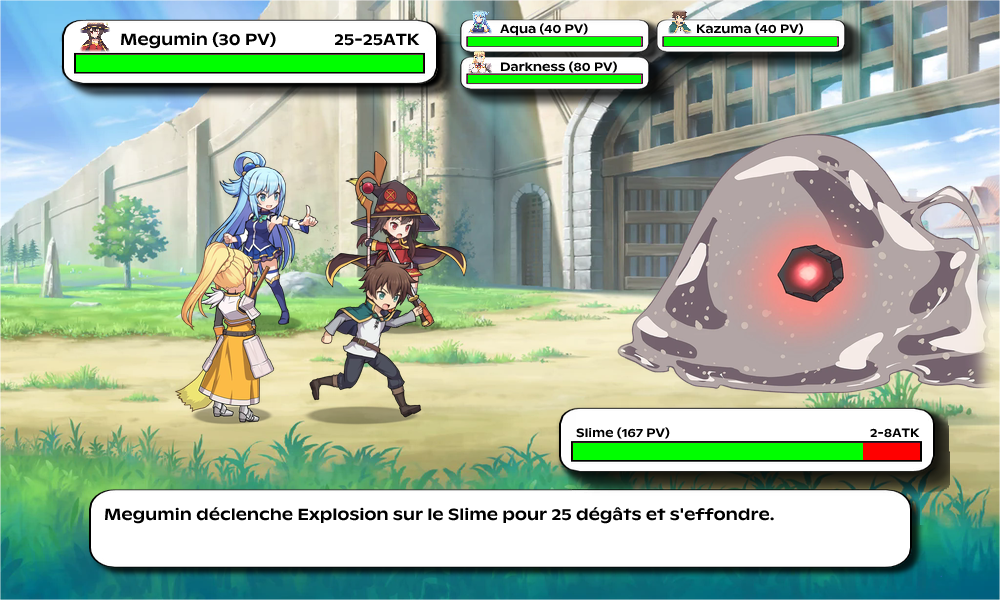
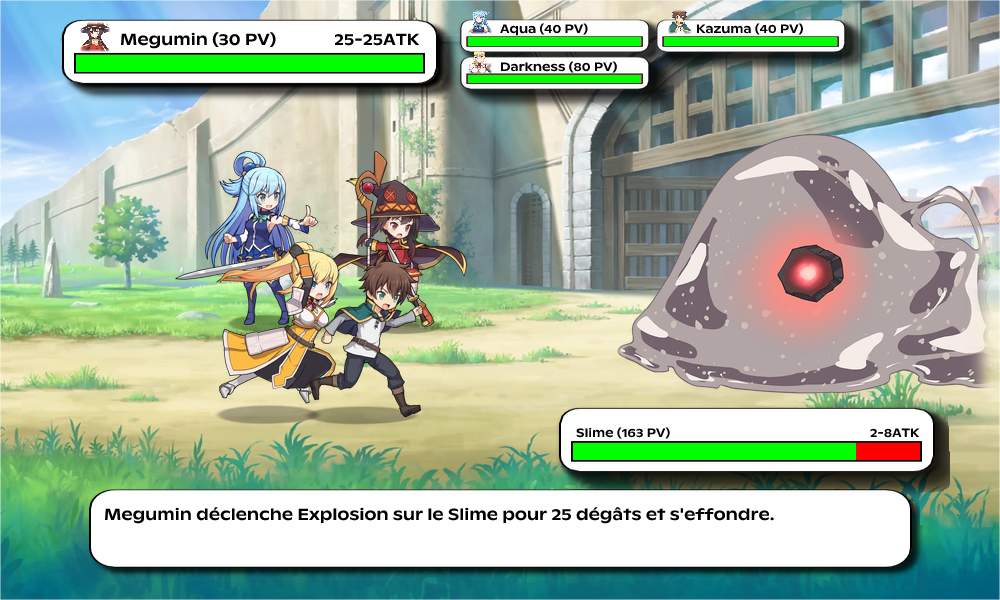
This deliberate 3-second delay is documented in STRIPPER.md as intentional. Megumin's special attack (Explosion) has an animation on Discord's side -- the message is first updated with an intermediate visual, then modified 3 seconds later with the result. This is the only case where a Vercel function intentionally runs longer than necessary.
Deployability on two platforms
The same codebase runs on Vercel (Node.js) and Cloudflare Workers (V8 isolates) without modification:
// worker.ts -- Cloudflare entrypoint
export default {
  fetch(request: Request, env: WorkerBindings): Promise {
    syncBindingsToProcessEnv(env); // injects CF secrets into process.env
    return app.fetch(request, env, ctx);
  }
};

// index.ts -- Vercel/Node entrypoint
const isVercelRuntime = process.env.VERCEL === "1";
if (!isVercelRuntime) { start(); }
The main difference: static assets. On Vercel, they are read from the filesystem (/var/task//articles/assets/). On Cloudflare Workers, they go through an ASSETS binding (CF static assets) with fallback to an HTTPS mirror (fox3000foxy.com/konosuba-rpg/assets). The getAssetBytes function in assetLoader.ts handles both paths by trying the filesystem first, then fetch.
The WASM modules (@cf-wasm/photon/edge-light, @cf-wasm/resvg) have separate builds for each runtime. The edge-light flag in the package name designates the Cloudflare Workers-compatible build, which does not allow new WebAssembly.Module() at runtime -- the WASM must be pre-compiled.
Progression: XP, levels, affinity
Meta-progression relies on Supabase free tier. The schema includes a players table (global XP, level, gold), character_progress (XP/level/affinity per character for Darkness, Aqua, Megumin), runs (fight history), inventory_items, daily_quests_progress, achievements_unlocked, game_sessions.
The progression model is simple:
// characterService.ts
export function computeLevelFromXp(xp: number): number {
  return Math.floor(xp / 100) + 1; // 100 XP per level
}

export function getLevelFactor(level: number): number {
  return 1 + 0.2 * (level - 1); // +20% stats per level
}

export function getAffinityFactor(affinity: number): number {
  const stars = Math.floor(affinity / 20); // 20 points per star, 5 stars max
  return 1.2 ** stars; // exponential progression
}
These factors are applied to character stats at the start of each processGame. Kazuma follows the player's global level, the other three each have their own XP/level. Affinity (gained by collecting drops tied to a character) multiplies their stats independently.
The drop system uses loot tables weighted by difficulty:
const LOOT_TABLE_BY_DIFFICULTY: Record = {
  [MonsterDifficulty.Easy]: {
    baseRolls: 2, bonusRollChance: 0.1, maxBonusRolls: 2,
    rarityWeights: [
      { rarity: Rarity.Bronze, weight: 68 },
      { rarity: Rarity.Silver, weight: 25 },
      { rarity: Rarity.Gold,   weight: 6  },
      { rarity: Rarity.Epic,   weight: 1  },
    ],
  },
  // ...up to Legendary
};
Tests
Three suites: unit, perf, and leaks.
The leak test is particularly straightforward:
// leaks.spec.ts
it('does not show strong heap growth across repeated runs', async () => {
  global.gc();
  const before = heapUsedMb();

  for (let i = 0; i < 1200; i++) {
    await processGame(new Random(), ['ATK', 'DEF', 'HUG', 'ATK', 'DEF'], 'Dragon', Lang.English);
  }

  global.gc();
  const after = heapUsedMb();
  expect(after - before).toBeLessThan(20); // max 20MB heap growth
});
1200 iterations of processGame, forced GC before and after, heap delta < 20MB. If this test passes, processGame doesn't leak. The render test (renderImage.spec.ts) instead checks execution time under a practical threshold.
There is also a bench.ts script for profiling the full pipeline:
RENDER_PERF=1 npx tsx bench.ts --runs=20 --warmup=3 --monster=Dragon
With RENDER_PERF=1, the withPerf wrapper in each service logs timings:
export async function withPerf(scope: string, label: string, work: () => Promise): Promise {
  const perf = createPerfLogger(scope);
  if (!perf.enabled) return work(); // zero overhead if disabled
  perf.mark(`${label}:start`);
  try { return await work(); }
  finally { perf.done(`${label}:done`); }
}
createPerfLogger returns no-ops if DEV_MODE and RENDER_PERF are not set to 1. No overhead in production.
What it costs to run
- Vercel free tier: 100GB bandwidth, 1M serverless invocations per month. Image rendering counts as one invocation.
- Cloudflare Workers free tier: 100K requests/day, 10ms CPU time per request (rendering can exceed this on Workers, hence Vercel as primary).
- Supabase free tier: 500MB database, 5GB bandwidth. Sufficient for thousands of players.
The entire backend runs at zero cost up to a significant volume. The only friction point is the Cloudflare Workers CPU limit -- image rendering is CPU-intensive due to WASM, hence the strategy of Vercel as primary and Workers as failover CDN.
The 3 things worth remembering
The URL as game state is not just a neat trick -- it's a constraint imposed by Discord (buttons have a 100-char limit) that forced a stateless architecture with RLE compression + session tokens as fallback. The constraint dictated the design.
The WASM cache with explicit eviction:
PhotonImageobjects allocate outside the JavaScript heap and will never be GC'd without.free(). HookingfreePhotoninto the LRU eviction is RAII in JavaScript. It's subtle in the code, but without it the worker would leak in production.A serverless Discord bot without WebSocket: it's less known than the WebSocket gateway approach, but for a bot doing stateless processing (each interaction is independent), the Interactions Endpoint is strictly superior -- no reconnection, no heartbeat, no process to maintain. Discord handles availability on their infrastructure.
Repo: fox3000foxy/konosuba-rpg
Source-available custom license -- no redistribution, free to use.