
Introduction
Super Mario Bros. is 40 kilobytes of ROM. Eight worlds, 32 levels, enemies, music, power-ups, all of it fits in there.
But if you open an emulator and tweak the right bytes, you can load level 36-1. Or 255-1. Or land in a world made entirely of Bowser sprites and pipes that lead nowhere.
These glitch worlds exist for a simple reason: SMB1's level storage system is a marvel of 8-bit optimization, and when you force the game to read where it shouldn't, you get fascinating results.
Retro Game Mechanics Explained did a 4-part video series on this -- we're going to compile it all into one deep dive into the 6502 code of the best-selling game of its era.

The warm start: why Tennis's RAM survives in SMB1
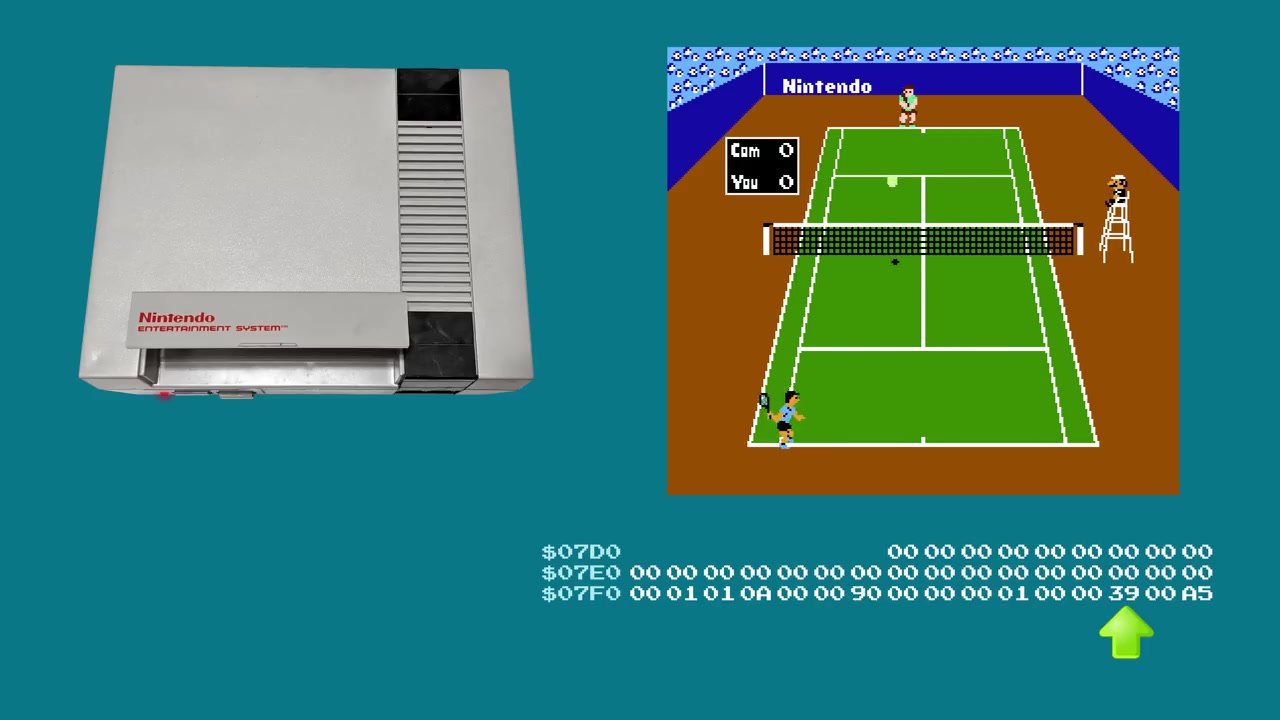
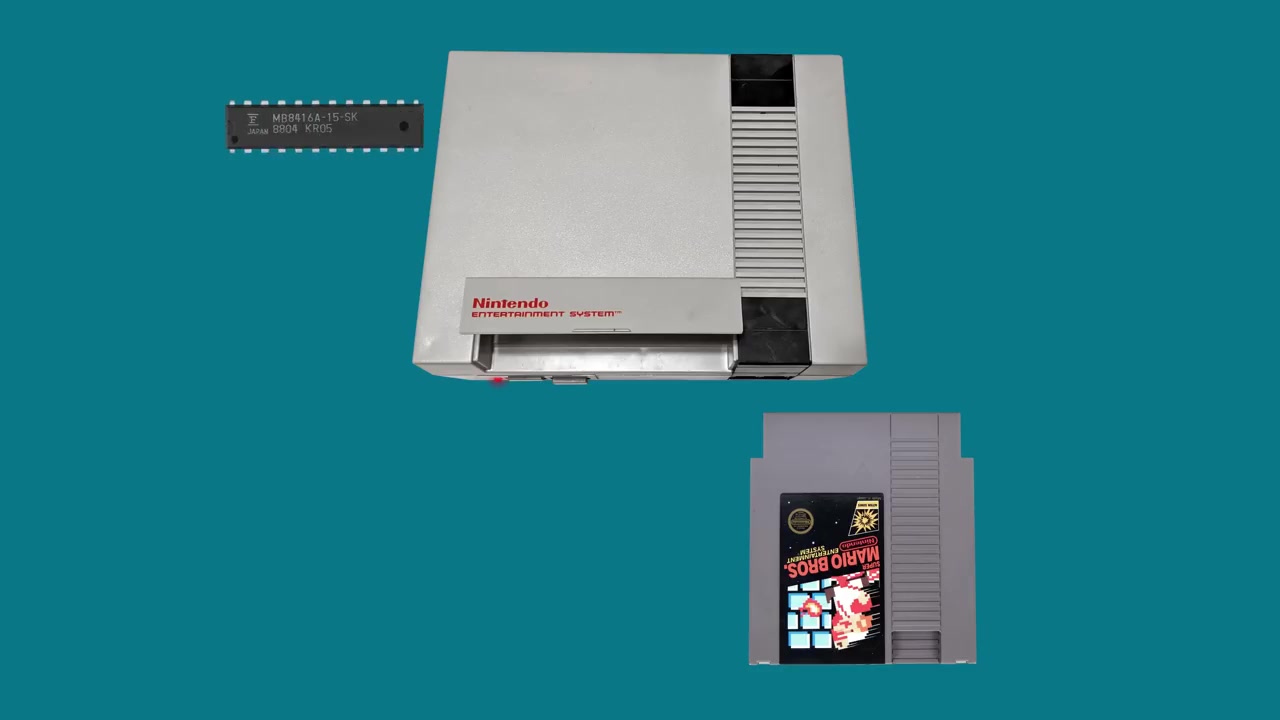
Before we talk about level storage, we need to understand how SMB1 boots. Because the NES Tennis cart swap glitch relies entirely on the game's warm start / cold start detection system.
The 41 preserved bytes
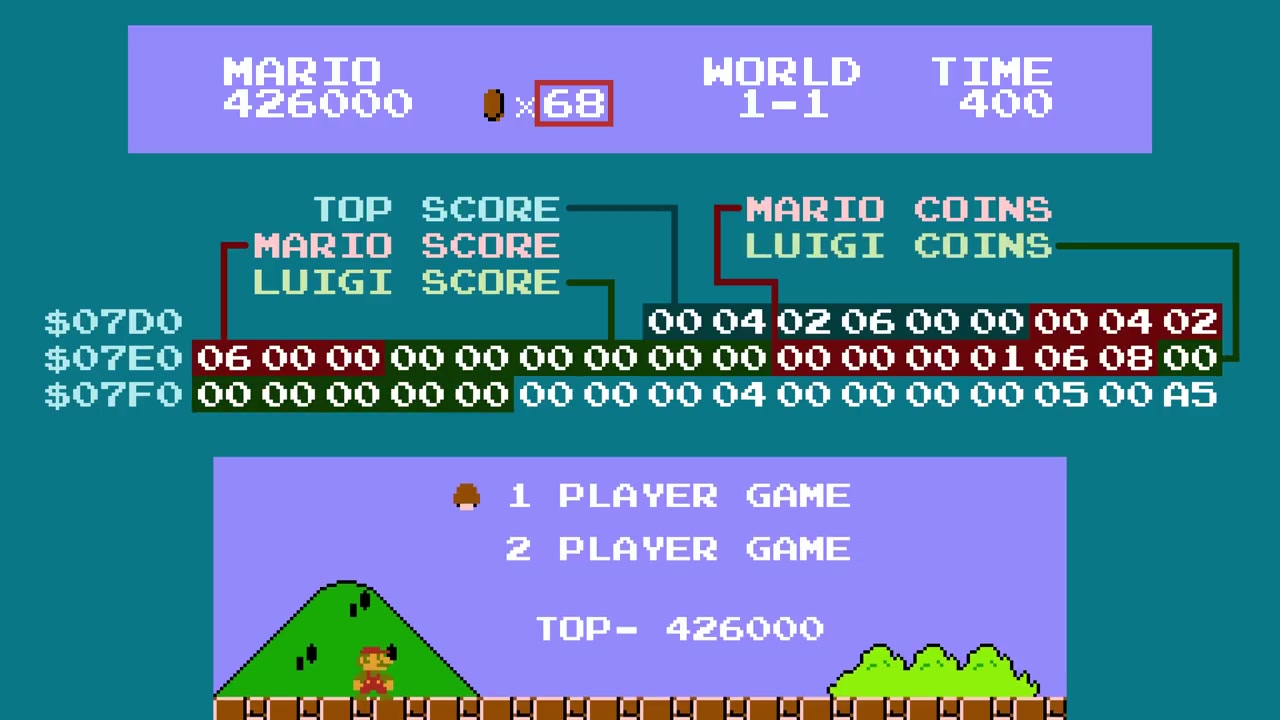
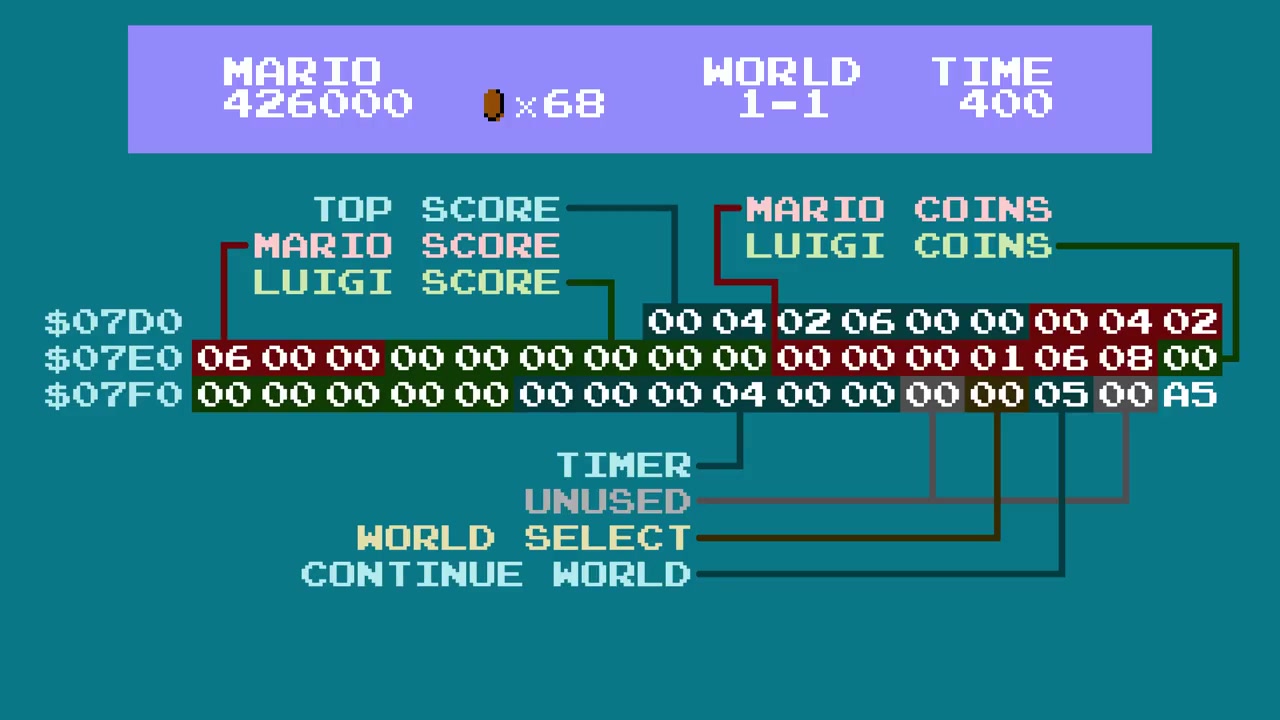
When SMB1 detects a cold start (first power-on or power off/on), it wipes all the RAM. But when it detects a warm start (reset button, no power cycle), it preserves a 41-byte memory region:
; Les 41 bytes préservés en RAM lors d'un warm start
; Adresses $075F-$0787
;
; $075F : byte de démarrage (world - 1)    [1 byte]
; $0760 : flag de sélection de monde (B button) [1 byte]
; $0761-$0762 : inutilisé                    [2 bytes]
; $0763-$0768 : timer (6 digits, 3 affichés) [6 bytes]
; $0769-$076E : coins Luigi                   [6 bytes]
; $076F-$0774 : coins Mario                   [6 bytes]
; $0775-$077A : score Luigi                   [6 bytes]
; $077B-$0780 : score Mario                   [6 bytes]
; $0781-$0786 : top score (6 digits, 1 caché) [6 bytes]
; $0787 : le byte magique $A5                 [1 byte]
These 41 bytes serve a single purpose: allowing the player to continue on the same world after a game over. If you die in 6-3, the game writes world 6 into the start byte, and at the title screen, if you hold A + Start, you restart in 6-1.
The double warm start check
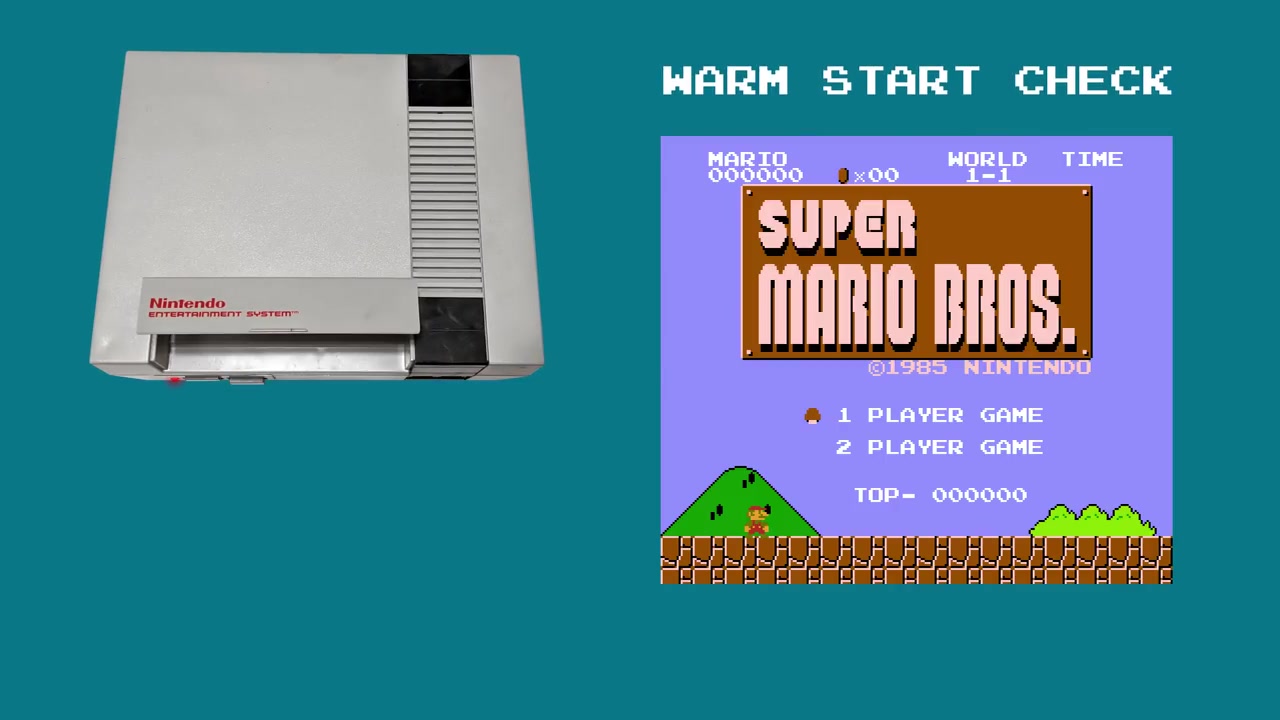
When SMB1 boots, it doesn't check a single criterion but two:
CheckWarmStart:
  ; 1. Vérifier le byte magique $A5 à $0787
  lda $0787
  cmp #$A5
  bne ColdStart        ; pas $A5 → cold start

  ; 2. Vérifier les 6 digits du top score ($0781-$0786)
  ;    Chaque digit doit être entre 0 et 9
  ldx #0
CheckLoop:
  lda $0781,x
  cmp #$0A
  bcs ColdStart        ; digit >= 10 → cold start
  inx
  cpx #6
  bne CheckLoop

  ; Si les deux conditions passent → warm start
  ; La RAM n'est pas effacée, le monde de départ est préservé
  jmp WarmStartBoot
Why a double check? Because the $A5 byte could be present by chance (another game leaving that value behind, or the default idle state of the RAM chip). By verifying that the top score digits are valid (0-9), it ensures the data is coherent.
Why Tennis is the only game that works
When you insert SMB1 for the first time (cold start), the game:
- Wipes all the RAM → top score = 0, world byte = 0
- Writes $A5 at address $0787
Then you swap to Tennis without turning off the console. Tennis:
- Doesn't clean RAM on boot (few NES games do)
- Doesn't write to the top score bytes → they stay at 0 (valid)
- Doesn't touch the $A5 byte → it stays intact
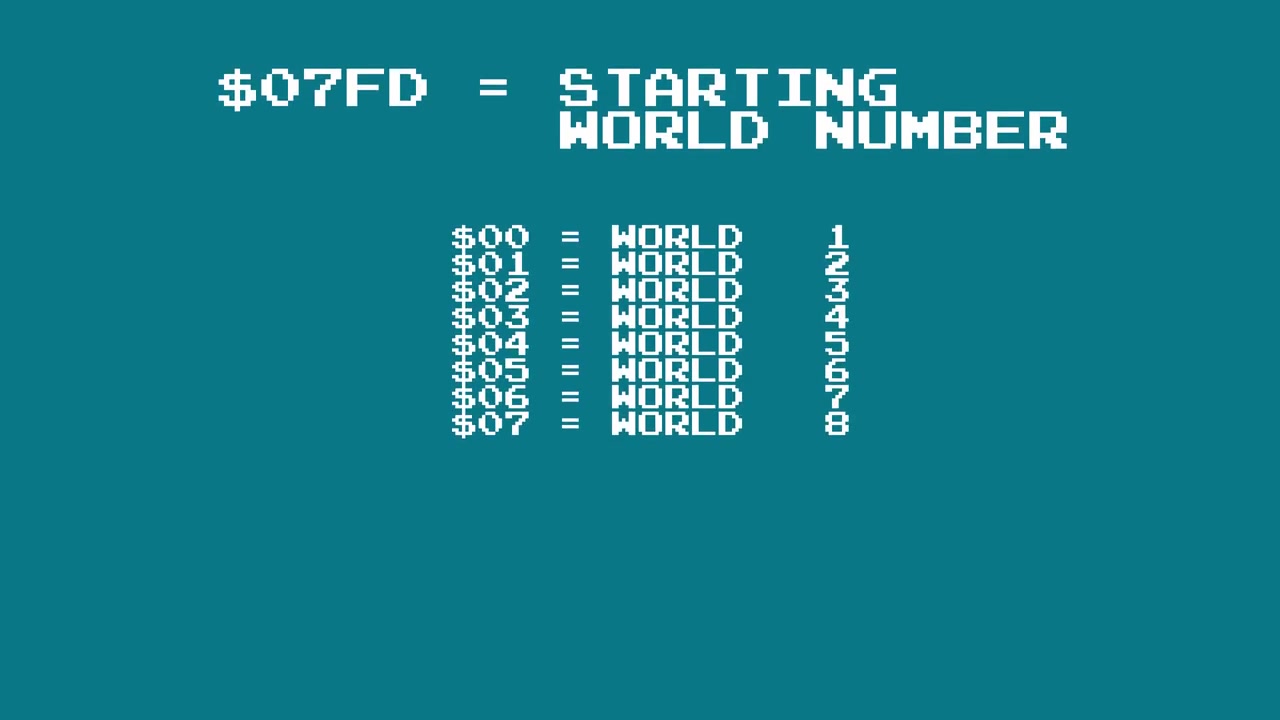
- Uses address $075F for the player's step counter
; Le footstep increment dans Tennis :
; À chaque pas du joueur sur le court, Tennis incrémente le byte à $075F.
; Ce même byte est utilisé par SMB1 comme "world number - 1".
;
; 0 pas  → world 0 → SMB1 = world 1
; 1-7 pas → world 1-7 → worlds normaux
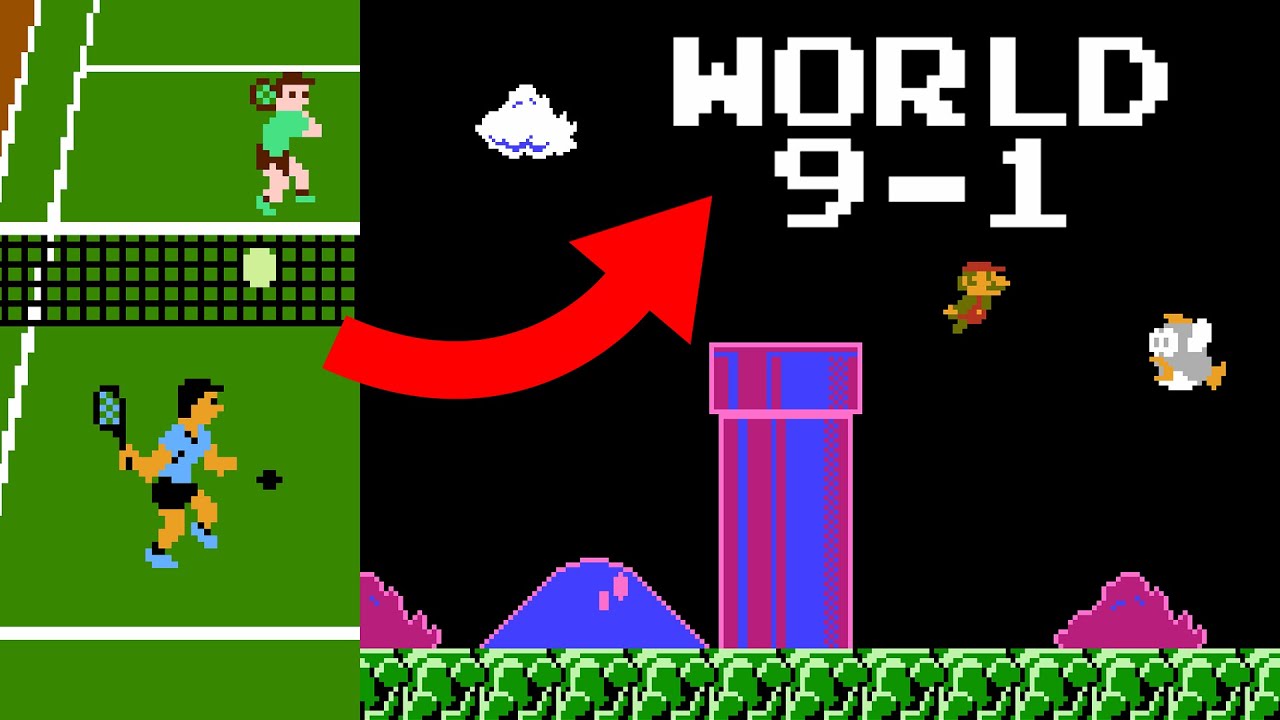
; 8+ pas → world 8+ → glitch worlds !
;
; Le compteur ne s'incrémente que quand la musique s'arrête
; (les footstep sounds ne jouent pas pendant la musique).
When you put SMB1 back in:
- The $A5 byte is still there (Tennis didn't touch it)
- The top score digits are still 0 (valid)
- The world byte is now 8+ (incremented by Tennis's footsteps)
- SMB1 detects a warm start → preserves the corrupted world byte
- Hold A + Start → world 9-1, world A-1, world 36-1, etc.
Why you have to boot Mario before Tennis
One subtlety: you have to boot SMB1 first, then Tennis, then SMB1 again. If you started directly with Tennis, the $A5 byte would never be written (Tennis doesn't write $A5), so the warm start detection would fail and the RAM would be wiped.
How SMB1 stores its levels in 40KB
Nintendo R&D4 had to solve a deceptively simple problem: represent levels that scroll horizontally with tiles, enemies, items, all within an ultra-tight ROM budget.
The solution is a separation into two completely independent data layers:
The tile layout (the level map)
Each level is defined by a pointer to a compressed tile structure in ROM. The compression is rudimentary but brilliant: a control byte followed by 1-3 data bytes.
The tile format uses a run-length system:
; Format tile SMB1 (simplifié)
; Chaque "commande" est un byte contrôle :
;
; $00-$7F : pose une tile, avance d'1 colonne
; $80-$BF : pose une tile répétée N fois (N = byte - $80 + 1)
; $C0-$FF : commande spéciale (fin de ligne, saut, changement de palette)

Exemple : pour dessiner 3 briques consécutives :
  $82 $01    ; répète la tile $01 (brick) 3 fois
Each level contains 13 rows of 16 tile columns (13x16 = 208 visible tiles). But the compressed format allows for much smaller data -- for example, the sky and empty columns take up almost no space.
The 6502 rendering loop:
; Décompression tile - loop principale
; Entrée : pointeur tile_data en $XX
; Sortie : tilemap niveau dans la RAM PPU

DecompressTile:
  lda (tile_ptr),y      ; lire byte contrôle
  iny
  cmp #$80
  bcc SingleTile        ; $00-$7F : tile unique
  cmp #$C0
  bcc RunLength         ; $80-$BF : run-length
  jmp SpecialCommand    ; $C0-$FF : commande spéciale

SingleTile:
  sta PPU_DATA          ; écrire la tile directement
  jmp Next

RunLength:
  sec
  sbc #$7E              ; N = control - $7E
  tax
  lda (tile_ptr),y      ; lire la tile à répéter
  iny
: sta PPU_DATA
  dex
  bne :-
  jmp Next
The sprite layout (enemies and objects)
In parallel, enemies and objects (question blocks, pipes, goombas, koopas) are stored in a completely separate structure. Each spawn is defined by 2 bytes:
; Format sprite SMB1
; Byte 0 : position X (en colonnes)
; Byte 1 : type de sprite + bits de page Y
; Y est dérivé de l'index dans la séquence

Une séquence de sprites :
  $01 $4B    ; goomba à la colonne 1
  $09 $4B    ; goomba à la colonne 9
  $10 $61    ; bloc ? à la colonne 16 (contient pièce)
  $15 $54    ; koopa verte à la colonne 21
  $FF        ; fin de séquence
Each level can reference up to 5 different sprite pages (well, 5 "screens" of 16 columns), but in practice most levels only use 2-3.
The pointer table
The genius of the design is the pointer table. Each level is stored as a pair of ROM addresses:
// Structure interne (simplifiée) du World Map
struct LevelPointer {
    uint16_t tile_ptr;   // Adresse ROM des données tiles
    uint16_t sprite_ptr; // Adresse ROM des données sprites
};

// 4 tables séparées, une par AreaType :
// 0 = Water, 1 = Overworld, 2 = Underground, 3 = Castle
LevelPointer level_table[4][128];
128 entries per table. 4 area types. 512 possible combinations, but only a fraction is used by the official game. The rest is uninitialized RAM or data being interpreted as pointers.
When the game loads a level, it does this:
; Chargement d'un niveau
; A = AreaType (0-3), X = LevelID (0-127)

LoadLevel:
  sta AREA_TYPE
  asl                  ; *2 pour offset dans table 16-bit
  tax
  lda LevelTable_TilePtr, x
  sta TILE_PTR
  lda LevelTable_TilePtr+1, x
  sta TILE_PTR+1       ; pointeur vers les tiles
  lda LevelTable_SpritePtr, x
  sta SPRITE_PTR
  lda LevelTable_SpritePtr+1, x
  sta SPRITE_PTR+1     ; pointeur vers les sprites
  jsr DecompressTiles
No validation. No check that the pointer is valid. The game reads the address from the table and decompresses whatever is at that address, end of story.

The 34 unique levels and the 7-bit ID system
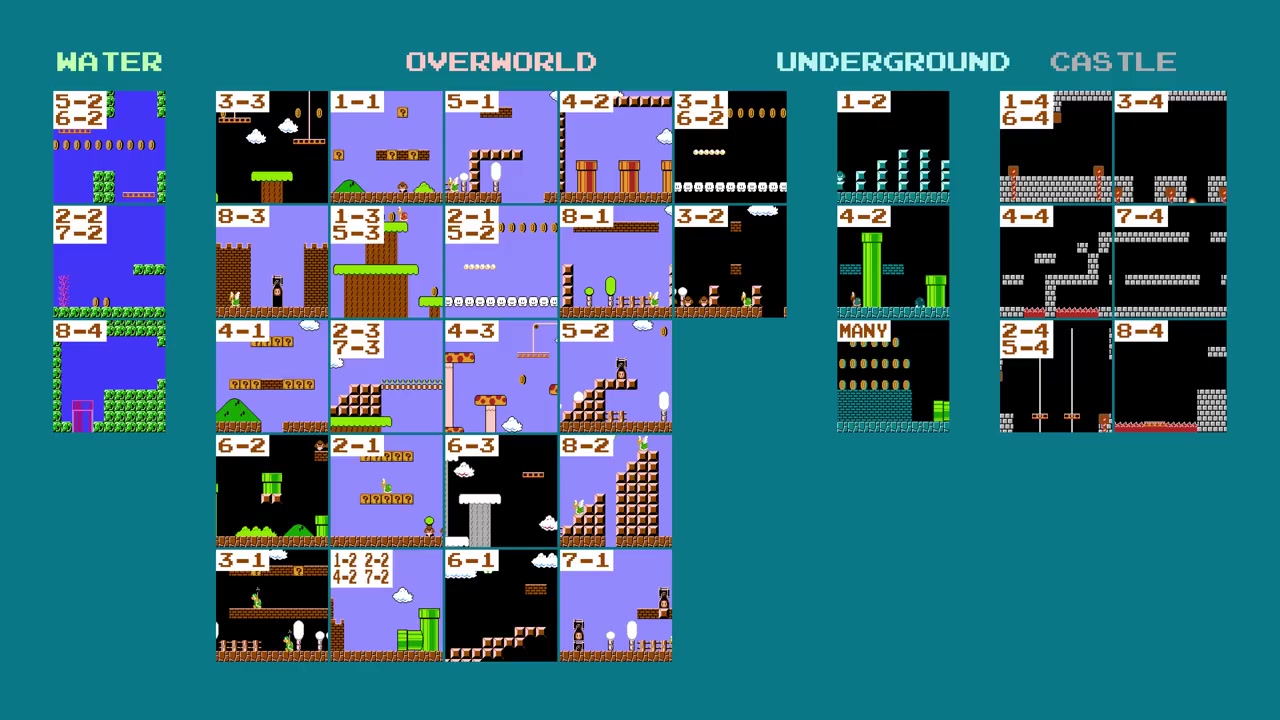
SMB1 doesn't have 32 levels, but 34 unique levels. Many levels are duplicates (5-3 = 1-3 but with Bullet Bills) marked with a "hard mode" flag. The truly unique levels:
- Water (Type 0): 3 levels (2-2, 7-2, bonus area 5-2/6-2)
- Overworld (Type 1): 22 levels (including the 2 cloud bonus rooms)
- Underground (Type 2): 3 levels (including underground bonus rooms)
- Castle (Type 3): 6 levels
- + 1 cutscene room (before underground/water levels)
- + 1 warp zone from 4-2
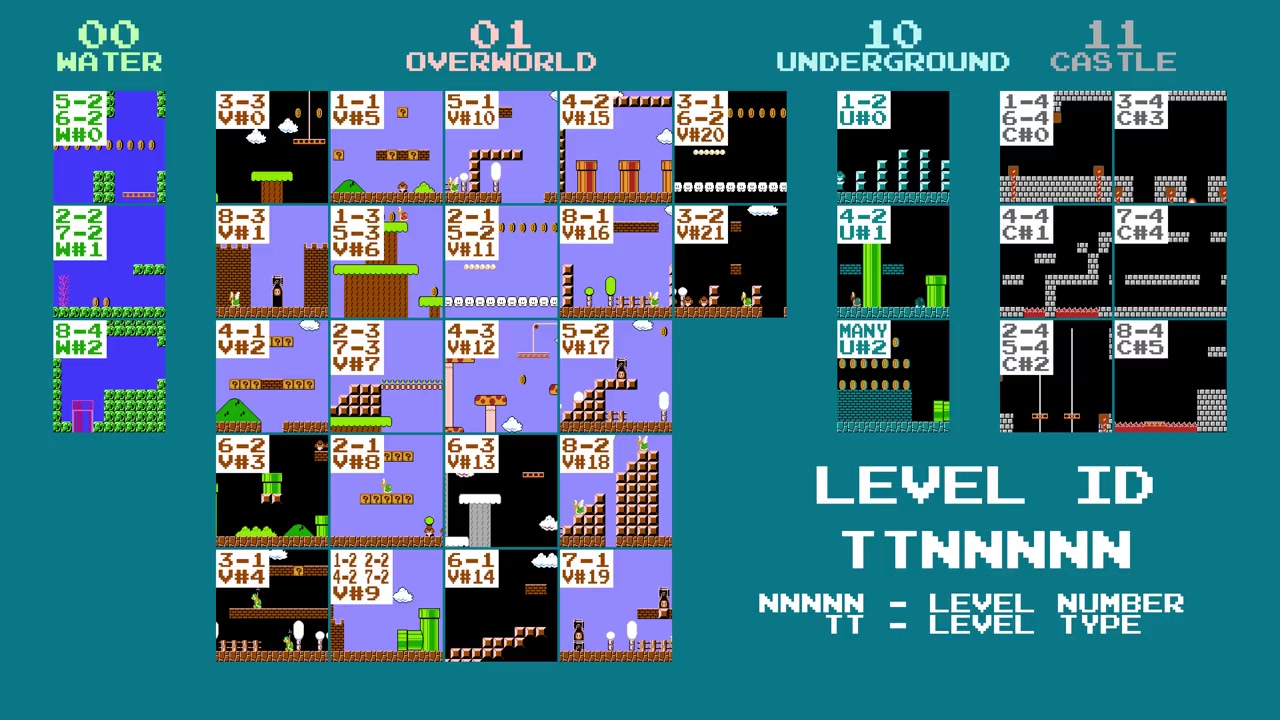
Each level has a 7-bit ID. The 5 low bits = number within the subgroup, the 2 high bits = area type:
; Encodage 7-bit du Level ID
; Bits 6-5 : Type (00=Water, 01=Overworld, 10=Underground, 11=Castle)
; Bits 4-0 : Numéro dans le sous-groupe
;
; Water IDs      : $00-$02  (types 00, numéros 0-2)
; Overworld IDs  : $20-$35  (types 01, numéros 0-21)
; Underground IDs: $40-$42  (types 10, numéros 0-2)
; Castle IDs     : $60-$65  (types 11, numéros 0-5)
;
; ID $25 = %0100101 → type 01 (Overworld), numéro 5 → 1-1
; ID $23 = %0100011 → type 01 (Overworld), numéro 3 → 6-2
128 possible IDs ($00-$7F), only 34 assigned to real levels. Unused IDs point to whatever happens to be there.
The pointer tables: two lists, two orderings
The tile and sprite pointers aren't stored in the same order. The code uses two separate 16-bit lists (high byte / low byte in two distinct tables):
Ordre des pointeurs sprites :
  Index 0-5   : Castle (6 niveaux)
  Index 6-27  : Overworld (22 niveaux)
  Index 28-30 : Underground (3 niveaux)
  Index 31-33 : Water (3 niveaux)

Ordre des pointeurs tiles :
  Index 0-2   : Water (3 niveaux)
  Index 3-24  : Overworld (22 niveaux)
  Index 25-27 : Underground (3 niveaux)
  Index 28-33 : Castle (6 niveaux)
Why different orderings? No technical reason -- it's probably just how the data was organized during development. But it creates a fascinating consequence: when a level ID is invalid, the tile and sprite pointers load different levels, creating Frankenstein levels.
To navigate between these two lists, the game uses small offset tables (like a table of contents):
; Tables d'offset par type (Water, Overworld, Underground, Castle)
; Chaque entrée = index de début dans la liste correspondante

SpriteOffsetTable:
  .byte $1F, $06, $1C, $00    ; Water=31, Overworld=6, Underground=28, Castle=0

TileOffsetTable:
  .byte $00, $03, $19, $1C    ; Water=0, Overworld=3, Underground=25, Castle=28
To load level 6-2 (ID $23, Overworld number 3):
; 1. Type = 01 (Overworld) → index dans table d'offset = 1
; 2. Sprite offset = SpriteOffsetTable[1] = 6
;    Index final = 6 + 3 (numéro de niveau) = 9 → 10ème pointeur sprites
; 3. Tile offset = TileOffsetTable[1] = 3
;    Index final = 3 + 3 = 6 → 7ème pointeur tiles
; 4. Résultat : pointeur tiles $A619 + pointeur sprites $9ED0 = 6-2 ✓
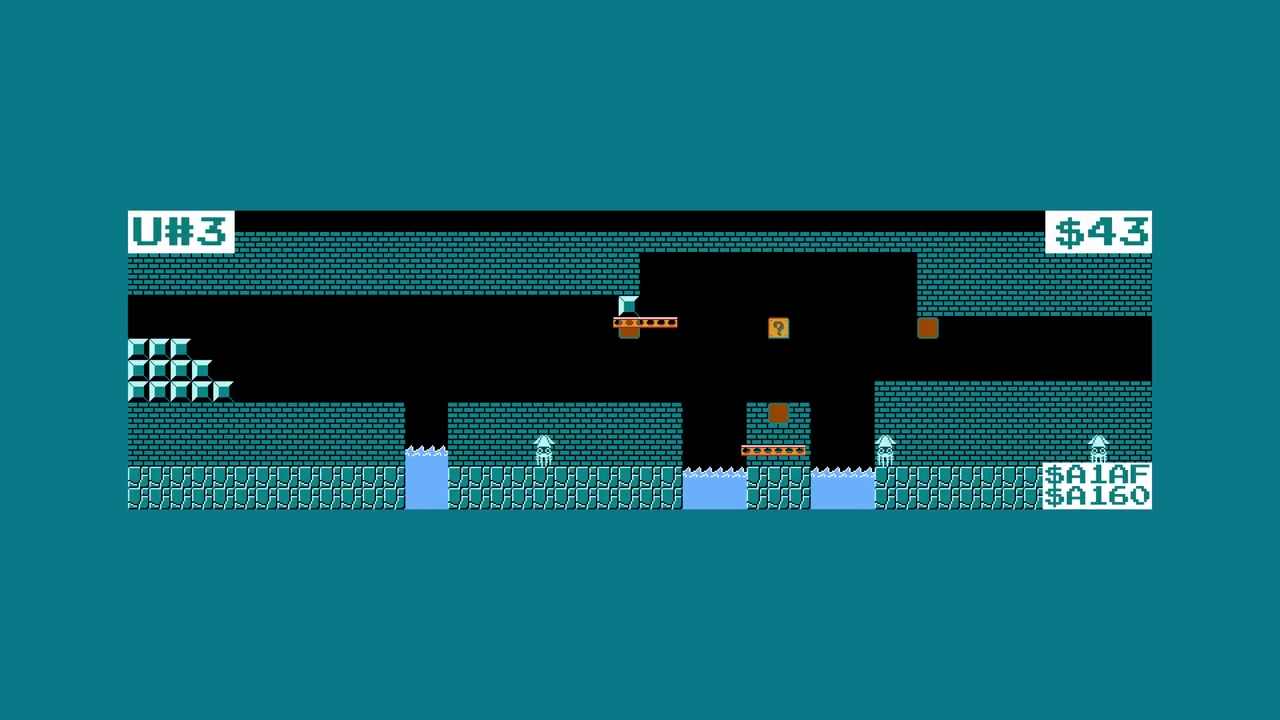
Now, what happens with an invalid ID like $43 (Underground number 3, which doesn't exist)?
; ID $43, Type = 10 (Underground), numéro = 3
; Sprite offset = SpriteOffsetTable[2] = $1C = 28
;   Index = 28 + 3 = 31 → 32ème pointeur sprites = eau bonus 5-2 !
; Tile offset = TileOffsetTable[2] = $19 = 25
;   Index = 25 + 3 = 28 → 29ème pointeur tiles = 1-4 (Castle) !
;
; Résultat : un niveau souterrain avec les tiles de 1-4
; et les Bloopers de la zone eau de 5-2. Un vrai Frankenstein.

The world index table: why world 9 overflows
There's an 8-byte ROM table that gives the index of the first level in each world (1-8). And right after it, the table of 36 Level IDs for all levels in gameplay order.
; WorldIndexTable (8 bytes)
  .byte 0, 5, 10, 15, 20, 25, 28, 33
;   -> Monde 1 commence au niveau 0
;   -> Monde 2 commence au niveau 5
;   -> Monde 8 commence au niveau 33

; LevelIDTable (36 bytes)
  .byte $25, $28, $29, $26, $24, ... ; les 36 Level IDs
When trying to load world 9, the game reads the 9th byte of WorldIndexTable... which doesn't exist. It overflows by 1 byte into LevelIDTable, reads the value $25, then uses $25 as an index into LevelIDTable (37th entry) -- which overflows by 2 bytes into SpriteOffsetTable, and reads the value 6.
; World 9 :
;   1. WorldIndexTable[8] (overflow) → lit $25 dans LevelIDTable
;   2. LevelIDTable[37] (overflow) → lit le 2ème byte de SpriteOffsetTable = 6
;   3. ID = 6 → Water level number 6 (qui n'existe pas)
;   4. Tile pointer = pointeur water numéro 6 = tiles de 6-2
;   5. Sprite pointer = index 31+6 = 37 > 33 → pointeur invalide
;   6. Résultat : 6-2 sous l'eau avec des sprites glitchés
;      → world 9-1 !
For world G (16), the overflow goes even further and lands on Level ID $01, which is the cutscene level that precedes 1-2:
; World G (16) :
;   WorldIndexTable[15] → lit $01 dans LevelIDTable
;   LevelIDTable[1] = $29 (cutscene 1-2)
;   → world G-1 = la cutscene d'entrée de 1-2
Why the glitch worlds exist
The game has 32 "legitimate" levels (8 worlds x 4 levels). But the pointer table has 128 entries per area type. Entries beyond level 32 contain whatever is at those ROM addresses -- sometimes another level, sometimes sound data, sometimes RAM, sometimes anything at all.

Level ID $01 + AreaType 0 = Minus World
The most famous of the glitch worlds. Level ID $01 in AreaType 0 (water) points to:
- Tile pointer: $AE45 → the underwater area from 2-2/7-2
- Sprite pointer: $A171 → the sprites from 2-2/7-2
The result: a water level that looks like 2-2, but loops forever because the flagpole doesn't exist. No level end, no exit.
It's level 36-1 (or 36-1 in world $-1).
; Pourquoi le flagpole manque dans le Minus World :
; Les sprites de 2-2/7-2 ($A171) n'ont pas de flagpole
; dans leur séquence. Le jeu cherche le sprite $FD (flagpole)
; mais ne le trouve jamais → boucle infinie
;
; Le jeu continue de générer le niveau à l'infini
; jusqu'à ce que le timer atteigne zéro.
Pointers that point to RAM
When the tile pointer or sprite pointer points to a RAM address ($00-$7F) instead of ROM, the game tries to interpret the constantly changing RAM values as tiles:
; Exemple : Level ID $03 en Water
; Tile Pointer : $A46B (3-3 - valide)
; Sprite Pointer : $009D (pointe vers la RAM page zéro !)
;
; La RAM page zéro contient les registres du jeu,
; la position de Mario, l'état des compteurs...
; Le jeu décompresse ça comme une séquence de sprites,
; et le résultat c'est un niveau avec des ennemis
; qui sont en fait des valeurs de registres.
When the zero page changes (because Mario moves, the timer ticks, etc.), the level's "sprites" change too. That's why some glitch worlds have enemies that blink and constantly transform.

Level ID $36: the empty level (Overworld)
Level ID $36 in Overworld:
- Tile pointer: $AC35 (1-2)
- Sprite pointer: $A0D8 (1-2)
Result: nothing. The game loads the level but it's marked "no level" in RGMechEx's catalog. The tiles might be valid but the sprites point to a location that produces an empty or non-functional level.
Level ID $1D (Castle): the crash champion
Level ID $1D in Castle:
- Tile pointer: $A210 (4-4)
- Sprite pointer: $7EA0 (RAM!)
Sprite pointer in RAM = undefined sprites. The game tries to display a Spiny ball or Bullet Bill blaster in the first row of tiles. It crashes immediately.
; Quand le sprite pointer pointe vers la RAM,
; le jeu décompresse des bytes qui changent tout le temps
; comme des instructions "spawn". Le résultat :
; - Apparition d'objets inexistants (valeur undefined)
; - Crash PPU quand le sprite NES essaie d'afficher un tile invalide
; - Freeze complet de la console
The 256 cataloged glitch worlds
RGMechEx wrote a script that generates maps of every level, for all 4 area types, and all 128 IDs each.
The world counter is 8-bit (0-255). Worlds 1-8 are legitimate. That leaves 248 potential glitch worlds. Each glitch world corresponds to the first level of that world, and its Level ID is calculated by the WorldIndexTable overflow mechanism.
Out of the 128 possible IDs, only 68 are "first levels" of a world (accessible via the glitch world number). The other 60 are level 2+ or inaccessible.
| Type | Playable unique IDs | IDs that crash | Empty IDs |
|---|---|---|---|
| Water (0) | ~20 | ~60 | ~48 |
| Overworld (1) | ~30 | ~55 | ~43 |
| Underground (2) | ~15 | ~65 | ~48 |
| Castle (3) | ~25 | ~58 | ~45 |
Many IDs lead to the same level because the pointers land on the same ROM addresses. Level ID $28 (Overworld), for example -- tile pointer $A7CD (2-1) -- appears in 38 different glitch worlds, because its sprite pointer $9F51 points to a region of ROM that's used as padding/sound data reused by many IDs.

The 6 truly unique glitch levels
Out of the 19 accessible glitch level IDs, only 6 don't crash immediately on load:
| World | Level ID | Description |
|---|---|---|
| E-1 (224) | $50 | A single ? block over a chasm. Mario dies instantly. |
| W | $57 | Mario spawns stuck, unable to move. |
| 42 (133) | $50 | Cloud tunnel that traps Mario if he goes far enough. |
| 62 (131, 240) | $4D | Frozen castle: Mario spawns at the top, can't fall → stuck. |
| 127 | $4B | Underground tunnel, but crashes if you go too far. |
| 137 | $4B | Activates cutscene auto-scrolling. Mario meets a single brick block that blocks him forever. |



Six glitch worlds out of 248 that produce something truly new. The rest are normal levels with the wrong area type, or black screens.
The level format in detail
Let's dive into the exact level data format, to understand why glitch levels hold up (or don't).
The level header: 2 bytes, 6 properties
Each level starts with a 2-byte header that controls 6 properties:
; Byte 0 : timer + Y start + modifier
;   Bits 7-6 : timer (00=inchangé, 01=200, 10=300, 11=400)
;   Bits 5-3 : Y start Mario (111/110 = autowalk)
;   Bits 2-0 : level type modifier
;              000=default, 001=waves, 010=brick wall,
;              011=water bottom, 100=night, 101=snow,
;              110=snow night, 111=gray night

; Byte 1 : platform + background + floor pattern
;   Bits 7-6 : special platform (00=tree, 01=mushroom,
;                                 10=Bullet Bill, 11=cloud)
;   Bits 5-4 : background (00=none, 01=clouds,
;                           10=montains, 11=fences)
;   Bits 3-0 : floor pattern initial (0-15)
The modifier type controls visual variations: the waves at the top of water levels, the brick background of 8-3, the night palette of 4-3, the snow of 6-2, etc.
Tile objects: 2 bytes, Next Screen Flag, 3-slot queue
After the header comes a list of tile objects, each object is 2 bytes. The byte $FD marks the end of the list.
; Format objet tile (16 bits) :
; Byte 0 :
;   Bits 7-4 : X position (colonne 0-15)
;   Bits 3-0 : Y position
;     Y=0-11  : position Y normale
;     Y=12    : objets spéciaux (trous, ponts, rope, ? blocks)
;     Y=13    : screen skip / objets spéciaux 2
;     Y=14    : changement de modifier/scenery/floor
;     Y=15    : objets spéciaux 3 (château, escaliers, gros tuyau)

; Byte 1 :
;   Bit  7   : NEXT SCREEN FLAG
;   Bits 6-4 : type d'objet (0-7)
;   Bits 3-0 : largeur/hauteur / sous-type
When the "next screen" bit is set, the current working column is incremented by 1. This allows placing objects beyond the first 16 columns. Objects must be listed in order (left to right) because the game loads them sequentially:
; La routine de chargement a DEUX phases par colonne :
; Phase 1 : chercher les nouveaux objets qui commencent sur cette colonne
;            et les ajouter à la file d'attente (queue)
; Phase 2 : traiter chaque objet dans la queue en dessinant les tiles,
;            et retirer ceux qui finissent sur cette colonne
The queue holds exactly 3 slots. Direct consequence: you can't have more than 3 objects starting on the same column. If the queue is full, the 4th object is ignored and never loaded.
That's why well-designed levels avoid stacking too many objects. Example in 1-2: the column with the 1up block in the ceiling + the bricks next to it are split into two distinct objects to respect the 3-slot limit.
Special Y positions: 12, 13, 14, 15
When Y=12, the object has no Y position (it's hardcoded by type):
; Y=12 : objets sans Y position
;   Type 0 : trou (supprime le sol)
;   Type 1 : rope de plateforme mobile
;   Types 2-4 : ponts à Y fixe
;   Type 5 : trou avec eau/lave
;   Types 6-7 : rangées de ? blocks
When Y=13, two subgroups. If bit 6 of byte 1 is set:
; Y=13, bit6=1 : objets spéciaux
;   0 = L-pipe (cutscene), 1 = flagpole, 2-3 = pont/axe/hamer (fin château)
;   4 = stop screen, 5 = random enemies, 6 = loop level, 7+ = crash possible
If bit6=0, the 5 low bits encode a screen skip (jump directly to screen N, without going through the next screen flag one by one).
When Y=14: same principle with bit6=1 to change the modifier type, bit6=0 to change the background + floor pattern.
Floor patterns: 16 ground motifs
The ground in levels isn't made of individual objects. SMB1 uses floor patterns, a background motif that applies to all columns until the next change:
; Floor patterns (4 bits = 16 possibilités)
;   0 = vide total
;   1 = sol 2 tiles haut
;   2 = sol 1 tile haut
;   3 = sol + bottom
;   4 = sol + bottom 2
;   5 = sol 1/2 tile
;   6 = 3/4 sol
;   ... jusqu'à 15 = rempli total (sol + plafond)
That's why pits are objects: they override the floor pattern on a specific column without having to change the pattern for everything else.
The 256-byte limit and the repeat
All tile data in a level fits within 256 bytes maximum. The 6502 Y register is used as an index, and it's 8-bit. If the game reaches the end of the data without finding the $FD byte, it loops back to the start and repeats the 256 bytes forever:
; Index Y = 8 bits → max 256 bytes de données tiles
; Si Y overflow (255 → 0) sans rencontrer $FD → repeat
; Même chose pour les sprites, mais les objets pipe (3 bytes)
; décalent la parité de l'index à chaque chargement.
Some glitch levels exploit this repeat to generate levels that last "indefinitely".
The sprite system: 2 bytes + pipe transitions
Sprites follow a similar format, but without a header and with a few key differences. The byte $FF marks the end of the list.
; Format sprite (2 bytes) :
; Byte 0 : position X (colonne)
; Byte 1 :
;   Bit 7 : NEXT SCREEN FLAG
;   Bits 6-0 : type de sprite
;       Certains types incluent : goomba, koopa, Blooper,
;       Bullet Bill, Lakitu, Spiny, plateformes,
;       commande warp zone, toad/princesse,
;       commandes de spawn de groupes d'ennemis
The low bit of byte 1 is the hard level flag: when set to 1, the sprite only appears in levels >= 5-3. That's how "hard mode" levels are created.
Y position 15 = screen skip (same as tiles). Y position 14 = pipe transition (3 bytes):
; Sprite Y=14 : pipe/vine transition (3 bytes !)
;   Byte 0 : position X
;   Byte 1 : bits 6-0 = Level ID 7-bit (destination)
;   Byte 2 : bits 4-0 = screen de destination
;            bits 7-5 = world où cette transition est valide
;
; Pourquoi un world ? Les bonus rooms sont réutilisées entre mondes.
; Exemple : la salle bonus de 1-1 est aussi utilisée par 2-1 et 7-1.
; Cette salle a 3 transitions, une par monde, pour que Mario
; réapparaisse au bon endroit.
Sprites don't have a queue system. The only limit is that no more than 4 sprites can be loaded simultaneously in the spawn area (just off-screen to the right). Beyond that, sprites are ignored.
How to access the glitch worlds
There are two main methods.
The classic method: the wall clip
The wall clip (passing through walls) lets you get out of the normal level and walk to the hidden warp zone. By manipulating the world counter via RAM, you can load any Level ID.
The technique:
- World 1-2: go into the hidden end pipe
- Perform the wall clip on the right wall
- Walk through the void to the warp zone
- The game interprets the values as worlds
But this method only gives access to a small portion of the glitch worlds.
The extreme method: NES Tennis cart swap
See the "warm start" section above for the full details. In short: Tennis's step counter writes to the same RAM byte as SMB1's start world, and the warm start detection preserves that value.
The tinkerer's corner: code to explore everything
If you want to explore all the glitches yourself in an emulator, you can patch the Level ID directly:
; Patch pour FCEUX / Mesen :
; Adresse RAM $075F = Level ID actuel
; Adresse RAM $0760 = Area Type (0=Water, 1=Overworld, 2=Underground, 3=Castle)

; Exemple : charger le Level 57 (0x39) en Overworld
; Dans l'émulateur, ouvrir le traceur mémoire et écrire :
; $075F = 0x39
; $0760 = 0x01
; Puis entrer dans un tuyau de warp ou mourir et recommencer
; → Le jeu charge le niveau ID $39 en Overworld
RGMechEx published the complete list of 128 levels x 4 types with auto-generated maps on rgmechex.com. Each entry shows the tile pointer, the sprite pointer, and a visual map of the level.
The most wtf levels
Level ID $1F (Water): 15 glitch worlds in one
Tile pointer $A302 (3-4) combined with sprite pointer $02A0 gives 15 different glitch worlds (D-1, J-1, Y-1, Z-1, 55-1, 73-1...). Explanation: the sprite pointer points to a region of ROM that contains data close enough to valid sprites to produce playable results, but combining the 3-4 castle tiles with overworld sprites creates an absurd rendering.
Level ID $28 (Overworld): 38 glitch worlds = record
The absolute record. 38 glitch world entries point to the same level (2-1 tiles + $9F51 sprites). Why? Because the sprite pointer $9F51 falls into a ROM region used as padding/sound data reused by many IDs.
Level ID $49 (Underground): the FDS level
Tile pointer $76AE + sprite pointer $1C9D. The tile pointer points to the ROM region reserved for the Famicom Disk System version. Result: a level with tiles that don't exist in the standard cartridge. It's the level that produces world 52-1 and 196-1.
Level ID $00-$02: the real bonus levels
These IDs are used by legitimate sub-levels in the game:
- $00: underwater area of 5-2/6-2 (used by H-1, 39-1)
- $01: the water of 2-2/7-2 (the Minus World, 36-1)
- $02: sub-level of 8-4 (136-1, 151-1, 215-1)
The difference between a "bonus" level accessible normally and a glitch world is that warp zones check the current world:
; Vérification warp zone (simplifié)
; Le jeu vérifie que le monde cible est entre 1 et 8
CheckWarp:
  lda TARGET_WORLD
  cmp #1
  bcc InvalidWarp       ; < 1 → refusé
  cmp #9
  bcs InvalidWarp       ; > 8 → refusé
  ; world valide entre 1 et 8 uniquement
  jmp DoWarp
Glitch worlds with numbers > 8 or 0 can't be reached through normal pipes. You need the wall clip or the cart swap.
Why some levels crash: the jump tables
When the game loads a tile object, it uses its type as an index into a jump table:
; Jump table des objets tiles standards (types 0-11)
JumpTable_TileObjects:
  .word Obj_Special       ; type 0 : bloc ?, hidden, flagpole...
  .word Obj_Platform      ; type 1 : plateforme spéciale
  .word Obj_BrickRow      ; type 2 : rangée de briques
  .word Obj_BlockRow      ; type 3 : rangée de blocks
  .word Obj_CoinRow       ; type 4 : rangée de pièces
  .word Obj_BrickCol      ; type 5 : colonne de briques
  .word Obj_BlockCol      ; type 6 : colonne de blocks
  .word Obj_Pipe          ; type 7 : tuyau
  .word Obj_8             ; type 8
  .word Obj_9             ; type 9
  .word Obj_10            ; type 10
  .word Obj_11            ; type 11
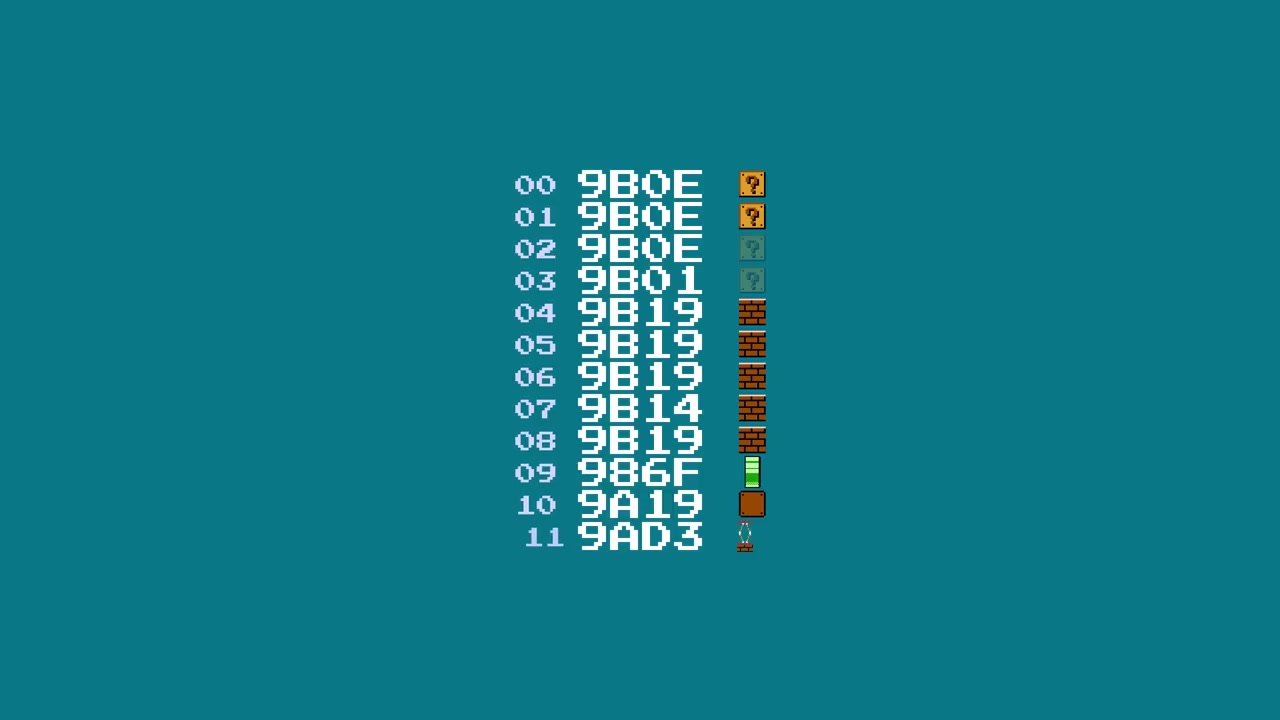
If an object has an invalid type (>=12), the game jumps to a pointer that doesn't exist in this table. 4 possible outcomes:
- Valid pointer → the object loads normally
- Pointer to another jump table (overlap) → a different object appears. Example: type 12 points to the Y=13 table, which produces an L-pipe.
- Pointer to executable code → execution of random code (probable crash)
- Explicit placeholder (NOP) → the object does nothing (some sprites are like this, producing enemies that hover in place without moving)
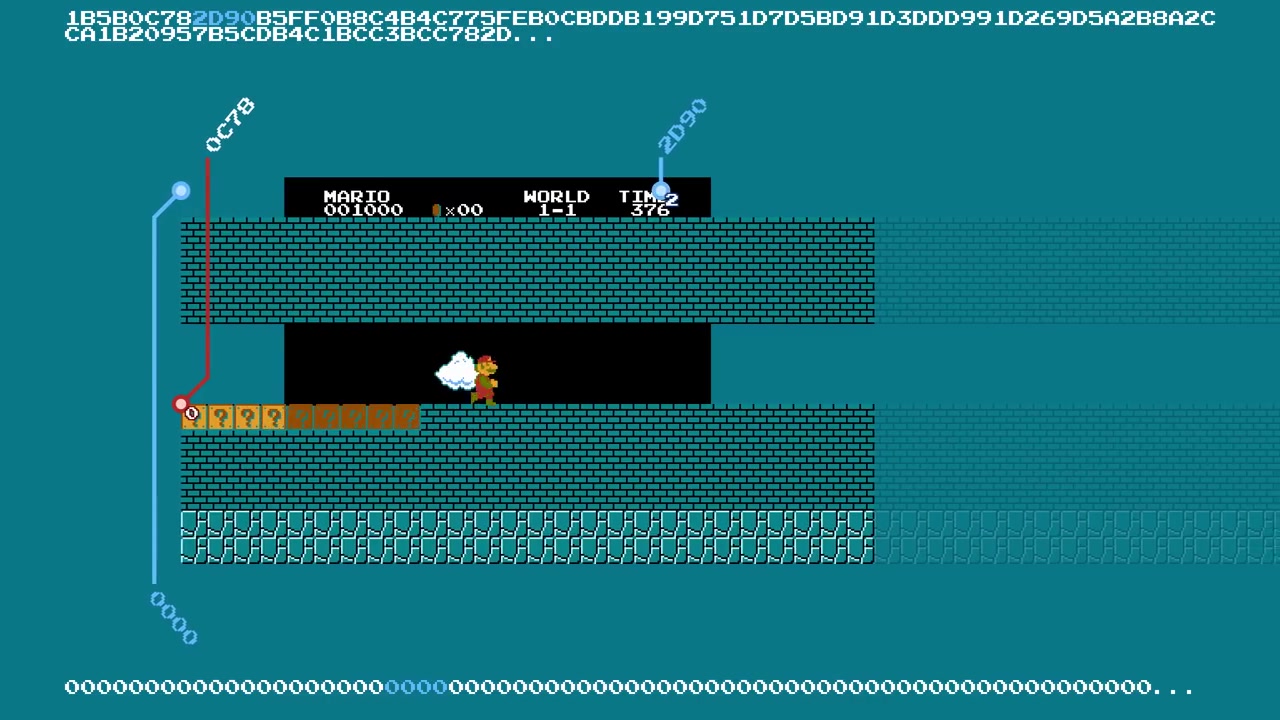
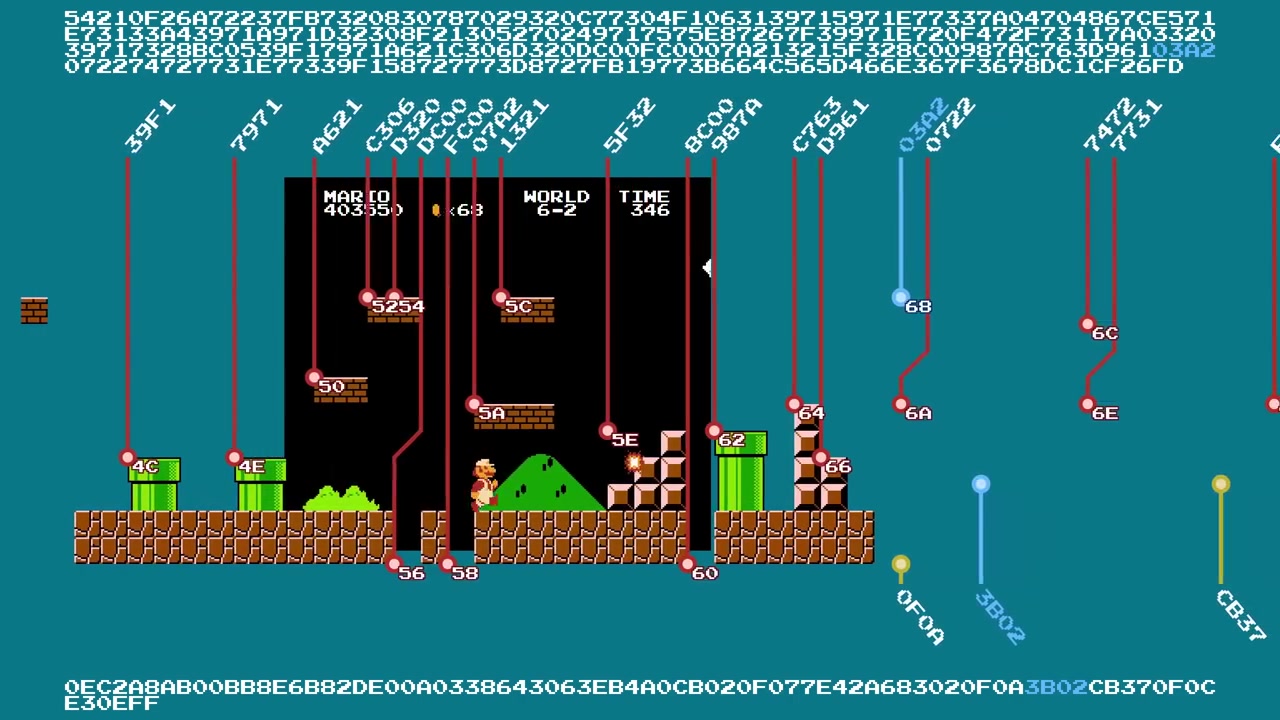
Glitch level ID $58 (the crashing tunnel): its sprite pointer points to a memory region that doesn't exist on a NES without mapper ROM. The game tries to load the same Koopa 5 times per frame at position (0,0), which saturates the PPU and causes a freeze.
; Pourquoi ID $58 crashe :
; Sprite pointer → adresse invalide (hors espace NES standard)
; → Le jeu lit des bytes indéterminés comme des types de sprite
; → Le Koopa $00 (type invalide sans handler) boucle en appel récursif
; → Stack overflow 6502 → freeze
The pipe warp paradox
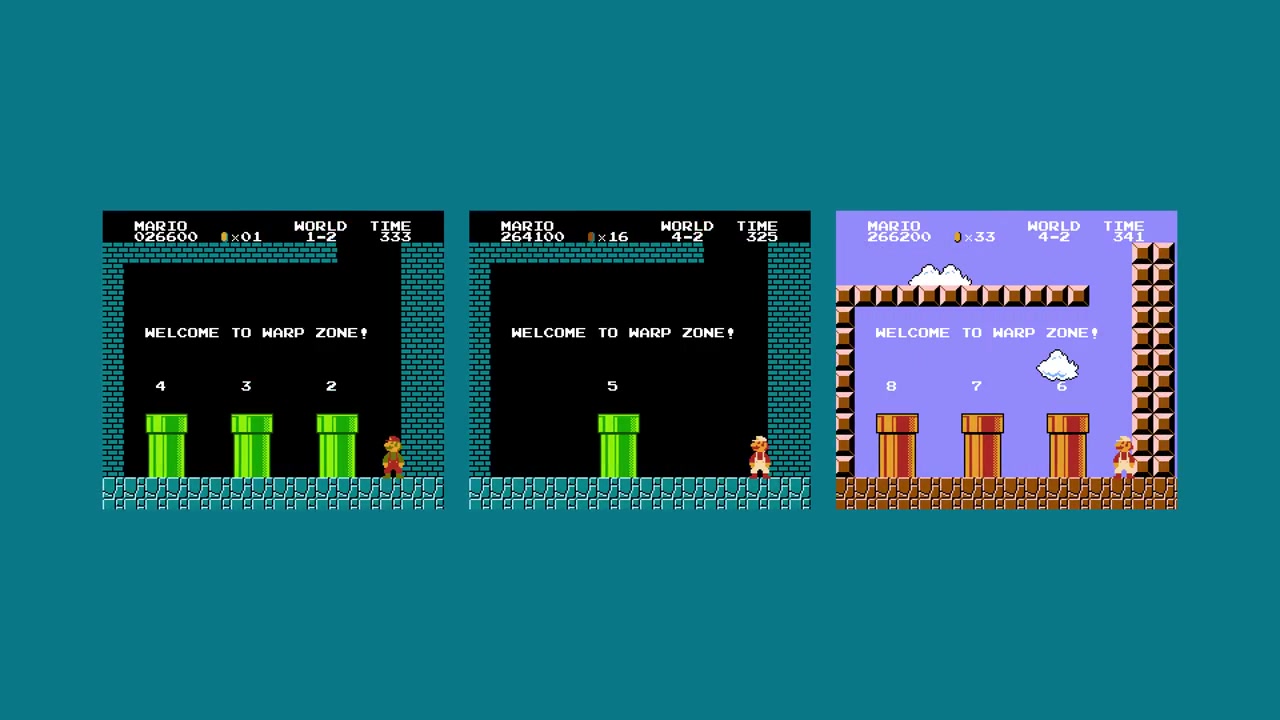
Remember the check target_world BETWEEN 1 AND 8. Even if you find a pipe in a glitch world, the game checks that the destination world is between 1 and 8. Glitch worlds have numbers > 8 (36-1, 255-1...), so the warp fails.
That's also why the Minus World has no end: the flagpole isn't present in the sprites, and the pipes lead nowhere.
The 5-objects-in-one-column trick
There's an edge case that lets you bypass the 3-objects-per-column limit. When the queue gets stuck (slots full + next object missing the next screen flag), the game "preprocesses" the current column in a loop until it finds an object with the next screen flag. During each preprocessing pass:
; Pendant le prétraitement de colonne :
; 1. Les objets dans la queue voient leur largeur restante
;    décrémentée à chaque "fausse avancée" de colonne
; 2. Si un objet atteint largeur=0, il quitte la queue
; 3. Un slot libéré peut être rempli par un nouvel objet
;    ajouté dans la même colonne

; Résultat : jusqu'à 5 objets peuvent être traités sur la même colonne.
; Technique : placer 2 objets qui traversent la screen boundary
; (slots 1 et 2), 1 objet dummy en X < précédent (bloque la queue),
; puis 3 objets à X=0 de l'écran suivant (dont un avec next screen flag).
This is called a "queue skip" and it's used by some ROM hackers to create levels denser than the format normally allows.
The differences between versions
Famicom Disk System
The FDS version of SMB1 has a different memory map. All level pointers are shifted, but the data is the same. What changes: the glitch world indices are completely different:
FDS World 36 → Level ID $09 (eau version de 5-3)
  → Le flagpole est présent ! On peut finir le niveau.
  → Ensuite : $27 (7-3 normal) → $44 (4-4 underground)
  → $44 est finissable → la hache fonctionne → fin du jeu !

Le Minus World FDS est donc un "bonus world" qui peut mener
à la complétion du jeu, contrairement à la version NES.
My favorite FDS level: ID $5F, an underground version of the second half of 3-3 in a low tunnel (too bad it's an autoscroller).
The Lost Levels (Super Mario Bros. 2 Japanese)
Lost Levels changes a lot of things:
- Same tiles/sprites ordering: no more Frankenstein levels (tiles and sprites load the same level even with an invalid ID)
- A single 16-bit pointer table instead of two separate high/low tables
- 4 disk files: the ROM was split for FDS:
- File 1: worlds 1-4
- File 2: worlds 5-8
- File 3: world 9 + sound engine
- File 4: worlds A-D (completely different pointer table)
- Same Level ID = 4 possible levels depending on which file is loaded
- No more Tennis glitch: the continue option (continue on the same world after game over) makes the warm start unnecessary, and the game resets immediately if world > 9
- New objects: poison mushroom, invisible block, invisible fire flower, upside-down pipes, wind -- but inserted in the middle of existing lists → backward incompatibility with SMB1
- Piranha Plants always red after world 4, springboards green only in worlds 2/B/3/C/7
Super Mario All-Stars (SNES)
Direct port with the same 6502 routines (the SNES runs NES code in a compatible mode):
- Warp zone fixed: no more Minus World (entering the left pipe before the text leads to the correct world)
- Crashing: most glitch levels crash (except ID $6A and 9-1)
- Castle objects added: more unique renderings
- But: the 4-2 wrong warp still works (not patched!)
The 4-2 wrong warp: an object placement bug
In 4-2, there are two pipe transition objects: the vine (warp zone) and the pipe (coin cash room). The first transition object (the vine) is placed well before the vine appears on screen. The second (the pipe) is placed too late in the level.
; Timing des transitions dans 4-2 :
; Objet transition 1 (vigne → warp zone) : placé 3 écrans avant la vigne
; Objet transition 2 (tuyau → coin cash) : placé 1 écran après le tuyau
;
; Normalement le premier objet est désactivé avant que Mario
; n'atteigne le tuyau. Mais si Mario va vite (ou utilise
; le raccourci du bloc B+right), la transition de la vigne
; est toujours active quand il touche le tuyau !
; → Le jeu charge la warp zone au lieu du coin cash.
;
; Si l'objet avait été placé juste après la vigne mais avant
; le tuyau, le bug n'existerait pas.
The loop levels
How do the loops work (8-4, 7-4)? The level has checkpoints with hardcoded screen numbers and Y positions:
; Checkpoint : {screen_number, vertical_position}
; Si Mario passe ce checkpoint à la bonne hauteur → niveau continue
; Sinon → warp back de 4 écrans (64 blocks)
;
; Pour faire une boucle infinie : vertical_position = $F0
; (en dessous du bas de l'écran) → impossible de valider.
;
; Les checkpoints sont simples (un seul flag) sauf pour world 7
; qui utilise des triplets (3 flags, il faut en échouer au moins 1)
;
; Le warp back est rude : offset de tile data réglé à une valeur
; hardcodée, offset de sprite data remis à 0. Les ennemis présents
; sont déchargés instantanément → les firebars disparaissent.
Changing the format, not the code
One of the most fascinating lessons from this architecture is that SMB1's developers managed to create a highly expressive level system without ever touching the 6502 rendering code. All variation between levels comes from data (pointers, objects, sprites, floor patterns), not code.
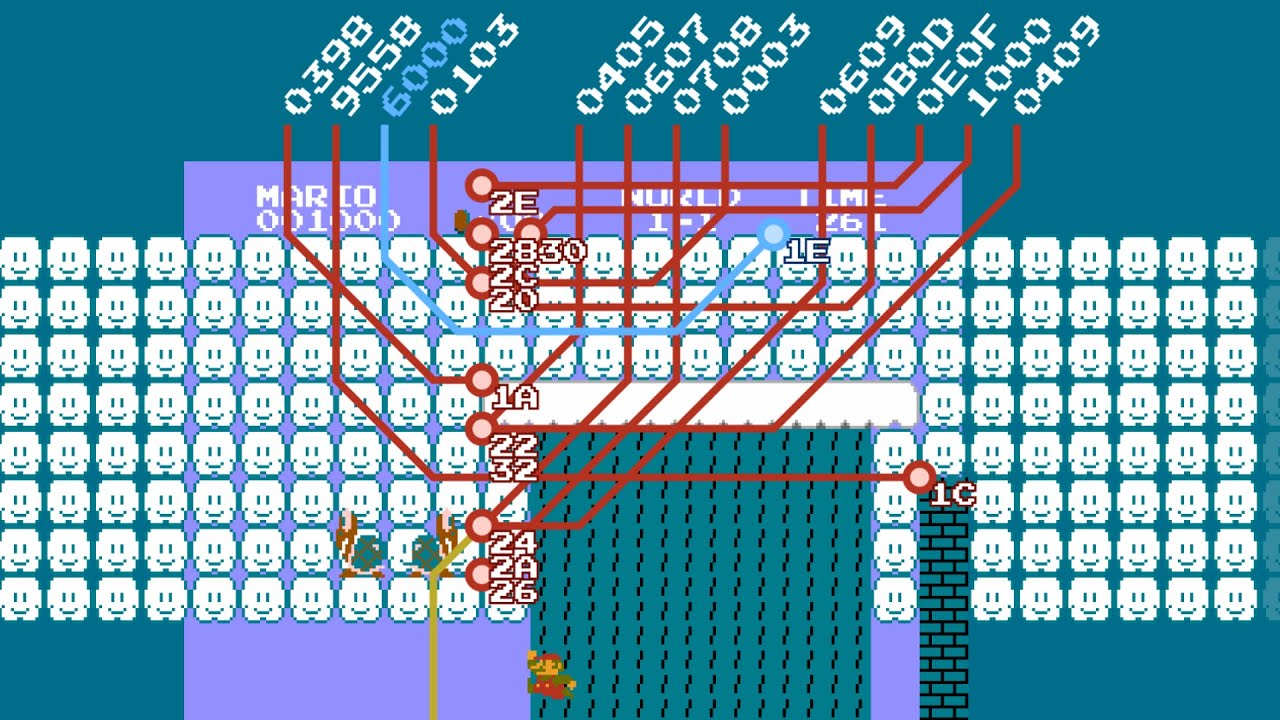
The 256 glitch worlds exist because the pointer tables are sized for 128 entries x 4 types, and the game never validates the values it reads. When a pointer lands in RAM, the game interprets Mario's registers as tiles. When a pointer lands in sound data, the game plays music in the form of level design. And when the jump tables overflow, the game executes anything until it crashes.
What we can learn from all this
- Tile/sprite separation: complete independence of the two layers, with different storage orderings creating unique Frankenstein levels
- RLE compression + object system: levels aren't bitmaps but lists of placed objects, with floor patterns for the ground
- 3-slot queue: strict hardware (and level design) limitation
- No validation: the game trusts pointers and jump tables, producing either playable glitches or crashes
- 256 bytes max: the limit of the 6502 Y register, causing data to repeat if you go too far
- Warm start / cold start: a "continue" system that opened the door to the Tennis → Mario cart swap
The best part: all of this is 6502 code that fits in 40KB. No abstraction layer, no memory access validation, no exception handler. If the pointer is garbage, the game crashes. And the crashes, we call them glitch worlds.
The 3 key takeaways
Glitch worlds are pointers gone wrong -- The game has 128 IDs x 4 area types, but only 34 unique levels. When the world number is corrupted (by Tennis or wall clip), the game loads a pointer designed for a different level, and the 512 possible combinations produce unpredictable results.
The Minus World is a warp bug combined with corruption -- The left pipe in 1-2, if activated before the text appears, loads world 36 (0x24). This world points to Level ID $01 (water from 2-2), a level with no flagpole. And since there's no pipe transition for world 36, the level loops forever. The lack of validation creates the icon.
Tennis → Mario, 15 years before OoT → Paper Mario -- NES RAM survives a cartridge swap thanks to capacitors and SMB1's warm start / cold start system. Tennis's step counter (which increments a RAM byte while playing the footstep sound) lands exactly on the world number address. The top score digits have to stay at 0, the $A5 byte has to be intact, and the game has to detect a warm start -- a perfect confluence of circumstances that only worked with Tennis.
The original videos by Retro Game Mechanics Explained are an absolute labor of love -- the level of detail on the 6502 disassembly, the auto-generated maps of every level, the cart swap and warm start explanations. If you haven't watched the series, check it out, it's short and every minute is dense.
The map source code is available on rgmechex.com, and the complete SMB1 disassembly is open source across many repos. 40 years ago, Japanese programmers wrote this level system in 6502 with zero unit tests and zero bug trackers, and we're still learning stuff by opening their code today.