GitHub avatar

Fox's Blog

Laupok built an AI that plays Super Mario World by itself -- how it works

Laupok built an AI that plays Super Mario World by itself -- how it works

Laupok built an artificial intelligence that plays Super Mario World completely autonomously. No pre-scripted inputs, no recorded frames. The AI learns on its own, through random mutations and natural selection, to finish the game's levels. The project runs on BizHawk, a multi-platform emulator, via a Lua script of about 4200 lines.

What makes this project fascinating is that it relies on biological concepts applied to computing: Darwin's theory of evolution, artificial neural networks, and most importantly a specific algorithm called NEAT (NeuroEvolution of Augmenting Topologies). The AI knows nothing about the game at first. It tries random things, fails thousands of times, and gradually figures out how to move, jump, and survive.

In this article, we'll break it all down -- concept by concept, line of code by line of code.
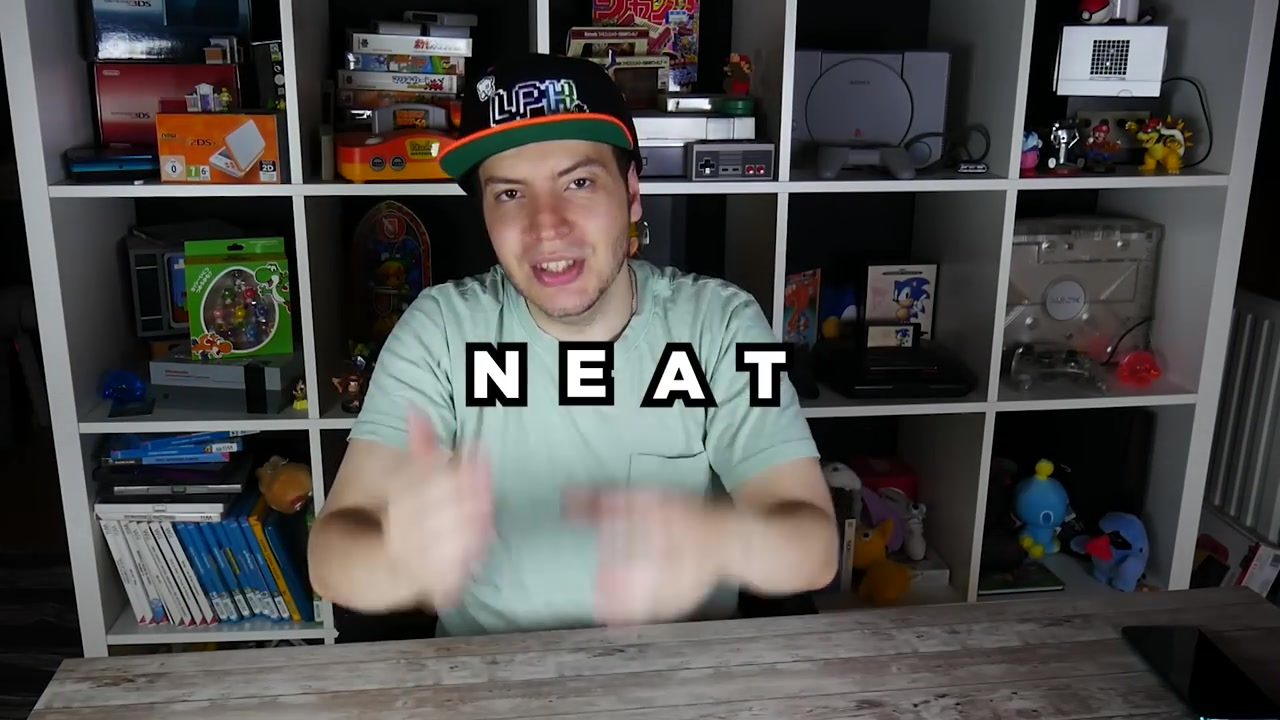
Laupok introduces the NEAT algorithm on camera


The setup: BizHawk, Lua, and Super Mario World

The BizHawk emulator

BizHawk is an open-source emulator that supports a ton of consoles -- NES, SNES, Genesis, PS1, Game Boy, and many more. Its key feature is that it can run Lua scripts alongside the game. These scripts have access to the emulation's RAM (random access memory), meaning they can read -- and modify -- any game data in real time.

Concretely, this means you can:

  • Read Mario's position in the level
  • Know which sprites (enemies, items) are on screen
  • Know the state of every tile (block) around Mario
  • Control the controller -- press any button

This is exactly what you need to make an AI play.

Super Mario World's memory addresses

In Super Mario World's RAM, every piece of data is stored at a specific address. It's like a neighborhood: each address corresponds to a "house" containing one piece of information. For example:

Address Data
0x94-0x95 Mario's X position (16-bit, little-endian)
0x96-0x97 Mario's Y position
0x14C8+i Sprite i state (>7 = alive)
0xE4+i Sprite i low X position
0x14E0+i Sprite i high X position
0xD8+i Sprite i low Y position
0x14D4+i Sprite i high Y position
0x170B+i Extended sprite i type
0x0100 Game state (12 = level finished)
0x13D4 Pause active
0x0071 Mario's death animation (9 = dead)
0x1C800+... Level tile table

Sprite positions use two bytes: a "low" byte and a "high" byte, because the position can exceed 255 pixels. The formula is always low + high × 256.

For tiles it's more complex: the base address is 0x1C800, and you calculate the offset based on the tile's x and y coordinates in the world, with a step of 16 pixels per tile.
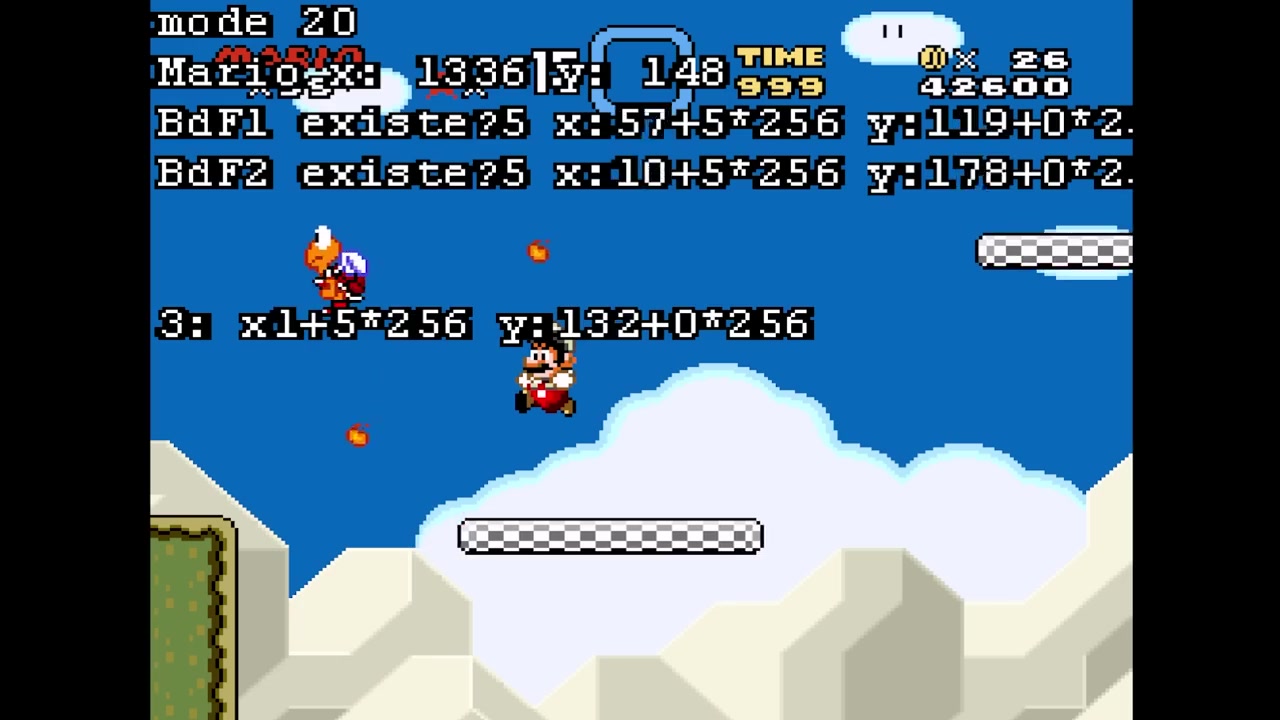
Super Mario World with a debug overlay showing sprite memory addresses and Mario's position


The basics: genetic algorithms and neural networks

Before diving into the code, you need to understand two fundamental concepts. Without them, nothing else makes sense.

Genetic algorithms

A genetic algorithm is a simulation of the theory of evolution. The core idea: you create a population of individuals, each with slightly different characteristics ("genes"). You let them "live" in an environment. Those who do best survive and reproduce. Those who do poorly die out.

Laupok illustrates this with a Kirby analogy:

  • A population of Kirbys appears on a terrain with spikes and tomatoes
  • Spikes remove hit points, tomatoes restore them
  • Each Kirby has genes: size, speed, HP, behavior (flee, seek tomatoes, run blindly)
DNA double helix with labels "the baby", "size", "speed", "color" -- the genes that make up an individual

  • After 15 seconds, you check who survived the longest
  • The best Kirby breeds with the others: babies inherit half the best's genes and half the "worst's"
  • Babies undergo random mutations (a bit bigger, a bit faster...)
  • Old Kirbys are replaced by the new ones
  • You restart

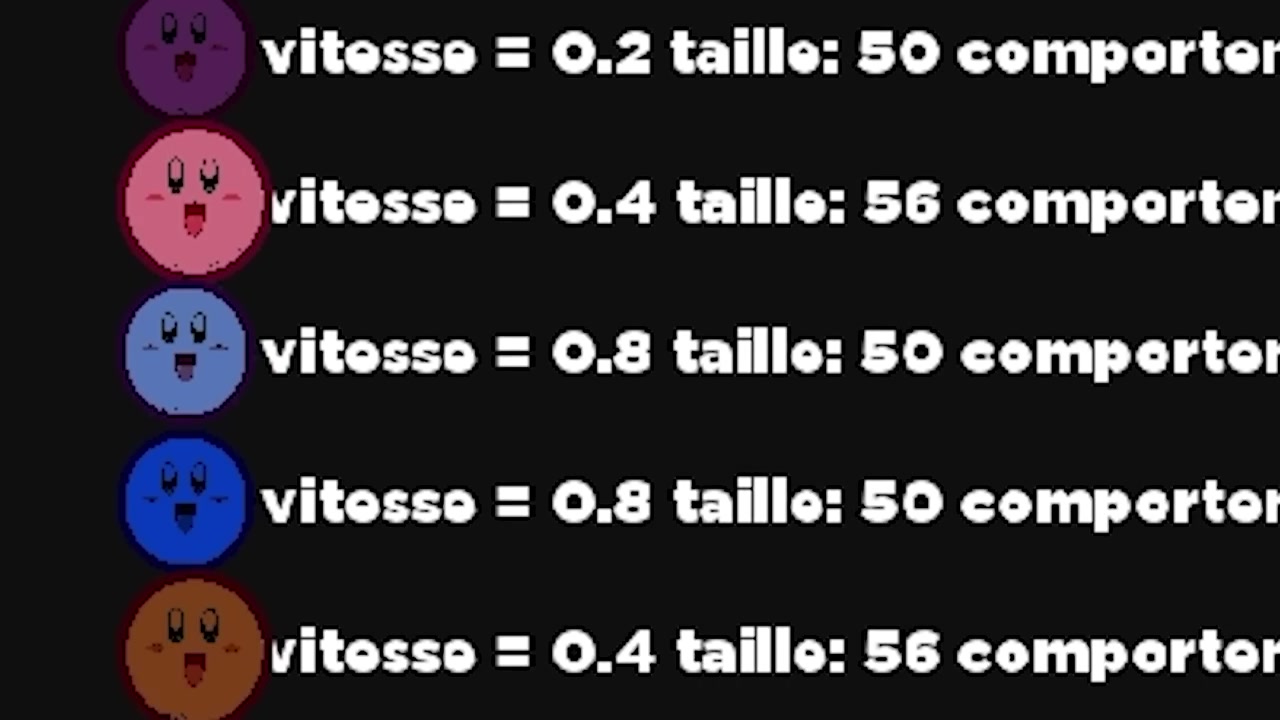
After 180 generations (~15 hours), Kirbys go from 15 seconds of survival to 15 minutes. They became tiny (smaller hitbox), fast, and constantly flee danger.
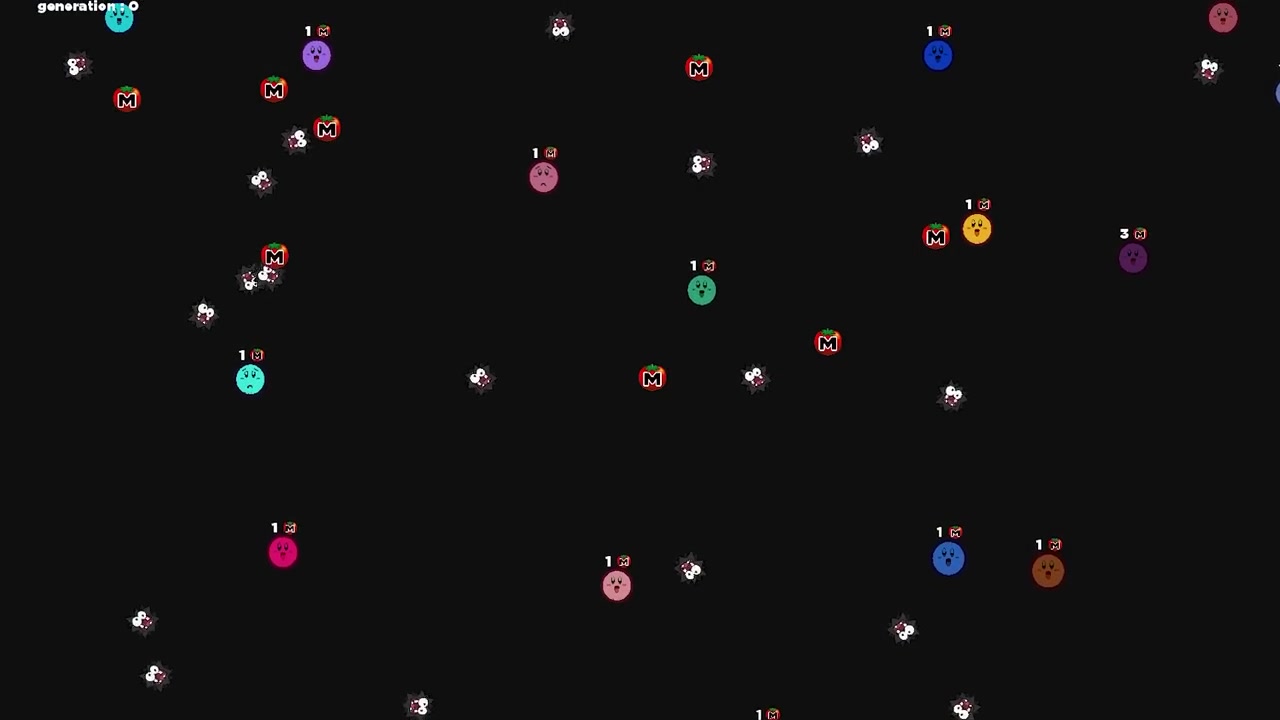
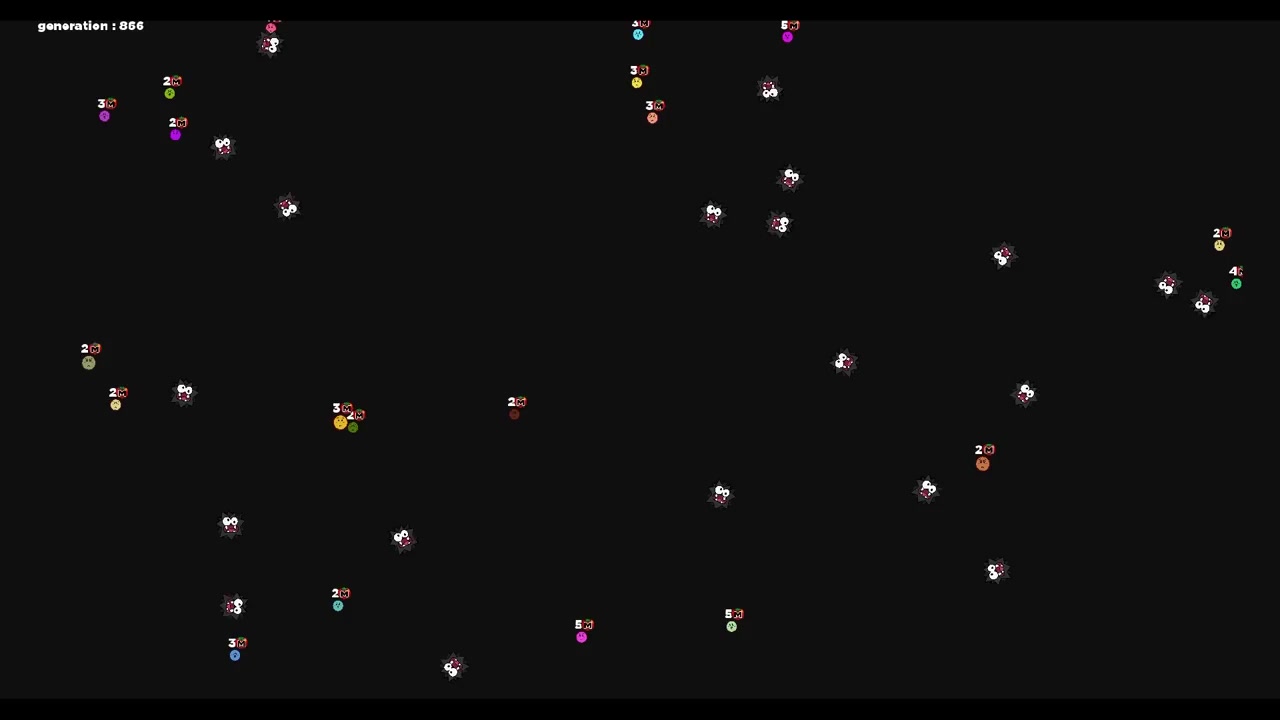
Kirby simulation generation 0: colorful circles randomly scattered on a black background, all similar in size

Kirby simulation generation 1866: Kirbys are smaller, faster, and systematically flee from danger

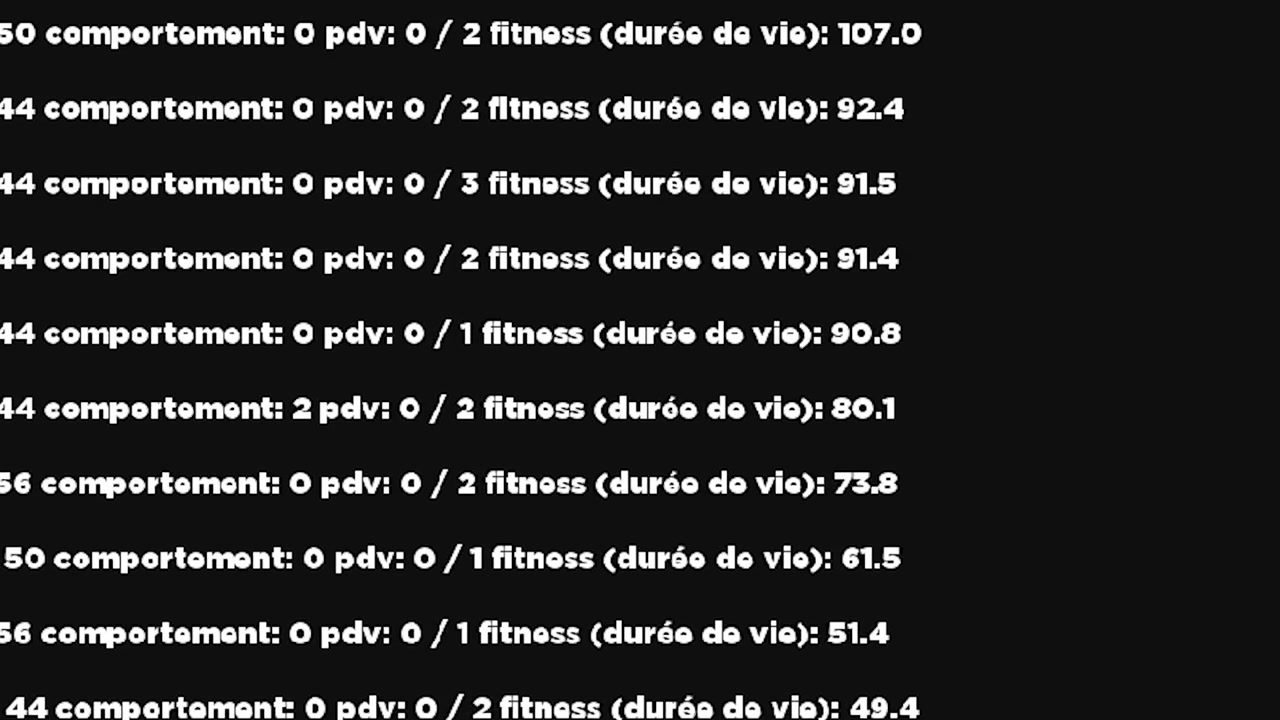
Kirby simulation statistics: fitness, HP, behavior of each individual ranked by performance

The crucial point: you don't define the solution. The algorithm finds it on its own. And that's exactly what makes it powerful for problems where you don't know what the optimal parameter combination would be.

Artificial neural networks

A neural network is a simplified mathematical model of the human brain. It consists of:

  • Input neurons: what the network "sees"
  • Output neurons: what the network "decides"
  • Connections (weights): each connection has a weight that amplifies or dampens the signal

The principle is simple: each input neuron sends its value. It's multiplied by the connection weight, then added to other signals. If the result exceeds a certain threshold (the activation function), the output neuron fires.

In Laupok's analogy with Mario and the mouse cursor:

  • Input neuron = distance between Mario and the cursor
  • Connection weight = Mario's sensitivity
  • Output neuron = Mario screams or not

The closer the cursor, the higher the input value. If the weight is strong, the output signal is strong, and Mario would scream. By changing the weight, you change Mario's sensitivity.
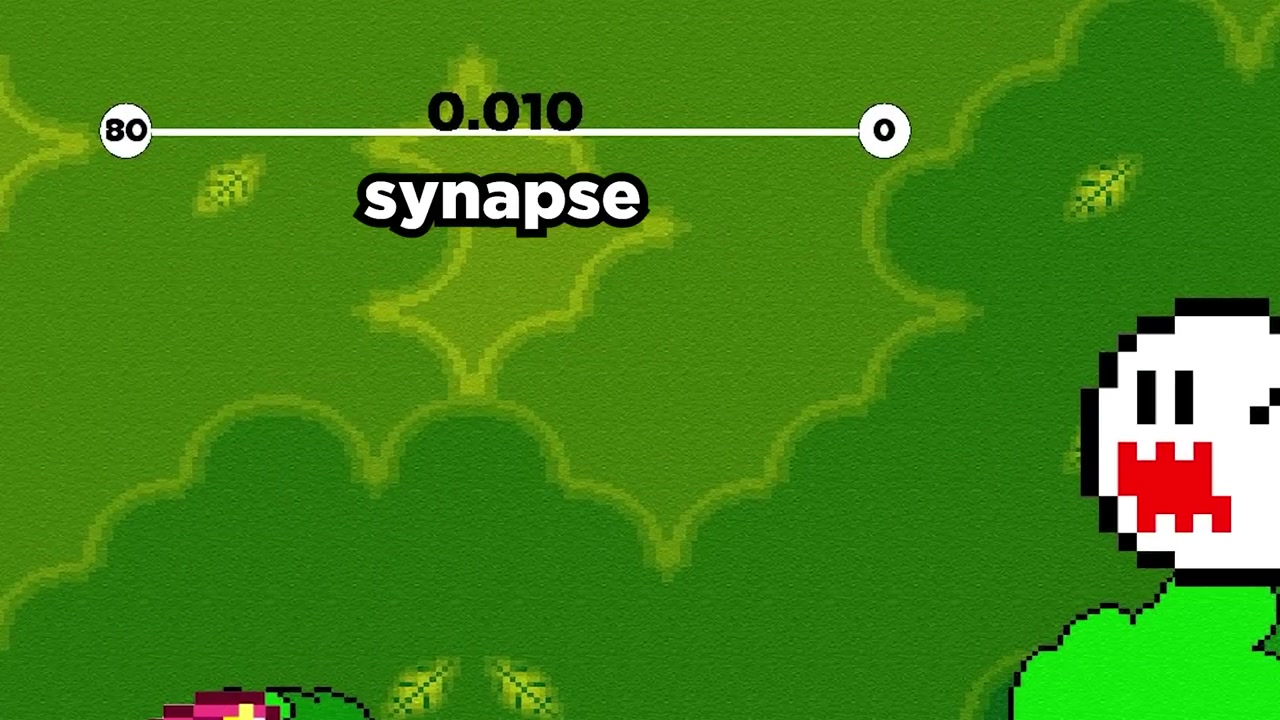
The "Mario is scared" demo: Mario faces a Boo with a synapse bar showing the connection weight between input and output

In the actual AI's neural network, it's the same logic, but on a massive scale:

  • 99 input neurons (11×9 tiles of Mario's view)
  • 8 output neurons (A, B, X, Y, Up, Down, Left, Right)
  • Hidden neurons between them
  • Hundreds of connections with varying weights

NEAT: the algorithm that changes everything

The problem with basic genetic algorithms

If you naively combine a genetic algorithm with a neural network, you have a problem: you create 100 completely different neural networks, and you can't compare them. Each has its own neurons, connections, and weights. How do you know if two networks are "similar" or "different"?

This is where NEAT comes in -- NeuroEvolution of Augmenting Topologies. Invented by Kenneth Stanley and Risto Miikkulainen in 2002, it solves exactly this problem.

Species

NEAT's first key mechanism is species. When a neural network becomes too different from another, it's classified into a different species. Similarity is calculated via three parameters:

  1. Excess (EXCES_COEF = 0.50): the number of connections that have nothing in common between two networks (different innovations)
  2. Disjoint: same, but for connections in the middle
  3. Weight difference (POIDSDIFF_COEF = 0.92): the average weight difference between connections sharing the same innovation

The score formula:

score = (EXCES_COEF × disjoint) / max(nbConnexions1 + nbConnexions2, 1)
      + POIDSDIFF_COEF × diffPoids

If this score is below DIFF_LIMITE (1.0), the two networks are in the same species. Otherwise, a new species is created.

Innovations

This is NEAT's genius. Every time a connection is created, it receives a unique, global innovation number. This number follows the neural network even when it reproduces.

Concretely, when a baby is created via crossover, it inherits the innovations of its parents. If two networks share the same innovation, it means they have a connection from the same ancestor. This is what allows comparing networks of different sizes.

Crossover

When two neural networks reproduce, crossover works like this:
Laupok explains the crossover concept with the text "CROSSOVER" overlaid

  1. The better-performing network becomes the "dominant parent"
  2. The baby inherits all connections from the dominant
  3. For each connection sharing the same innovation, the other parent can replace it (50% chance)
  4. Only active connections from the non-dominant parent can replace

This guarantees the baby is always at least as good as the best parent.

Mutations

After crossover, the baby undergoes mutations with configurable probabilities:
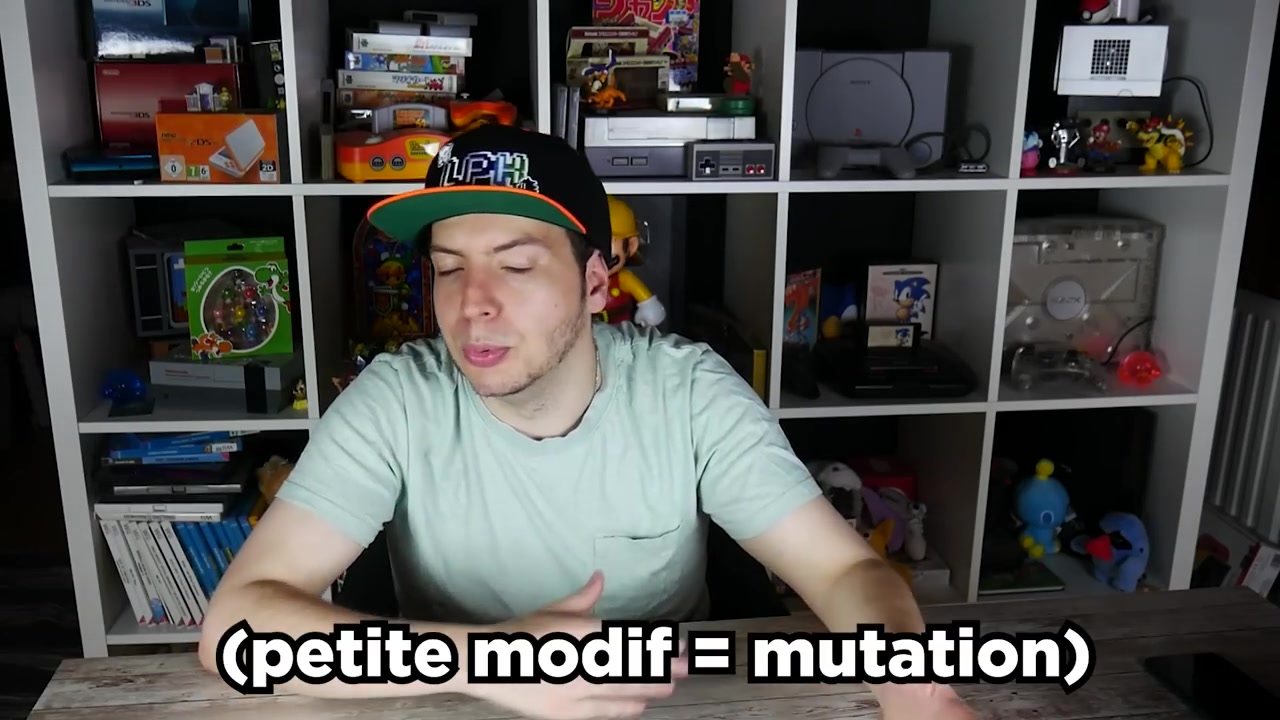
Laupok explains mutations with the text "(small modif = mutation)" overlaid

Mutation Probability Effect
Reset connection weight 25% Weight is completely randomized
Weight mutation 95% Weight varies by ±0.80
Add connection 85% New connection between two unlinked neurons
Add neuron 39% A hidden neuron is inserted between two connected neurons

The neuron addition rate is important: it's what allows the network to grow. At first, there are only inputs and outputs. Gradually, hidden neurons appear, making the network more and more complex.


The code: full walkthrough

Constants

The script starts with a block of constants that define all the settings:

-- Mario's view around him
TAILLE_TILE = 16
TAILLE_VUE_W = TAILLE_TILE * 11  -- 176 pixels wide
TAILLE_VUE_H = TAILLE_TILE * 9   -- 144 pixels tall
NB_TILE_W = TAILLE_VUE_W / TAILLE_TILE  -- 11 tiles
NB_TILE_H = TAILLE_VUE_H / TAILLE_TILE  -- 9 tiles

-- Neural network
NB_INPUT = NB_TILE_W * NB_TILE_H  -- 99 inputs (visible tiles)
NB_OUTPUT = 8  -- A, B, X, Y, Up, Down, Left, Right
NB_INDIVIDU_POPULATION = 100  -- individuals per population
NB_NEURONE_MAX = 100000  -- max hidden neurons

-- Fitness
FITNESS_LEVEL_FINI = 1000000  -- value when level is finished
NB_FRAME_RESET_BASE = 33  -- frames without progress before reset
NB_FRAME_RESET_PROGRES = 300  -- frames if progress detected

-- Species
EXCES_COEF = 0.50
POIDSDIFF_COEF = 0.92
DIFF_LIMITE = 1.00

-- Mutations
CHANCE_MUTATION_RESET_CONNEXION = 0.25
POIDS_CONNEXION_MUTATION_AJOUT = 0.80
CHANCE_MUTATION_POIDS = 0.95
CHANCE_MUTATION_CONNEXION = 0.85
CHANCE_MUTATION_NEURONE = 0.39

NB_INPUT is 99 because Mario's view is 11×9 tiles. Each tile is an input neuron. Empty tile = 0. Block = 1. Enemy = -1.

The 8 outputs correspond to SNES controller buttons: A, B, X, Y, Up, Down, Left, Right. Start, Select, L and R are excluded so they don't "distract" Mario.

Data structures

The script defines three main structures:

function newNeurone()
    local neurone = {}
    neurone.valeur = 0    -- current neuron value
    neurone.id = 0        -- unique identifier
    neurone.type = ""     -- "input", "output", or "hidden"
    return neurone
end

function newConnexion()
    local connexion = {}
    connexion.entree = 0     -- source neuron ID
    connexion.sortie = 0     -- destination neuron ID
    connexion.actif = true   -- can be disabled if a hidden neuron is inserted
    connexion.poids = 0      -- connection weight
    connexion.innovation = 0 -- unique innovation number
    connexion.allume = false -- for display: true if signal passes
    return connexion
end

function newReseau()
    local reseau = {
        nbNeurone = 0,        -- number of hidden neurons
        fitness = 1,          -- performance (distance traveled)
        idEspeceParent = 0,   -- which species it belongs to
        lesNeurones = {},     -- neuron array
        lesConnexions = {}    -- connection array
    }
    -- Initialize with inputs
    for j = 1, NB_INPUT, 1 do
        ajouterNeurone(reseau, j, "input", 1)
    end
    -- Then outputs
    for j = NB_INPUT + 1, NB_INPUT + NB_OUTPUT, 1 do
        ajouterNeurone(reseau, j, "output", 0)
    end
    return reseau
end

At first, each network has only inputs and outputs. No hidden neurons, no connections. The algorithm decides if any are needed.

Mutations in detail

Weight mutation

function mutationPoidsConnexions(unReseau)
    for i = 1, #unReseau.lesConnexions, 1 do
        if unReseau.lesConnexions[i].actif then
            if math.random() < CHANCE_MUTATION_RESET_CONNEXION then
                -- 25%: total weight reset
                unReseau.lesConnexions[i].poids = genererPoids()
            else
                -- 75%: variation of ±0.80
                if math.random() >= 0.5 then
                    unReseau.lesConnexions[i].poids =
                        unReseau.lesConnexions[i].poids - POIDS_CONNEXION_MUTATION_AJOUT
                else
                    unReseau.lesConnexions[i].poids =
                        unReseau.lesConnexions[i].poids + POIDS_CONNEXION_MUTATION_AJOUT
                end
            end
        end
    end
end

The initial weight is always 1 or -1 (genererPoids()). The ±0.80 variation can swing it between negative and positive values, radically changing the network's behavior.

Adding a connection

function mutationAjouterConnexion(unReseau)
    local liste = {}
    -- Shuffle the neuron list
    for i, v in ipairs(unReseau.lesNeurones) do
        local pos = math.random(1, #liste+1)
        table.insert(liste, pos, v)
    end

    local traitement = false
    for i = 1, #liste, 1 do
        for j = 1, #liste, 1 do
            if i ~= j then
                local n1 = liste[i]
                local n2 = liste[j]
                -- Valid connection: input→output, hidden→hidden, hidden→output
                if (n1.type == "input" and n2.type == "output") or
                   (n1.type == "hidden" and n2.type == "hidden") or
                   (n1.type == "hidden" and n2.type == "output") then
                    -- Check no connection already exists
                    local dejaConnexion = false
                    for k = 1, #unReseau.lesConnexions, 1 do
                        if unReseau.lesConnexions[k].entree == n1.id
                            and unReseau.lesConnexions[k].sortie == n2.id then
                            dejaConnexion = true
                            break
                        end
                    end
                    if dejaConnexion == false then
                        traitement = true
                        ajouterConnexion(unReseau, n1.id, n2.id)
                    end
                end
            end
            if traitement then break end
        end
        if traitement then break end
    end
end

You can't connect an output to an input (that would create a cycle), and you can't connect two neurons that are already linked. Shuffling guarantees different possibilities are explored each time.

Adding a neuron

This is the most interesting mutation:

function mutationAjouterNeurone(unReseau)
    if #unReseau.lesConnexions == 0 then return nil end
    if unReseau.nbNeurone == NB_NEURONE_MAX then return nil end

    -- Shuffle connections
    local listeRandom = {}
    for i = 1, #unReseau.lesConnexions, 1 do
        local pos = math.random(1, #listeRandom+1)
        table.insert(listeRandom, pos, i)
    end

    for i = 1, #listeRandom, 1 do
        if unReseau.lesConnexions[listeRandom[i]].actif then
            -- Disable the existing connection
            unReseau.lesConnexions[listeRandom[i]].actif = false
            unReseau.nbNeurone = unReseau.nbNeurone + 1
            local indice = unReseau.nbNeurone + NB_INPUT + NB_OUTPUT

            -- Create the hidden neuron
            ajouterNeurone(unReseau, indice, "hidden", 1)

            -- Connect input to hidden neuron
            ajouterConnexion(unReseau,
                unReseau.lesConnexions[listeRandom[i]].entree,
                indice, genererPoids())

            -- Connect hidden neuron to output
            ajouterConnexion(unReseau,
                indice,
                unReseau.lesConnexions[listeRandom[i]].sortie,
                genererPoids())
            break
        end
    end
end

The mechanism: you take an existing connection, disable it, and insert a hidden neuron in the middle. The original connection is replaced by two new ones: input→hidden and hidden→output. It's like cutting a wire to splice in a switch.

This is what makes NEAT "augmenting topologies": the network grows over time. It starts simple and becomes complex only when necessary.

The feedForward

This is the function that propagates signals through the network:

function feedForward(unReseau)
    -- Reset output neurons
    for i = 1, #unReseau.lesConnexions, 1 do
        if unReseau.lesConnexions[i].actif then
            unReseau.lesNeurones[unReseau.lesConnexions[i].sortie].valeur = 0
            unReseau.lesNeurones[unReseau.lesConnexions[i].sortie].allume = false
        end
    end

    -- Propagation
    for i = 1, #unReseau.lesConnexions, 1 do
        if unReseau.lesConnexions[i].actif then
            local avantTraitement = unReseau.lesNeurones[unReseau.lesConnexions[i].sortie].valeur
            unReseau.lesNeurones[unReseau.lesConnexions[i].sortie].valeur =
                unReseau.lesNeurones[unReseau.lesConnexions[i].entree].valeur *
                unReseau.lesConnexions[i].poids +
                unReseau.lesNeurones[unReseau.lesConnexions[i].sortie].valeur

            if avantTraitement ~= unReseau.lesNeurones[unReseau.lesConnexions[i].sortie].valeur then
                unReseau.lesConnexions[i].allume = true
            else
                unReseau.lesConnexions[i].allume = false
            end
        end
    end
end

Each active connection sends input_value × weight to the output neuron. The value is accumulated (added). The allume flag is just for visual network display.

Reading the game's memory

The getLesInputs() function translates Super Mario World's world into data the network can understand:

function getLesInputs()
    local lesInputs = {}
    -- Initialize to 0 (gray = nothing)
    for i = 1, NB_TILE_W, 1 do
        for j = 1, NB_TILE_H, 1 do
            lesInputs[getIndiceLesInputs(i, j)] = 0
        end
    end

    -- Sprites (enemies) = -1 (black)
    local lesSprites = getLesSprites()
    for i = 1, #lesSprites, 1 do
        local input = convertirPositionPourInput(getLesSprites()[i])
        if input.x > 0 and input.x < (TAILLE_VUE_W / TAILLE_TILE) + 1 then
            lesInputs[getIndiceLesInputs(input.x, input.y)] = -1
        end
    end

    -- Tiles (blocks) = tile value (white if > 0)
    local lesTiles = getLesTiles()
    for i = 1, NB_TILE_W, 1 do
        for j = 1, NB_TILE_H, 1 do
            local indice = getIndiceLesInputs(i, j)
            if lesTiles[indice] ~= 0 then
                lesInputs[indice] = lesTiles[indice]
            end
        end
    end

    return lesInputs
end

The input grid is a view centered on Mario: 11 tiles wide, 9 tall. Each tile's value:

  • 0 (gray): nothing
  • 1 (white): solid block
  • -1 (black): enemy

Enemies are read from two lists in RAM: normal sprites (0x14C8-0x14F8) and extended sprites (0x170B-0x173B). For each living sprite (state > 7), its tile position relative to Mario is calculated and -1 is placed in the corresponding cell.

Fitness: how the AI knows it's progressing

function majReseau(unReseau, marioBase)
    local mario = getPositionMario()

    if not niveauFini and memory.readbyte(0x0100) == 12 then
        -- Level finished!
        unReseau.fitness = FITNESS_LEVEL_FINI
        niveauFini = true
    elseif marioBase.x < mario.x then
        -- Mario moved right
        unReseau.fitness = unReseau.fitness + (mario.x - marioBase.x)
        marioBase.x = mario.x
    end

    -- Update inputs
    local lesInputs = getLesInputs()
    for i = 1, NB_INPUT, 1 do
        unReseau.lesNeurones[i].valeur = lesInputs[i]
    end
end

Fitness is simple: it's the distance traveled to the right. If Mario moves 10 pixels, fitness increases by 10. If Mario moves left, nothing happens (no penalty). If the level is finished (address 0x0100 == 12), fitness becomes 1,000,000.

It's intentionally simple. No bonus for killing enemies, no penalty for dying. Just: move right.

Smart reset

If Mario doesn't move for 33 frames, the level resets and we move to the next individual. But if Mario made progress (current fitness differs from the start), we wait 300 frames -- giving the network a chance to "understand" what it did right.

if fitnessAvant == laPopulation[idPopulation].fitness
   and memory.readbyte(0x13D4) == 0 then
    nbFrameStop = nbFrameStop + 1
    local nbFrameReset = NB_FRAME_RESET_BASE
    if fitnessInit ~= laPopulation[idPopulation].fitness
       and memory.readbyte(0x0071) ~= 9 then
        nbFrameReset = NB_FRAME_RESET_PROGRES
    end
    if nbFrameStop > nbFrameReset then
        nbFrameStop = 0
        lancerNiveau()
        idPopulation = idPopulation + 1
        -- ...
    end
end

The condition memory.readbyte(0x0071) ~= 9 checks that Mario isn't in his death animation. No point resetting if Mario is already dead.

The main loop

The loop runs at 30 fps (Super Mario World's normal speed):

while true do
    local fitnessAvant = laPopulation[idPopulation].fitness

    -- Display (network, info)
    if forms.ischecked(estAccelere) then
        emu.limitframerate(false)  -- speed up
    else
        emu.limitframerate(true)   -- 30 fps
    end

    -- The 3 vital functions
    majReseau(laPopulation[idPopulation], marioBase)
    feedForward(laPopulation[idPopulation])
    appliquerLesBoutons(laPopulation[idPopulation])

    emu.frameadvance()
    nbFrame = nbFrame + 1

    -- Reset if no progress
    -- ...
    -- New generation if all individuals tested
    -- ...
end

The three vital functions are majReseau, feedForward, and appliquerLesBoutons. Disable any one of them and Mario stops moving.

Crossover

function crossover(unReseau1, unReseau2)
    local leReseau = newReseau()
    local leBon = unReseau1
    local leNul = unReseau2

    if leBon.fitness < leNul.fitness then
        leBon = unReseau2
        leNul = unReseau1
    end

    leReseau = copier(leBon)

    for i = 1, #leReseau.lesConnexions, 1 do
        for j = 1, #leNul.lesConnexions, 1 do
            if leReseau.lesConnexions[i].innovation == leNul.lesConnexions[j].innovation
               and leNul.lesConnexions[j].actif then
                if math.random() > 0.5 then
                    leReseau.lesConnexions[i] = leNul.lesConnexions[j]
                end
            end
        end
    end
    leReseau.fitness = 1
    return leReseau
end

The baby inherits from the better parent. For each connection sharing the same innovation, the other parent has a 50% chance of replacing it -- but only if the connection is active. This is an important fix: without it, useless hidden neurons could be created.

Species selection

function nouvelleGeneration(laPopulation, lesEspeces)
    local laNouvellePopulation = newPopulation()
    local nbIndividuACreer = NB_INDIVIDU_POPULATION

    -- Calculate average fitness per species
    for i = 1, #lesEspeces, 1 do
        lesEspeces[i].fitnessMoyenne = 0
        for j = 1, #lesEspeces[i].lesReseaux, 1 do
            lesEspeces[i].fitnessMoyenne =
                lesEspeces[i].fitnessMoyenne + lesEspeces[i].lesReseaux[j].fitness
        end
        lesEspeces[i].fitnessMoyenne =
            lesEspeces[i].fitnessMoyenne / #lesEspeces[i].lesReseaux
    end

    -- Each species creates a number of children proportional to its average fitness
    for i = 1, #lesEspeces, 1 do
        local nbEnfant = math.ceil(
            #lesEspeces[i].lesReseaux *
            lesEspeces[i].fitnessMoyenne / fitnessMoyenneGlobal)

        for j = 1, nbEnfant, 1 do
            local unReseau = crossover(
                choisirParent(lesEspeces[i].lesReseaux),
                choisirParent(lesEspeces[i].lesReseaux))
            mutation(unReseau)
            laNouvellePopulation[indiceNouvelleEspece] = copier(unReseau)
        end
    end
end

The idea: a species with an average fitness of 10,000 gets to create many more children than a species with an average fitness of 1. This is natural selection in action.

choisirParent uses roulette selection: the higher an individual's fitness, the more likely it is to be selected as a parent.

Saving and loading

Populations are saved to .pop files:

function sauvegarderUnReseau(unReseau, fichier)
    io.write(unReseau.nbNeurone .. "\n")
    io.write(#unReseau.lesConnexions .. "\n")
    io.write(unReseau.fitness .. "\n")
    for i = 1, unReseau.nbNeurone, 1 do
        local indice = NB_INPUT + NB_OUTPUT + i
        io.write(unReseau.lesNeurones[indice].id .. "\n")
    end
    for i = 1, #unReseau.lesConnexions, 1 do
        local actif = 1
        if unReseau.lesConnexions[i].actif ~= true then actif = 0 end
        io.write(actif .. "\n" ..
            unReseau.lesConnexions[i].entree .. "\n" ..
            unReseau.lesConnexions[i].sortie .. "\n" ..
            unReseau.lesConnexions[i].poids .. "\n" ..
            unReseau.lesConnexions[i].innovation .. "\n")
    end
end

The save also includes the best individual from all previous populations. If the old population's best is better than the new one's, we revert to the old one as the base. This is a form of elitism: the best is never lost.

Network visualization

Laupok added a neural network visualizer overlaid on the game:

function dessinerUnReseau(unReseau)
    -- Inputs: 11×9 grid around Mario
    for i = 1, NB_TILE_W, 1 do
        for j = 1, NB_TILE_H, 1 do
            local xT = ENCRAGE_X_INPUT + (i - 1) * TAILLE_INPUT
            local yT = ENCRAGE_Y_INPUT + (j - 1) * TAILLE_INPUT
            local couleurFond = "gray"
            if unReseau.lesNeurones[getIndiceLesInputs(i, j)].valeur < 0 then
                couleurFond = "black"   -- enemy
            elseif unReseau.lesNeurones[getIndiceLesInputs(i, j)].valeur > 0 then
                couleurFond = "white"   -- block
            end
            gui.drawRectangle(xT, yT, TAILLE_INPUT, TAILLE_INPUT, "black", couleurFond)
        end
    end

    -- Outputs: 8 buttons
    for i = 1, NB_OUTPUT, 1 do
        local xT = ENCRAGE_X_OUTPUT
        local yT = ENCRAGE_Y_OUTPUT + ESPACE_Y_OUTPUT * (i - 1)
        if sigmoid(unReseau.lesNeurones[i + NB_INPUT].valeur) then
            gui.drawRectangle(xT, yT, TAILLE_OUTPUT_W, TAILLE_OUTPUT_H, "white", "white")
        else
            gui.drawRectangle(xT, yT, TAILLE_OUTPUT_W, TAILLE_OUTPUT_H, "white", "black")
        end
    end

    -- Connections
    for i = 1, #unReseau.lesConnexions, 1 do
        if unReseau.lesConnexions[i].actif then
            local alpha = 25
            if unReseau.lesConnexions[i].allume then alpha = 255 end
            local couleur = forms.createcolor(255, 255, 255, alpha)
            gui.drawLine(
                lesPositions[unReseau.lesConnexions[i].entree].x,
                lesPositions[lesConnexions[i].entree].y,
                lesPositions[unReseau.lesConnexions[i].sortie].x,
                lesPositions[lesConnexions[i].sortie].y,
                couleur)
        end
    end
end

It's incredibly useful for understanding what the network does. Active connections are white, inactive ones are semi-transparent. Inputs are a grid of white/black/gray cells. Outputs show which buttons are pressed.


Results

What the AI learned

Over hours (and days) of execution, the AI discovered on its own:

  1. Move right: the most basic behavior, but one that requires holding the Right button
  2. Jump over enemies: by connecting an "enemy detected" input to the A or B button
  3. Avoid obstacles: some networks learned to temporarily retreat to advance further
  4. Finish levels: the best individual was able to complete the first level of Super Mario World
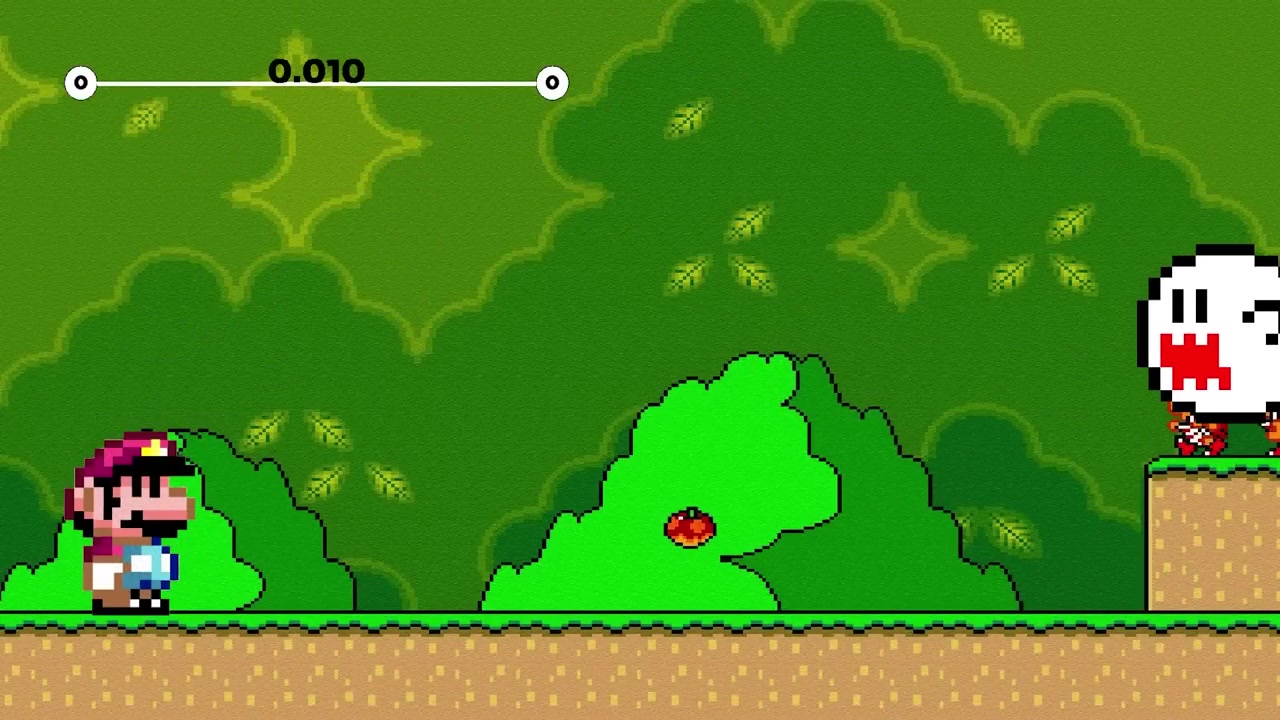
Mario controlled by the AI facing a Boo in a Super Mario World level -- the neural network decides actions in real time

Limitations

The project has its limits:

  • Single level: the AI is trained on one specific level. It doesn't automatically generalize to other levels
  • Training time: it takes tens of hours to achieve satisfying results
  • No understanding: the AI doesn't "understand" what it's doing. It optimizes a fitness function (distance traveled) through random mutations
  • T-bagging: Laupok notes Mario tends to jump in place when seeing an enemy, simply because it increases fitness (he advances a little while jumping)

How to reproduce the experiment

Laupok shared everything. Here are the steps:

  1. Download BizHawk from tasvideos.org (Download section)
  2. Get a USA ROM of Super Mario World (private copy from your own cartridge)
  3. Download the Lua script from Pastebin -- rename to mario.lua
  4. Place the script in the same folder as the ROM
  5. Launch BizHawk, open the ROM
  6. In the Lua console: dofile("mario.lua") or via Script > Open Script menu
  7. Save a state at the start of the level (Savestate > Save State menu) and name it debut.state
  8. Relaunch the script -- it works

The script includes a form with options:

  • Accelerate: disables the 30 fps limit to go faster
  • Show network: displays the neural network overlaid on the game
  • Show info: displays a banner with generation, fitness, and species count
  • Pause: pauses execution
  • Save/Load: persists the current population to a .pop file

Sources and references

Resource Link
Laupok's main video I built an AI that plays Mario by itself
Code review + setup video How to set up the AI + source code review
Full source code Pastebin Jcvdqhqm
Original NEAT paper Stanley & Miikkulainen, "Evolving Neural Networks through Augmenting Topologies", 2002
N8Programs tutorial NEAT implementation walkthrough (JavaScript, but concepts are identical)
16blings (Laupok's inspiration) AI plays Super Mario World
BizHawk tasvideos.org/BizHawk
Super Mario World memory SMW Central - RAM Map

Conclusion

What Laupok did was take an academic algorithm (NEAT, 2002), rewrite it in Lua for an emulator (BizHawk), and apply it to Super Mario World. The result: an AI that learns from scratch to play the game, with no prior knowledge, through random mutations and natural selection alone.

It's a beautiful example of the power of genetic algorithms. No deep learning, no GPU, no millions of training data points. Just natural selection, some Lua, and a lot of patience.

The code is commented, shared, and Laupok made two explanatory videos -- one for the big concepts, one for the code. If the topic interests you, dive in. It's more accessible than it seems.

Laupok a créé une IA qui joue à Super Mario World toute seule -- comment ça marche

Laupok a créé une IA qui joue à Super Mario World toute seule -- comment ça marche

Laupok a créé une intelligence artificielle qui joue à Super Mario World de manière totalement autonome. Pas de script prédéfini, pas de frames à enregistrer. L'IA apprend seule, à coups de mutations aléatoires et de sélection naturelle, à finir les niveaux du jeu. Le projet tourne sur BizHawk, un émulateur multiplateforme, via un script Lua d'environ 4200 lignes.

Ce qui rend ce projet fascinant, c'est qu'il repose sur des concepts biologiques appliqués à l'informatique : la théorie de l'évolution de Darwin, les réseaux de neurones artificiels, et surtout un algorithme spécifique appelé NEAT (NeuroEvolution of Augmenting Topologies). L'IA ne connaît rien au jeu au départ. Elle teste des trucs au hasard, échoue des milliers de fois, et petit à petit, elle comprend comment avancer, sauter, et survivre.

Dans cet article, on va décortiquer tout ça -- concept par concept, ligne de code par ligne de code.

Laupok introduit l'algorithme NEAT devant la caméra


Le setup : BizHawk, Lua, et Super Mario World

L'émulateur BizHawk

BizHawk est un émulateur open source qui supporte une tonne de consoles -- NES, SNES, Genesis, PS1, Game Boy, et bien d'autres. Sa particularité, c'est qu'il permet de lancer des scripts Lua en parallèle du jeu. Ces scripts ont accès à la mémoire vive (RAM) de l'émulation, ce qui signifie qu'ils peuvent lire -- et modifier -- n'importe quelle donnée du jeu en temps réel.

Concrètement, ça veut dire qu'on peut :

  • Lire la position de Mario dans le niveau
  • Savoir quels sprites (ennemis, items) sont à l'écran
  • Connaître l'état de chaque tile (bloc) autour de Mario
  • Contrôler la manette -- appuyer sur n'importe quel bouton

C'est exactement ce dont on a besoin pour faire jouer une IA.

Les adresses mémoire de Super Mario World

Dans la RAM de Super Mario World, chaque donnée est stockée à une adresse spécifique. C'est un peu comme un quartier : chaque adresse correspond à une "maison" qui contient une information. Par exemple :

Adresse Donnée
0x94-0x95 Position X de Mario (16 bits, little-endian)
0x96-0x97 Position Y de Mario
0x14C8+i État du sprite i (>7 = vivant)
0xE4+i Position X basse du sprite i
0x14E0+i Position X haute du sprite i
0xD8+i Position Y basse du sprite i
0x14D4+i Position Y haute du sprite i
0x170B+i Type de l'extended sprite i
0x0100 État du jeu (12 = niveau fini)
0x13D4 Pause active
0x0071 Animation de mort de Mario (9 = mort)
0x1C800+... Table des tiles du niveau

La position des sprites utilise deux octets : un octet "bas" et un octet "haut", parce que la position peut dépasser 255 pixels. La formule est toujours bas + haut × 256.

Pour les tiles, c'est plus complexe : l'adresse de base est 0x1C800, et on calcule l'offset en fonction des coordonnées x et y de la tile dans le monde, avec un pas de 16 pixels par tile.

Super Mario World avec overlay de débogage montrant les adresses mémoire des sprites et la position de Mario


Les bases : algorithmes génétiques et réseaux de neurones

Avant de plonger dans le code, il faut comprendre deux concepts fondamentaux. Sans eux, le reste n'a aucun sens.

Les algorithmes génétiques

Un algorithme génétique, c'est une simulation de la théorie de l'évolution. L'idée centrale : on crée une population d'individus, chacun avec des caractéristiques (des "gènes") légèrement différentes. On les fait "vivre" dans un environnement. Ceux qui s'en sortent le mieux survivent et se reproduisent. Ceux qui s'en sortent mal disparaissent.

Laupok illustre ça avec une analogie de Kirby :

  • Une population de Kirby apparaît sur un terrain avec des piques et des tomates
  • Les piques enlèvent des points de vie, les tomates en redonnent
  • Chaque Kirby a des gènes : taille, vitesse, points de vie, comportement (fuir, chercher des tomates, foncer n'importe où)

Double hélice d'ADN avec les étiquettes "le bébé", "taille", "vitesse", "couleur" -- les gènes qui composent un individu

  • Après 15 secondes, on regarde qui a survécu le plus longtemps
  • Le meilleur Kirby se reproduit avec les autres : les bébés héritent de la moitié des gènes du meilleur et de la moitié du "pire"
  • Les bébés subissent des mutations aléatoires (un peu plus grand, un peu plus rapide...)
  • Les anciens Kirby sont remplacés par les nouveaux
  • On relance

Après 180 générations (~15 heures), les Kirby passent de 15 secondes de survie à 15 minutes. Ils sont devenus petits (zone de collision réduite), rapides, et fuient le danger en permanence.

Simulation Kirby génération 0 : des cercles colorés dispersés aléatoirement sur un fond noir, tous de taille similaire

Simulation Kirby génération 1866 : les Kirby sont plus petits, plus rapides, et fuient systématiquement les dangers

Statistiques de la simulation Kirby : fitness, nombre de points de vie, comportement de chaque individu classés par performance

Le point crucial : on ne définit pas la solution. L'algorithme la trouve tout seul. Et c'est exactement ça qui le rend puissant pour des problèmes où on ne sait pas quelle combinaison de paramètres serait optimale.

Les réseaux de neurones artificiels

Un réseau de neurones, c'est un modèle mathématique simplifié du cerveau humain. Il se compose de :

  • Neurones d'entrée (inputs) : ce que le réseau "voit"
  • Neurones de sortie (outputs) : ce que le réseau "décide"
  • Connexions (poids) : chaque connexion a un poids qui amplifie ou atténue le signal

Le principe est simple : chaque neurone d'entrée envoie sa valeur. Elle est multipliée par le poids de la connexion, puis additionnée aux autres signaux. Si le résultat dépasse un certain seuil (la fonction d'activation), le neurone de sortie s'active.

Dans l'analogie de Laupok avec Mario et le bout de la souris :

  • Le neurone d'entrée = la distance entre Mario et le bout
  • Le poids de la connexion = la sensibilité de Mario
  • Le neurone de sortie = Mario crie ou pas

Plus le bout est proche, plus la valeur d'entrée est élevée. Si le poids est fort, le signal envoyé en sortie est fort, et Mario crierait. En modifiant le poids, on modifie la sensibilité de Mario.

Démo "Mario a peur" : Mario face à un Boo avec une barre de synapse affichant le poids de la connexion entre l'entrée et la sortie

Dans le vrai réseau de neurones de l'IA, c'est la même logique, mais à une échelle massive :

  • 99 neurones d'entrée (11×9 tiles de la vue de Mario)
  • 8 neurones de sortie (A, B, X, Y, Haut, Bas, Gauche, Droite)
  • Des neurones cachés (hidden) entre les deux
  • Des centaines de connexions avec des poids variés

NEAT : l'algorithme qui change tout

Le problème des algorithmes génétiques classiques

Si on combine un algorithme génétique avec un réseau de neurones de manière naïve, on a un problème : on crée 100 réseaux de neurones complètement différents, et on ne sait pas les comparer. Chacun a ses propres neurones, ses propres connexions, ses propres poids. Comment savoir si deux réseaux sont "proches" ou "loin" ?

C'est là qu'intervient NEAT -- NeuroEvolution of Augmenting Topologies. Inventé par Kenneth Stanley et Risto Miikkulainen en 2002, c'est un algorithme qui résout exactement ce problème.

Les espèces

Le premier mécanisme clé de NEAT, ce sont les espèces. Quand un réseau de neurones devient trop différent d'un autre, il est classé dans une espèce différente. La similarité est calculée via trois paramètres :

  1. Excess (EXCES_COEF = 0.50) : le nombre de connexions qui n'ont aucun rapport entre deux réseaux (innovations différentes)
  2. Disjoint : pareil, mais pour les connexions qui se situent au milieu
  3. Weight difference (POIDSDIFF_COEF = 0.92) : la différence de poids moyenne entre les connexions partageant la même innovation

La formule de score :

score = (EXCES_COEF × disjoint) / max(nbConnexions1 + nbConnexions2, 1)
      + POIDSDIFF_COEF × diffPoids

Si ce score est inférieur à DIFF_LIMITE (1.0), les deux réseaux sont dans la même espèce. Sinon, on crée une nouvelle espèce.

Les innovations

C'est le génie de NEAT. Chaque fois qu'une connexion est créée, elle reçoit un numéro d'innovation unique et global. Ce numéro suit le réseau de neurones même quand il se reproduit.

Concrètement, quand un bébé est créé par crossover, il hérite des innovations de ses parents. Si deux réseaux partagent la même innovation, ça veut dire qu'ils ont une connexion qui vient du même ancêtre. C'est ce qui permet de comparer des réseaux de tailles différentes.

Le crossover

Quand deux réseaux de neurones se reproduisent, le crossover fonctionne ainsi :

Laupok explique le concept de crossover avec le texte "CROSSOVER" en overlay

  1. Le réseau le plus performant devient le "parent dominant"
  2. Le bébé hérite de toutes les connexions du dominant
  3. Pour chaque connexion partageant la même innovation, l'autre parent peut la remplacer (50% de chances)
  4. Seules les connexions actives du parent non-dominant peuvent remplacer

Ça garantit que le bébé est toujours au moins aussi bon que le meilleur parent.

Les mutations

Après le crossover, le bébé subit des mutations avec des probabilités configurables :

Laupok explique les mutations avec le texte "(petite modif = mutation)" en overlay

Mutation Probabilité Effet
Reset poids connexion 25% Le poids est totalement randomisé
Mutation poids 95% Le poids varie de ±0.80
Ajout connexion 85% Nouvelle connexion entre deux neurones pas encore liés
Ajout neurone 39% Un neurone caché est inséré entre deux neurones connectés

Le taux d'ajout de neurone est important : c'est ce qui permet au réseau de grandir. Au départ, il n'y a que des entrées et des sorties. Progressivement, des neurones cachés apparaissent, rendant le réseau de plus en plus complexe.


Le code : walkthrough complet

Les constantes

Le script commence par un bloc de constantes qui définissent tout le paramétrage :

-- Vue de Mario autour de lui
TAILLE_TILE = 16
TAILLE_VUE_W = TAILLE_TILE * 11  -- 176 pixels en largeur
TAILLE_VUE_H = TAILLE_TILE * 9   -- 144 pixels en hauteur
NB_TILE_W = TAILLE_VUE_W / TAILLE_TILE  -- 11 tiles
NB_TILE_H = TAILLE_VUE_H / TAILLE_TILE  -- 9 tiles

-- Réseau de neurones
NB_INPUT = NB_TILE_W * NB_TILE_H  -- 99 inputs (tiles visibles)
NB_OUTPUT = 8  -- A, B, X, Y, Haut, Bas, Gauche, Droite
NB_INDIVIDU_POPULATION = 100  -- individus par population
NB_NEURONE_MAX = 100000  -- limite de neurones cachés

-- Fitness
FITNESS_LEVEL_FINI = 1000000  -- valeur quand le niveau est terminé
NB_FRAME_RESET_BASE = 33  -- frames sans progrès avant reset
NB_FRAME_RESET_PROGRES = 300  -- frames si progrès détecté

-- Espèces
EXCES_COEF = 0.50
POIDSDIFF_COEF = 0.92
DIFF_LIMITE = 1.00

-- Mutations
CHANCE_MUTATION_RESET_CONNEXION = 0.25
POIDS_CONNEXION_MUTATION_AJOUT = 0.80
CHANCE_MUTATION_POIDS = 0.95
CHANCE_MUTATION_CONNEXION = 0.85
CHANCE_MUTATION_NEURONE = 0.39

Le NB_INPUT est de 99 parce que la vue de Mario fait 11×9 tiles. Chaque tile est un neurone d'entrée. Si la tile est vide, elle vaut 0. Si c'est un bloc, elle vaut 1. Si c'est un ennemi, elle vaut -1.

Les 8 sorties correspondent aux boutons de la manette SNES : A, B, X, Y, Haut, Bas, Gauche, Droite. On exclut Start, Select, L et R pour pas "distract" Mario.

Les structures de données

Le script définit trois structures principales :

function newNeurone()
    local neurone = {}
    neurone.valeur = 0    -- valeur actuelle du neurone
    neurone.id = 0        -- identifiant unique
    neurone.type = ""     -- "input", "output", ou "hidden"
    return neurone
end

function newConnexion()
    local connexion = {}
    connexion.entree = 0     -- ID du neurone source
    connexion.sortie = 0     -- ID du neurone destination
    connexion.actif = true   -- peut être désactivé si un neurone caché est inséré
    connexion.poids = 0      -- poids de la connexion
    connexion.innovation = 0 -- numéro d'innovation unique
    connexion.allume = false -- pour l'affichage : true si le signal passe
    return connexion
end

function newReseau()
    local reseau = {
        nbNeurone = 0,        -- nombre de neurones cachés
        fitness = 1,          -- performance (distance parcourue)
        idEspeceParent = 0,   -- à quelle espèce il appartient
        lesNeurones = {},     -- tableau de neurones
        lesConnexions = {}    -- tableau de connexions
    }
    -- Initialisation avec les inputs
    for j = 1, NB_INPUT, 1 do
        ajouterNeurone(reseau, j, "input", 1)
    end
    -- Puis les outputs
    for j = NB_INPUT + 1, NB_INPUT + NB_OUTPUT, 1 do
        ajouterNeurone(reseau, j, "output", 0)
    end
    return reseau
end

Au départ, chaque réseau n'a que des inputs et des outputs. Pas de neurones cachés, pas de connexions. C'est l'algorithme qui va décider s'il en faut.

Les mutations en détail

Mutation des poids

function mutationPoidsConnexions(unReseau)
    for i = 1, #unReseau.lesConnexions, 1 do
        if unReseau.lesConnexions[i].actif then
            if math.random() < CHANCE_MUTATION_RESET_CONNEXION then
                -- 25% : reset total du poids
                unReseau.lesConnexions[i].poids = genererPoids()
            else
                -- 75% : variation de ±0.80
                if math.random() >= 0.5 then
                    unReseau.lesConnexions[i].poids =
                        unReseau.lesConnexions[i].poids - POIDS_CONNEXION_MUTATION_AJOUT
                else
                    unReseau.lesConnexions[i].poids =
                        unReseau.lesConnexions[i].poids + POIDS_CONNEXION_MUTATION_AJOUT
                end
            end
        end
    end
end

Le poids initial est toujours 1 ou -1 (genererPoids()). La variation de ±0.80 peut le faire osciller entre des valeurs négatives et positives, ce qui change radicalement le comportement du réseau.

Ajout de connexion

function mutationAjouterConnexion(unReseau)
    local liste = {}
    -- Randomisation de la liste des neurones
    for i, v in ipairs(unReseau.lesNeurones) do
        local pos = math.random(1, #liste+1)
        table.insert(liste, pos, v)
    end

    local traitement = false
    for i = 1, #liste, 1 do
        for j = 1, #liste, 1 do
            if i ~= j then
                local n1 = liste[i]
                local n2 = liste[j]
                -- Connexion valide : input→output, hidden→hidden, hidden→output
                if (n1.type == "input" and n2.type == "output") or
                   (n1.type == "hidden" and n2.type == "hidden") or
                   (n1.type == "hidden" and n2.type == "output") then
                    -- Vérifier qu'il n'y a pas déjà une connexion
                    local dejaConnexion = false
                    for k = 1, #unReseau.lesConnexions, 1 do
                        if unReseau.lesConnexions[k].entree == n1.id
                            and unReseau.lesConnexions[k].sortie == n2.id then
                            dejaConnexion = true
                            break
                        end
                    end
                    if dejaConnexion == false then
                        traitement = true
                        ajouterConnexion(unReseau, n1.id, n2.id)
                    end
                end
            end
            if traitement then break end
        end
        if traitement then break end
    end
end

On ne peut pas connecter un output à un input (ça créerait un cycle), et on ne peut pas connecter deux neurones déjà liés. La randomisation garantit qu'on explore différentes possibilités à chaque fois.

Ajout de neurone

C'est la mutation la plus intéressante :

function mutationAjouterNeurone(unReseau)
    if #unReseau.lesConnexions == 0 then return nil end
    if unReseau.nbNeurone == NB_NEURONE_MAX then return nil end

    -- Randomisation des connexions
    local listeRandom = {}
    for i = 1, #unReseau.lesConnexions, 1 do
        local pos = math.random(1, #listeRandom+1)
        table.insert(listeRandom, pos, i)
    end

    for i = 1, #listeRandom, 1 do
        if unReseau.lesConnexions[listeRandom[i]].actif then
            -- Désactiver la connexion existante
            unReseau.lesConnexions[listeRandom[i]].actif = false
            unReseau.nbNeurone = unReseau.nbNeurone + 1
            local indice = unReseau.nbNeurone + NB_INPUT + NB_OUTPUT

            -- Créer le neurone caché
            ajouterNeurone(unReseau, indice, "hidden", 1)

            -- Connecter l'entrée au neurone caché
            ajouterConnexion(unReseau,
                unReseau.lesConnexions[listeRandom[i]].entree,
                indice, genererPoids())

            -- Connecter le neurone caché à la sortie
            ajouterConnexion(unReseau,
                indice,
                unReseau.lesConnexions[listeRandom[i]].sortie,
                genererPoids())
            break
        end
    end
end

Le mécanisme : on prend une connexion existante, on la désactive, et on insère un neurone caché au milieu. La connexion d'origine est remplacée par deux nouvelles connexions : entrée→caché et caché→sortie. C'est comme si on "coupait" un fil pour intercaler un interrupteur.

C'est ce qui rend NEAT "augmenting topologies" : le réseau grandit avec le temps. Il commence simple et devient complexe uniquement si c'est nécessaire.

Le feedForward

C'est la fonction qui propage les signaux à travers le réseau :

function feedForward(unReseau)
    -- Reset des neurones de sortie
    for i = 1, #unReseau.lesConnexions, 1 do
        if unReseau.lesConnexions[i].actif then
            unReseau.lesNeurones[unReseau.lesConnexions[i].sortie].valeur = 0
            unReseau.lesNeurones[unReseau.lesConnexions[i].sortie].allume = false
        end
    end

    -- Propagation
    for i = 1, #unReseau.lesConnexions, 1 do
        if unReseau.lesConnexions[i].actif then
            local avantTraitement = unReseau.lesNeurones[unReseau.lesConnexions[i].sortie].valeur
            unReseau.lesNeurones[unReseau.lesConnexions[i].sortie].valeur =
                unReseau.lesNeurones[unReseau.lesConnexions[i].entree].valeur *
                unReseau.lesConnexions[i].poids +
                unReseau.lesNeurones[unReseau.lesConnexions[i].sortie].valeur

            if avantTraitement ~= unReseau.lesNeurones[unReseau.lesConnexions[i].sortie].valeur then
                unReseau.lesConnexions[i].allume = true
            else
                unReseau.lesConnexions[i].allume = false
            end
        end
    end
end

Chaque connexion active envoie valeur_entrée × poids vers le neurone de sortie. La valeur est cumulée (additionnée). Le drapeau allume est juste pour l'affichage visuel du réseau.

La lecture de la mémoire du jeu

La fonction getLesInputs() est celle qui traduit le monde de Super Mario World en données compréhensibles par le réseau :

function getLesInputs()
    local lesInputs = {}
    -- Initialisation à 0 (gris = rien)
    for i = 1, NB_TILE_W, 1 do
        for j = 1, NB_TILE_H, 1 do
            lesInputs[getIndiceLesInputs(i, j)] = 0
        end
    end

    -- Les sprites (ennemis) = -1 (noir)
    local lesSprites = getLesSprites()
    for i = 1, #lesSprites, 1 do
        local input = convertirPositionPourInput(getLesSprites()[i])
        if input.x > 0 and input.x < (TAILLE_VUE_W / TAILLE_TILE) + 1 then
            lesInputs[getIndiceLesInputs(input.x, input.y)] = -1
        end
    end

    -- Les tiles (blocs) = valeur de la tile (blanc si > 0)
    local lesTiles = getLesTiles()
    for i = 1, NB_TILE_W, 1 do
        for j = 1, NB_TILE_H, 1 do
            local indice = getIndiceLesInputs(i, j)
            if lesTiles[indice] ~= 0 then
                lesInputs[indice] = lesTiles[indice]
            end
        end
    end

    return lesInputs
end

La grille d'inputs est une vue centrée sur Mario : 11 tiles en largeur, 9 en hauteur. Chaque tile vaut :

  • 0 (gris) : rien
  • 1 (blanc) : bloc solide
  • -1 (noir) : ennemi

Les ennemis sont lus depuis deux listes dans la RAM : les sprites normaux (0x14C8-0x14F8) et les extended sprites (0x170B-0x173B). Pour chaque sprite vivant (état > 7), on calcule sa position en tiles par rapport à Mario et on met -1 dans la case correspondante.

Le fitness : comment l'IA sait si elle progresse

function majReseau(unReseau, marioBase)
    local mario = getPositionMario()

    if not niveauFini and memory.readbyte(0x0100) == 12 then
        -- Niveau terminé !
        unReseau.fitness = FITNESS_LEVEL_FINI
        niveauFini = true
    elseif marioBase.x < mario.x then
        -- Mario avance vers la droite
        unReseau.fitness = unReseau.fitness + (mario.x - marioBase.x)
        marioBase.x = mario.x
    end

    -- Mise à jour des inputs
    local lesInputs = getLesInputs()
    for i = 1, NB_INPUT, 1 do
        unReseau.lesNeurones[i].valeur = lesInputs[i]
    end
end

La fitness est simple : c'est la distance parcourue vers la droite. Si Mario avance de 10 pixels, la fitness augmente de 10. Si Mario recule, rien ne se passe (pas de pénalité). Si le niveau est terminé (adresse 0x0100 == 12), la fitness devient 1 000 000.

C'est intentionnellement simple. Pas de bonus pour les ennemis tués, pas de pénalité pour la mort. Juste : avance vers la droite.

Le reset intelligent

Si Mario ne bouge pas pendant 33 frames, on reset le niveau et on passe à l'individu suivant. Mais si Mario a fait des progrès (sa fitness actuelle est différente de celle au début), on attend 300 frames -- ça donne une chance au réseau de "comprendre" ce qu'il a fait de bien.

if fitnessAvant == laPopulation[idPopulation].fitness
   and memory.readbyte(0x13D4) == 0 then
    nbFrameStop = nbFrameStop + 1
    local nbFrameReset = NB_FRAME_RESET_BASE
    if fitnessInit ~= laPopulation[idPopulation].fitness
       and memory.readbyte(0x0071) ~= 9 then
        nbFrameReset = NB_FRAME_RESET_PROGRES
    end
    if nbFrameStop > nbFrameReset then
        nbFrameStop = 0
        lancerNiveau()
        idPopulation = idPopulation + 1
        -- ...
    end
end

La condition memory.readbyte(0x0071) ~= 9 vérifie que Mario n'est pas en animation de mort. Pas la peine de resetter si Mario est déjà mort.

La boucle principale

La boucle tourne à 30 fps (la vitesse normale de Super Mario World) :

while true do
    local fitnessAvant = laPopulation[idPopulation].fitness

    -- Affichage (réseau, infos)
    if forms.ischecked(estAccelere) then
        emu.limitframerate(false)  -- accélérer
    else
        emu.limitframerate(true)   -- 30 fps
    end

    -- Les 3 fonctions vitales
    majReseau(laPopulation[idPopulation], marioBase)
    feedForward(laPopulation[idPopulation])
    appliquerLesBoutons(laPopulation[idPopulation])

    emu.frameadvance()
    nbFrame = nbFrame + 1

    -- Reset si pas de progrès
    -- ...
    -- Nouvelle génération si tous les individus testés
    -- ...
end

Les trois fonctions vitales sont majReseau, feedForward, et appliquerLesBoutons. Si on en désactive une seule, Mario ne bouge plus.

Le crossover

function crossover(unReseau1, unReseau2)
    local leReseau = newReseau()
    local leBon = unReseau1
    local leNul = unReseau2

    if leBon.fitness < leNul.fitness then
        leBon = unReseau2
        leNul = unReseau1
    end

    leReseau = copier(leBon)

    for i = 1, #leReseau.lesConnexions, 1 do
        for j = 1, #leNul.lesConnexions, 1 do
            if leReseau.lesConnexions[i].innovation == leNul.lesConnexions[j].innovation
               and leNul.lesConnexions[j].actif then
                if math.random() > 0.5 then
                    leReseau.lesConnexions[i] = leNul.lesConnexions[j]
                end
            end
        end
    end
    leReseau.fitness = 1
    return leReseau
end

Le bébé hérite du meilleur parent. Pour chaque connexion partageant la même innovation, l'autre parent a 50% de chances de la remplacer -- mais seulement si la connexion est active. C'est un correctif important : sans ça, des neurones cachés inutiles pouvaient être créés.

La sélection par espèces

function nouvelleGeneration(laPopulation, lesEspeces)
    local laNouvellePopulation = newPopulation()
    local nbIndividuACreer = NB_INDIVIDU_POPULATION

    -- Calcul fitness moyenne par espèce
    for i = 1, #lesEspeces, 1 do
        lesEspeces[i].fitnessMoyenne = 0
        for j = 1, #lesEspeces[i].lesReseaux, 1 do
            lesEspeces[i].fitnessMoyenne =
                lesEspeces[i].fitnessMoyenne + lesEspeces[i].lesReseaux[j].fitness
        end
        lesEspeces[i].fitnessMoyenne =
            lesEspeces[i].fitnessMoyenne / #lesEspeces[i].lesReseaux
    end

    -- Chaque espèce crée un nombre d'enfants proportionnel à sa fitness moyenne
    for i = 1, #lesEspeces, 1 do
        local nbEnfant = math.ceil(
            #lesEspeces[i].lesReseaux *
            lesEspeces[i].fitnessMoyenne / fitnessMoyenneGlobal)

        for j = 1, nbEnfant, 1 do
            local unReseau = crossover(
                choisirParent(lesEspeces[i].lesReseaux),
                choisirParent(lesEspeces[i].lesReseaux))
            mutation(unReseau)
            laNouvellePopulation[indiceNouvelleEspece] = copier(unReseau)
        end
    end
end

L'idée : une espèce avec une fitness moyenne de 10 000 a le droit de créer beaucoup plus d'enfants qu'une espèce avec une fitness moyenne de 1. C'est la sélection naturelle en action.

Le choisirParent utilise une sélection par roulette : plus un individu a de fitness, plus il a de chances d'être sélectionné comme parent.

La sauvegarde et le chargement

Les populations sont sauvegardées dans des fichiers .pop :

function sauvegarderUnReseau(unReseau, fichier)
    io.write(unReseau.nbNeurone .. "\n")
    io.write(#unReseau.lesConnexions .. "\n")
    io.write(unReseau.fitness .. "\n")
    for i = 1, unReseau.nbNeurone, 1 do
        local indice = NB_INPUT + NB_OUTPUT + i
        io.write(unReseau.lesNeurones[indice].id .. "\n")
    end
    for i = 1, #unReseau.lesConnexions, 1 do
        local actif = 1
        if unReseau.lesConnexions[i].actif ~= true then actif = 0 end
        io.write(actif .. "\n" ..
            unReseau.lesConnexions[i].entree .. "\n" ..
            unReseau.lesConnexions[i].sortie .. "\n" ..
            unReseau.lesConnexions[i].poids .. "\n" ..
            unReseau.lesConnexions[i].innovation .. "\n")
    end
end

La sauvegarde inclut aussi le meilleur individu de toutes les populations précédentes. Si le meilleur de l'ancienne population est meilleur que le meilleur de la nouvelle, on reprend l'ancien comme base. C'est une forme d'élitisme : on ne perd jamais le meilleur.

Le dessin du réseau

Laupok a ajouté un visualiseur du réseau de neurones en surimpression du jeu :

function dessinerUnReseau(unReseau)
    -- Inputs : grille 11×9 autour de Mario
    for i = 1, NB_TILE_W, 1 do
        for j = 1, NB_TILE_H, 1 do
            local xT = ENCRAGE_X_INPUT + (i - 1) * TAILLE_INPUT
            local yT = ENCRAGE_Y_INPUT + (j - 1) * TAILLE_INPUT
            local couleurFond = "gray"
            if unReseau.lesNeurones[getIndiceLesInputs(i, j)].valeur < 0 then
                couleurFond = "black"   -- ennemi
            elseif unReseau.lesNeurones[getIndiceLesInputs(i, j)].valeur > 0 then
                couleurFond = "white"   -- bloc
            end
            gui.drawRectangle(xT, yT, TAILLE_INPUT, TAILLE_INPUT, "black", couleurFond)
        end
    end

    -- Outputs : 8 boutons
    for i = 1, NB_OUTPUT, 1 do
        local xT = ENCRAGE_X_OUTPUT
        local yT = ENCRAGE_Y_OUTPUT + ESPACE_Y_OUTPUT * (i - 1)
        if sigmoid(unReseau.lesNeurones[i + NB_INPUT].valeur) then
            gui.drawRectangle(xT, yT, TAILLE_OUTPUT_W, TAILLE_OUTPUT_H, "white", "white")
        else
            gui.drawRectangle(xT, yT, TAILLE_OUTPUT_W, TAILLE_OUTPUT_H, "white", "black")
        end
    end

    -- Connexions
    for i = 1, #unReseau.lesConnexions, 1 do
        if unReseau.lesConnexions[i].actif then
            local alpha = 25
            if unReseau.lesConnexions[i].allume then alpha = 255 end
            local couleur = forms.createcolor(255, 255, 255, alpha)
            gui.drawLine(
                lesPositions[unReseau.lesConnexions[i].entree].x,
                lesPositions[lesConnexions[i].entree].y,
                lesPositions[unReseau.lesConnexions[i].sortie].x,
                lesPositions[lesConnexions[i].sortie].y,
                couleur)
        end
    end
end

C'est super utile pour comprendre ce que le réseau fait. Les connexions actives sont blanches, les inactives sont semi-transparentes. Les inputs sont une grille de cases blanches/noires/grises. Les outputs montrent quels boutons sont enfoncés.


Les résultats

Ce que l'IA a appris

Au fil des heures (et des jours) d'exécution, l'IA a découvert par elle-même :

  1. Avancer vers la droite : le comportement le plus basique, mais qui nécessite de maintenir le bouton Droite enfoncé
  2. Sauter par-dessus les ennemis : en connectant un input "ennemi détecté" au bouton A ou B
  3. Éviter les obstacles : certains réseaux ont appris à reculer temporairement pour mieux avancer
  4. Finir des niveaux : le meilleur individu a pu terminer le premier niveau de Super Mario World

Mario contrôlé par l'IA face à un Boo dans un niveau de Super Mario World -- le réseau de neurones décide des actions en temps réel

Les Limitations

Le projet a ses limites :

  • Un seul niveau : l'IA est entraînée sur un seul niveau spécifique. Elle ne généralise pas automatiquement à d'autres niveaux
  • Temps d'entraînement : il faut des dizaines d'heures pour atteindre des résultats satisfaisants
  • Pas de compréhension : l'IA ne "comprend" pas ce qu'elle fait. Elle optimise une fonction de fitness (distance parcourue) via des mutations aléatoires
  • T-bagging : Laupok note que Mario a tendance à sauter sur place quand il voit un ennemi, simplement parce que ça augmente la fitness (il avance un peu en sautant)

Comment reproduire l'expérience

Laupok a tout partagé. Voici les étapes :

  1. Télécharger BizHawk sur tasvideos.org (section Download)
  2. Obtenir une ROM USA de Super Mario World (copie privée de ta propre cartouche)
  3. Télécharger le script Lua depuis Pastebin -- renommer en mario.lua
  4. Placer le script dans le même dossier que la ROM
  5. Lancer BizHawk, ouvrir la ROM
  6. Dans la console Lua : dofile("mario.lua") ou via le menu Script > Open Script
  7. Sauvegarder un state au début du niveau (menu Savestate > Save State) et le nommer debut.state
  8. Relancer le script -- ça marche

Le script inclut un formulaire avec des options :

  • Accélérer : désactive la limite de 30 fps pour aller plus vite
  • Afficher réseau : montre le réseau de neurones en surimpression
  • Afficher infos : affiche un bandeau avec la génération, la fitness, le nombre d'espèces
  • Pause : met en pause l'exécution
  • Sauvegarder/Charger : persiste la population actuelle dans un fichier .pop

Sources et références

Ressource Lien
Vidéo principale de Laupok j'ai créé une IA qui joue à mario toute seule
Vidéo code review + setup comment setup l'ia + code source review
Code source complet Pastebin Jcvdqhqm
Article original de NEAT Stanley & Miikkulainen, "Evolving Neural Networks through Augmenting Topologies", 2002
Tutoriel de N8Programs NEAT implementation walkthrough (JavaScript, mais les concepts sont identiques)
16blings (inspiration de Laupok) AI plays Super Mario World
BizHawk tasvideos.org/BizHawk
Mémoire de Super Mario World SMW Central - RAM Map

Conclusion

Ce que Laupok a fait, c'est prendre un algorithme académique (NEAT, 2002), le réécrire en Lua pour un émulateur (BizHawk), et l'appliquer à Super Mario World. Le résultat : une IA qui apprend de zéro à jouer au jeu, sans aucune connaissance préalable, uniquement par mutations aléatoires et sélection naturelle.

C'est un exemple magnifique de la puissance des algorithmes génétiques. Pas besoin de deep learning, pas besoin de GPU, pas besoin de millions de données d'entraînement. Juste de la sélection naturelle, un peu de Lua, et beaucoup de patience.

Le code est commenté, partagé, et Laupok a fait deux vidéos explicatives -- une pour les grands concepts, une pour le code. Si le sujet t'intéresse, plonge dedans. C'est plus accessible qu'il n'y paraît.

Laupok做了一个能自动玩《超级马里奥世界》的AI----它的原理详解

深入解析 Laupok 的项目:一个基于 NEAT 算法的 AI,能够自主学习并通关《超级马里奥世界》。遗传算法、神经网络、增强拓扑的神经进化,以及约 4200 行 Lua 代码。

Laupok做了一个能自动玩《超级马里奥世界》的AI----它的原理详解

Laupok 制作了一个能够完全自主游玩**《超级马里奥世界》**的人工智能。没有任何预先编写的脚本,没有录制的帧数据。AI 通过自身的随机突变和自然选择,学会了如何通关游戏的各个关卡。这个项目运行在 BizHawk(一个多平台模拟器)上,通过一个约 4200 行的 Lua 脚本实现。

这个项目令人着迷之处在于,它将生物学概念应用于计算:达尔文的进化论、人工神经网络,以及最重要的----一个叫做 NEAT(增强拓扑的神经进化)的特定算法。AI 在一开始对游戏一无所知。它会尝试随机操作,失败数千次,然后逐渐搞清楚如何移动、跳跃和生存。

在本文中,我们将逐一拆解----从概念到代码,逐行分析。

Laupok 在镜头前介绍 NEAT 算法


环境搭建:BizHawk、Lua 与《超级马里奥世界》

BizHawk 模拟器

BizHawk 是一款开源模拟器,支持大量主机----NES、SNES、世嘉 Genesis、PS1、Game Boy 等。它的核心特性是可以在游戏运行的同时执行 Lua 脚本。这些脚本可以访问模拟器的内存(RAM),也就是说它们可以实时读取----甚至修改----任何游戏数据。

具体来说,这意味着你可以:

  • 读取马里奥在关卡中的位置
  • 知道屏幕上有哪些精灵(敌人、道具)
  • 知道马里奥周围每个图块(砖块)的状态
  • 控制手柄----按下任意按钮

这正是让 AI 玩游戏所需要的一切。

《超级马里奥世界》的内存地址

在《超级马里奥世界》的 RAM 中,每一条数据都存储在一个特定的地址上。这就像一个社区:每个地址对应一栋"房子",里面存放着一条信息。例如:

地址 数据
0x94-0x95 马里奥的 X 坐标(16 位,小端序)
0x96-0x97 马里奥的 Y 坐标
0x14C8+i 精灵 i 的状态(>7 = 存活)
0xE4+i 精灵 i 的低字节 X 坐标
0x14E0+i 精灵 i 的高字节 X 坐标
0xD8+i 精灵 i 的低字节 Y 坐标
0x14D4+i 精灵 i 的高字节 Y 坐标
0x170B+i 扩展精灵 i 的类型
0x0100 游戏状态(12 = 关卡完成)
0x13D4 暂停激活
0x0071 马里奥的死亡动画(9 = 死亡)
0x1C800+... 关卡图块表

精灵的位置使用两个字节:一个"低"字节和一个"高"字节,因为位置可以超过 255 像素。计算公式始终是 低 + 高 × 256。

对于图块则更为复杂:基地址是 0x1C800,你需要根据图块在世界中的 x 和 y 坐标来计算偏移量,步长为每图块 16 像素。

《超级马里奥世界》带有调试覆层,显示精灵内存地址和马里奥的位置


基础知识:遗传算法与神经网络

在深入代码之前,你需要理解两个基本概念。没有它们,其他一切都无法理解。

遗传算法

遗传算法是对进化论的模拟。核心思想是:你创建一个种群,由多个个体组成,每个个体具有略微不同的特征("基因")。你让它们在一个环境中"生活"。表现最好的个体存活下来并繁殖。表现差的则被淘汰。

Laupok 用卡比类比来说明:

  • 一群卡比出现在有尖刺和番茄的地形上
  • 尖刺会扣除生命值,番茄会恢复生命值
  • 每个卡比都有基因:体型、速度、生命值、行为(逃跑、寻找番茄、盲目奔跑)

DNA 双螺旋结构,标注了"宝宝"、"体型"、"速度"、"颜色"----构成个体的基因

  • 15 秒后,检查谁存活的时间最长
  • 最好的卡比与其他个体交配:后代继承一半最佳基因和一半"最差"基因
  • 后代会发生随机突变(大一点、快一点……)
  • 旧的卡比被新的取代
  • 重新开始

经过 180 代(约 15 小时),卡比的存活时间从 15 秒提升到了 15 分钟。它们变得体型更小(碰撞体积更小)、速度更快,并且会持续逃避危险。

卡比模拟第 0 代:彩色圆点随机散布在黑色背景上,大小相似

卡比模拟第 1866 代:卡比变得更小、更快,并系统性地逃离危险

卡比模拟统计数据:适应度、生命值、每个个体按表现排名的行为

关键在于:你不需要定义解决方案。算法会自己找到。这正是它在你不知道最优参数组合是什么的问题上如此强大的原因。

人工神经网络

神经网络是人脑的简化数学模型。它由以下部分组成:

  • 输入神经元:网络"看到"的内容
  • 输出神经元:网络"决定"的内容
  • 连接(权重):每条连接有一个权重,用于放大或抑制信号

原理很简单:每个输入神经元发送它的值。这个值乘以连接权重,然后与其他信号相加。如果结果超过某个阈值(激活函数),输出神经元就会激活。

在 Laupok 关于马里奥和鼠标光标的类比中:

  • 输入神经元 = 马里奥与光标之间的距离
  • 连接权重 = 马里奥的敏感度
  • 输出神经元 = 马里奥是否尖叫

光标越近,输入值越高。如果权重很强,输出信号就强,马里奥就会尖叫。改变权重就改变了马里奥的敏感度。

"马里奥害怕了"演示:马里奥面对一个幽灵,突触条显示输入和输出之间的连接权重

在实际 AI 的神经网络中,逻辑是一样的,但规模大得多:

  • 99 个输入神经元(11×9 个图块,马里奥的视野)
  • 8 个输出神经元(A、B、X、Y、上、下、左、右)
  • 中间的隐藏神经元
  • 数百条具有不同权重的连接

NEAT:改变一切的算法

基础遗传算法的问题

如果你简单地将遗传算法与神经网络结合,会面临一个问题:你创建了 100 个完全不同的神经网络,但你无法比较它们。每个网络都有自己的神经元、连接和权重。你怎么知道两个网络是"相似"还是"不同"?

这就是 NEAT 的用武之地----增强拓扑的神经进化。由 Kenneth Stanley 和 Risto Miikkulainen 在 2002 年提出,它恰恰解决了这个问题。

物种

NEAT 的第一个关键机制是物种。当一个神经网络与另一个差异太大时,它会被归类到不同的物种中。相似度通过三个参数计算:

  1. 多余基因(EXCES_COEF = 0.50):两个网络之间没有共同点的连接数量(不同的创新)
  2. 不相交基因:同上,但针对中间部分的连接
  3. 权重差异(POIDSDIFF_COEF = 0.92):共享相同创新的连接之间的平均权重差异

评分公式:

score = (EXCES_COEF × disjoint) / max(nbConnexions1 + nbConnexions2, 1)
      + POIDSDIFF_COEF × diffPoids

如果这个分数低于 DIFF_LIMITE(1.0),两个网络就属于同一物种。否则,创建一个新物种。

创新编号

这是 NEAT 的精妙之处。每次创建一条连接时,它会获得一个唯一的全局创新编号。即使在网络繁殖后,这个编号也会跟随神经网络。

具体来说,当通过交叉产生一个后代时,它会继承父母的创新编号。如果两个网络共享相同的创新编号,说明它们拥有来自同一祖先的连接。这使得比较不同规模的网络成为可能。

交叉

当两个神经网络繁殖时,交叉的工作方式如下:

Laupok 解释交叉概念,叠加文字"CROSSOVER"

  1. 表现更好的网络成为"优势亲本"
  2. 后代继承优势亲本的所有连接
  3. 对于每条共享相同创新的连接,另一个亲本有 50% 的概率替换它
  4. 只有来自非优势亲本的活跃连接才能替换

这保证了后代至少不比最好的亲本差。

突变

交叉之后,后代会经历具有可配置概率的突变:

Laupok 解释突变,叠加文字"(small modif = mutation)"

突变类型 概率 效果
重置连接权重 25% 权重完全随机化
权重突变 95% 权重变化 ±0.80
添加连接 85% 在两个未连接的神经元之间创建新连接
添加神经元 39% 在两个已连接的神经元之间插入一个隐藏神经元

添加神经元的概率很重要:正是它使网络能够成长。一开始只有输入和输出。逐渐地,隐藏神经元出现,使网络变得越来越复杂。


代码:完整解析

常量

脚本以一组定义所有设置的常量开始:

-- Mario's view around him
TAILLE_TILE = 16
TAILLE_VUE_W = TAILLE_TILE * 11  -- 176 pixels wide
TAILLE_VUE_H = TAILLE_TILE * 9   -- 144 pixels tall
NB_TILE_W = TAILLE_VUE_W / TAILLE_TILE  -- 11 tiles
NB_TILE_H = TAILLE_VUE_H / TAILLE_TILE  -- 9 tiles

-- Neural network
NB_INPUT = NB_TILE_W * NB_TILE_H  -- 99 inputs (visible tiles)
NB_OUTPUT = 8  -- A, B, X, Y, Up, Down, Left, Right
NB_INDIVIDU_POPULATION = 100  -- individuals per population
NB_NEURONE_MAX = 100000  -- max hidden neurons

-- Fitness
FITNESS_LEVEL_FINI = 1000000  -- value when level is finished
NB_FRAME_RESET_BASE = 33  -- frames without progress before reset
NB_FRAME_RESET_PROGRES = 300  -- frames if progress detected

-- Species
EXCES_COEF = 0.50
POIDSDIFF_COEF = 0.92
DIFF_LIMITE = 1.00

-- Mutations
CHANCE_MUTATION_RESET_CONNEXION = 0.25
POIDS_CONNEXION_MUTATION_AJOUT = 0.80
CHANCE_MUTATION_POIDS = 0.95
CHANCE_MUTATION_CONNEXION = 0.85
CHANCE_MUTATION_NEURONE = 0.39

NB_INPUT 为 99,因为马里奥的视野是 11×9 个图块。每个图块就是一个输入神经元。空图块 = 0。砖块 = 1。敌人 = -1。

8 个输出对应 SNES 手柄按钮:A、B、X、Y、上、下、左、右。排除了 Start、Select、L 和 R,以免"分散"马里奥的注意力。

数据结构

脚本定义了三个主要结构:

function newNeurone()
    local neurone = {}
    neurone.valeur = 0    -- current neuron value
    neurone.id = 0        -- unique identifier
    neurone.type = ""     -- "input", "output", or "hidden"
    return neurone
end

function newConnexion()
    local connexion = {}
    connexion.entree = 0     -- source neuron ID
    connexion.sortie = 0     -- destination neuron ID
    connexion.actif = true   -- can be disabled if a hidden neuron is inserted
    connexion.poids = 0      -- connection weight
    connexion.innovation = 0 -- unique innovation number
    connexion.allume = false -- for display: true if signal passes
    return connexion
end

function newReseau()
    local reseau = {
        nbNeurone = 0,        -- number of hidden neurons
        fitness = 1,          -- performance (distance traveled)
        idEspeceParent = 0,   -- which species it belongs to
        lesNeurones = {},     -- neuron array
        lesConnexions = {}    -- connection array
    }
    -- Initialize with inputs
    for j = 1, NB_INPUT, 1 do
        ajouterNeurone(reseau, j, "input", 1)
    end
    -- Then outputs
    for j = NB_INPUT + 1, NB_INPUT + NB_OUTPUT, 1 do
        ajouterNeurone(reseau, j, "output", 0)
    end
    return reseau
end

一开始,每个网络只有输入和输出。没有隐藏神经元,没有连接。算法会自行判断是否需要。

突变详解

权重突变

function mutationPoidsConnexions(unReseau)
    for i = 1, #unReseau.lesConnexions, 1 do
        if unReseau.lesConnexions[i].actif then
            if math.random() < CHANCE_MUTATION_RESET_CONNEXION then
                -- 25%: total weight reset
                unReseau.lesConnexions[i].poids = genererPoids()
            else
                -- 75%: variation of ±0.80
                if math.random() >= 0.5 then
                    unReseau.lesConnexions[i].poids =
                        unReseau.lesConnexions[i].poids - POIDS_CONNEXION_MUTATION_AJOUT
                else
                    unReseau.lesConnexions[i].poids =
                        unReseau.lesConnexions[i].poids + POIDS_CONNEXION_MUTATION_AJOUT
                end
            end
        end
    end
end

初始权重始终是 1 或 -1(genererPoids())。±0.80 的变化可以使权重在正负值之间大幅摆动,从而从根本上改变网络的行为。

添加连接

function mutationAjouterConnexion(unReseau)
    local liste = {}
    -- Shuffle the neuron list
    for i, v in ipairs(unReseau.lesNeurones) do
        local pos = math.random(1, #liste+1)
        table.insert(liste, pos, v)
    end

    local traitement = false
    for i = 1, #liste, 1 do
        for j = 1, #liste, 1 do
            if i ~= j then
                local n1 = liste[i]
                local n2 = liste[j]
                -- Valid connection: input→output, hidden→hidden, hidden→output
                if (n1.type == "input" and n2.type == "output") or
                   (n1.type == "hidden" and n2.type == "hidden") or
                   (n1.type == "hidden" and n2.type == "output") then
                    -- Check no connection already exists
                    local dejaConnexion = false
                    for k = 1, #unReseau.lesConnexions, 1 do
                        if unReseau.lesConnexions[k].entree == n1.id
                            and unReseau.lesConnexions[k].sortie == n2.id then
                            dejaConnexion = true
                            break
                        end
                    end
                    if dejaConnexion == false then
                        traitement = true
                        ajouterConnexion(unReseau, n1.id, n2.id)
                    end
                end
            end
            if traitement then break end
        end
        if traitement then break end
    end
end

不能将输出连接到输入(那样会形成循环),也不能连接两个已经相连的神经元。打乱顺序保证了每次都会探索不同的可能性。

添加神经元

这是最有趣的突变:

function mutationAjouterNeurone(unReseau)
    if #unReseau.lesConnexions == 0 then return nil end
    if unReseau.nbNeurone == NB_NEURONE_MAX then return nil end

    -- Shuffle connections
    local listeRandom = {}
    for i = 1, #unReseau.lesConnexions, 1 do
        local pos = math.random(1, #listeRandom+1)
        table.insert(listeRandom, pos, i)
    end

    for i = 1, #listeRandom, 1 do
        if unReseau.lesConnexions[listeRandom[i]].actif then
            -- Disable the existing connection
            unReseau.lesConnexions[listeRandom[i]].actif = false
            unReseau.nbNeurone = unReseau.nbNeurone + 1
            local indice = unReseau.nbNeurone + NB_INPUT + NB_OUTPUT

            -- Create the hidden neuron
            ajouterNeurone(unReseau, indice, "hidden", 1)

            -- Connect input to hidden neuron
            ajouterConnexion(unReseau,
                unReseau.lesConnexions[listeRandom[i]].entree,
                indice, genererPoids())

            -- Connect hidden neuron to output
            ajouterConnexion(unReseau,
                indice,
                unReseau.lesConnexions[listeRandom[i]].sortie,
                genererPoids())
            break
        end
    end
end

机制是:你取一条现有的连接,禁用它,然后在中间插入一个隐藏神经元。原始连接被两条新连接取代:输入→隐藏 和 隐藏→输出。这就像剪断一根电线,在中间接入一个开关。

这正是 NEAT "增强拓扑"的含义:网络会随时间成长。它从简单开始,只有在必要时才会变得复杂。

前向传播(feedForward)

这是将信号通过网络传播的函数:

function feedForward(unReseau)
    -- Reset output neurons
    for i = 1, #unReseau.lesConnexions, 1 do
        if unReseau.lesConnexions[i].actif then
            unReseau.lesNeurones[unReseau.lesConnexions[i].sortie].valeur = 0
            unReseau.lesNeurones[unReseau.lesConnexions[i].sortie].allume = false
        end
    end

    -- Propagation
    for i = 1, #unReseau.lesConnexions, 1 do
        if unReseau.lesConnexions[i].actif then
            local avantTraitement = unReseau.lesNeurones[unReseau.lesConnexions[i].sortie].valeur
            unReseau.lesNeurones[unReseau.lesConnexions[i].sortie].valeur =
                unReseau.lesNeurones[unReseau.lesConnexions[i].entree].valeur *
                unReseau.lesConnexions[i].poids +
                unReseau.lesNeurones[unReseau.lesConnexions[i].sortie].valeur

            if avantTraitement ~= unReseau.lesNeurones[unReseau.lesConnexions[i].sortie].valeur then
                unReseau.lesConnexions[i].allume = true
            else
                unReseau.lesConnexions[i].allume = false
            end
        end
    end
end

每条活跃的连接将 输入值 × 权重 发送到输出神经元。值是累加的(相加)。allume 标志仅用于可视化网络显示。

读取游戏内存

getLesInputs() 函数将《超级马里奥世界》的世界转换为网络可以理解的数据:

function getLesInputs()
    local lesInputs = {}
    -- Initialize to 0 (gray = nothing)
    for i = 1, NB_TILE_W, 1 do
        for j = 1, NB_TILE_H, 1 do
            lesInputs[getIndiceLesInputs(i, j)] = 0
        end
    end

    -- Sprites (enemies) = -1 (black)
    local lesSprites = getLesSprites()
    for i = 1, #lesSprites, 1 do
        local input = convertirPositionPourInput(getLesSprites()[i])
        if input.x > 0 and input.x < (TAILLE_VUE_W / TAILLE_TILE) + 1 then
            lesInputs[getIndiceLesInputs(input.x, input.y)] = -1
        end
    end

    -- Tiles (blocks) = tile value (white if > 0)
    local lesTiles = getLesTiles()
    for i = 1, NB_TILE_W, 1 do
        for j = 1, NB_TILE_H, 1 do
            local indice = getIndiceLesInputs(i, j)
            if lesTiles[indice] ~= 0 then
                lesInputs[indice] = lesTiles[indice]
            end
        end
    end

    return lesInputs
end

输入网格是一个以马里奥为中心的视野:11 个图块宽,9 个图块高。每个图块的值为:

  • 0(灰色):空无一物
  • 1(白色):实心砖块
  • -1(黑色):敌人

敌人从 RAM 中的两个列表读取:普通精灵(0x14C8-0x14F8)和扩展精灵(0x170B-0x173B)。对于每个存活的精灵(状态 > 7),会计算其相对于马里奥的图块位置,并在对应的单元格中放置 -1。

适应度:AI 如何知道自己在进步

function majReseau(unReseau, marioBase)
    local mario = getPositionMario()

    if not niveauFini and memory.readbyte(0x0100) == 12 then
        -- Level finished!
        unReseau.fitness = FITNESS_LEVEL_FINI
        niveauFini = true
    elseif marioBase.x < mario.x then
        -- Mario moved right
        unReseau.fitness = unReseau.fitness + (mario.x - marioBase.x)
        marioBase.x = mario.x
    end

    -- Update inputs
    local lesInputs = getLesInputs()
    for i = 1, NB_INPUT, 1 do
        unReseau.lesNeurones[i].valeur = lesInputs[i]
    end
end

适应度很简单:就是向右移动的距离。如果马里奥移动了 10 像素,适应度就增加 10。如果马里奥向左移动,什么都不会发生(没有惩罚)。如果关卡完成(地址 0x0100 == 12),适应度变为 1,000,000。

这是故意设计得这么简单的。击杀敌人没有奖励,死亡没有惩罚。就是:向右移动。

智能重置

如果马里奥在 33 帧内没有移动,关卡会重置,并进入下一个个体。但如果马里奥取得了进展(当前适应度与初始值不同),则等待 300 帧----给网络一个机会来"理解"它做对了什么。

if fitnessAvant == laPopulation[idPopulation].fitness
   and memory.readbyte(0x13D4) == 0 then
    nbFrameStop = nbFrameStop + 1
    local nbFrameReset = NB_FRAME_RESET_BASE
    if fitnessInit ~= laPopulation[idPopulation].fitness
       and memory.readbyte(0x0071) ~= 9 then
        nbFrameReset = NB_FRAME_RESET_PROGRES
    end
    if nbFrameStop > nbFrameReset then
        nbFrameStop = 0
        lancerNiveau()
        idPopulation = idPopulation + 1
        -- ...
    end
end

条件 memory.readbyte(0x0071) ~= 9 检查马里奥是否不在死亡动画中。如果马里奥已经死了,重置就没有意义。

主循环

主循环以 30 fps 运行(《超级马里奥世界》的正常速度):

while true do
    local fitnessAvant = laPopulation[idPopulation].fitness

    -- Display (network, info)
    if forms.ischecked(estAccelere) then
        emu.limitframerate(false)  -- speed up
    else
        emu.limitframerate(true)   -- 30 fps
    end

    -- The 3 vital functions
    majReseau(laPopulation[idPopulation], marioBase)
    feedForward(laPopulation[idPopulation])
    appliquerLesBoutons(laPopulation[idPopulation])

    emu.frameadvance()
    nbFrame = nbFrame + 1

    -- Reset if no progress
    -- ...
    -- New generation if all individuals tested
    -- ...
end

三个核心函数是 majReseau、feedForward 和 appliquerLesBoutons。禁用任何一个,马里奥就会停止移动。

交叉

function crossover(unReseau1, unReseau2)
    local leReseau = newReseau()
    local leBon = unReseau1
    local leNul = unReseau2

    if leBon.fitness < leNul.fitness then
        leBon = unReseau2
        leNul = unReseau1
    end

    leReseau = copier(leBon)

    for i = 1, #leReseau.lesConnexions, 1 do
        for j = 1, #leNul.lesConnexions, 1 do
            if leReseau.lesConnexions[i].innovation == leNul.lesConnexions[j].innovation
               and leNul.lesConnexions[j].actif then
                if math.random() > 0.5 then
                    leReseau.lesConnexions[i] = leNul.lesConnexions[j]
                end
            end
        end
    end
    leReseau.fitness = 1
    return leReseau
end

后代从更好的亲本继承。对于每条共享相同创新的连接,另一个亲本有 50% 的概率替换它----但仅在该连接处于活跃状态时。这是一个重要的修复:没有它,可能会创建无用的隐藏神经元。

物种选择

function nouvelleGeneration(laPopulation, lesEspeces)
    local laNouvellePopulation = newPopulation()
    local nbIndividuACreer = NB_INDIVIDU_POPULATION

    -- Calculate average fitness per species
    for i = 1, #lesEspeces, 1 do
        lesEspeces[i].fitnessMoyenne = 0
        for j = 1, #lesEspeces[i].lesReseaux, 1 do
            lesEspeces[i].fitnessMoyenne =
                lesEspeces[i].fitnessMoyenne + lesEspeces[i].lesReseaux[j].fitness
        end
        lesEspeces[i].fitnessMoyenne =
            lesEspeces[i].fitnessMoyenne / #lesEspeces[i].lesReseaux
    end

    -- Each species creates a number of children proportional to its average fitness
    for i = 1, #lesEspeces, 1 do
        local nbEnfant = math.ceil(
            #lesEspeces[i].lesReseaux *
            lesEspeces[i].fitnessMoyenne / fitnessMoyenneGlobal)

        for j = 1, nbEnfant, 1 do
            local unReseau = crossover(
                choisirParent(lesEspeces[i].lesReseaux),
                choisirParent(lesEspeces[i].lesReseaux))
            mutation(unReseau)
            laNouvellePopulation[indiceNouvelleEspece] = copier(unReseau)
        end
    end
end

思路是:平均适应度为 10,000 的物种产生的后代数量远多于平均适应度为 1 的物种。这就是自然选择的实际运作。

choisirParent 使用轮盘赌选择:一个个体的适应度越高,被选为亲本的概率就越大。

保存与加载

种群保存为 .pop 文件:

function sauvegarderUnReseau(unReseau, fichier)
    io.write(unReseau.nbNeurone .. "\n")
    io.write(#unReseau.lesConnexions .. "\n")
    io.write(unReseau.fitness .. "\n")
    for i = 1, unReseau.nbNeurone, 1 do
        local indice = NB_INPUT + NB_OUTPUT + i
        io.write(unReseau.lesNeurones[indice].id .. "\n")
    end
    for i = 1, #unReseau.lesConnexions, 1 do
        local actif = 1
        if unReseau.lesConnexions[i].actif ~= true then actif = 0 end
        io.write(actif .. "\n" ..
            unReseau.lesConnexions[i].entree .. "\n" ..
            unReseau.lesConnexions[i].sortie .. "\n" ..
            unReseau.lesConnexions[i].poids .. "\n" ..
            unReseau.lesConnexions[i].innovation .. "\n")
    end
end

保存还包括了所有先前种群中的最佳个体。如果旧种群的最佳个体比新种群的好,我们会恢复到旧种群作为基准。这是一种精英策略:最佳个体永远不会丢失。

网络可视化

Laupok 添加了一个叠加在游戏上的神经网络可视化器:

function dessinerUnReseau(unReseau)
    -- Inputs: 11×9 grid around Mario
    for i = 1, NB_TILE_W, 1 do
        for j = 1, NB_TILE_H, 1 do
            local xT = ENCRAGE_X_INPUT + (i - 1) * TAILLE_INPUT
            local yT = ENCRAGE_Y_INPUT + (j - 1) * TAILLE_INPUT
            local couleurFond = "gray"
            if unReseau.lesNeurones[getIndiceLesInputs(i, j)].valeur < 0 then
                couleurFond = "black"   -- enemy
            elseif unReseau.lesNeurones[getIndiceLesInputs(i, j)].valeur > 0 then
                couleurFond = "white"   -- block
            end
            gui.drawRectangle(xT, yT, TAILLE_INPUT, TAILLE_INPUT, "black", couleurFond)
        end
    end

    -- Outputs: 8 buttons
    for i = 1, NB_OUTPUT, 1 do
        local xT = ENCRAGE_X_OUTPUT
        local yT = ENCRAGE_Y_OUTPUT + ESPACE_Y_OUTPUT * (i - 1)
        if sigmoid(unReseau.lesNeurones[i + NB_INPUT].valeur) then
            gui.drawRectangle(xT, yT, TAILLE_OUTPUT_W, TAILLE_OUTPUT_H, "white", "white")
        else
            gui.drawRectangle(xT, yT, TAILLE_OUTPUT_W, TAILLE_OUTPUT_H, "white", "black")
        end
    end

    -- Connections
    for i = 1, #unReseau.lesConnexions, 1 do
        if unReseau.lesConnexions[i].actif then
            local alpha = 25
            if unReseau.lesConnexions[i].allume then alpha = 255 end
            local couleur = forms.createcolor(255, 255, 255, alpha)
            gui.drawLine(
                lesPositions[unReseau.lesConnexions[i].entree].x,
                lesPositions[lesConnexions[i].entree].y,
                lesPositions[unReseau.lesConnexions[i].sortie].x,
                lesPositions[lesConnexions[i].sortie].y,
                couleur)
        end
    end
end

它对于理解网络在做什么非常有用。活跃的连接显示为白色,非活跃的显示为半透明。输入是白色/黑色/灰色单元格的网格。输出显示哪些按钮被按下。


结果

AI 学会了什么

经过数小时(甚至数天)的运行,AI 自主发现:

  1. 向右移动:最基本的行为,但需要持续按住右键
  2. 跳过敌人:通过将"检测到敌人"的输入连接到 A 或 B 按钮
  3. 避开障碍物:一些网络学会了暂时后退以便走得更远
  4. 通关:最佳个体能够完成《超级马里奥世界》的第一个关卡

由 AI 控制的马里奥在《超级马里奥世界》关卡中面对幽灵----神经网络实时决定动作

局限性

这个项目有其局限:

  • 单关卡训练:AI 针对一个特定关卡训练。它不能自动泛化到其他关卡
  • 训练时间:需要数十小时才能获得满意的结果
  • 不理解:AI 并不"理解"自己在做什么。它通过随机突变来优化适应度函数(移动距离)
  • 原地跳跃:Laupok 指出马里奥在看到敌人时倾向于原地跳跃,仅仅因为这会增加适应度(跳跃时会稍微前进一点)

如何复现实验

Laupok 公开了所有内容。以下是步骤:

  1. 从 tasvideos.org 下载 BizHawk(下载页面)
  2. 获取《超级马里奥世界》的 美版 ROM(从自己的卡带中备份)
  3. 从 Pastebin 下载 Lua 脚本----重命名为 mario.lua
  4. 将脚本放在与 ROM 相同的文件夹中
  5. 启动 BizHawk,打开 ROM
  6. 在 Lua 控制台中:dofile("mario.lua") 或通过 Script > Open Script 菜单
  7. 在关卡开始处保存存档状态(Savestate > Save State 菜单),命名为 debut.state
  8. 重新启动脚本----即可运行

脚本包含一个带选项的表单:

  • 加速:禁用 30 fps 限制以加快速度
  • 显示网络:在游戏上叠加显示神经网络
  • 显示信息:显示包含代数、适应度和物种数量的信息栏
  • 暂停:暂停执行
  • 保存/加载:将当前种群持久化为 .pop 文件

资源与参考

资源 链接
Laupok 的主视频 I built an AI that plays Mario by itself
代码讲解 + 设置视频 How to set up the AI + source code review
完整源代码 Pastebin Jcvdqhqm
原始 NEAT 论文 Stanley & Miikkulainen, "Evolving Neural Networks through Augmenting Topologies", 2002
N8Programs 教程 NEAT implementation walkthrough(JavaScript,但概念相同)
16blings(Laupok 的灵感来源) AI plays Super Mario World
BizHawk tasvideos.org/BizHawk
《超级马里奥世界》内存 SMW Central - RAM Map

结语

Laupok 所做的是将一个学术算法(NEAT,2002 年)用 Lua 为模拟器(BizHawk)重写,并将其应用于《超级马里奥世界》。结果是:一个从零开始学习玩游戏的 AI,没有任何先验知识,仅通过随机突变和自然选择实现。

这是遗传算法威力的一个美丽例证。没有深度学习,没有 GPU,没有数百万的训练数据。只有自然选择、一些 Lua 代码,以及大量的耐心。

代码有注释、已公开,Laupok 还制作了两个讲解视频----一个讲核心概念,一个讲代码实现。如果这个话题吸引你,那就深入研究吧。它比看起来更容易上手。

Laupokが作ったスーパーマリオワールドを一人でプレイするAI――その仕組み

Laupokのプロジェクトの詳細: NEATベースのAIがスーパーマリオワールドを自律的にプレイする方法。遺伝的アルゴリズム、ニューラルネットワーク、拡張トポロジーのニューロ進化、そして4200行のLua。

Laupokが作ったスーパーマリオワールドを一人でプレイするAI――その仕組み

Laupokはスーパーマリオワールドを完全に自律的にプレイする人工知能を作った。事前定義された入力も、記録されたフレームもない。AIは独学で、ランダムな突然変異と自然選択を通じて、ゲームのステージをクリアする方法を学ぶ。プロジェクトはBizHawkというマルチプラットフォームエミュレーター上で、約4200行のLuaスクリプトで動作する。

このプロジェクトを興味深いものにしているのは、計算機科学に適用された生物学的概念に基づいている点だ。ダーウィンの進化論、人工ニューラルネットワーク、そして最も重要なNEAT(NeuroEvolution of Augmenting Topologies)という特定のアルゴリズムだ。AIは最初、ゲームについて何も知らない。ランダムなことを試み、何千回も失敗し、徐々に動き方、ジャンプ方法、生き残り方を学んでいく。

この記事では、概念ごと、コードの行ごとに詳しく説明していく。

Laupokがカメラ前でNEATアルゴリズムを紹介


セットアップ: BizHawk、Lua、スーパーマリオワールド

BizHawkエミュレーター

BizHawkはオープンソースのエミュレーターで、多数のコンソールをサポートしている――NES、SNES、Genesis、PS1、Game Boyなど。その主要な機能は、ゲームと一緒にLuaスクリプトを実行できることだ。これらのスクリプトはエミュレーションのRAM(ランダムアクセスメモリ)にアクセスでき、つまりゲームデータをリアルタイムで読み取り――および変更――できる。

具体的に、これができる:

  • レベル内のマリオの位置を読む
  • 画面内のスプライト(敵、アイテム)を把握する
  • マリオの周囲のすべてのタイル(ブロック)の状態を知る
  • コントローラーを操作する――任意のボタンを押す

これこそが、AIにプレイさせるために必要なものだ。

スーパーマリオワールドのメモリアドレス

スーパーマリオワールドのRAMでは、すべてのデータが特定のアドレスに保存される。neighborhood(近隣)のようなもので、各アドレスは1つの情報を含む「家」に対応する。例:

アドレス データ
0x94-0x95 マリオのX座標(16ビット、リトルエンディアン)
0x96-0x97 マリオのY座標
0x14C8+i スプライトiの状態(>7 = 生存)
0xE4+i スプライトiの下位X座標
0x14E0+i スプライトiの上位X座標
0xD8+i スプライトiの下位Y座標
0x14D4+i スプライトiの上位Y座標
0x170B+i 拡張スプライトiのタイプ
0x0100 ゲーム状態(12 = ステージクリア)
0x13D4 ポーズ中
0x0071 マリオの死亡アニメーション(9 = 死亡)
0x1C800+... ステージタイルテーブル

スプライトの座標は2バイトを使う。「下位」バイトと「上位」バイトだ。座標が255ピクセルを超える可能性があるからだ。式は常に 下位 + 上位 × 256 だ。

タイルの場合はより複雑で、ベースアドレスは0x1C800で、タイルのxとy座標に基づいてオフセットを計算する。1タイルあたり16ピクセルのステップだ。

デバッグオーバーレイ付きのスーパーマリオワールド。スプライトのメモリアドレスとマリオの位置を表示


基本: 遺伝的アルゴリズムとニューラルネットワーク

コードを深掘りする前に、2つの基本概念を理解する必要がある。これがなければ、他のすべてが意味をなさない。

遺伝的アルゴリズム

遺伝的アルゴリズムは進化論のシミュレーションだ。核心のアイデア:わずかに異なる特性(「遺伝子」)を持つ個体群を作成し、それらを環境に「生かす」。最も適応した個体は生き残り、繁殖する。適応しない個体は淘汰される。

Laupokはこれをカービィのアナロジーで説明する:

  • カービィの個体群がトゲとトマトのある地形に現れる
  • トゲはHPを減らし、トマトは回復する
  • 各カービィには遺伝子がある:サイズ、速度、HP、行動(逃げる、トマトを探す、盲目で走る)

DNA二重らせんに「the baby」「size」「speed」「color」のラベル -- 個体を構成する遺伝子

  • 15秒後、誰が最も長く生き残ったかを確認する
  • 最高のカービィが他のカービィと交配:赤ちゃんは最高の遺伝子の半分と最悪の遺伝子の半分を継承する
  • 赤ちゃんはランダムな突然変異を受ける(少し大きく、少し速く...)
  • 古いカービィは新しいものに置き換えられる
  • 再開する

180世代(約15時間)後、カービィは15秒の生存から15分に成長した。小さくなり(ヒットボックスが縮小)、速くなり、常に危険から逃げるようになった。

カービィシミュレーション第0世代:黒い背景にランダムに配置された色付きの円。すべて同じサイズ

カービィシミュレーション第1866世代:カービィはより小さく、速くなり、系統的に危険から逃げる

カービィシミュレーション統計:フィットネス、HP、各個体の行動がパフォーマンス順にランキング

重要な点は、解決策を定義しないことだ。アルゴリズムは自力で見つける。これが最適なパラメータの組み合わせがわからない問題において強力な所以だ。

人工ニューラルネットワーク

ニューラルネットワークは人間の脳の簡略化された数学的モデルだ。以下で構成される:

  • 入力ニューロン:ネットワークが「見る」もの
  • 出力ニューロン:ネットワークが「決める」もの
  • 接続(重み):各接続には信号を増幅または減衰する重みがある

principleはシンプルだ。各入力ニューロンは値を送信する。接続重みで乗算され、他の信号に加算される。結果があるしきい値(活性化関数)を超えると、出力ニューロンが発火する。

Laupokのマリオとマウスカーソルのアナロジーでは:

  • 入力ニューロン = マリオとカーソルの距離
  • 接続重み = マリオの感度
  • 出力ニューロン = マリオが叫ぶかどうか

カーソルが近いほど、入力値が高くなる。重みが強ければ、出力信号も強く、マリオは叫ぶだろう。重みを変えることで、マリオの感度を変えることができる。

「マリオは怖い」デモ:マリオがブーと対峙し、入力と出力の接続重みを示すシナプスバーがある

実際のAIのニューラルネットワークでは、同じロジックだが大規模になる:

  • 99個の入力ニューロン(マリオの視界の11×9タイル)
  • 8個の出力ニューロン(A、B、X、Y、上、下、左、右)
  • その間の隠れニューロン
  • 異なる重みを持つ数百の接続

NEAT: すべてを変えるアルゴリズム

基本的な遺伝的アルゴリズムの問題

遺伝的アルゴリズムをニューラルネットワークと素直に組み合わせると、問題がある。100個の全く異なるニューラルネットワークを作成し、比較できないからだ。各ネットワークには独自のニューロン、接続、重みがある。2つのネットワークが「似ている」のか「異なる」のか、どうやって判断するか?

ここでNEATが登場する――NeuroEvolution of Augmenting Topologies。Kenneth StanleyとRisto Miikkulainenが2002年に発明し、この問題を正確に解決する。

種

NEATの最初の鍵となるメカニズムは種だ。ニューラルネットワークが他のネットワークとあまりに異なる場合、異なる種に分類される。類似性は3つのパラメータで計算される:

  1. 過剰(EXCES_COEF = 0.50):2つのネットワークで共通点のない接続の数(異なるイノベーション)
  2. 不連続:同じだが、中間の接続について
  3. 重みの差(POIDSDIFF_COEF = 0.92):同じイノベーションを共有する接続間の平均重み差

スコアの式:

スコア = (EXCES_COEF × 不連続) / max(接続数1 + 接続数2, 1)
       + POIDSDIFF_COEF × 重み差

このスコアがDIFF_LIMITE(1.0)を下回ると、2つのネットワークは同じ種になる。そうでなければ、新しい種が作成される。

イノベーション

これがNEATの天才だ。接続が作成されるたびに、ユニークでグローバルなイノベーション番号が割り当てられる。この番号はニューラルネットワークが繁殖した後も追随する。

具体的には、交差によって赤ちゃんが作成されると、親のイノベーションを継承する。2つのネットワークが同じイノベーションを共有している場合、同じ祖先からの接続があることを意味する。これが異なるサイズのネットワークを比較可能にするものだ。

交差(クロスオーバー)

2つのニューラルネットワークが繁殖するとき、クロスオーバーは以下のように機能する:

Laupokが「CROSSOVER」のテキストをオーバーレイしてクロスオーバーの概念を説明

  1. 成績の良いネットワークが「優性親」となる
  2. 赤ちゃんは優性親のすべての接続を継承する
  3. 同じイノベーションを共有する各接続について、もう一方の親が置き換えることができる(50%の確率)
  4. 非優性親のアクティブな接続のみが置き換え可能

これにより、赤ちゃんは常に最善の親と同等か、それ以上であることが保証される。

突然変異

交差後、赤ちゃんは設定可能な確率で突然変異を受ける:

Laupokが「(small modif = mutation)」のテキストをオーバーレイして突然変異を説明

突然変異 確率 効果
接続重みのリセット 25% 重みが完全にランダム化される
重みの突然変異 95% 重みが±0.80変動する
接続の追加 85% 未接続の2つのニューロン間に新しい接続
ニューロンの追加 39% 2つの接続されたニューロン間に隠れニューロンが挿入される

ニューロン追加率が重要だ。これがネットワークを成長させるものだ。最初は入力と出力のみ。徐々に隠れニューロンが現れ、ネットワークはより複雑になっていく。


コード: 完全なウォークスルー

定数

スクリプトはすべての設定を定義する定数ブロックから始まる:

-- マリオの周囲の視界
TAILLE_TILE = 16
TAILLE_VUE_W = TAILLE_TILE * 11  -- 176ピクセル幅
TAILLE_VUE_H = TAILLE_TILE * 9   -- 144ピクセル高
NB_TILE_W = TAILLE_VUE_W / TAILLE_TILE  -- 11タイル
NB_TILE_H = TAILLE_VUE_H / TAILLE_TILE  -- 9タイル

-- ニューラルネットワーク
NB_INPUT = NB_TILE_W * NB_TILE_H  -- 99入力(可见タイル)
NB_OUTPUT = 8  -- A, B, X, Y, 上, 下, 左, 右
NB_INDIVIDU_POPULATION = 100  -- 個体群あたりの個体数
NB_NEURONE_MAX = 100000  -- 最大隠れニューロン数

-- フィットネス
FITNESS_LEVEL_FINI = 1000000  -- ステージクリア時の値
NB_FRAME_RESET_BASE = 33  -- 進展なしのフレーム数(リセット前)
NB_FRAME_RESET_PROGRES = 300  -- 進展検出時のフレーム数

-- 種
EXCES_COEF = 0.50
POIDSDIFF_COEF = 0.92
DIFF_LIMITE = 1.00

-- 突然変異
CHANCE_MUTATION_RESET_CONNEXION = 0.25
POIDS_CONNEXION_MUTATION_AJOUT = 0.80
CHANCE_MUTATION_POIDS = 0.95
CHANCE_MUTATION_CONNEXION = 0.85
CHANCE_MUTATION_NEURONE = 0.39

NB_INPUTが99なのは、マリオの視界が11×9タイルだからだ。各タイルが1つの入力ニューロン。空タイル = 0、ブロック = 1、敵 = -1。

8つの出力はSNESコントローラーのボタンに対応する:A、B、X、Y、上、下、左、右。Start、Select、L、Rは除外され、マリオを「邪魔」しないようにしている。

データ構造

スクリプトは3つの主要な構造を定義する:

function newNeurone()
    local neurone = {}
    neurone.valeur = 0    -- 現在のニューロン値
    neurone.id = 0        -- ユニークな識別子
    neurone.type = ""     -- "input", "output", または "hidden"
    return neurone
end

function newConnexion()
    local connexion = {}
    connexion.entree = 0     -- ソースニューロンID
    connexion.sortie = 0     -- デスティネーションニューロンID
    connexion.actif = true   -- 隠れニューロン挿入時に無効化可能
    connexion.poids = 0      -- 接続重み
    connexion.innovation = 0 -- ユニークなイノベーション番号
    connexion.allume = false -- 表示用:信号通過時にtrue
    return connexion
end

function newReseau()
    local reseau = {
        nbNeurone = 0,        -- 隠れニューロン数
        fitness = 1,          -- パフォーマンス(移動距離)
        idEspeceParent = 0,   -- 所属する種
        lesNeurones = {},     -- ニューロン配列
        lesConnexions = {}    -- 接続配列
    }
    -- 入力で初期化
    for j = 1, NB_INPUT, 1 do
        ajouterNeurone(reseau, j, "input", 1)
    end
    -- 次に出力
    for j = NB_INPUT + 1, NB_INPUT + NB_OUTPUT, 1 do
        ajouterNeurone(reseau, j, "output", 0)
    end
    return reseau
end

最初は各ネットワークに入力と出力のみ。隠れニューロンも接続もない。アルゴリズムが必要かどうかを判断する。

突然変異の詳細

重みの突然変異

function mutationPoidsConnexions(unReseau)
    for i = 1, #unReseau.lesConnexions, 1 do
        if unReseau.lesConnexions[i].actif then
            if math.random() < CHANCE_MUTATION_RESET_CONNEXION then
                -- 25%:完全な重みリセット
                unReseau.lesConnexions[i].poids = genererPoids()
            else
                -- 75%:±0.80の変動
                if math.random() >= 0.5 then
                    unReseau.lesConnexions[i].poids =
                        unReseau.lesConnexions[i].poids - POIDS_CONNEXION_MUTATION_AJOUT
                else
                    unReseau.lesConnexions[i].poids =
                        unReseau.lesConnexions[i].poids + POIDS_CONNEXION_MUTATION_AJOUT
                end
            end
        end
    end
end

初期重みは常に1または-1(genererPoids())。±0.80の変動により、負から正の値に振れ、ネットワークの動作をradicalに変える。

接続の追加

function mutationAjouterConnexion(unReseau)
    local liste = {}
    -- ニューロンリストをシャッフル
    for i, v in ipairs(unReseau.lesNeurones) do
        local pos = math.random(1, #liste+1)
        table.insert(liste, pos, v)
    end

    local traitement = false
    for i = 1, #liste, 1 do
        for j = 1, #liste, 1 do
            if i ~= j then
                local n1 = liste[i]
                local n2 = liste[j]
                -- 有効な接続:入力→出力、隠れ→隠れ、隠れ→出力
                if (n1.type == "input" and n2.type == "output") or
                   (n1.type == "hidden" and n2.type == "hidden") or
                   (n1.type == "hidden" and n2.type == "output") then
                    -- 既に接続がないか確認
                    local dejaConnexion = false
                    for k = 1, #unReseau.lesConnexions, 1 do
                        if unReseau.lesConnexions[k].entree == n1.id
                            and unReseau.lesConnexions[k].sortie == n2.id then
                            dejaConnexion = true
                            break
                        end
                    end
                    if dejaConnexion == false then
                        traitement = true
                        ajouterConnexion(unReseau, n1.id, n2.id)
                    end
                end
            end
            if traitement then break end
        end
        if traitement then break end
    end
end

出力を入力に接続することはできない(サイクルが生じる)。また、既に接続された2つのニューロンを接続することもできない。シャッフルにより、毎回異なる可能性が探索されることが保証される。

ニューロンの追加

これが最も興味深い突然変異だ:

function mutationAjouterNeurone(unReseau)
    if #unReseau.lesConnexions == 0 then return nil end
    if unReseau.nbNeurone == NB_NEURONE_MAX then return nil end

    -- 接続をシャッフル
    local listeRandom = {}
    for i = 1, #unReseau.lesConnexions, 1 do
        local pos = math.random(1, #listeRandom+1)
        table.insert(listeRandom, pos, i)
    end

    for i = 1, #listeRandom, 1 do
        if unReseau.lesConnexions[listeRandom[i]].actif then
            -- 既存の接続を無効化
            unReseau.lesConnexions[listeRandom[i]].actif = false
            unReseau.nbNeurone = unReseau.nbNeurone + 1
            local indice = unReseau.nbNeurone + NB_INPUT + NB_OUTPUT

            -- 隠れニューロンを作成
            ajouterNeurone(unReseau, indice, "hidden", 1)

            -- 入力を隠れニューロンに接続
            ajouterConnexion(unReseau,
                unReseau.lesConnexions[listeRandom[i]].entree,
                indice, genererPoids())

            -- 隠れニューロンを出力に接続
            ajouterConnexion(unReseau,
                indice,
                unReseau.lesConnexions[listeRandom[i]].sortie,
                genererPoids())
            break
        end
    end
end

メカニズム:既存の接続を取り、無効化し、間に隠れニューロンを挿入する。元の接続は2つの新しい接続に置き換えられる:入力→隠れ、隠れ→出力。配線を切ってスパイスを入れるようなものだ。

これがNEATを「augmenting Topologies」にする所以だ。ネットワークは時間とともに成長する。シンプルに始まり、必要なときだけ複雑になる。

feedForward

信号をネットワーク全体に伝播させる関数だ:

function feedForward(unReseau)
    -- 出力ニューロンをリセット
    for i = 1, #unReseau.lesConnexions, 1 do
        if unReseau.lesConnexions[i].actif then
            unReseau.lesNeurones[unReseau.lesConnexions[i].sortie].valeur = 0
            unReseau.lesNeurones[unReseau.lesConnexions[i].sortie].allume = false
        end
    end

    -- 伝播
    for i = 1, #unReseau.lesConnexions, 1 do
        if unReseau.lesConnexions[i].actif then
            local avantTraitement = unReseau.lesNeurones[unReseau.lesConnexions[i].sortie].valeur
            unReseau.lesNeurones[unReseau.lesConnexions[i].sortie].valeur =
                unReseau.lesNeurones[unReseau.lesConnexions[i].entree].valeur *
                unReseau.lesConnexions[i].poids +
                unReseau.lesNeurones[unReseau.lesConnexions[i].sortie].valeur

            if avantTraitement ~= unReseau.lesNeurones[unReseau.lesConnexions[i].sortie].valeur then
                unReseau.lesConnexions[i].allume = true
            else
                unReseau.lesConnexions[i].allume = false
            end
        end
    end
end

各アクティブな接続は入力値 × 重みを出力ニューロンに送信する。値は蓄積(加算)される。allumeフラグはネットワークの視覚的表示用のみ。

ゲームメモリの読み取り

getLesInputs()関数はスーパーマリオワールドの世界をネットワークが理解できるデータに変換する:

function getLesInputs()
    local lesInputs = {}
    -- 0で初期化(灰色 = なし)
    for i = 1, NB_TILE_W, 1 do
        for j = 1, NB_TILE_H, 1 do
            lesInputs[getIndiceLesInputs(i, j)] = 0
        end
    end

    -- スプライト(敵)= -1(黒)
    local lesSprites = getLesSprites()
    for i = 1, #lesSprites, 1 do
        local input = convertirPositionPourInput(getLesSprites()[i])
        if input.x > 0 and input.x < (TAILLE_VUE_W / TAILLE_TILE) + 1 then
            lesInputs[getIndiceLesInputs(input.x, input.y)] = -1
        end
    end

    -- タイル(ブロック)= タイル値(> 0なら白)
    local lesTiles = getLesTiles()
    for i = 1, NB_TILE_W, 1 do
        for j = 1, NB_TILE_H, 1 do
            local indice = getIndiceLesInputs(i, j)
            if lesTiles[indice] ~= 0 then
                lesInputs[indice] = lesTiles[indice]
            end
        end
    end

    return lesInputs
end

入力グリッドはマリオを中心にした視界:11タイル幅、9タイル高。各タイルの値:

  • 0(灰色):なし
  • 1(白色):固体ブロック
  • -1(黒色):敵

敵はRAM内の2つのリストから読み取られる:通常スプライト(0x14C8-0x14F8)と拡張スプライト(0x170B-0x173B)。生存中のスプライト(状態 > 7)について、マリオに対するタイル位置を計算し、対応するセルに-1を配置する。

フィットネス:AIが進行を認識する方法

function majReseau(unReseau, marioBase)
    local mario = getPositionMario()

    if not niveauFini and memory.readbyte(0x0100) == 12 then
        -- ステージクリア!
        unReseau.fitness = FITNESS_LEVEL_FINI
        niveauFini = true
    elseif marioBase.x < mario.x then
        -- マリオが右に移動
        unReseau.fitness = unReseau.fitness + (mario.x - marioBase.x)
        marioBase.x = mario.x
    end

    -- 入力を更新
    local lesInputs = getLesInputs()
    for i = 1, NB_INPUT, 1 do
        unReseau.lesNeurones[i].valeur = lesInputs[i]
    end
end

フィットネスはシンプルだ。右に移動した距離だ。マリオが10ピクセル移動すれば、フィットネスは10増加する。マリオが左に移動しても何も起こらない(罰なし)。ステージがクリアされると(アドレス0x0100 == 12)、フィットネスは1,000,000になる。

意図的にシンプルだ。敵を倒すボーナスも、死ぬ罰もない。ただ、右に動け。

インテリジェントリセット

マリオが33フレーム動かないと、レベルがリセットされ、次の個体に移る。しかし、マリオが進展した場合(現在のフィットネスが開始時と異なる)、300フレーム待つ――ネットワークが「何が正しかったか」を「理解」する機会を与える。

if fitnessAvant == laPopulation[idPopulation].fitness
   and memory.readbyte(0x13D4) == 0 then
    nbFrameStop = nbFrameStop + 1
    local nbFrameReset = NB_FRAME_RESET_BASE
    if fitnessInit ~= laPopulation[idPopulation].fitness
       and memory.readbyte(0x0071) ~= 9 then
        nbFrameReset = NB_FRAME_RESET_PROGRES
    end
    if nbFrameStop > nbFrameReset then
        nbFrameStop = 0
        lancerNiveau()
        idPopulation = idPopulation + 1
        -- ...
    end
end

条件memory.readbyte(0x0071) ~= 9は、マリオが死亡アニメーション中でないことを確認する。マリオが既に死んでいるならリセットする意味がない。

メインループ

ループは30fps(スーパーマリオワールドの通常速度)で実行される:

while true do
    local fitnessAvant = laPopulation[idPopulation].fitness

    -- 表示(ネットワーク、情報)
    if forms.ischecked(estAccelere) then
        emu.limitframerate(false)  -- 高速化
    else
        emu.limitframerate(true)   -- 30fps
    end

    -- 3つの重要機能
    majReseau(laPopulation[idPopulation], marioBase)
    feedForward(laPopulation[idPopulation])
    appliquerLesBoutons(laPopulation[idPopulation])

    emu.frameadvance()
    nbFrame = nbFrame + 1

    -- 進展なしでリセット
    -- ...
    -- 全個体テスト後、新しい世代
    -- ...
end

3つの重要機能はmajReseau、feedForward、appliquerLesBoutonsだ。いずれかを無効にすると、マリオは動かなくなる。

クロスオーバー

function crossover(unReseau1, unReseau2)
    local leReseau = newReseau()
    local leBon = unReseau1
    local leNul = unReseau2

    if leBon.fitness < leNul.fitness then
        leBon = unReseau2
        leNul = unReseau1
    end

    leReseau = copier(leBon)

    for i = 1, #leReseau.lesConnexions, 1 do
        for j = 1, #leNul.lesConnexions, 1 do
            if leReseau.lesConnexions[i].innovation == leNul.lesConnexions[j].innovation
               and leNul.lesConnexions[j].actif then
                if math.random() > 0.5 then
                    leReseau.lesConnexions[i] = leNul.lesConnexions[j]
                end
            end
        end
    end
    leReseau.fitness = 1
    return leReseau
end

赤ちゃんはより良い親から継承する。同じイノベーションを共有する各接続について、もう一方の親に50%の確率で置き換える機会があるが、接続がアクティブな場合のみ。これは重要な修正だ。さもなければ、無駄な隠れニューロンが作成される可能性がある。

種の選択

function nouvelleGeneration(laPopulation, lesEspeces)
    local laNouvellePopulation = newPopulation()
    local nbIndividuACreer = NB_INDIVIDU_POPULATION

    -- 種ごとの平均フィットネスを計算
    for i = 1, #lesEspeces, 1 do
        lesEspeces[i].fitnessMoyenne = 0
        for j = 1, #lesEspeces[i].lesReseaux, 1 do
            lesEspeces[i].fitnessMoyenne =
                lesEspeces[i].fitnessMoyenne + lesEspeces[i].lesReseaux[j].fitness
        end
        lesEspeces[i].fitnessMoyenne =
            lesEspeces[i].fitnessMoyenne / #lesEspeces[i].lesReseaux
    end

    -- 各種は平均フィットネスに比例した子孫数を作成
    for i = 1, #lesEspeces, 1 do
        local nbEnfant = math.ceil(
            #lesEspeces[i].lesReseaux *
            lesEspeces[i].fitnessMoyenne / fitnessMoyenneGlobal)

        for j = 1, nbEnfant, 1 do
            local unReseau = crossover(
                choisirParent(lesEspeces[i].lesReseaux),
                choisirParent(lesEspeces[i].lesReseaux))
            mutation(unReseau)
            laNouvellePopulation[indiceNouvelleEspece] = copier(unReseau)
        end
    end
end

アイデア:平均フィットネスが10,000の種は、平均フィットネスが1の種よりもはるかに多くの子孫を作成できる。これが自然選択の実行だ。

choisirParentはルーレット選択を使用する。個体のフィットネスが高いほど、親として選ばれる確率が高くなる。

保存と読み込み

個体群は.popファイルに保存される:

function sauvegarderUnReseau(unReseau, fichier)
    io.write(unReseau.nbNeurone .. "\n")
    io.write(#unReseau.lesConnexions .. "\n")
    io.write(unReseau.fitness .. "\n")
    for i = 1, unReseau.nbNeurone, 1 do
        local indice = NB_INPUT + NB_OUTPUT + i
        io.write(unReseau.lesNeurones[indice].id .. "\n")
    end
    for i = 1, #unReseau.lesConnexions, 1 do
        local actif = 1
        if unReseau.lesConnexions[i].actif ~= true then actif = 0 end
        io.write(actif .. "\n" ..
            unReseau.lesConnexions[i].entree .. "\n" ..
            unReseau.lesConnexions[i].sortie .. "\n" ..
            unReseau.lesConnexions[i].poids .. "\n" ..
            unReseau.lesConnexions[i].innovation .. "\n")
    end
end

保存には以前のすべての個体群の最良の個体も含まれる。古い個体群の最良の方が新しいものよりも優れている場合、基盤として古いものに revert する。これは優生学の一種だ。最良のものは決して失われない。

ネットワークの可視化

Laupokはゲーム上にオーバーレイされるニューラルネットワークビジュアライザーを追加した:

function dessinerUnReseau(unReseau)
    -- 入力:マリオ周囲の11×9グリッド
    for i = 1, NB_TILE_W, 1 do
        for j = 1, NB_TILE_H, 1 do
            local xT = ENCRAGE_X_INPUT + (i - 1) * TAILLE_INPUT
            local yT = ENCRAGE_Y_INPUT + (j - 1) * TAILLE_INPUT
            local couleurFond = "gray"
            if unReseau.lesNeurones[getIndiceLesInputs(i, j)].valeur < 0 then
                couleurFond = "black"   -- 敵
            elseif unReseau.lesNeurones[getIndiceLesInputs(i, j)].valeur > 0 then
                couleurFond = "white"   -- ブロック
            end
            gui.drawRectangle(xT, yT, TAILLE_INPUT, TAILLE_INPUT, "black", couleurFond)
        end
    end

    -- 出力:8つのボタン
    for i = 1, NB_OUTPUT, 1 do
        local xT = ENCRAGE_X_OUTPUT
        local yT = ENCRAGE_Y_OUTPUT + ESPACE_Y_OUTPUT * (i - 1)
        if sigmoid(unReseau.lesNeurones[i + NB_INPUT].valeur) then
            gui.drawRectangle(xT, yT, TAILLE_OUTPUT_W, TAILLE_OUTPUT_H, "white", "white")
        else
            gui.drawRectangle(xT, yT, TAILLE_OUTPUT_W, TAILLE_OUTPUT_H, "white", "black")
        end
    end

    -- 接続
    for i = 1, #unReseau.lesConnexions, 1 do
        if unReseau.lesConnexions[i].actif then
            local alpha = 25
            if unReseau.lesConnexions[i].allume then alpha = 255 end
            local couleur = forms.createcolor(255, 255, 255, alpha)
            gui.drawLine(
                lesPositions[unReseau.lesConnexions[i].entree].x,
                lesPositions[lesConnexions[i].entree].y,
                lesPositions[unReseau.lesConnexions[i].sortie].x,
                lesPositions[lesConnexions[i].sortie].y,
                couleur)
        end
    end
end

ネットワークが何をしているかを理解するのに非常に便利だ。アクティブな接続は白、非アクティブは半透明。入力は白/黒/灰のセルのグリッド。出力はどのボタンが押されているかを示す。


結果

AIが学んだこと

時間(および日)の実行を通じて、AIは自力で以下を発見した:

  1. 右に移動:最も基本的な動作だが、右ボタンを押し続ける必要がある
  2. 敵を飛び越える:「敵検出」入力をAまたはBボタンに接続することで
  3. 障害物を回避:一部のネットワークは、さらに進むために一時的に後退することを学んだ
  4. ステージをクリア:最良の個体はスーパーマリオワールドの最初のステージをクリアできた

AIが制御するマリオがスーパーマリオワールドのレベルでブーと対峙 -- ニューラルネットワークがリアルタイムでアクションを決定

限界

プロジェクトには限界がある:

  • 単一レベル:AIは特定のレベルでトレーニングされる。他のレベルに自動的に一般化しない
  • トレーニング時間:満足のいく結果を得るのに数十時間かかる
  • 理解なし:AIは自分が何をしているかを「理解」しない。ランダムな突然変異を通じてフィットネス関数(移動距離)を最適化する
  • Tバギング:Laupokは、マリオが敵を見るとその場でジャンプする傾向があると指摘する。これはフィットネスが増加するからだ(ジャンプ中に少し前進する)

実験を再現する方法

Laupokはすべてを共有した。ステップは以下の通り:

  1. BizHawkをダウンロード tasvideos.orgから(ダウンロードセクション)
  2. スーパーマリオワールドのUSA ROMを入手(自前のカートリッジからのプライベートコピー)
  3. Luaスクリプトをダウンロード Pastebinから――mario.luaに名前を変更
  4. スクリプトをROMと同じフォルダに配置
  5. BizHawkを起動、ROMを開く
  6. Luaコンソールで:dofile("mario.lua")またはScript > Open Scriptメニューから
  7. レベルの開始でセーブステートを作成(Savestate > Save Stateメニュー)debut.stateに名前をつける
  8. スクリプトを再起動――動作する

スクリプトには以下のオプションを含むフォームがある:

  • 高速化:30fps制限を無効にして高速化
  • ネットワーク表示:ゲーム上にニューラルネットワークを表示
  • 情報表示:世代、フィットネス、種の数を表示するバナー
  • ポーズ:実行を一時停止
  • 保存/読み込み:現在の個体群を.popファイルに保存

参考文献

リソース リンク
Laupokのメイン動画 マリオを一人でプレイするAIを作った
コードレビュー+セットアップ動画 AIのセットアップ方法+ソースコードレビュー
完全なソースコード Pastebin Jcvdqhqm
元のNEAT論文 Stanley & Miikkulainen, "Evolving Neural Networks through Augmenting Topologies", 2002
N8Programsチュートリアル NEAT実装ウォークスルー(JavaScriptだが概念は同一)
16blings(Laupokのインスピレーション) AIがスーパーマリオワールドをプレイ
BizHawk tasvideos.org/BizHawk
スーパーマリオワールドのメモリ SMW Central - RAM Map

まとめ

Laupokがやったことは、学術的なアルゴリズム(NEAT、2002)を採用し、エミュレーター(BizHawk)用にLuaで書き直し、スーパーマリオワールドに適用したことだ。結果:AIがゼロからゲームのプレイ方法を学び、事前知識はなく、ランダムな突然変異と自然選択のみで。

これは遺伝的アルゴリズムの力の美しい例だ。ディープラーニングも、GPUも、数百万のトレーニングデータもない。自然選択、Lua、そして大きな忍耐力だけだ。

コードはコメント付きで共有されており、Laupokは2つの解説動画を作成した――大きな概念用とコード用の2本だ。このトピックに興味があれば、飛び込んでみよう。思っている以上に手が届きやすい。

Laupok이 만든 슈퍼 마리오 월드를 혼자서 플레이하는 AI -- 작동 원리

Laupok 프로젝트 심층 분석: 슈퍼 마리오 월드를 자율적으로 플레이하는 NEAT 기반 AI. 유전 알고리즘, 신경망, 증강 토폴로지의 신경 진화, 그리고 4200줄의 Lua.

Laupok이 만든 슈퍼 마리오 월드를 혼자서 플레이하는 AI -- 작동 원리

Laupok는 슈퍼 마리오 월드를 완전히 자율적으로 플레이하는 인공 지능을 만들었다. 사전 정의된 입력도, 녹화된 프레임도 없다. AI는 혼자서, 무작위 돌연변이와 자연 선택을 통해 게임 레벨을 클리어하는 방법을 배운다. 프로젝트는 BizHawk라는 멀티 플랫폼 에뮬레이터에서 약 4200줄의 Lua 스크립트로 작동한다.

이 프로젝트를 매력적으로 만드는 것은 생물학적 개념을 컴퓨터 과학에 적용한 것이다. 다윈의 진화론, 인공 신경망, 그리고 가장 중요한 NEAT(NeuroEvolution of Augmenting Topologies)라는 특정 알고리즘이다. AI는 처음에 게임에 대해 아무것도 모른다. 무작위로 시도하고, 수천 번 실패하며, 점차 움직임, 점프, 생존 방법을 배운다.

이 글에서는 모든 것을 개념별로, 코드 라인별로 분석해 보겠다.

Laupok가 카메라 앞에서 NEAT 알고리즘을 소개


설정: BizHawk, Lua, 슈퍼 마리오 월드

BizHawk 에뮬레이터

BizHawk는 NES, SNES, Genesis, PS1, Game Boy 등 수많은 콘솔을 지원하는 오픈소스 에뮬레이터다. 주요 특징은 게임과 함께 Lua 스크립트를 실행할 수 있다는 점이다. 이 스크립트는 에뮬레이션의 RAM(램덤 액세스 메모리)에 접근할 수 있어, 게임 데이터를 실시간으로 읽고 수정할 수 있다.

구체적으로 이것이 가능한 것:

  • 레벨에서 마리오의 위치 읽기
  • 화면에 있는 스프라이트(적, 아이템) 파악
  • 마리오 주변의 모든 타일(블록) 상태 알기
  • 컨트롤러 조작 -- 아무 버튼이나 누르기

이것이 AI에게 플레이를 시키는 데 필요한 전부다.

슈퍼 마리오 월드의 메모리 주소

슈퍼 마리오 월드의 RAM에서는 모든 데이터가 특정 주소에 저장된다. 마을과 같은 것으로, 각 주소는 정보 하나를 담은 "집"에 해당한다. 예:

주소 데이터
0x94-0x95 마리오의 X 위치 (16비트, 리틀 엔디안)
0x96-0x97 마리오의 Y 위치
0x14C8+i 스프라이트 i 상태 (>7 = 생존)
0xE4+i 스프라이트 i 하위 X 위치
0x14E0+i 스프라이트 i 상위 X 위치
0xD8+i 스프라이트 i 하위 Y 위치
0x14D4+i 스프라이트 i 상위 Y 위치
0x170B+i 확장 스프라이트 i 타입
0x0100 게임 상태 (12 = 레벨 클리어)
0x13D4 일시정지 활성
0x0071 마리오 죽음 애니메이션 (9 = 사망)
0x1C800+... 레벨 타일 테이블

스프라이트 위치는 두 바이트를 사용한다. "하위" 바이트와 "상위" 바이트다. 위치가 255픽셀을 초과할 수 있기 때문이다. 공식은 항상 하위 + 상위 × 256이다.

타일은 더 복잡하다: 기본 주소는 0x1C800이고, 월드에서 타일의 x와 y 좌표에 따라 오프셋을 계산한다. 타일당 16픽셀 단위다.

디버그 오버레이가 있는 슈퍼 마리오 월드. 스프라이트 메모리 주소와 마리오 위치를 표시


기본: 유전 알고리즘과 신경망

코드를 분석하기 전에, 두 가지 기본 개념을 이해해야 한다. 이것이 없으면 나머지는 의미가 없다.

유전 알고리즘

유전 알고리즘은 진화론의 시뮬레이션이다. 핵심 아이디어: 약간 다른 특성("유전자")을 가진 개체군을 만들고, 환경에서 "살게" 한다. 가장 잘 적응한 개체는 생존하고 번식한다. 적응하지 못하는 개체는 도태된다.

Laupok는 이를 커비 비유로 설명한다:

  • 커비 개체군이 가시와 토마토가 있는 지형에 나타남
  • 가시는 HP를 깎고, 토마토는 회복
  • 각 커비에게는 유전자가 있다: 크기, 속도, HP, 행동 (도망, 토마토 찾기, 맹목적 달리기)

유전자 라벨 "the baby", "size", "speed", "color"이 있는 DNA 이중 나선 -- 개체를 구성하는 유전자

  • 15초 후, 누가 가장 오래 생존했는지 확인
  • 가장 좋은 커비가 다른 커비와 교배: 아기는 가장 좋은 유전자 절반과 가장 나쁜 유전자 절반을 물려받음
  • 아기는 무작위 돌연변이를 경험 (조금 더 크고, 조금 더 빠르고...)
  • 기존 커비는 새로운 것으로 교체
  • 재시작

180세대(~15시간) 후, 커비는 15초 생존에서 15분으로 성장했다. 작아졌고(히트박스 축소), 빨라졌으며, 끊임없이 위험에서 도망친다.

커비 시뮬레이션 0세대: 검은 배경에 무작위로 흩어진 색깔 원. 모두 비슷한 크기

커비 시mulación 1866세대: 커비는 더 작고, 빠르며, 체계적으로 위험에서 도망친다

커비 시mulación 통계: 적합도, HP, 각 개체의 행동이 성능순으로 순위

결정적인 점: 해결책을 정의하지 않는다. 알고리즘이 스스로 찾는다. 이것이 최적의 매개변수 조합을 모르는 문제에서 강력한 이유다.

인공 신경망

신경망은 인간 뇌의 간소화된 수학적 모델이다. 다음으로 구성된다:

  • 입력 뉴런: 네트워크가 "보는" 것
  • 출력 뉴런: 네트워크가 "결정하는" 것
  • 연결 (가중치): 각 연결에는 신호를 증폭하거나 감쇠하는 가중치가 있다

원리는 단순하다. 각 입력 뉴런은 값을 보낸다. 연결 가중치로 곱해지고, 다른 신호에 더해진다. 결과가 특정 임계값(활성화 함수)을 초과하면, 출력 뉴런이 발화한다.

Laupok의 마리오와 마우스 커서 비유에서:

  • 입력 뉴런 = 마리오와 커서 사이 거리
  • 연결 가중치 = 마리오의 민감도
  • 출력 뉴런 = 마리오가 소리치는지 여부

커서가 가까울수록 입력 값이 높다. 가중치가 강하면 출력 신호가 강하고, 마리오는 소리칠 것이다. 가중치를 변경하여 마리오의 민감도를 변경할 수 있다.

“마리오가 무서워” 데모: 마리오가 부와 마주하고 있고, 입출력 사이 연결 가중치를 표시하는 시냅스 바가 있음

실제 AI 신경망에서는 같은 로지크이지만 대규모로:

  • 99개 입력 뉴런 (마리오의 시야 11×9 타일)
  • 8개 출력 뉴런 (A, B, X, Y, 위, 아래, 왼쪽, 오른쪽)
  • 그 사이의 은닉 뉴런
  • 다양한 가중치를 가진 수백 개의 연결

NEAT: 모든 것을 바꾸는 알고리즘

기본 유전 알고리즘의 문제

유전 알고리즘을 신경망과 단순히 결합하면 문제가 생긴다: 100개의 완전히 다른 신경망을 만들고 비교할 수 없기 때문이다. 각각 고유의 뉴런, 연결, 가중치를 가지고 있다. 두 네트워크가 "비슷한지" "다른지" 어떻게 알 수 있는가?

여기서 NEAT가 등장한다 -- NeuroEvolution of Augmenting Topologies. Kenneth Stanley와 Risto Miikkulainen가 2002년에 발명했으며, 이 문제를 정확히 해결한다.

종

NEAT의 첫 번째 핵심 메커니즘은 종이다. 신경망이 다른 네트워크와 너무 다르면, 다른 종으로 분류된다. 유사성은 세 가지 매개변수로 계산된다:

  1. 초과 (EXCES_COEF = 0.50): 두 네트워크에서 공통점이 없는 연결 수 (다른 혁신)
  2. 불연속: 같은 것이지만 중간 연결에 대해
  3. 가중치 차이 (POIDSDIFF_COEF = 0.92): 같은 혁신을 공유하는 연결 간의 평균 가중치 차이

점수 공식:

점수 = (EXLES_COEF × 불연속) / max(연결수1 + 연결수2, 1)
     + POIDSDIFF_COEF × 가중치차이

이 점수가 DIFF_LIMITE (1.0) 이하면, 두 네트워크는 같은 종이다. 그렇지 않으면 새로운 종이 생성된다.

혁신

이것이 NEAT의 천재성이다. 연결이 생성될 때마다, 고유하고 전역적인 혁신 번호가 부여된다. 이 번호는 신경망이 번식한 후에도 따라다닌다.

구체적으로, 교차를 통해 아기가 생성되면, 부모의 혁신을 상속한다. 두 네트워크가 같은 혁신을 공유하면, 같은 조상의 연결이 있다는 뜻이다. 이것이 서로 다른 크기의 네트워크를 비교 가능하게 한다.

교차 (크로스오버)

두 신경망이 번식할 때, 교차는 다음과 같이 작동한다:

Laupok가 "CROSSOVER" 텍스트를 오버레이하여 교차 개념을 설명

  1. 성능이 더 좋은 네트워크가 "우성 부모"가 된다
  2. 아기는 우성의 모든 연결을 상속한다
  3. 같은 혁신을 공유하는 각 연결에 대해, 다른 부모가 대체할 수 있다 (50% 확률)
  4. 비우성 부모의 활성 연결만 대체 가능

이것은 아기가 항상 최소한 최고 부모만큼은 좋다는 것을 보장한다.

돌연변이

교차 후, 아기는 설정 가능한 확률로 돌연변이를 경험한다:

Laupok가 "(small modif = mutation)" 텍스트를 오버레이하여 돌연변이를 설명

돌연변이 확률 효과
연결 가중치 리셋 25% 가중치가 완전히 무작위화됨
가중치 돌연변이 95% 가중치가 ±0.80 변동
연결 추가 85% 연결되지 않은 두 뉴런 사이에 새로운 연결
뉴런 추가 39% 연결된 두 뉴런 사이에 은닉 뉴런이 삽입됨

뉴런 추가율이 중요하다. 이것이 네트워크를 성장시키는 것이다. 처음에는 입력과 출력만 있다. 점차 은닉 뉴런이 나타나며 네트워크가 점점 더 복잡해진다.


코드: 전체 분석

상수

스크립트는 모든 설정을 정의하는 상수 블록으로 시작한다:

-- 마리오 주변 시야
TAILLE_TILE = 16
TAILLE_VUE_W = TAILLE_TILE * 11  -- 176픽셀 너비
TAILLE_VUE_H = TAILLE_TILE * 9   -- 144픽셀 높이
NB_TILE_W = TAILLE_VUE_W / TAILLE_TILE  -- 11 타일
NB_TILE_H = TAILLE_VUE_H / TAILLE_TILE  -- 9 타일

-- 신경망
NB_INPUT = NB_TILE_W * NB_TILE_H  -- 99 입력 (보이는 타일)
NB_OUTPUT = 8  -- A, B, X, Y, 위, 아래, 왼쪽, 오른쪽
NB_INDIVIDU_POPULATION = 100  -- 개체군당 개체 수
NB_NEURONE_MAX = 100000  -- 최대 은닉 뉴런 수

-- 적합도
FITNESS_LEVEL_FINI = 1000000  -- 레벨 완료 시 값
NB_FRAME_RESET_BASE = 33  -- 진전 없이 리셋 전 프레임 수
NB_FRAME_RESET_PROGRES = 300  -- 진전 감지 시 프레임 수

-- 종
EXCES_COEF = 0.50
POIDSDIFF_COEF = 0.92
DIFF_LIMITE = 1.00

-- 돌연변이
CHANCE_MUTATION_RESET_CONNEXION = 0.25
POIDS_CONNEXION_MUTATION_AJOUT = 0.80
CHANCE_MUTATION_POIDS = 0.95
CHANCE_MUTATION_CONNEXION = 0.85
CHANCE_MUTATION_NEURONE = 0.39

NB_INPUT이 99인 이유는 마리오의 시야가 11×9 타일이기 때문이다. 각 타일이 입력 뉴런 하나. 빈 타일 = 0, 블록 = 1, 적 = -1.

8개 출력은 SNES 컨트롤러 버튼에 해당한다: A, B, X, Y, 위, 아래, 왼쪽, 오른쪽. Start, Select, L, R은 제외되어 마리오를 "방해"하지 않게 한다.

데이터 구조

스크립트는 세 가지 주요 구조를 정의한다:

function newNeurone()
    local neurone = {}
    neurone.valeur = 0    -- 현재 뉴런 값
    neurone.id = 0        -- 고유 식별자
    neurone.type = ""     -- "input", "output", 또는 "hidden"
    return neurone
end

function newConnexion()
    local connexion = {}
    connexion.entree = 0     -- 소스 뉴런 ID
    connexion.sortie = 0     -- 대상 뉴런 ID
    connexion.actif = true   -- 은닉 뉴런 삽입 시 비활성화 가능
    connexion.poids = 0      -- 연결 가중치
    connexion.innovation = 0 -- 고유 혁신 번호
    connexion.allume = false -- 표시용: 신호 통과 시 true
    return connexion
end

function newReseau()
    local reseau = {
        nbNeurone = 0,        -- 은닉 뉴런 수
        fitness = 1,          -- 성능 (이동 거리)
        idEspeceParent = 0,   -- 소속된 종
        lesNeurones = {},     -- 뉴런 배열
        lesConnexions = {}    -- 연결 배열
    }
    -- 입력으로 초기화
    for j = 1, NB_INPUT, 1 do
        ajouterNeurone(reseau, j, "input", 1)
    end
    -- 그 다음 출력
    for j = NB_INPUT + 1, NB_INPUT + NB_OUTPUT, 1 do
        ajouterNeurone(reseau, j, "output", 0)
    end
    return reseau
end

처음에는 각 네트워크에 입력과 출력만 있다. 은닉 뉴런도, 연결도 없다. 알고리즘이 필요한지 여부를 결정한다.

돌연변이 상세

가중치 돌연변이

function mutationPoidsConnexions(unReseau)
    for i = 1, #unReseau.lesConnexions, 1 do
        if unReseau.lesConnexions[i].actif then
            if math.random() < CHANCE_MUTATION_RESET_CONNEXION then
                -- 25%: 완전한 가중치 리셋
                unReseau.lesConnexions[i].poids = genererPoids()
            else
                -- 75%: ±0.80 변동
                if math.random() >= 0.5 then
                    unReseau.lesConnexions[i].poids =
                        unReseau.lesConnexions[i].poids - POIDS_CONNEXION_MUTATION_AJOUT
                else
                    unReseau.lesConnexions[i].poids =
                        unReseau.lesConnexions[i].poids + POIDS_CONNEXION_MUTATION_AJOUT
                end
            end
        end
    end
end

초기 가중치는 항상 1 또는 -1이다 (genererPoids()). ±0.80 변동으로 음수와 양수 값 사이에서 오갈 수 있어, 네트워크의 동작을 근본적으로 바꾼다.

연결 추가

function mutationAjouterConnexion(unReseau)
    local liste = {}
    -- 뉴런 리스트 셔플
    for i, v in ipairs(unReseau.lesNeurones) do
        local pos = math.random(1, #liste+1)
        table.insert(liste, pos, v)
    end

    local traitement = false
    for i = 1, #liste, 1 do
        for j = 1, #liste, 1 do
            if i ~= j then
                local n1 = liste[i]
                local n2 = liste[j]
                -- 유효한 연결: 입력→출력, 은닉→은닉, 은닉→출력
                if (n1.type == "input" and n2.type == "output") or
                   (n1.type == "hidden" and n2.type == "hidden") or
                   (n1.type == "hidden" and n2.type == "output") then
                    -- 이미 연결이 없는지 확인
                    local dejaConnexion = false
                    for k = 1, #unReseau.lesConnexions, 1 do
                        if unReseau.lesConnexions[k].entree == n1.id
                            and unReseau.lesConnexions[k].sortie == n2.id then
                            dejaConnexion = true
                            break
                        end
                    end
                    if dejaConnexion == false then
                        traitement = true
                        ajouterConnexion(unReseau, n1.id, n2.id)
                    end
                end
            end
            if traitement then break end
        end
        if traitement then break end
    end
end

출력을 입력에 연결할 수 없다(순환 발생). 이미 연결된 두 뉴런도 연결할 수 없다. 셔플로 매번 다른 가능성이 탐색된다.

뉴런 추가

가장 흥미로운 돌연변이:

function mutationAjouterNeurone(unReseau)
    if #unReseau.lesConnexions == 0 then return nil end
    if unReseau.nbNeurone == NB_NEURONE_MAX then return nil end

    -- 연결 셔플
    local listeRandom = {}
    for i = 1, #unReseau.lesConnexions, 1 do
        local pos = math.random(1, #listeRandom+1)
        table.insert(listeRandom, pos, i)
    end

    for i = 1, #listeRandom, 1 do
        if unReseau.lesConnexions[listeRandom[i]].actif then
            -- 기존 연결 비활성화
            unReseau.lesConnexions[listeRandom[i]].actif = false
            unReseau.nbNeurone = unReseau.nbNeurone + 1
            local indice = unReseau.nbNeurone + NB_INPUT + NB_OUTPUT

            -- 은닉 뉴런 생성
            ajouterNeurone(unReseau, indice, "hidden", 1)

            -- 입력을 은닉 뉴런에 연결
            ajouterConnexion(unReseau,
                unReseau.lesConnexions[listeRandom[i]].entree,
                indice, genererPoids())

            -- 은닉 뉴런을 출력에 연결
            ajouterConnexion(unReseau,
                indice,
                unReseau.lesConnexions[listeRandom[i]].sortie,
                genererPoids())
            break
        end
    end
end

메커니즘: 기존 연결을 가져다가 비활성화하고 중간에 은닉 뉴런을 삽입한다. 원래 연결은 두 개의 새로운 연결로 대체된다: 입력→은닉, 은닉→출력. 배선을 잘라 스위치를 넣는 것과 같다.

이것이 NEAT를 "augmenting Topologies"로 만드는 것이다. 네트워크는 시간이 지남에 따라 성장한다. 단순하게 시작하고, 필요할 때만 복잡해진다.

feedForward

네트워크를 통해 신호를 전파하는 함수:

function feedForward(unReseau)
    -- 출력 뉴런 리셋
    for i = 1, #unReseau.lesConnexions, 1 do
        if unReseau.lesConnexions[i].actif then
            unReseau.lesNeurones[unReseau.lesConnexions[i].sortie].valeur = 0
            unReseau.lesNeurones[unReseau.lesConnexions[i].sortie].allume = false
        end
    end

    -- 전파
    for i = 1, #unReseau.lesConnexions, 1 do
        if unReseau.lesConnexions[i].actif then
            local avantTraitement = unReseau.lesNeurones[unReseau.lesConnexions[i].sortie].valeur
            unReseau.lesNeurones[unReseau.lesConnexions[i].sortie].valeur =
                unReseau.lesNeurones[unReseau.lesConnexions[i].entree].valeur *
                unReseau.lesConnexions[i].poids +
                unReseau.lesNeurones[unReseau.lesConnexions[i].sortie].valeur

            if avantTraitement ~= unReseau.lesNeurones[unReseau.lesConnexions[i].sortie].valeur then
                unReseau.lesConnexions[i].allume = true
            else
                unReseau.lesConnexions[i].allume = false
            end
        end
    end
end

각 활성 연결은 입력값 × 가중치를 출력 뉴런에 보낸다. 값은 축적 (더하기)된다. allume 플래그는 시각적 네트워크 표시용이다.

게임 메모리 읽기

getLesInputs() 함수는 슈퍼 마리오 월드의 세계를 네트워크가 이해할 수 있는 데이터로 변환한다:

function getLesInputs()
    local lesInputs = {}
    -- 0으로 초기화 (회색 = 없음)
    for i = 1, NB_TILE_W, 1 do
        for j = 1, NB_TILE_H, 1 do
            lesInputs[getIndiceLesInputs(i, j)] = 0
        end
    end

    -- 스프라이트 (적) = -1 (검정)
    local lesSprites = getLesSprites()
    for i = 1, #lesSprites, 1 do
        local input = convertirPositionPourInput(getLesSprites()[i])
        if input.x > 0 and input.x < (TAILLE_VUE_W / TAILLE_TILE) + 1 then
            lesInputs[getIndiceLesInputs(input.x, input.y)] = -1
        end
    end

    -- 타일 (블록) = 타일 값 (> 0이면 흰색)
    local lesTiles = getLesTiles()
    for i = 1, NB_TILE_W, 1 do
        for j = 1, NB_TILE_H, 1 do
            local indice = getIndiceLesInputs(i, j)
            if lesTiles[indice] ~= 0 then
                lesInputs[indice] = lesTiles[indice]
            end
        end
    end

    return lesInputs
end

입력 그리드는 마리오를 중심으로 한 시야: 11타일 너비, 9타일 높이. 각 타일의 값:

  • 0 (회색): 없음
  • 1 (흰색): 단단한 블록
  • -1 (검정): 적

적은 RAM의 두 목록에서 읽는다: 일반 스프라이트 (0x14C8-0x14F8)와 확장 스프라이트 (0x170B-0x173B). 생존한 스프라이트(상태 > 7)의 타일 위치를 마리오 기준으로 계산하고 해당 셀에 -1을 배치한다.

적합도: AI가 진행 상황을 인식하는 방법

function majReseau(unReseau, marioBase)
    local mario = getPositionMario()

    if not niveauFini and memory.readbyte(0x0100) == 12 then
        -- 레벨 완료!
        unReseau.fitness = FITNESS_LEVEL_FINI
        niveauFini = true
    elseif marioBase.x < mario.x then
        -- 마리오가 오른쪽으로 이동
        unReseau.fitness = unReseau.fitness + (mario.x - marioBase.x)
        marioBase.x = mario.x
    end

    -- 입력 업데이트
    local lesInputs = getLesInputs()
    for i = 1, NB_INPUT, 1 do
        unReseau.lesNeurones[i].valeur = lesInputs[i]
    end
end

적합도는 단순하다. 오른쪽으로 이동한 거리다. 마리오가 10픽셀 이동하면 적합도가 10 증가한다. 마리오가 왼쪽으로 이동하면 아무 일도 일어나지 않는다(패널티 없음). 레벨이 완료되면(주소 0x0100 == 12), 적합도가 1,000,000이 된다.

의도적으로 단순하다. 적을 죽이는 보너스도, 죽는 패널티도 없다. 그냥: 오른쪽으로 가라.

지능형 리셋

마리오가 33프레임 동안 움직이지 않으면, 레벨이 리셋되고 다음 개체로 넘어간다. 하지만 마리오가 진전을 보인 경우(현재 적합도가 시작과 다름), 300프레임을 기다린다 -- 네트워크가 "무엇이 옳았는지"를 "이해"할 기회를 준다.

if fitnessAvant == laPopulation[idPopulation].fitness
   and memory.readbyte(0x13D4) == 0 then
    nbFrameStop = nbFrameStop + 1
    local nbFrameReset = NB_FRAME_RESET_BASE
    if fitnessInit ~= laPopulation[idPopulation].fitness
       and memory.readbyte(0x0071) ~= 9 then
        nbFrameReset = NB_FRAME_RESET_PROGRES
    end
    if nbFrameStop > nbFrameReset then
        nbFrameStop = 0
        lancerNiveau()
        idPopulation = idPopulation + 1
        -- ...
    end
end

조건 memory.readbyte(0x0071) ~= 9은 마리오가 죽음 애니메이션 중이 아님을 확인한다. 마리오가 이미 죽었다면 리셋할 이유가 없다.

메인 루프

루프는 30fps(슈퍼 마리오 월드의 일반 속도)로 실행된다:

while true do
    local fitnessAvant = laPopulation[idPopulation].fitness

    -- 표시 (네트워크, 정보)
    if forms.ischecked(estAccelere) then
        emu.limitframerate(false)  -- 가속
    else
        emu.limitframerate(true)   -- 30fps
    end

    -- 3가지 중요 함수
    majReseau(laPopulation[idPopulation], marioBase)
    feedForward(laPopulation[idPopulation])
    appliquerLesBoutons(laPopulation[idPopulation])

    emu.frameadvance()
    nbFrame = nbFrame + 1

    -- 진전 없이 리셋
    -- ...
    -- 모든 개체 테스트 후 새로운 세대
    -- ...
end

3가지 중요 함수는 majReseau, feedForward, appliquerLesBoutons이다. 하나라도 비활성화하면 마리오가 멈춘다.

크로스오버

function crossover(unReseau1, unReseau2)
    local leReseau = newReseau()
    local leBon = unReseau1
    local leNul = unReseau2

    if leBon.fitness < leNul.fitness then
        leBon = unReseau2
        leNul = unReseau1
    end

    leReseau = copier(leBon)

    for i = 1, #leReseau.lesConnexions, 1 do
        for j = 1, #leNul.lesConnexions, 1 do
            if leReseau.lesConnexions[i].innovation == leNul.lesConnexions[j].innovation
               and leNul.lesConnexions[j].actif then
                if math.random() > 0.5 then
                    leReseau.lesConnexions[i] = leNul.lesConnexions[j]
                end
            end
        end
    end
    leReseau.fitness = 1
    return leReseau
end

아기는 더 나은 부모로부터 상속한다. 같은 혁신을 공유하는 각 연결에 대해, 다른 부모가 50% 확률로 대체할 수 있다 -- 하지만 연결이 활성인 경우에만. 이것은 중요한 수정이다. 그렇지 않으면 무의미한 은닉 뉴런이 생성될 수 있다.

종 선택

function nouvelleGeneration(laPopulation, lesEspeces)
    local laNouvellePopulation = newPopulation()
    local nbIndividuACreer = NB_INDIVIDU_POPULATION

    -- 종별 평균 적합도 계산
    for i = 1, #lesEspeces, 1 do
        lesEspeces[i].fitnessMoyenne = 0
        for j = 1, #lesEspeces[i].lesReseaux, 1 do
            lesEspeces[i].fitnessMoyenne =
                lesEspeces[i].fitnessMoyenne + lesEspeces[i].lesReseaux[j].fitness
        end
        lesEspeces[i].fitnessMoyenne =
            lesEspeces[i].fitnessMoyenne / #lesEspeces[i].lesReseaux
    end

    -- 각 종은 평균 적합도에 비례하여 자손 수를 생성
    for i = 1, #lesEspeces, 1 do
        local nbEnfant = math.ceil(
            #lesEspeces[i].lesReseaux *
            lesEspeces[i].fitnessMoyenne / fitnessMoyenneGlobal)

        for j = 1, nbEnfant, 1 do
            local unReseau = crossover(
                choisirParent(lesEspeces[i].lesReseaux),
                choisirParent(lesEspeces[i].lesReseaux))
            mutation(unReseau)
            laNouvellePopulation[indiceNouvelleEspece] = copier(unReseau)
        end
    end
end

아이디어: 평균 적합도가 10,000인 종은 평균 적합도가 1인 종보다 훨씬 많은 자손을 생성할 수 있다. 이것이 작동하는 자연 선택이다.

choisirParent는 룰렛 선택을 사용한다. 개체의 적합도가 높을수록, 부모로 선택될 확률이 높다.

저장과 로드

개체군은 .pop 파일에 저장된다:

function sauvegarderUnReseau(unReseau, fichier)
    io.write(unReseau.nbNeurone .. "\n")
    io.write(#unReseau.lesConnexions .. "\n")
    io.write(unReseau.fitness .. "\n")
    for i = 1, unReseau.nbNeurone, 1 do
        local indice = NB_INPUT + NB_OUTPUT + i
        io.write(unReseau.lesNeurones[indice].id .. "\n")
    end
    for i = 1, #unReseau.lesConnexions, 1 do
        local actif = 1
        if unReseau.lesConnexions[i].actif ~= true then actif = 0 end
        io.write(actif .. "\n" ..
            unReseau.lesConnexions[i].entree .. "\n" ..
            unReseau.lesConnexions[i].sortie .. "\n" ..
            unReseau.lesConnexions[i].poids .. "\n" ..
            unReseau.lesConnexions[i].innovation .. "\n")
    end
end

저장에는 이전 개체군의 최고 개체도 포함된다. 이전 개체군의 최고가 새로운 것보다 나으면, 기반으로 이전 것으로 되돌린다. 이것은 우생학의 일종이다. 최고는 결코 잃어버리지 않는다.

네트워크 시각화

Laupok는 게임 위에 오버레이되는 신경망 비주얼라이저를 추가했다:

function dessinerUnReseau(unReseau)
    -- 입력: 마리오 주변 11×9 그리드
    for i = 1, NB_TILE_W, 1 do
        for j = 1, NB_TILE_H, 1 do
            local xT = ENCRAGE_X_INPUT + (i - 1) * TAILLE_INPUT
            local yT = ENCRAGE_Y_INPUT + (j - 1) * TAILLE_INPUT
            local couleurFond = "gray"
            if unReseau.lesNeurones[getIndiceLesInputs(i, j)].valeur < 0 then
                couleurFond = "black"   -- 적
            elseif unReseau.lesNeurones[getIndiceLesInputs(i, j)].valeur > 0 then
                couleurFond = "white"   -- 블록
            end
            gui.drawRectangle(xT, yT, TAILLE_INPUT, TAILLE_INPUT, "black", couleurFond)
        end
    end

    -- 출력: 8개 버튼
    for i = 1, NB_OUTPUT, 1 do
        local xT = ENCRAGE_X_OUTPUT
        local yT = ENCRAGE_Y_OUTPUT + ESPACE_Y_OUTPUT * (i - 1)
        if sigmoid(unReseau.lesNeurones[i + NB_INPUT].valeur) then
            gui.drawRectangle(xT, yT, TAILLE_OUTPUT_W, TAILLE_OUTPUT_H, "white", "white")
        else
            gui.drawRectangle(xT, yT, TAILLE_OUTPUT_W, TAILLE_OUTPUT_H, "white", "black")
        end
    end

    -- 연결
    for i = 1, #unReseau.lesConnexions, 1 do
        if unReseau.lesConnexions[i].actif then
            local alpha = 25
            if unReseau.lesConnexions[i].allume then alpha = 255 end
            local couleur = forms.createcolor(255, 255, 255, alpha)
            gui.drawLine(
                lesPositions[unReseau.lesConnexions[i].entree].x,
                lesPositions[lesConnexions[i].entree].y,
                lesPositions[unReseau.lesConnexions[i].sortie].x,
                lesPositions[lesConnexions[i].sortie].y,
                couleur)
        end
    end
end

네트워크가 무엇을 하는지 이해하는 데 매우 유용하다. 활성 연결은 흰색, 비활성은 반투명. 입력은 흰/검/회색 셀의 그리드. 출력은 어떤 버튼이 눌렸는지 보여준다.


결과

AI가 배운 것

수시간 (그리고 수일)의 실행 동안, AI는 혼자서 다음을 발견했다:

  1. 오른쪽으로 이동: 가장 기본적인 동작이지만, 오른쪽 버튼을 누르고 있어야 함
  2. 적을 뛰어넘기: "적 감지" 입력을 A 또는 B 버튼에 연결
  3. 장애물 회피: 일부 네트워크는 더 나아가기 위해 일시적으로 후퇴하는 것을 배움
  4. 레벨 클리어: 가장 좋은 개체는 슈퍼 마리오 월드의 첫 번째 레벨을 클리어할 수 있었다

AI가 제어하는 마리오가 슈퍼 마리오 월드 레벨에서 부와 대치 -- 신경망이 실시간으로 행동을 결정

한계

프로젝트에는 한계가 있다:

  • 단일 레벨: AI는 특정 레벨에서 훈련된다. 다른 레벨로 자동 일반화되지 않음
  • 훈련 시간: 만족스러운 결과를 얻는 데 수십 시간이 걸림
  • 이해 없음: AI는 자신이 하는 일을 "이해하지" 못한다. 무작위 돌연변이를 통해 적합도 함수(이동 거리)를 최적화할 뿐
  • T배깅: Laupok는 마리오가 적을 보면 제자리에서 점프하는 경향이 있다고 지적한다. 적합도가 증가하기 때문이다 (점프 중에 조금 전진)

실험 재현 방법

Laupok는 모든 것을 공유했다. 단계는 다음과 같다:

  1. BizHawk 다운로드 tasvideos.org에서 (다운로드 섹션)
  2. 슈퍼 마리오 월드 USA ROM 확보 (자신의 카트리지에서 복사)
  3. Lua 스크립트 다운로드 Pastebin에서 -- mario.lua로 이름 변경
  4. 스크립트를 ROM과 같은 폴더에 배치
  5. BizHawk 시작, ROM 열기
  6. Lua 콘솔에서: dofile("mario.lua") 또는 Script > Open Script 메뉴를 통해
  7. 레벨 시작에서 세이브 스테이트 생성 (Savestate > Save State 메뉴) debut.state로 이름 지정
  8. 스크립트 재시작 -- 작동한다

스크립트에는 옵션이 있는 양식이 포함되어 있다:

  • 가속: 30fps 제한을 비활성화하여 더 빠르게
  • 네트워크 표시: 게임 위에 신경망을 표시
  • 정보 표시: 세대, 적합도, 종 수를 표시하는 배너
  • 일시정지: 실행 일시정지
  • 저장/로드: 현재 개체군을 .pop 파일에 저장

참고 자료

자료 링크
Laupok 메인 영상 마리오를 혼자서 플레이하는 AI를 만들었다
코드 리뷰 + 설정 영상 AI 설정 방법 + 소스 코드 리뷰
전체 소스 코드 Pastebin Jcvdqhqm
원본 NEAT 논문 Stanley & Miikkulainen, "Evolving Neural Networks through Augmenting Topologies", 2002
N8Programs 튜토리얼 NEAT 구현 분석 (JavaScript이지만 개념은 동일)
16blings (Laupok의 영감) AI가 슈퍼 마리오 월드를 플레이
BizHawk tasvideos.org/BizHawk
슈퍼 마리오 월드 메모리 SMW Central - RAM Map

결론

Laupok가 한 것은 학술적 알고리즘(NEAT, 2002)을 가져다가 에뮬레이터(BizHawk)용으로 Lua로 다시 작성하고 슈퍼 마리오 월드에 적용한 것이다. 결과: AI가 사전 지식 없이 무작위 돌연변이와 자연 선택만으로 게임 플레이 방법을 처음부터 배운다.

이것은 유전 알고리즘의 힘의 아름다운 예시다. 딥러닝도, GPU도, 수백만의 훈련 데이터도 없다. 자연 선택, Lua, 그리고 큰 인내만 있다.

코드는 주석이 달려 있고 공유되어 있으며, Laupok는 두 개의 설명 영상을 만들었다 -- 하나는 큰 개념용, 하나는 코드용. 이 주제에 관심이 있다면, 뛰어들어보라. 생각보다 더 접근하기 쉽다.

Laupok, Super Mario World'ü kendi başına oynayan bir yapay zeka oluşturdu -- nasıl çalışıyor

Laupok'un projesinin detaylı bir analizi: Super Mario World'ü bağımsız olarak oynamayı öğrenen bir NEAT tabanlı yapay zeka. Genetik algoritmalar, sinir ağları, artırılmış topolojilerin nöroevrimi ve 4200 satırlık Lua kodu.

Laupok, Super Mario World'ü kendi başına oynayan bir yapay zeka oluşturdu -- nasıl çalışıyor

Laupok, Super Mario World'ü tamamen bağımsız olarak oynayan bir yapay zeka oluşturdu. Önceden programlanmış girdiler, kaydedilmiş kareler yok. Yapay zeka, rastgele mutasyonlar ve doğal seleksiyon aracılığıyla oyunun bölümlerini bitirmeyi kendi başına öğreniyor. Proje, yaklaşık 4200 satırlık bir Lua betiği aracılığıyla BizHawk çoklu platform emülatöründe çalışır.

Bu projeyi büyüleyici kılan şey, bilişime uygulanan biyolojik kavramlara dayanmasıdır: Darwin'ın evrim teorisi, yapay sinir ağları ve en önemlisi NEAT (Artırılmış Topolojilerin Nöroevrimi) adlı belirli bir algoritmadır. Yapay zeka başlangıçta oyun hakkında hiçbir şey bilmez. Rastgele şeyler dener, binlerce kez başarısız olur ve yavaşça nasıl hareket edeceğini, zıplayacağını ve hayatta kalacağını çözer.

Bu makalede her şeyi kavram kavram, kod satırı kod satırı inceleyeceğiz.

Laupok kamera karşısında NEAT algoritmasını anlatıyor


Kurulum: BizHawk, Lua ve Super Mario World

BizHawk emülatörü

BizHawk, pek çok konsolu destekleyen açık kaynaklı bir emülatördür -- NES, SNES, Genesis, PS1, Game Boy ve daha fazlası. Ana özelliği, oyunla birlikte Lua betikleri çalıştırabilmesidir. Bu betikler emülasyonun RAM'ine (rastgele erişim belleği) erişebilir, yani herhangi bir oyun verisini gerçek zamanlı olarak okuyabilir --ve değiştirebilir.

Somut olarak, bu şunları yapabileceğiniz anlamına gelir:

  • Mario'nun bölgedeki konumunu okuma
  • Hangi sprite'ların (düşmanlar, eşyalar) ekranda olduğunu bilme
  • Mario'nun etrafındaki her karonun (blok) durumunu bilme
  • Kumandayı kontrol etme -- herhangi bir düğmeye basma

Bu, bir yapay zekanın oynaması için tam olarak ihtiyacınız olan şeydir.

Super Mario World bellek adresleri

Super Mario World'ün RAM'inde, her veri parçası belirli bir adreste saklanır. Bir mahalle gibidir: her adres, içinde bir bilgi parçası barındıran bir "eve" karşılık gelir. Örneğin:

Adres Veri
0x94-0x95 Mario'nun X konumu (16 bit, little-endian)
0x96-0x97 Mario'nun Y konumu
0x14C8+i Sprite i durumu (>7 = yaşıyor)
0xE4+i Sprite i düşük X konumu
0x14E0+i Sprite i yüksek X konumu
0xD8+i Sprite i düşük Y konumu
0x14D4+i Sprite i yüksek Y konumu
0x170B+i Genişletilmiş sprite i türü
0x0100 Oyun durumu (12 = bölüm tamamlandı)
0x13D4 Duraklatma aktif
0x0071 Mario'nun ölüm animasyonu (9 = öldü)
0x1C800+... Bölüm karo tablosu

Sprite konumları iki byte kullanır: bir "düşük" byte ve bir "yüksek" byte, çünkü konum 255 pikseli aşabilir. Formül her zaman düşük + yüksek × 256 şeklindedir.

Karo için durum daha karmaşıktır: temel adres 0x1C800'dür ve ofseti dünyanın x ve y koordinatlarına göre, karo başına 16 piksel adımıyla hesaplarsınız.

Sprite bellek adreslerini ve Mario'nun konumunu gösteren hata ayıklama katmanlı görünümüyle Super Mario World


Temeller: genetik algoritmalar ve sinir ağları

Koda dalmadan önce iki temel kavramı anlamanız gerekir. Bunlar olmadan diğer hiçbir şey mantıklı gelmez.

Genetik algoritmalar

Genetik algoritma, evrim teorisinin bir simülasyonudur. Temel fikir: her biri biraz farklı özelliklere ("genlere") sahip bireylerden oluşan bir popülasyon oluşturursunuz. Onları bir ortamda "yaşamaya" bırakırsınız. En iyi performansı gösterenler hayatta kalır ve ürer. Kötü performans gösterenler yok olur.

Laupok bunu bir Kirby benzetmesiyle açıklar:

  • Dikenli ve domatesli bir arazide Kirby'lerden oluşan bir popülasyon belirir
  • Dikenler can puanlarını düşürür, domatesler geri kazandırır
  • Her Kirby'nin genleri vardır: boyut, hız, can puanı, davranış (kaç, domates ara, körce koş)

DNA çift sarmalı "the baby", "size", "speed", "color" etiketleriyle -- bir bireyi oluşturan genler

  • 15 saniye sonra kimin en uzun süre hayatta kaldığına bakarsınız
  • En iyi Kirby diğerleriyle çiftleşir: yavrular en iyi genlerin yarısını ve en kötü genlerin yarısını miras alır
  • Yavrular rastgele mutasyonlara uğrar (biraz daha büyük, biraz daha hızlı...)
  • Eski Kirby'ler yenileriyle değiştirilir
  • Yeniden başlatırsınız

180 nesil sonra (~15 saat), Kirby'ler 15 saniyelik hayatta kalma süresinden 15 dakikaya ulaştı. Küçükleştiler (düşük vuruş kutusu), hızlandılar ve sürekli tehlikeden kaçıyorlar.

Kirby simülasyonu nesil 0: renkli daireler siyah arka planda rastgele dağılmış, boyut olarak benzer

Kirby simülasyonu nesil 1866: Kirby'ler daha küçük, daha hızlı ve sistemli olarak tehlikeden kaçıyor

Kirby simülasyonu istatistikleri: performansa göre sıralanmış her bireyin uygunluk değeri, can puanı, davranışı

En önemli nokta: çözümü siz tanımlamıyorsunuz. Algoritma kendi başına bulur. Ve bu, optimum parametre kombinasyonunun ne olacağını bilmediğiniz problemler için onu güçlü kılan şeydir.

Yapay sinir ağları

Sinir ağları, insan beyninin basitleştirilmiş bir matematiksel modelidir. Şunlardan oluşur:

  • Girdi nöronları: ağın "gördüğü"
  • Çıktı nöronları: ağın "karar verdiği"
  • Bağlantılar (ağırlıklar): her bağlantının sinyali güçlendiren veya zayıflatan bir ağırlığı vardır

Prensip basittir: her girdi nöronu değerini gönderir. Bağlantı ağırlığıyla çarpılır, ardından diğer sinyallerle toplanır. Sonuç belirli bir eşiği ( aktivasyon fonksiyonu ) aşıyorsa, çıktı nöronu ateşlenir.

Laupok'un Mario ve fare imleciyle olan benzetmesinde:

  • Girdi nöronu = Mario ile imleç arasındaki mesafe
  • Bağlantı ağırlığı = Mario'nun hassasiyeti
  • Çıktı nöronu = Mario bağırır veya bağarmaz

İleç ne kadar yakınsa, girdi değeri o kadar yüksek olur. Ağırlık güçlüyse, çıkış sinyali güçlüdür ve Mario bağırır. Ağırlığı değiştirerek Mario'nun hassasiyetini değiştirirsiniz.

Mario korkuyor demosu: Mario bir Boo'ya bakıyor, girdi ile çıkış arasındaki bağlantı ağırlığını gösteren sinaptik çubukla

Gerçek yapay zekanın sinir ağında aynı mantık vardır, ancak çok daha geniş bir ölçekte:

  • 99 girdi nöronu (Mario'nun görüşünün 11×9 karosu)
  • 8 çıktı nöronu (A, B, X, Y, Yukarı, Aşağı, Sol, Sağ)
  • Aralarında gizli nöronlar
  • Değişken ağırlıklara sahip yüzlerce bağlantı

NEAT: her şeyi değiştiren algoritma

Temel genetik algoritmaların sorunu

Bir genetik algoritmayı bir sinir ağıyla bilinçsizce birleştirirseniz, bir sorununuz olur: 100 tamamen farklı sinir ağı oluşturursunuz ve bunları karşılaştıramazsınız. Her birinin kendi nöronları, bağlantıları ve ağırlıkları vardır. İki ağın "benzer" mi yoksa "farklı" mı olduğunu nasıl anlarsınız?

İşte NEAT burada devreye girer -- Artırılmış Topolojilerin Nöroevrimi. Kenneth Stanley ve Risto Miikkulainen tarafından 2002'de icat edilen bu algoritma tam olarak bu sorunu çözer.

Türler

NEAT'in birinci temel mekanizması türlerdir. Bir sinir ağı diğerinden çok farklı olduğunda, farklı bir türe sınıflandırılır. Benzerlik üç parametre hesaplanarak belirlenir:

  1. Fazlalık (EXCES_COEF = 0.50): iki ağ arasında hiçbir ortak noktası olmayan bağlantı sayısı (farklı yenilikler)
  2. Kesik: aynı, ancak ortadaki bağlantılar için
  3. Ağırlık farkı (POIDSDIFF_COEF = 0.92): aynı yeniliği paylaşan bağlantılar arasındaki ortalama ağırlık farkı

Puan formülü:

skor = (EXCES_COEF × kesik) / max(bağlantıSayısı1 + bağlantıSayısı2, 1)
     + POIDSDIFF_COEF × ağırlıkFarkı

Bu puan DIFF_LIMITE'ten (1.0) düşükse, iki ağ aynı türdedir. Aksi takdirde yeni bir tür oluşturulur.

Yenilikler

Bu NEAT'in dehasıdır. Her bağlantı oluşturulduğunda, benzersiz, küresel bir yenilik numarası alır. Bu numara, ağ ürediğinde bile sinir ağıyla birlikte devam eder.

Somut olarak, çaprazlama yoluyla bir bebek oluşturulduğunda, ebeveynlerinin yeniliklerini miras alır. İki ağ aynı yeniliği paylaşıyorsa, aynı atadan geldikleri anlamına gelir. Bu, farklı boyutlardaki ağları karşılaştırmayı mümkün kılar.

Çaprazlama

İki sinir ağı ürediğinde, çaprazlama şöyle çalışır:

Laupok "ÇAPRAZLAMA" metniyle çaprazlama kavramını açıklıyor

  1. Daha iyi performans gösteren ağ "baskın ebeveyn" olur
  2. Bebek, baskın ebeveynin tüm bağlantılarını miras alır
  3. Aynı yeniliği paylaşan her bağlantı için, diğer ebeveyn onu değiştirme şansına sahiptir (%50)
  4. Yalnızca baskın olmayan ebeveynin aktif bağlantıları değiştirebilir

Bu, bebeğin her zaman en azından en iyi ebeveyn kadar iyi olmasını garanti eder.

Mutasyonlar

Çaprazlamadan sonra, bebek yapılandırılabilir olasılıklarla mutasyonlara uğrar:

Laupok "(küçük değişiklik = mutasyon)" metniyle mutasyonları açıklıyor

Mutasyon Olasılık Etki
Bağlantı ağırlığını sıfırla %25 Ağırlık tamamen rastgele hale gelir
Ağırlık mutasyonu %95 Ağırlık ±0.80 oranında değişir
Bağlantı ekle %85 İki bağlı olmayan nöron arasında yeni bağlantı
Nöron ekle %39 İki bağlı nöron arasına bir gizli nöron eklenir

Nöron ekleme oranı önemlidir: ağın büyümesini sağlayan şey budur. Başlangıçta yalnızca girdiler ve çıktılar vardır. Yavaş yavaş gizli nöronlar belirerek ağı gittikçe daha karmaşık hale getirir.


Kod: tam kod incelemesi

Sabitler

Betik, tüm ayarları tanımlayan bir sabit bloğuyla başlar:

-- Mario'nun etrafındaki görünüm
TAILLE_TILE = 16
TAILLE_VUE_W = TAILLE_TILE * 11  -- 176 piksel genişliğinde
TAILLE_VUE_H = TAILLE_TILE * 9   -- 144 piksel yüksekliğinde
NB_TILE_W = TAILLE_VUE_W / TAILLE_TILE  -- 11 karo
NB_TILE_H = TAILLE_VUE_H / TAILLE_TILE  -- 9 karo

-- Sinir ağı
NB_INPUT = NB_TILE_W * NB_TILE_H  -- 99 girdi (görünür karolar)
NB_OUTPUT = 8  -- A, B, X, Y, Yukarı, Aşağı, Sol, Sağ
NB_INDIVIDU_POPULATION = 100  -- popülasyon başına birey sayısı
NB_NEURONE_MAX = 100000  -- maksimum gizli nöron

-- Uygunluk
FITNESS_LEVEL_FINI = 1000000  -- bölüm tamamlandığında değer
NB_FRAME_RESET_BASE = 33  -- ilerleme olmadan sıfırlama için kare sayısı
NB_FRAME_RESET_PROGRES = 300  -- ilerleme tespit edilirse kare sayısı

-- Türler
EXCES_COEF = 0.50
POIDSDIFF_COEF = 0.92
DIFF_LIMITE = 1.00

-- Mutasyonlar
CHANCE_MUTATION_RESET_CONNEXION = 0.25
POIDS_CONNEXION_MUTATION_AJOUT = 0.80
CHANCE_MUTATION_POIDS = 0.95
CHANCE_MUTATION_CONNEXION = 0.85
CHANCE_MUTATION_NEURONE = 0.39

NB_INPUT 99'dur çünkü Mario'nun görünümü 11×9 karodur. Her karo bir girdi nöronudur. Boş karo = 0. Blok = 1. Düşman = -1.

8 çıktı SNES kumandası düğmelerine karşılık gelir: A, B, X, Y, Yukarı, Aşağı, Sol, Sağ. Start, Select, L ve R Mario'yu "rahat bırakmayacakları" için hariç tutulmuştur.

Veri yapıları

Betik üç ana yapı tanımlar:

function newNeurone()
    local neurone = {}
    neurone.valeur = 0    -- geçerli nöron değeri
    neurone.id = 0        -- benzersiz tanımlayıcı
    neurone.type = ""     -- "input", "output" veya "hidden"
    return neurone
end

function newConnexion()
    local connexion = {}
    connexion.entree = 0     -- kaynak nöron ID'si
    connexion.sortie = 0     -- hedef nöron ID'si
    connexion.actif = true   -- bir gizli nöron eklendiğinde devre dışı bırakılabilir
    connexion.poids = 0      -- bağlantı ağırlığı
    connexion.innovation = 0 -- benzersiz yenilik numarası
    connexion.allume = false -- görüntüleme için: sinyal geçiyorsa true
    return connexion
end

function newReseau()
    local reseau = {
        nbNeurone = 0,        -- gizli nöron sayısı
        fitness = 1,          -- performans (kat edilen mesafe)
        idEspeceParent = 0,   -- hangi türe ait olduğu
        lesNeurones = {},     -- nöron dizisi
        lesConnexions = {}    -- bağlantı dizisi
    }
    -- Girdiler ile başlatılır
    for j = 1, NB_INPUT, 1 do
        ajouterNeurone(reseau, j, "input", 1)
    end
    -- Ardından çıktılar
    for j = NB_INPUT + 1, NB_INPUT + NB_OUTPUT, 1 do
        ajouterNeurone(reseau, j, "output", 0)
    end
    return reseau
end

Başlangıçta her ağda yalnızca girdiler ve çıktılar vardır. Gizli nöron yok, bağlantı yok. Algoritma gerekli olup olmadığına karar verir.

Mutasyonlar detaylı

Ağırlık mutasyonu

function mutationPoidsConnexions(unReseau)
    for i = 1, #unReseau.lesConnexions, 1 do
        if unReseau.lesConnexions[i].actif then
            if math.random() < CHANCE_MUTATION_RESET_CONNEXION then
                -- %25: toplam ağırlık sıfırlama
                unReseau.lesConnexions[i].poids = genererPoids()
            else
                -- %75: ±0.80 değişiklik
                if math.random() >= 0.5 then
                    unReseau.lesConnexions[i].poids =
                        unReseau.lesConnexions[i].poids - POIDS_CONNEXION_MUTATION_AJOUT
                else
                    unReseau.lesConnexions[i].poids =
                        unReseau.lesConnexions[i].poids + POIDS_CONNEXION_MUTATION_AJOUT
                end
            end
        end
    end
end

İlk ağırlık her zaman 1 veya -1'dir (genererPoids()). ±0.80 değişiklik, onu negatif ve pozitif değerler arasında sallandırarak ağın davranışını kökten değiştirebilir.

Bağlantı ekleme

function mutationAjouterConnexion(unReseau)
    local liste = {}
    -- Nöron listesini karıştır
    for i, v in ipairs(unReseau.lesNeurones) do
        local pos = math.random(1, #liste+1)
        table.insert(liste, pos, v)
    end

    local traitement = false
    for i = 1, #liste, 1 do
        for j = 1, #liste, 1 do
            if i ~= j then
                local n1 = liste[i]
                local n2 = liste[j]
                -- Geçerli bağlantı: girdi→çıktı, gizli→gizli, gizli→çıktı
                if (n1.type == "input" and n2.type == "output") or
                   (n1.type == "hidden" and n2.type == "hidden") or
                   (n1.type == "hidden" and n2.type == "output") then
                    -- Zaten bağlantı olup olmadığını kontrol et
                    local dejaConnexion = false
                    for k = 1, #unReseau.lesConnexions, 1 do
                        if unReseau.lesConnexions[k].entree == n1.id
                            and unReseau.lesConnexions[k].sortie == n2.id then
                            dejaConnexion = true
                            break
                        end
                    end
                    if dejaConnexion == false then
                        traitement = true
                        ajouterConnexion(unReseau, n1.id, n2.id)
                    end
                end
            end
            if traitement then break end
        end
        if traitement then break end
    end
end

Bir çıktıyı bir girdiye bağlayamazsınız (bu bir döngü oluşturur) ve zaten bağlı olan iki nöronu da bağlayamazsınız. Karıştırma, her seferinde farklı olasılıkların keşfedilmesini garanti eder.

Nöron ekleme

Bu en ilginç mutasyondur:

function mutationAjouterNeurone(unReseau)
    if #unReseau.lesConnexions == 0 then return nil end
    if unReseau.nbNeurone == NB_NEURONE_MAX then return nil end

    -- Bağlantıları karıştır
    local listeRandom = {}
    for i = 1, #unReseau.lesConnexions, 1 do
        local pos = math.random(1, #listeRandom+1)
        table.insert(listeRandom, pos, i)
    end

    for i = 1, #listeRandom, 1 do
        if unReseau.lesConnexions[listeRandom[i]].actif then
            -- Mevcut bağlantıyı devre dışı bırak
            unReseau.lesConnexions[listeRandom[i]].actif = false
            unReseau.nbNeurone = unReseau.nbNeurone + 1
            local indice = unReseau.nbNeurone + NB_INPUT + NB_OUTPUT

            -- Gizli nöronu oluştur
            ajouterNeurone(unReseau, indice, "hidden", 1)

            -- Girdiyi gizli nörona bağla
            ajouterConnexion(unReseau,
                unReseau.lesConnexions[listeRandom[i]].entree,
                indice, genererPoids())

            -- Gizli nöronu çıktıya bağla
            ajouterConnexion(unReseau,
                indice,
                unReseau.lesConnexions[listeRandom[i]].sortie,
                genererPoids())
            break
        end
    end
end

Mekanizma: mevcut bir bağlantıyı alırsınız, devre dışı bırakırsınız ve arasına bir gizli nöron eklersiniz. Orijinal bağlantı iki yeni bağlantı ile değiştirilir: girdi→gizli ve gizli→çıktı. Bir kabloyu kesip içine bir şalter eklemek gibidir.

Bu, NEAT'i "artırılmış topolojiler" yapan şeydir: ağ zaman içinde büyür. Basit başlar ve yalnızca gerektiğinde karmaşık hale gelir.

FeedForward

Sinyalleri ağ boyunca ileten fonksiyondur:

function feedForward(unReseau)
    -- Çıktı nöronlarını sıfırla
    for i = 1, #unReseau.lesConnexions, 1 do
        if unReseau.lesConnexions[i].actif then
            unReseau.lesNeurones[unReseau.lesConnexions[i].sortie].valeur = 0
            unReseau.lesNeurones[unReseau.lesConnexions[i].sortie].allume = false
        end
    end

    -- Yayılım
    for i = 1, #unReseau.lesConnexions, 1 do
        if unReseau.lesConnexions[i].actif then
            local avantTraitement = unReseau.lesNeurones[unReseau.lesConnexions[i].sortie].valeur
            unReseau.lesNeurones[unReseau.lesConnexions[i].sortie].valeur =
                unReseau.lesNeurones[unReseau.lesConnexions[i].entree].valeur *
                unReseau.lesConnexions[i].poids +
                unReseau.lesNeurones[unReseau.lesConnexions[i].sortie].valeur

            if avantTraitement ~= unReseau.lesNeurones[unReseau.lesConnexions[i].sortie].valeur then
                unReseau.lesConnexions[i].allume = true
            else
                unReseau.lesConnexions[i].allume = false
            end
        end
    end
end

Her aktif bağlantı, girdi_değeri × ağırlık değerini çıktı nöronuna gönderir. Değer kümelenir (toplanır). allume bayrağı yalnızca görsel ağ gösterimi içindir.

Oyunun belleğini okuma

getLesInputs() fonksiyonu, Super Mario World'ün dünyasını ağın anlayabileceği verilere dönüştürür:

function getLesInputs()
    local lesInputs = {}
    -- 0'a başlat (gri = hiçbir şey)
    for i = 1, NB_TILE_W, 1 do
        for j = 1, NB_TILE_H, 1 do
            lesInputs[getIndiceLesInputs(i, j)] = 0
        end
    end

    -- Sprite'lar (düşmanlar) = -1 (siyah)
    local lesSprites = getLesSprites()
    for i = 1, #lesSprites, 1 do
        local input = convertirPositionPourInput(getLesSprites()[i])
        if input.x > 0 and input.x < (TAILLE_VUE_W / TAILLE_TILE) + 1 then
            lesInputs[getIndiceLesInputs(input.x, input.y)] = -1
        end
    end

    -- Karolar (bloklar) = karo değeri (0'dan büyükse beyaz)
    local lesTiles = getLesTiles()
    for i = 1, NB_TILE_W, 1 do
        for j = 1, NB_TILE_H, 1 do
            local indice = getIndiceLesInputs(i, j)
            if lesTiles[indice] ~= 0 then
                lesInputs[indice] = lesTiles[indice]
            end
        end
    end

    return lesInputs
end

Girdi ızgarası Mario'ya merkezli bir görünümdür: 11 karo genişliğinde, 9 karo yüksekliğinde. Her karo değeri:

  • 0 (gri): hiçbir şey
  • 1 (beyaz): katı blok
  • -1 (siyah): düşman

Düşmanlar, RAM'deki iki listeden okunur: normal sprite'lar (0x14C8-0x14F8) ve genişletilmiş sprite'lar (0x170B-0x173B). Her yaşayan sprite için (durum > 7), Mario'ya göre karo konumu hesaplanır ve karşılık gelen hücreye -1 yerleştirilir.

Uygunluk: yapay zeka ilerlediğini nasıl biliyor

function majReseau(unReseau, marioBase)
    local mario = getPositionMario()

    if not niveauFini and memory.readbyte(0x0100) == 12 then
        -- Bölüm tamamlandı!
        unReseau.fitness = FITNESS_LEVEL_FINI
        niveauFini = true
    elseif marioBase.x < mario.x then
        -- Mario sağa hareket etti
        unReseau.fitness = unReseau.fitness + (mario.x - marioBase.x)
        marioBase.x = mario.x
    end

    -- Girdileri güncelle
    local lesInputs = getLesInputs()
    for i = 1, NB_INPUT, 1 do
        unReseau.lesNeurones[i].valeur = lesInputs[i]
    end
end

Uygunluk basittir: sağa kat edilen mesafedir. Mario 10 piksel hareket ederse, uygunluk 10 artar. Mario sola hareket ederse hiçbir şey olmaz (ceza yok). Bölüm tamamlanırsa (adres 0x0100 == 12), uygunluk 1.000.000 olur.

Bu kasıtlı olarak basittir. Düşman öldürme için bonus yok, ölüm için ceza yok. Sadece: sağa hareket et.

Akıllı sıfırlama

Mario 33 kare boyunca hareket etmezse, bölüm sıfırlanır ve sonraki bireye geçilir. Ancak Mario ilerleme kaydettiyse (geçerli uygunluk başlangıçtan farklıysa), 300 kare bekleriz -- ağa neyi doğru yaptığını "anlama" şansı veririz.

if fitnessAvant == laPopulation[idPopulation].fitness
   and memory.readbyte(0x13D4) == 0 then
    nbFrameStop = nbFrameStop + 1
    local nbFrameReset = NB_FRAME_RESET_BASE
    if fitnessInit ~= laPopulation[idPopulation].fitness
       and memory.readbyte(0x0071) ~= 9 then
        nbFrameReset = NB_FRAME_RESET_PROGRES
    end
    if nbFrameStop > nbFrameReset then
        nbFrameStop = 0
        lancerNiveau()
        idPopulation = idPopulation + 1
        -- ...
    end
end

memory.readbyte(0x0071) ~= 9 koşulu, Mario'nun ölüm animasyonunda olmadığını kontrol eder. Mario zaten ölüyse sıfırlamanın bir anlamı yoktur.

Ana döngü

Döngü saniyede 30 karede (Super Mario World'ün normal hızı) çalışır:

while true do
    local fitnessAvant = laPopulation[idPopulation].fitness

    -- Görüntüleme (ağ, bilgi)
    if forms.ischecked(estAccelere) then
        emu.limitframerate(false)  -- hızlandır
    else
        emu.limitframerate(true)   -- 30 fps
    end

    -- 3 hayati fonksiyon
    majReseau(laPopulation[idPopulation], marioBase)
    feedForward(laPopulation[idPopulation])
    appliquerLesBoutons(laPopulation[idPopulation])

    emu.frameadvance()
    nbFrame = nbFrame + 1

    -- İlerleme yoksa sıfırla
    -- ...
    -- Tüm bireyler test edildiyse yeni nesil
    -- ...
end

Üç hayati fonksiyon majReseau, feedForward ve appliquerLesBoutons'tur. Bunlardan birini devre dışı bırakırsanız Mario hareket etmeyi durdurur.

Çaprazlama

function crossover(unReseau1, unReseau2)
    local leReseau = newReseau()
    local leBon = unReseau1
    local leNul = unReseau2

    if leBon.fitness < leNul.fitness then
        leBon = unReseau2
        leNul = unReseau1
    end

    leReseau = copier(leBon)

    for i = 1, #leReseau.lesConnexions, 1 do
        for j = 1, #leNul.lesConnexions, 1 do
            if leReseau.lesConnexions[i].innovation == leNul.lesConnexions[j].innovation
               and leNul.lesConnexions[j].actif then
                if math.random() > 0.5 then
                    leReseau.lesConnexions[i] = leNul.lesConnexions[j]
                end
            end
        end
    end
    leReseau.fitness = 1
    return leReseau
end

Bebek daha iyi ebeveynden miras alır. Aynı yeniliği paylaşan her bağlantı için, diğer ebeveynin değiştirme şansı %50'dir -- ancak bağlantı aktifse. Bu önemli bir düzeltmedir: olmadan, işe yaramaz gizli nöronlar oluşturulabilirdi.

Tür seçimi

function nouvelleGeneration(laPopulation, lesEspeces)
    local laNouvellePopulation = newPopulation()
    local nbIndividuACreer = NB_INDIVIDU_POPULATION

    -- Tür başına ortalama uygunluğu hesapla
    for i = 1, #lesEspeces, 1 do
        lesEspeces[i].fitnessMoyenne = 0
        for j = 1, #lesEspeces[i].lesReseaux, 1 do
            lesEspeces[i].fitnessMoyenne =
                lesEspeces[i].fitnessMoyenne + lesEspeces[i].lesReseaux[j].fitness
        end
        lesEspeces[i].fitnessMoyenne =
            lesEspeces[i].fitnessMoyenne / #lesEspeces[i].lesReseaux
    end

    -- Her tür ortalama uygunluğuna oranlı çocuk sayısı üretir
    for i = 1, #lesEspeces, 1 do
        local nbEnfant = math.ceil(
            #lesEspeces[i].lesReseaux *
            lesEspeces[i].fitnessMoyenne / fitnessMoyenneGlobal)

        for j = 1, nbEnfant, 1 do
            local unReseau = crossover(
                choisirParent(lesEspeces[i].lesReseaux),
                choisirParent(lesEspeces[i].lesReseaux))
            mutation(unReseau)
            laNouvellePopulation[indiceNouvelleEspece] = copier(unReseau)
        end
    end
end

Fikir: ortalama uygunluğu 10.000 olan bir tür, ortalama uygunluğu 1 olan bir türden çok daha fazla çocuk üretir. Bu, doğal seleksiyonun pratikteki halidir.

choisirParent, rulet seçimini kullanır: bir bireyin uygunluğu ne kadar yüksekse, ebeveyn olarak seçilme olasılığı o kadar artar.

Kaydetme ve yükleme

Popülasyonlar .pop dosyalarına kaydedilir:

function sauvegarderUnReseau(unReseau, fichier)
    io.write(unReseau.nbNeurone .. "\n")
    io.write(#unReseau.lesConnexions .. "\n")
    io.write(unReseau.fitness .. "\n")
    for i = 1, unReseau.nbNeurone, 1 do
        local indice = NB_INPUT + NB_OUTPUT + i
        io.write(unReseau.lesNeurones[indice].id .. "\n")
    end
    for i = 1, #unReseau.lesConnexions, 1 do
        local actif = 1
        if unReseau.lesConnexions[i].actif ~= true then actif = 0 end
        io.write(actif .. "\n" ..
            unReseau.lesConnexions[i].entree .. "\n" ..
            unReseau.lesConnexions[i].sortie .. "\n" ..
            unReseau.lesConnexions[i].poids .. "\n" ..
            unReseau.lesConnexions[i].innovation .. "\n")
    end
end

Kayıt, tüm önceki popülasyonlardaki en iyi bireyi de içerir. Eski popülasyonun en iyisi yeniden daha iyiyse, temel olarak geri döneriz. Bu bir elitizm biçimidir: en iyi asla kaybolmaz.

Ağ görselleştirme

Laupok, oyun üzerine yerleştirilmiş bir sinir ağı görselleştiricisi ekledi:

function dessinerUnReseau(unReseau)
    -- Girdiler: Mario'nun etrafında 11×9 ızgara
    for i = 1, NB_TILE_W, 1 do
        for j = 1, NB_TILE_H, 1 do
            local xT = ENCRAGE_X_INPUT + (i - 1) * TAILLE_INPUT
            local yT = ENCRAGE_Y_INPUT + (j - 1) * TAILLE_INPUT
            local couleurFond = "gray"
            if unReseau.lesNeurones[getIndiceLesInputs(i, j)].valeur < 0 then
                couleurFond = "black"   -- düşman
            elseif unReseau.lesNeurones[getIndiceLesInputs(i, j)].valeur > 0 then
                couleurFond = "white"   -- blok
            end
            gui.drawRectangle(xT, yT, TAILLE_INPUT, TAILLE_INPUT, "black", couleurFond)
        end
    end

    -- Çıktılar: 8 düğme
    for i = 1, NB_OUTPUT, 1 do
        local xT = ENCRAGE_X_OUTPUT
        local yT = ENCRAGE_Y_OUTPUT + ESPACE_Y_OUTPUT * (i - 1)
        if sigmoid(unReseau.lesNeurones[i + NB_INPUT].valeur) then
            gui.drawRectangle(xT, yT, TAILLE_OUTPUT_W, TAILLE_OUTPUT_H, "white", "white")
        else
            gui.drawRectangle(xT, yT, TAILLE_OUTPUT_W, TAILLE_OUTPUT_H, "white", "black")
        end
    end

    -- Bağlantılar
    for i = 1, #unReseau.lesConnexions, 1 do
        if unReseau.lesConnexions[i].actif then
            local alpha = 25
            if unReseau.lesConnexions[i].allume then alpha = 255 end
            local couleur = forms.createcolor(255, 255, 255, alpha)
            gui.drawLine(
                lesPositions[unReseau.lesConnexions[i].entree].x,
                lesPositions[lesConnexions[i].entree].y,
                lesPositions[unReseau.lesConnexions[i].sortie].x,
                lesPositions[lesConnexions[i].sortie].y,
                couleur)
        end
    end
end

Ne yaptığını anlamak için inanılmaz derecede faydalıdır. Aktif bağlantılar beyaz, etkin olmayanlar yarı saydamdır. Girdiler beyaz/siyah/gri hücrelerden oluşan bir ızgaradır. Çıktılar hangi düğmelere basıldığını gösterir.


Sonuçlar

Yapay zekanın öğrendikleri

Saatlerce (ve günlerce) süren çalıştırmalar boyunca, yapay zeka kendi başına şunları keşfetti:

  1. Sağa hareket et: en temel davranış, ancak Sağ düğmesine basılı tutmayı gerektirir
  2. Düşmanların üstünden atla: "düşman tespit edildi" girdisini A veya B düğmesine bağlayarak
  3. Engellerden kaçın: bazı ağlar daha ileriye gitmek için geçici olarak geri çekilmeyi öğrendi
  4. Bölümleri tamamla: en iyi birey Super Mario World'ün ilk bölümünü tamamlayabildi

Yapay zeka tarafından kontrol edilen Mario bir Super Mario World bölümünde bir Boo'ya karşı -- sinir ağı gerçek zamanlı olarak kararlar veriyor

Sınırlamalar

Projenin sınırları var:

  • Tek bölüm: yapay zeka belirli bir bölümde eğitilir. Otomatik olarak diğer bölümlere genelleşmez
  • Eğitim süresi: tatmin edici sonuçlara ulaşmak için onlarca saat gerekir
  • Anlama yok: yapay zeka ne yaptığını "anlamaz". Rastgele mutasyonlar aracılığıyla bir uygunluk fonksiyonunu (kat edilen mesafe) optimize eder
  • T-bagging: Laupok, Mario'nun bir düşman gördüğünde yerinde zıplama eğiliminde olduğunu not eder, bunun yalnızca uygunluk artırdığı için (zıplarken biraz ilerler)

Deneyi nasıl tekrarlayabilirsiniz

Laupok her şeyi paylaştı. Adımlar şunlardır:

  1. BizHawk'ı indirin tasvideos.org adresinden (İndirme bölümü)
  2. Super Mario World'ün ABD ROM'unu edinin (kendi kartınızdan kişisel kopya)
  3. Lua betiğini indirin Pastebin adresinden -- mario.lua olarak yeniden adlandırın
  4. Betigi ROM ile aynı klasöre yerleştirin
  5. BizHawk'ı başlatın, ROM'u açın
  6. Lua konsolunda: dofile("mario.lua") veya Script > Open Script menüsü aracılığıyla
  7. Bölümün başlangıcında bir durum kaydedin (Savestate > Save State menüsü) ve debut.state olarak adlandırın
  8. Betigi yeniden başlatın -- çalışıyor

Betik seçeneklerle bir form içerir:

  • Hızlandır: daha hızlı gitmek için 30 fps sınırını devre dışı bırakır
  • Ağı göster: sinir ağını oyun üzerine yerleştirilmiş olarak görüntüler
  • Bilgiyi göster: nesil, uygunluk ve tür sayısını gösteren bir banner görüntüler
  • Duraklat: yürütmeyi duraklatır
  • Kaydet/Yükle: geçerli popülasyonu bir .pop dosyasına kalıcı hale getirir

Kaynaklar ve referanslar

Kaynak Bağlantı
Laupok'un ana videosu Kendi başına Mario oynayan bir yapay zeka oluşturdum
Kod incelemesi + kurulum videosu Yapay zeka nasıl kurulur + kaynak kodu incelemesi
Tam kaynak kodu Pastebin Jcvdqhqm
Orijinal NEAT makalesi Stanley & Miikkulainen, "Evolving Neural Networks through Augmenting Topologies", 2002
N8Programs eğitimi NEAT uygulama incelemesi (JavaScript, ancak kavramlar aynı)
16blings (Laupok'un ilham kaynağı) Yapay zeka Super Mario World oynuyor
BizHawk tasvideos.org/BizHawk
Super Mario World belleği SMW Central - RAM Haritası

Sonuç

Laupok'un yaptığı şey, akademik bir algoritmayı (NEAT, 2002) alıp Lua için bir emülatöre (BizHawk) yeniden yazması ve Super Mario World'e uygulamasıdır. Sonuç: hiçbir ön bilgi olmadan, yalnızca rastgele mutasyonlar ve doğal seleksiyon aracılığıyla oyunu sıfırdan oynamayı öğrenen bir yapay zeka.

Genetik algoritmaların gücünün güzel bir örneği. Derin öğrenme yok, GPU yok, milyonlarca eğitim veri noktası yok. Sadece doğal seleksiyon, birkaç Lua kodu ve çok fazla sabır.

Kod yorumlanmış, paylaşılmış ve Laupok iki açıklayıcı video yapmış -- biri büyük kavramlar için, diğeri kod için. Konu ilginizi çekiyorsa, dalın. Göründüğünden çok daha erişilebilir.

Laupok ha creato un'IA che gioca da sola a Super Mario World -- come funziona

Un approfondimento sul progetto di Laupok: un'IA basata su NEAT che impara a giocare a Super Mario World in modo autonomo. Algoritmi genetici, reti neurali, neuroevoluzione di topologie crescenti e 4200 righe di Lua.

Laupok ha creato un'IA che gioca da sola a Super Mario World -- come funziona

Laupok ha creato un'intelligenza artificiale che gioca a Super Mario World in modo completamente autonomo. Nessun input predefinito, nessun frame registrato. L'IA impara da sola, attraverso mutazioni casuali e selezione naturale, a completare i livelli del gioco. Il progetto funziona su BizHawk, un emulatore multi-piattaforma, tramite uno script Lua di circa 4200 righe.

Ciò che rende affascinante questo progetto è che si basa su concetti biologici applicati all'informatica: la teoria dell'evoluzione di Darwin, le reti neurali artificiali e soprattutto un algoritmo specifico chiamato NEAT (NeuroEvolution of Augmenting Topologies). L'IA non conosce nulla del gioco all'inizio. Prova cose a caso, fallisce migliaia di volte e gradualmente capisce come muoversi, saltare e sopravvivere.

In questo articolo analizzeremo tutto -- concetto per concetto, riga di codice per riga di codice.

Laupok introduce l'algoritmo NEAT in camera


L'ambiente: BizHawk, Lua e Super Mario World

L'emulatore BizHawk

BizHawk è un emulatore open-source che supporta un sacco di console -- NES, SNES, Genesis, PS1, Game Boy e molte altre. La sua caratteristica principale è che può eseguire script Lua insieme al gioco. Questi script hanno accesso alla RAM (memoria ad accesso casuale) dell'emulazione, il che significa che possono leggere -- e modificare -- qualsiasi dato di gioco in tempo reale.

Concretamente, questo significa che puoi:

  • Leggere la posizione di Mario nel livello
  • Sapere quali sprite (nemici, oggetti) sono sullo schermo
  • Conoscere lo stato di ogni tile (blocco) intorno a Mario
  • Controllare il controller -- premere qualsiasi pulsante

È esattamente ciò che serve per far giocare un'IA.

Gli indirizzi di memoria di Super Mario World

Nella RAM di Super Mario World, ogni dato è memorizzato a un indirizzo specifico. È come un quartiere: ogni indirizzo corrisponde a una "casa" che contiene un'informazione. Per esempio:

Indirizzo Dato
0x94-0x95 Posizione X di Mario (16-bit, little-endian)
0x96-0x97 Posizione Y di Mario
0x14C8+i Stato dello sprite i (>7 = vivo)
0xE4+i Byte basso posizione X dello sprite i
0x14E0+i Byte alto posizione X dello sprite i
0xD8+i Byte basso posizione Y dello sprite i
0x14D4+i Byte alto posizione Y dello sprite i
0x170B+i Tipo dello sprite esteso i
0x0100 Stato del gioco (12 = livello completato)
0x13D4 Pausa attiva
0x0071 Animazione di morte di Mario (9 = morto)
0x1C800+... Tabella tile del livello

Le posizioni degli sprite usano due byte: un byte "basso" e un byte "alto", perché la posizione può superare i 255 pixel. La formula è sempre basso + alto × 256.

Per le tile è più complesso: l'indirizzo di base è 0x1C800, e si calcola l'offset in base alle coordinate x e y della tile nel mondo, con un passo di 16 pixel per tile.

Super Mario World con un overlay di debug che mostra gli indirizzi di memoria degli sprite e la posizione di Mario


Le basi: algoritmi genetici e reti neurali

Prima di approfondire il codice, bisogna capire due concetti fondamentali. Senza di essi, nient'altro ha senso.

Algoritmi genetici

Un algoritmo genetico è una simulazione della teoria dell'evoluzione. L'idea di base: crei una popolazione di individui, ognuno leggermente diverso dagli altri ("geni"). Li lasci "vivere" in un ambiente. Chi performa meglio sopravvive e si riproduce. Chi performa male muore.

Laupok illustra questo con un'analogia su Kirby:

  • Una popolazione di Kirby appare su un terreno con spine e pomodori
  • Le spine tolgono punti vita, i pomodori li ripristinano
  • Ogni Kirby ha dei geni: dimensione, velocità, PV, comportamento (fuggire, cercare pomodori, correre alla cieca)

Doppia elica di DNA con le etichette "the baby", "size", "speed", "color" -- i geni che compongono un individuo

  • Dopo 15 secondi, controlli chi è sopravvissuto più a lungo
  • Il miglior Kirby si riproduce con gli altri: i figli ereditano metà dei geni del migliore e metà del "peggiore"
  • I figli subiscono mutazioni casuali (un po' più grandi, un po' più veloci...)
  • I vecchi Kirby vengono sostituiti dai nuovi
  • Riparti

Dopo 180 generazioni (~15 ore), i Kirby passano da 15 secondi di sopravvivenza a 15 minuti. Sono diventati piccoli (hitbox ridotto), veloci e fuggono costantemente dal pericolo.

Simulazione Kirby generazione 0: cerchi colorati sparsi casualmente su sfondo nero, tutti simili per dimensione

Simulazione Kirby generazione 1866: i Kirby sono più piccoli, più veloci e fuggono sistematicamente dal pericolo

Statistiche simulazione Kirby: fitness, PV, comportamento di ogni individuo classificato per prestazioni

Il punto cruciale: non definisci tu la soluzione. L'algoritmo la trova da solo. Ed è proprio questo che lo rende potente per problemi dove non sai qual sarebbe la combinazione ottimale di parametri.

Reti neurali artificiali

Una rete neurale è un modello matematico semplificato del cervello umano. È composta da:

  • Neuroni di input: ciò che la rete "vede"
  • Neuroni di output: ciò che la rete "decide"
  • Connessioni (pesi): ogni connessione ha un peso che amplifica o smorza il segnale

Il principio è semplice: ogni neurone di input invia il suo valore. Viene moltiplicato per il peso della connessione, poi sommato ad altri segnali. Se il risultato supera una certa soglia (la funzione di attivazione), il neurone di output si attiva.

Nell'analogia di Laupok con Mario e il cursore del mouse:

  • Neurone di input = distanza tra Mario e il cursore
  • Peso della connessione = sensibilità di Mario
  • Neurone di output = Mario urla o no

Più il cursore è vicino, più il valore di input è alto. Se il peso è forte, il segnale di output è forte e Mario urlerebbe. Cambiando il peso, cambi la sensibilità di Mario.

La demo "Mario ha paura": Mario di fronte a un Boo con una barra sinaptica che mostra il peso della connessione tra input e output

Nella rete neurale dell'IA effettiva, la logica è la stessa, ma su scala massiccia:

  • 99 neuroni di input (11×9 tile della visuale di Mario)
  • 8 neuroni di output (A, B, X, Y, Su, Giù, Sinistra, Destra)
  • Neuroni nascosti tra di essi
  • Centinaia di connessioni con pesi variabili

NEAT: l'algoritmo che cambia tutto

Il problema degli algoritmi genetici base

Se combini in modo ingenuo un algoritmo genetico con una rete neurale, hai un problema: crei 100 reti neurali completamente diverse e non puoi confrontarle. Ognuna ha i suoi neuroni, connessioni e pesi. Come fai a sapere se due reti sono "simili" o "diverse"?

È qui che entra in gioco NEAT -- NeuroEvolution of Augmenting Topologies. Inventato da Kenneth Stanley e Risto Miikkulainen nel 2002, risolve esattamente questo problema.

Le specie

Il primo meccanismo chiave di NEAT sono le specie. Quando una rete neurale diventa troppo diversa da un'altra, viene classificata in una specie diversa. La similarità si calcola tramite tre parametri:

  1. Eccesso (EXCES_COEF = 0.50): il numero di connessioni che non hanno nulla in comune tra due reti (innovazioni diverse)
  2. Disgiunto: uguale, ma per le connessioni nel mezzo
  3. Differenza di peso (POIDSDIFF_COEF = 0.92): la differenza media di peso tra le connessioni che condividono la stessa innovazione

La formula del punteggio:

score = (EXCES_COEF × disjoint) / max(nbConnexions1 + nbConnexions2, 1)
      + POIDSDIFF_COEF × diffPoids

Se questo punteggio è inferiore a DIFF_LIMITE (1.0), le due reti sono nella stessa specie. Altrimenti, viene creata una nuova specie.

Le innovazioni

Questo è il genio di NEAT. Ogni volta che viene creata una connessione, riceve un numero di innovazione unico e globale. Questo numero segue la rete neurale anche quando si riproduce.

Concretamente, quando un figlio viene creato tramite crossover, eredita le innovazioni dei suoi genitori. Se due reti condividono la stessa innovazione, significa che hanno una connessione dallo stesso antenato. È questo che permette di confrontare reti di dimensioni diverse.

Il crossover

Quando due reti neurali si riproducono, il crossover funziona così:

Laupok spiega il concetto di crossover con il testo "CROSSOVER" sovrapposto

  1. La rete che performa meglio diventa il "genitore dominante"
  2. Il figlio eredita tutte le connessioni dal dominante
  3. Per ogni connessione che condivide la stessa innovazione, l'altro genitore può sostituirla (50% di probabilità)
  4. Solo le connessioni attive dal genitore non-dominante possono sostituire

Questo garantisce che il figlio sia sempre almeno buono quanto il genitore migliore.

Le mutazioni

Dopo il crossover, il figlio subisce mutazioni con probabilità configurabili:

Laupok spiega le mutazioni con il testo "(small modif = mutation)" sovrapposto

Mutazione Probabilità Effetto
Reset peso connessione 25% Il peso viene completamente randomizzato
Mutazione peso 95% Il peso varia di ±0.80
Aggiungi connessione 85% Nuova connessione tra due neuroni non collegati
Aggiungi neurone 39% Un neurone nascosto viene inserito tra due neuroni collegati

La tasso di aggiunta di neuroni è importante: è ciò che permette alla rete di crescere. All'inizio ci sono solo input e output. Gradualmente, appaiono neuroni nascosti, rendendo la rete sempre più complessa.


Il codice: analisi completa

Costanti

Lo script inizia con un blocco di costanti che definiscono tutte le impostazioni:

-- Mario's view around him
TAILLE_TILE = 16
TAILLE_VUE_W = TAILLE_TILE * 11  -- 176 pixels wide
TAILLE_VUE_H = TAILLE_TILE * 9   -- 144 pixels tall
NB_TILE_W = TAILLE_VUE_W / TAILLE_TILE  -- 11 tiles
NB_TILE_H = TAILLE_VUE_H / TAILLE_TILE  -- 9 tiles

-- Neural network
NB_INPUT = NB_TILE_W * NB_TILE_H  -- 99 inputs (visible tiles)
NB_OUTPUT = 8  -- A, B, X, Y, Up, Down, Left, Right
NB_INDIVIDU_POPULATION = 100  -- individuals per population
NB_NEURONE_MAX = 100000  -- max hidden neurons

-- Fitness
FITNESS_LEVEL_FINI = 1000000  -- value when level is finished
NB_FRAME_RESET_BASE = 33  -- frames without progress before reset
NB_FRAME_RESET_PROGRES = 300  -- frames if progress detected

-- Species
EXCES_COEF = 0.50
POIDSDIFF_COEF = 0.92
DIFF_LIMITE = 1.00

-- Mutations
CHANCE_MUTATION_RESET_CONNEXION = 0.25
POIDS_CONNEXION_MUTATION_AJOUT = 0.80
CHANCE_MUTATION_POIDS = 0.95
CHANCE_MUTATION_CONNEXION = 0.85
CHANCE_MUTATION_NEURONE = 0.39

NB_INPUT è 99 perché la visuale di Mario è di 11×9 tile. Ogni tile è un neurone di input. Tile vuota = 0. Blocco = 1. Nemico = -1.

Gli 8 output corrispondono ai pulsanti del controller SNES: A, B, X, Y, Su, Giù, Sinistra, Destra. Start, Select, L e R sono esclusi così non "distraggono" Mario.

Strutture dati

Lo script definisce tre strutture principali:

function newNeurone()
    local neurone = {}
    neurone.valeur = 0    -- current neuron value
    neurone.id = 0        -- unique identifier
    neurone.type = ""     -- "input", "output", or "hidden"
    return neurone
end

function newConnexion()
    local connexion = {}
    connexion.entree = 0     -- source neuron ID
    connexion.sortie = 0     -- destination neuron ID
    connexion.actif = true   -- can be disabled if a hidden neuron is inserted
    connexion.poids = 0      -- connection weight
    connexion.innovation = 0 -- unique innovation number
    connexion.allume = false -- for display: true if signal passes
    return connexion
end

function newReseau()
    local reseau = {
        nbNeurone = 0,        -- number of hidden neurons
        fitness = 1,          -- performance (distance traveled)
        idEspeceParent = 0,   -- which species it belongs to
        lesNeurones = {},     -- neuron array
        lesConnexions = {}    -- connection array
    }
    -- Initialize with inputs
    for j = 1, NB_INPUT, 1 do
        ajouterNeurone(reseau, j, "input", 1)
    end
    -- Then outputs
    for j = NB_INPUT + 1, NB_INPUT + NB_OUTPUT, 1 do
        ajouterNeurone(reseau, j, "output", 0)
    end
    return reseau
end

All'inizio, ogni rete ha solo input e output. Nessun neurone nascosto, nessuna connessione. L'algoritmo decide se ne servono.

Le mutazioni nel dettaglio

Mutazione del peso

function mutationPoidsConnexions(unReseau)
    for i = 1, #unReseau.lesConnexions, 1 do
        if unReseau.lesConnexions[i].actif then
            if math.random() < CHANCE_MUTATION_RESET_CONNEXION then
                -- 25%: total weight reset
                unReseau.lesConnexions[i].poids = genererPoids()
            else
                -- 75%: variation of ±0.80
                if math.random() >= 0.5 then
                    unReseau.lesConnexions[i].poids =
                        unReseau.lesConnexions[i].poids - POIDS_CONNEXION_MUTATION_AJOUT
                else
                    unReseau.lesConnexions[i].poids =
                        unReseau.lesConnexions[i].poids + POIDS_CONNEXION_MUTATION_AJOUT
                end
            end
        end
    end
end

Il peso iniziale è sempre 1 o -1 (genererPoids()). La variazione di ±0.80 può spostarlo tra valori negativi e positivi, cambiando radicalmente il comportamento della rete.

Aggiungere una connessione

function mutationAjouterConnexion(unReseau)
    local liste = {}
    -- Shuffle the neuron list
    for i, v in ipairs(unReseau.lesNeurones) do
        local pos = math.random(1, #liste+1)
        table.insert(liste, pos, v)
    end

    local traitement = false
    for i = 1, #liste, 1 do
        for j = 1, #liste, 1 do
            if i ~= j then
                local n1 = liste[i]
                local n2 = liste[j]
                -- Valid connection: input→output, hidden→hidden, hidden→output
                if (n1.type == "input" and n2.type == "output") or
                   (n1.type == "hidden" and n2.type == "hidden") or
                   (n1.type == "hidden" and n2.type == "output") then
                    -- Check no connection already exists
                    local dejaConnexion = false
                    for k = 1, #unReseau.lesConnexions, 1 do
                        if unReseau.lesConnexions[k].entree == n1.id
                            and unReseau.lesConnexions[k].sortie == n2.id then
                            dejaConnexion = true
                            break
                        end
                    end
                    if dejaConnexion == false then
                        traitement = true
                        ajouterConnexion(unReseau, n1.id, n2.id)
                    end
                end
            end
            if traitement then break end
        end
        if traitement then break end
    end
end

Non puoi collegare un output a un input (creerebbe un ciclo) e non puoi collegare due neuroni già collegati. La mescola garantisce che vengano esplorate possibilità diverse ogni volta.

Aggiungere un neurone

Questa è la mutazione più interessante:

function mutationAjouterNeurone(unReseau)
    if #unReseau.lesConnexions == 0 then return nil end
    if unReseau.nbNeurone == NB_NEURONE_MAX then return nil end

    -- Shuffle connections
    local listeRandom = {}
    for i = 1, #unReseau.lesConnexions, 1 do
        local pos = math.random(1, #listeRandom+1)
        table.insert(listeRandom, pos, i)
    end

    for i = 1, #listeRandom, 1 do
        if unReseau.lesConnexions[listeRandom[i]].actif then
            -- Disable the existing connection
            unReseau.lesConnexions[listeRandom[i]].actif = false
            unReseau.nbNeurone = unReseau.nbNeurone + 1
            local indice = unReseau.nbNeurone + NB_INPUT + NB_OUTPUT

            -- Create the hidden neuron
            ajouterNeurone(unReseau, indice, "hidden", 1)

            -- Connect input to hidden neuron
            ajouterConnexion(unReseau,
                unReseau.lesConnexions[listeRandom[i]].entree,
                indice, genererPoids())

            -- Connect hidden neuron to output
            ajouterConnexion(unReseau,
                indice,
                unReseau.lesConnexions[listeRandom[i]].sortie,
                genererPoids())
            break
        end
    end
end

Il meccanismo: prendi una connessione esistente, la disabiliti e inserisci un neurone nascosto in mezzo. La connessione originale viene sostituita da due nuove: input→nascosto e nascosto→output. È come tagliare un cavo per inserirvi un interruttore.

È questo che rende NEAT "augmenting topologies": la rete cresce nel tempo. Inizia semplice e diventa complessa solo quando necessario.

Il feedForward

Questa è la funzione che propaga i segnali nella rete:

function feedForward(unReseau)
    -- Reset output neurons
    for i = 1, #unReseau.lesConnexions, 1 do
        if unReseau.lesConnexions[i].actif then
            unReseau.lesNeurones[unReseau.lesConnexions[i].sortie].valeur = 0
            unReseau.lesNeurones[unReseau.lesConnexions[i].sortie].allume = false
        end
    end

    -- Propagation
    for i = 1, #unReseau.lesConnexions, 1 do
        if unReseau.lesConnexions[i].actif then
            local avantTraitement = unReseau.lesNeurones[unReseau.lesConnexions[i].sortie].valeur
            unReseau.lesNeurones[unReseau.lesConnexions[i].sortie].valeur =
                unReseau.lesNeurones[unReseau.lesConnexions[i].entree].valeur *
                unReseau.lesConnexions[i].poids +
                unReseau.lesNeurones[unReseau.lesConnexions[i].sortie].valeur

            if avantTraitement ~= unReseau.lesNeurones[unReseau.lesConnexions[i].sortie].valeur then
                unReseau.lesConnexions[i].allume = true
            else
                unReseau.lesConnexions[i].allume = false
            end
        end
    end
end

Ogni connessione attiva invia valore_input × peso al neurone di output. Il valore viene accumulato (sommati). Il flag allume è solo per la visualizzazione grafica della rete.

Leggere la memoria del gioco

La funzione getLesInputs() traduce il mondo di Super Mario World in dati comprensibili alla rete:

function getLesInputs()
    local lesInputs = {}
    -- Initialize to 0 (gray = nothing)
    for i = 1, NB_TILE_W, 1 do
        for j = 1, NB_TILE_H, 1 do
            lesInputs[getIndiceLesInputs(i, j)] = 0
        end
    end

    -- Sprites (enemies) = -1 (black)
    local lesSprites = getLesSprites()
    for i = 1, #lesSprites, 1 do
        local input = convertirPositionPourInput(getLesSprites()[i])
        if input.x > 0 and input.x < (TAILLE_VUE_W / TAILLE_TILE) + 1 then
            lesInputs[getIndiceLesInputs(input.x, input.y)] = -1
        end
    end

    -- Tiles (blocks) = tile value (white if > 0)
    local lesTiles = getLesTiles()
    for i = 1, NB_TILE_W, 1 do
        for j = 1, NB_TILE_H, 1 do
            local indice = getIndiceLesInputs(i, j)
            if lesTiles[indice] ~= 0 then
                lesInputs[indice] = lesTiles[indice]
            end
        end
    end

    return lesInputs
end

La griglia di input è una visuale centrata su Mario: 11 tile di larghezza, 9 di altezza. Il valore di ogni tile:

  • 0 (grigio): niente
  • 1 (bianco): blocco solido
  • -1 (nero): nemico

I nemici vengono letti da due liste nella RAM: sprite normali (0x14C8-0x14F8) e sprite estesi (0x170B-0x173B). Per ogni sprite vivo (stato > 7), viene calcolata la sua posizione in tile rispetto a Mario e viene inserito -1 nella cella corrispondente.

Fitness: come l'IA sa di stare progredendo

function majReseau(unReseau, marioBase)
    local mario = getPositionMario()

    if not niveauFini and memory.readbyte(0x0100) == 12 then
        -- Level finished!
        unReseau.fitness = FITNESS_LEVEL_FINI
        niveauFini = true
    elseif marioBase.x < mario.x then
        -- Mario moved right
        unReseau.fitness = unReseau.fitness + (mario.x - marioBase.x)
        marioBase.x = mario.x
    end

    -- Update inputs
    local lesInputs = getLesInputs()
    for i = 1, NB_INPUT, 1 do
        unReseau.lesNeurones[i].valeur = lesInputs[i]
    end
end

La fitness è semplice: è la distanza percorsa verso destra. Se Mario si muove di 10 pixel, la fitness aumenta di 10. Se Mario va a sinistra, non succede nulla (nessuna penalità). Se il livello è completato (indirizzo 0x0100 == 12), la fitness diventa 1.000.000.

È intenzionalmente semplice. Nessun bonus per uccidere nemici, nessuna penalità per morire. Solo: vai a destra.

Reset intelligente

Se Mario non si muove per 33 frame, il livello si resetta e si passa al successivo individuo. Ma se Mario ha fatto progressi (la fitness attuale differisce da quella iniziale), aspettiamo 300 frame -- dando alla rete la possibilità di "capire" cosa ha fatto di giusto.

if fitnessAvant == laPopulation[idPopulation].fitness
   and memory.readbyte(0x13D4) == 0 then
    nbFrameStop = nbFrameStop + 1
    local nbFrameReset = NB_FRAME_RESET_BASE
    if fitnessInit ~= laPopulation[idPopulation].fitness
       and memory.readbyte(0x0071) ~= 9 then
        nbFrameReset = NB_FRAME_RESET_PROGRES
    end
    if nbFrameStop > nbFrameReset then
        nbFrameStop = 0
        lancerNiveau()
        idPopulation = idPopulation + 1
        -- ...
    end
end

La condizione memory.readbyte(0x0071) ~= 9 verifica che Mario non sia nella sua animazione di morte. Non ha senso fare il reset se Mario è già morto.

Il ciclo principale

Il ciclo gira a 30 fps (la velocità normale di Super Mario World):

while true do
    local fitnessAvant = laPopulation[idPopulation].fitness

    -- Display (network, info)
    if forms.ischecked(estAccelere) then
        emu.limitframerate(false)  -- speed up
    else
        emu.limitframerate(true)   -- 30 fps
    end

    -- The 3 vital functions
    majReseau(laPopulation[idPopulation], marioBase)
    feedForward(laPopulation[idPopulation])
    appliquerLesBoutons(laPopulation[idPopulation])

    emu.frameadvance()
    nbFrame = nbFrame + 1

    -- Reset if no progress
    -- ...
    -- New generation if all individuals tested
    -- ...
end

Le tre funzioni vitali sono majReseau, feedForward e appliquerLesBoutons. Disabilitane una qualsiasi e Mario smette di muoversi.

Il crossover

function crossover(unReseau1, unReseau2)
    local leReseau = newReseau()
    local leBon = unReseau1
    local leNul = unReseau2

    if leBon.fitness < leNul.fitness then
        leBon = unReseau2
        leNul = unReseau1
    end

    leReseau = copier(leBon)

    for i = 1, #leReseau.lesConnexions, 1 do
        for j = 1, #leNul.lesConnexions, 1 do
            if leReseau.lesConnexions[i].innovation == leNul.lesConnexions[j].innovation
               and leNul.lesConnexions[j].actif then
                if math.random() > 0.5 then
                    leReseau.lesConnexions[i] = leNul.lesConnexions[j]
                end
            end
        end
    end
    leReseau.fitness = 1
    return leReseau
end

Il figlio eredita dal genitore migliore. Per ogni connessione che condivide la stessa innovazione, l'altro genitore ha il 50% di probabilità di sostituirla -- ma solo se la connessione è attiva. Questo è un fix importante: senza di esso, potrebbero essere creati neuroni nascosti inutili.

Selezione delle specie

function nouvelleGeneration(laPopulation, lesEspeces)
    local laNouvellePopulation = newPopulation()
    local nbIndividuACreer = NB_INDIVIDU_POPULATION

    -- Calculate average fitness per species
    for i = 1, #lesEspeces, 1 do
        lesEspeces[i].fitnessMoyenne = 0
        for j = 1, #lesEspeces[i].lesReseaux, 1 do
            lesEspeces[i].fitnessMoyenne =
                lesEspeces[i].fitnessMoyenne + lesEspeces[i].lesReseaux[j].fitness
        end
        lesEspeces[i].fitnessMoyenne =
            lesEspeces[i].fitnessMoyenne / #lesEspeces[i].lesReseaux
    end

    -- Each species creates a number of children proportional to its average fitness
    for i = 1, #lesEspeces, 1 do
        local nbEnfant = math.ceil(
            #lesEspeces[i].lesReseaux *
            lesEspeces[i].fitnessMoyenne / fitnessMoyenneGlobal)

        for j = 1, nbEnfant, 1 do
            local unReseau = crossover(
                choisirParent(lesEspeces[i].lesReseaux),
                choisirParent(lesEspeces[i].lesReseaux))
            mutation(unReseau)
            laNouvellePopulation[indiceNouvelleEspece] = copier(unReseau)
        end
    end
end

L'idea: una specie con una fitness media di 10.000 può creare molti più figli di una specie con fitness media di 1. Questa è la selezione naturale in azione.

choisirParent usa la selezione a roulette: più alta è la fitness di un individuo, maggiore è la probabilità che venga selezionato come genitore.

Salvataggio e caricamento

Le popolazioni vengono salvate in file .pop:

function sauvegarderUnReseau(unReseau, fichier)
    io.write(unReseau.nbNeurone .. "\n")
    io.write(#unReseau.lesConnexions .. "\n")
    io.write(unReseau.fitness .. "\n")
    for i = 1, unReseau.nbNeurone, 1 do
        local indice = NB_INPUT + NB_OUTPUT + i
        io.write(unReseau.lesNeurones[indice].id .. "\n")
    end
    for i = 1, #unReseau.lesConnexions, 1 do
        local actif = 1
        if unReseau.lesConnexions[i].actif ~= true then actif = 0 end
        io.write(actif .. "\n" ..
            unReseau.lesConnexions[i].entree .. "\n" ..
            unReseau.lesConnexions[i].sortie .. "\n" ..
            unReseau.lesConnexions[i].poids .. "\n" ..
            unReseau.lesConnexions[i].innovation .. "\n")
    end
end

Il salvataggio include anche il miglior individuo di tutte le popolazioni precedenti. Se il migliore della vecchia popolazione è migliore di quello nuovo, torniamo a quello vecchio come base. Questa è una forma di elitismo: il migliore non va mai perso.

Visualizzazione della rete

Laupok ha aggiunto un visualizzatore di reti neurali sovrapposto al gioco:

function dessinerUnReseau(unReseau)
    -- Inputs: 11×9 grid around Mario
    for i = 1, NB_TILE_W, 1 do
        for j = 1, NB_TILE_H, 1 do
            local xT = ENCRAGE_X_INPUT + (i - 1) * TAILLE_INPUT
            local yT = ENCRAGE_Y_INPUT + (j - 1) * TAILLE_INPUT
            local couleurFond = "gray"
            if unReseau.lesNeurones[getIndiceLesInputs(i, j)].valeur < 0 then
                couleurFond = "black"   -- enemy
            elseif unReseau.lesNeurones[getIndiceLesInputs(i, j)].valeur > 0 then
                couleurFond = "white"   -- block
            end
            gui.drawRectangle(xT, yT, TAILLE_INPUT, TAILLE_INPUT, "black", couleurFond)
        end
    end

    -- Outputs: 8 buttons
    for i = 1, NB_OUTPUT, 1 do
        local xT = ENCRAGE_X_OUTPUT
        local yT = ENCRAGE_Y_OUTPUT + ESPACE_Y_OUTPUT * (i - 1)
        if sigmoid(unReseau.lesNeurones[i + NB_INPUT].valeur) then
            gui.drawRectangle(xT, yT, TAILLE_OUTPUT_W, TAILLE_OUTPUT_H, "white", "white")
        else
            gui.drawRectangle(xT, yT, TAILLE_OUTPUT_W, TAILLE_OUTPUT_H, "white", "black")
        end
    end

    -- Connections
    for i = 1, #unReseau.lesConnexions, 1 do
        if unReseau.lesConnexions[i].actif then
            local alpha = 25
            if unReseau.lesConnexions[i].allume then alpha = 255 end
            local couleur = forms.createcolor(255, 255, 255, alpha)
            gui.drawLine(
                lesPositions[unReseau.lesConnexions[i].entree].x,
                lesPositions[lesConnexions[i].entree].y,
                lesPositions[unReseau.lesConnexions[i].sortie].x,
                lesPositions[lesConnexions[i].sortie].y,
                couleur)
        end
    end
end

È incredibilmente utile per capire cosa fa la rete. Le connessioni attive sono bianche, quelle inattive sono semitrasparenti. Gli input sono una griglia di celle bianche/nere/grigie. Gli output mostrano quali pulsanti vengono premuti.


Risultati

Cosa ha imparato l'IA

Nelle ore (e giorni) di esecuzione, l'IA ha scoperto autonomamente:

  1. Muoversi a destra: il comportamento più basilare, ma che richiede di tenere premuto il pulsante Destra
  2. Saltare i nemici: collegando un input "nemico rilevato" al pulsante A o B
  3. Evitare ostacoli: alcune reti hanno imparato a ritirarsi temporaneamente per avanzare più lontano
  4. Completare livelli: il miglior individuo è riuscito a completare il primo livello di Super Mario World

Mario controllato dall'IA di fronte a un Boo in un livello di Super Mario World -- la rete neurale decide le azioni in tempo reale

Limitazioni

Il progetto ha i suoi limiti:

  • Livello singolo: l'IA è addestrata su un livello specifico. Non si generalizza automaticamente ad altri livelli
  • Tempo di addestramento: servono decine di ore per ottenere risultati soddisfacenti
  • Nessuna comprensione: l'IA non "capisce" cosa sta facendo. Ottimizza una funzione di fitness (distanza percorsa) attraverso mutazioni casuali
  • T-bagging: Laupok nota che Mario tende a saltare sul posto quando vede un nemico, semplicemente perché aumenta la fitness (avanza un po' saltando)

Come riprodurre l'esperimento

Laupok ha condiviso tutto. Ecco i passaggi:

  1. Scarica BizHawk da tasvideos.org (sezione Download)
  2. Ottieni una ROM USA di Super Mario World (copia privata dalla tua cartuccia)
  3. Scarica lo script Lua da Pastebin -- rinominalo mario.lua
  4. Posiziona lo script nella stessa cartella della ROM
  5. Avvia BizHawk, apri la ROM
  6. Nella console Lua: dofile("mario.lua") oppure tramite il menu Script > Open Script
  7. Salva un Savestate all'inizio del livello (menu Savestate > Save State) e chiamalo debut.state
  8. Rilancia lo script -- funziona

Lo script include un modulo con le opzioni:

  • Accelerare: disabilita il limite a 30 fps per andare più veloce
  • Mostra rete: visualizza la rete neurale sovrapposta al gioco
  • Mostra info: visualizza un banner con generazione, fitness e conteggio specie
  • Pausa: mette in pausa l'esecuzione
  • Salva/Carica: salva la popolazione corrente in un file .pop

Fonti e riferimenti

Risorsa Link
Video principale di Laupok Ho creato un'IA che gioca a Mario da sola
Video revisione codice + setup Come configurare l'IA + revisione del codice sorgente
Codice sorgente completo Pastebin Jcvdqhqm
Articolo originale NEAT Stanley & Miikkulainen, "Evolving Neural Networks through Augmenting Topologies", 2002
Tutorial N8Programs Walkthrough implementazione NEAT (JavaScript, ma i concetti sono identici)
16blings (ispirazione di Laupok) AI gioca a Super Mario World
BizHawk tasvideos.org/BizHawk
Memoria di Super Mario World SMW Central - RAM Map

Conclusione

Ciò che ha fatto Laupok è stato prendere un algoritmo accademico (NEAT, 2002), riscriverlo in Lua per un emulatore (BizHawk) e applicarlo a Super Mario World. Il risultato: un'IA che impara da zero a giocare, senza alcuna conoscenza preventiva, solo attraverso mutazioni casuali e selezione naturale.

È un bell'esempio della potenza degli algoritmi genetici. Nessun deep learning, nessuna GPU, nessun milione di dati di addestramento. Solo selezione naturale, un po' di Lua e tanta pazienza.

Il codice è commentato, condiviso, e Laupok ha fatto due video esplicativi -- uno per i concetti generali, uno per il codice. Se l'argomento ti interessa, buttati. È più accessibile di quanto sembri.

Laupok hat eine KI gebaut, die Super Mario World alleine spielt -- so funktioniert sie

Ein tiefer Einblick in Laupoks Projekt: Eine NEAT-basierte KI, die lernt, Super Mario World autonom zu spielen. Genetische Algorithmen, neuronale Netze, Neuroevolution augmentierender Topologien und 4200 Zeilen Lua.

Laupok hat eine KI gebaut, die Super Mario World alleine spielt -- so funktioniert sie

Laupok hat eine künstliche Intelligenz gebaut, die Super Mario World vollständig autonom spielt. Keine vordefinierten Eingaben, keine aufgezeichneten Frames. Die KI lernt eigenständig, durch zufällige Mutationen und natürliche Selektion, die Level des Spiels zu absolvieren. Das Projekt läuft auf BizHawk, einem Multiplattform-Emulator, über ein Lua-Skript von etwa 4200 Zeilen.

Was dieses Projekt faszinierend macht, ist, dass es auf biologischen Konzepten basiert, die auf die Informatik angewendet werden: Darwins Theorie der Evolution, künstliche neuronale Netze und vor allem ein spezifischer Algorithmus namens NEAT (NeuroEvolution of Augmenting Topologies). Die KI weiß zu Beginn nichts über das Spiel. Sie probiert zufällige Dinge aus, scheitert Tausende von Malen und findet heraus, wie man sich bewegt, springt und überlebt.

In diesem Artikel werden wir alles aufschlüsseln -- Konzept für Konzept, Codezeile für Codezeile.

Laupok stellt den NEAT-Algorithmus vor der Kamera vor


Die Konfiguration: BizHawk, Lua und Super Mario World

Der BizHawk-Emulator

BizHawk ist ein Open-Source-Emulator, der viele Konsolen unterstützt -- NES, SNES, Genesis, PS1, Game Boy und viele mehr. Sein Hauptmerkmal ist, dass er Lua-Skripte zusammen mit dem Spiel ausführen kann. Diese Skripte haben Zugriff auf den RAM (Arbeitsspeicher) der Emulation, was bedeutet, dass sie beliebige Spieldaten in Echtzeit lesen -- und modifizieren -- können.

Konkret bedeutet das, dass du:

  • Marios Position im Level lesen kannst
  • Wissen kannst, welche Sprites (Gegenstände, Feinde) auf dem Bildschirm sind
  • Den Zustand jedes Blocks um Mario kennen kannst
  • Den Controller steuern -- jeden Button drücken kannst

Das ist genau das, was du brauchst, damit eine KI spielt.

Super Mario Worlds Speicheradressen

In Super Mario Worlds RAM werden alle Daten an einer bestimmten Adresse gespeichert. Es ist wie eine Nachbarschaft: Jede Adresse entspricht einem "Haus", das ein Stück Information enthält. Zum Beispiel:

Adresse Daten
0x94-0x95 Marios X-Position (16-Bit, Little-Endian)
0x96-0x97 Marios Y-Position
0x14C8+i Sprite i Status (>7 = lebendig)
0xE4+i Sprite i niedrige X-Position
0x14E0+i Sprite i hohe X-Position
0xD8+i Sprite i niedrige Y-Position
0x14D4+i Sprite i hohe Y-Position
0x170B+i Erweitertes Sprite i Typ
0x0100 Spielstatus (12 = Level beendet)
0x13D4 Pause aktiv
0x0071 Marios Todesanimation (9 = tot)
0x1C800+... Level-Tile-Tabelle

Sprite-Positionen verwenden zwei Bytes: ein "niedriges" und ein "hohes" Byte, weil die Position 255 Pixel überschreiten kann. Die Formel ist immer niedrig + hoch × 256.

Bei Tiles ist es komplizierter: Die Basisadresse ist 0x1C800, und du berechnest den Offset basierend auf den x- und y-Koordinaten des Tiles in der Welt, mit einem Schritt von 16 Pixeln pro Tile.

Super Mario World mit einer Debug-Overlay, die Sprite-Speicheradressen und Marios Position zeigt


Die Grundlagen: genetische Algorithmen und neuronale Netze

Bevor wir in den Code eintauchen, musst du zwei grundlegende Konzepte verstehen. Ohne sie macht nichts anderes Sinn.

Genetische Algorithmen

Ein genetischer Algorithmus ist eine Simulation der Theorie der Evolution. Die Kernidee: Du erstellst eine Population von Individuen, jedes mit leicht unterschiedlichen Eigenschaften ("Genen"). Du lässt sie in einer Umgebung "leben". Diejenigen, die am besten abschneiden, überleben und pflanzen sich fort. Diejenigen, die schlecht abschneiden, sterben aus.

Laupok veranschaulicht dies mit einer Kirby-Analogie:

  • Eine Population von Kirbys erscheint auf einem Gelände mit Dornen und Tomaten
  • Dornen nehmen Lebenspunkte, Tomaten stellen sie wieder her
  • Jeder Kirby hat Gene: Größe, Geschwindigkeit, Lebenspunkte, Verhalten (fliehen, Tomaten suchen, blind rennen)

Doppelhelix-DNA mit Beschriftungen "the baby", "size", "speed", "color" -- die Gene, die ein Individuum ausmachen

  • Nach 15 Sekunden prüfst du, wer am längsten überlebt hat
  • Der beste Kirby paart sich mit den anderen: Babys erben die Hälfte der Gene des Besten und die Hälfte der "Schlechtesten"
  • Babys erleiden zufällige Mutationen (etwas größer, etwas schneller...)
  • Alte Kirbys werden durch die neuen ersetzt
  • Du startest neu

Nach 180 Generationen (~15 Stunden) gehen Kirbys von 15 Sekunden Überlebenszeit auf 15 Minuten über. Sie wurden kleiner (kleinere Trefferbox), schneller und fliehen ständig vor Gefahr.

Kirby-Simulation Generation 0: bunte Kreise zufällig auf schwarzem Hintergrund verteilt, alle ähnlich groß

Kirby-Simulation Generation 1866: Kirbys sind kleiner, schneller und fliehen systematisch vor Gefahr

Kirby-Simulationsstatistiken: Fitness, Lebenspunkte, Verhalten jedes Individuums nach Leistung geordnet

Der entscheidende Punkt: Du definierst nicht die Lösung. Der Algorithmus findet sie von selbst. Und genau das macht ihn so mächtig für Probleme, bei denen du nicht weißt, welche Kombination optimaler Parameter die beste wäre.

Künstliche neuronale Netze

Ein neuronales Netz ist ein vereinfachtes mathematisches Modell des menschlichen Gehirns. Es besteht aus:

  • Input-Neuronen: Was das Netz "sieht"
  • Output-Neuronen: Was das Netz "entscheidet"
  • Verbindungen (Gewichte): Jede Verbindung hat ein Gewicht, das das Signal verstärkt oder abschwächt

Das Prinzip ist einfach: Jede Input-Neurone sendet ihren Wert. Er wird mit dem Verbindungsgewicht multipliziert und dann zu anderen Signalen addiert. Wenn das Ergebnis einen bestimmten Schwellenwert überschreitet (die Aktivierungsfunktion), feuert die Output-Neurone.

In Laupoks Analogie mit Mario und dem Mauszeiger:

  • Input-Neurone = Abstand zwischen Mario und dem Mauszeiger
  • Verbindungsgewicht = Marios Empfindlichkeit
  • Output-Neurone = Mario schreit oder nicht

Je näher der Mauszeiger, desto höher der Input-Wert. Wenn das Gewicht stark ist, ist das Output-Signal stark, und Mario würde schreien. Durch Ändern des Gewichts änderst du Marios Empfindlichkeit.

Die "Mario ist verängstigt" Demo: Mario steht einem Boo mit einer Synapse-Anzeige gegenüber, die das Verbindungsgewicht zwischen Input und Output zeigt

Im tatsächlichen neuronalen Netz der KI ist es dieselbe Logik, aber in großem Maßstab:

  • 99 Input-Neuronen (11×9 Tiles von Marios Sicht)
  • 8 Output-Neuronen (A, B, X, Y, Hoch, Runter, Links, Rechts)
  • Versteckte Neuronen dazwischen
  • Hunderte von Verbindungen mit variierenden Gewichten

NEAT: Der Algorithmus, der alles verändert

Das Problem mit grundlegenden genetischen Algorithmen

Wenn du naiv einen genetischen Algorithmus mit einem neuronalen Netz kombinierst, hast du ein Problem: Du erstellst 100 völlig unterschiedliche neuronale Netze und kannst sie nicht vergleichen. Jedes hat seine eigenen Neuronen, Verbindungen und Gewichte. Wie weißt du, ob zwei Netze "ähnlich" oder "verschieden" sind?

Hier kommt NEAT ins Spiel -- NeuroEvolution of Augmenting Topologies. Erfunden von Kenneth Stanley und Risto Miikkulainen im Jahr 2002, löst es genau dieses Problem.

Arten

NEats erster Schlüsselmechanismus sind Arten. Wenn ein neuronales Netz zu sehr von einem anderen abweicht, wird es in eine andere Art eingeteilt. Ähnlichkeit wird über drei Parameter berechnet:

  1. Überschuss (EXCES_COEF = 0.50): Die Anzahl der Verbindungen, die zwischen zwei Netzen nichts gemeinsam haben (unterschiedliche Innovationen)
  2. Disjunkt: Dasselbe, aber für Verbindungen in der Mitte
  3. Gewichtsdifferenz (POIDSDIFF_COEF = 0.92): Die durchschnittliche Gewichtsdifferenz zwischen Verbindungen, die dieselbe Innovation teilen

Die Bewertungsformel:

Bewertung = (EXCES_COEF × disjunkt) / max(nbVerbindungen1 + nbVerbindungen2, 1)
          + POIDSDIFF_COEF × gewichtsdifferenz

Wenn diese Bewertung unter DIFF_LIMITE (1.0) liegt, sind die beiden Netze in derselben Art. Andernfalls wird eine neue Art erstellt.

Innovationen

Das ist NEats Genie. Jedes Mal, wenn eine Verbindung erstellt wird, erhält sie eine einzigartige, globale Innovationsnummer. Diese Nummer folgt dem neuronalen Netz auch bei der Fortpflanzung.

Konkret: Wenn ein Baby durch Crossover erstellt wird, erbt es die Innovationen seiner Eltern. Wenn zwei Netze dieselbe Innovation teilen, bedeutet das, dass sie eine Verbindung vom selben Vorfahren haben. Das ist es, was es ermöglicht, Netze unterschiedlicher Größe zu vergleichen.

Crossover

Wenn zwei neuronale Netze sich fortpflanzen, funktioniert Crossover so:

Laupok erklärt das Crossover-Konzept mit dem Text "CROSSOVER" überlagert

  1. Das leistungsstärkere Netz wird zum "dominanten Elternteil"
  2. Das Baby erbt alle Verbindungen des Dominanten
  3. Für jede Verbindung mit derselben Innovation kann das andere Elternteil sie ersetzen (50% Chance)
  4. Nur aktive Verbindungen des nicht-dominanten Elternteils können ersetzen

Das garantiert, dass das Baby immer mindestens so gut ist wie das beste Elternteil.

Mutationen

Nach dem Crossover erleidet das Baby Mutationen mit konfigurierbaren Wahrscheinlichkeiten:

Laupok erklärt Mutationen mit dem Text "(small modif = mutation)" überlagert

Mutation Wahrscheinlichkeit Effekt
Verbindungsgewicht zurücksetzen 25% Gewicht wird vollständig randomisiert
Gewichts-Mutation 95% Gewicht variiert um ±0,80
Verbindung hinzufügen 85% Neue Verbindung zwischen zwei nicht verbundenen Neuronen
Neuron hinzufügen 39% Ein verstecktes Neuron wird zwischen zwei verbundene Neuronen eingefügt

Die Rate der Neuron-Hinzufügung ist wichtig: Sie ist es, die dem Netz erlaubt zu wachsen. Anfangs gibt es nur Inputs und Outputs. Allmählich erscheinen versteckte Neuronen und machen das Netz immer komplexer.


Der Code: vollständiger Durchlauf

Konstanten

Das Skript beginnt mit einem Block von Konstanten, die alle Einstellungen definieren:

-- Marios Sicht um ihn herum
TAILLE_TILE = 16
TAILLE_VUE_W = TAILLE_TILE * 11  -- 176 Pixel breit
TAILLE_VUE_H = TAILLE_TILE * 9   -- 144 Pixel hoch
NB_TILE_W = TAILLE_VUE_W / TAILLE_TILE  -- 11 Tiles
NB_TILE_H = TAILLE_VUE_H / TAILLE_TILE  -- 9 Tiles

-- Neuronales Netz
NB_INPUT = NB_TILE_W * NB_TILE_H  -- 99 Inputs (sichtbare Tiles)
NB_OUTPUT = 8  -- A, B, X, Y, Hoch, Runter, Links, Rechts
NB_INDIVIDU_POPULATION = 100  -- Individuen pro Population
NB_NEURONE_MAX = 100000  -- Max. versteckte Neuronen

-- Fitness
FITNESS_LEVEL_FINI = 1000000  -- Wert wenn Level beendet
NB_FRAME_RESET_BASE = 33  -- Frames ohne Fortschritt vor Reset
NB_FRAME_RESET_PROGRES = 300  -- Frames wenn Fortschritt erkannt

-- Arten
EXCES_COEF = 0.50
POIDSDIFF_COEF = 0.92
DIFF_LIMITE = 1.00

-- Mutationen
CHANCE_MUTATION_RESET_CONNEXION = 0.25
POIDS_CONNEXION_MUTATION_AJOUT = 0.80
CHANCE_MUTATION_POIDS = 0.95
CHANCE_MUTATION_CONNEXION = 0.85
CHANCE_MUTATION_NEURONE = 0.39

NB_INPUT ist 99, weil Marios Sicht 11×9 Tiles ist. Jedes Tile ist eine Input-Neurone. Leeres Tile = 0. Block = 1. Feind = -1.

Die 8 Outputs entsprechen den SNES-Controller-Buttons: A, B, X, Y, Hoch, Runter, Links, Rechts. Start, Select, L und R sind ausgeschlossen, damit sie Mario nicht "ablenken".

Datenstrukturen

Das Skript definiert drei Hauptstrukturen:

function newNeurone()
    local neurone = {}
    neurone.valeur = 0    -- aktueller Neuronenwert
    neurone.id = 0        -- eindeutige Kennung
    neurone.type = ""     -- "input", "output" oder "hidden"
    return neurone
end

function newConnexion()
    local connexion = {}
    connexion.entree = 0     -- Quell-Neuronen-ID
    connexion.sortie = 0     -- Ziel-Neuronen-ID
    connexion.actif = true   -- kann deaktiviert werden wenn verstecktes Neuron eingefügt
    connexion.poids = 0      -- Verbindungsgewicht
    connexion.innovation = 0 -- eindeutige Innovationsnummer
    connexion.allume = false -- für Anzeige: true wenn Signal durchläuft
    return connexion
end

function newReseau()
    local reseau = {
        nbNeurone = 0,        -- Anzahl versteckter Neuronen
        fitness = 1,          -- Leistung ( zurückgelegte Distanz)
        idEspeceParent = 0,   -- zu welcher Art es gehört
        lesNeurones = {},     -- Neuronen-Array
        lesConnexions = {}    -- Verbindungs-Array
    }
    -- Initialisieren mit Inputs
    for j = 1, NB_INPUT, 1 do
        ajouterNeurone(reseau, j, "input", 1)
    end
    -- Dann Outputs
    for j = NB_INPUT + 1, NB_INPUT + NB_OUTPUT, 1 do
        ajouterNeurone(reseau, j, "output", 0)
    end
    return reseau
end

Anfangs hat jedes Netz nur Inputs und Outputs. Keine versteckten Neuronen, keine Verbindungen. Der Algorithmus entscheidet, ob welche benötigt werden.

Mutationen im Detail

Gewichts-Mutation

function mutationPoidsConnexions(unReseau)
    for i = 1, #unReseau.lesConnexions, 1 do
        if unReseau.lesConnexions[i].actif then
            if math.random() < CHANCE_MUTATION_RESET_CONNEXION then
                -- 25%: vollständige Gewichtsneusetzung
                unReseau.lesConnexions[i].poids = genererPoids()
            else
                -- 75%: Variation von ±0,80
                if math.random() >= 0.5 then
                    unReseau.lesConnexions[i].poids =
                        unReseau.lesConnexions[i].poids - POIDS_CONNEXION_MUTATION_AJOUT
                else
                    unReseau.lesConnexions[i].poids =
                        unReseau.lesConnexions[i].poids + POIDS_CONNEXION_MUTATION_AJOUT
                end
            end
        end
    end
end

Das Anfangsgewicht ist immer 1 oder -1 (genererPoids()). Die ±0,80-Variation kann es zwischen negativen und positiven Werten schwanken lassen, was das Verhalten des Netzes radikal verändert.

Eine Verbindung hinzufügen

function mutationAjouterConnexion(unReseau)
    local liste = {}
    -- Neuronenliste mischen
    for i, v in ipairs(unReseau.lesNeurones) do
        local pos = math.random(1, #liste+1)
        table.insert(liste, pos, v)
    end

    local traitement = false
    for i = 1, #liste, 1 do
        for j = 1, #liste, 1 do
            if i ~= j then
                local n1 = liste[i]
                local n2 = liste[j]
                -- Gültige Verbindung: Input→Output, Hidden→Hidden, Hidden→Output
                if (n1.type == "input" and n2.type == "output") or
                   (n1.type == "hidden" and n2.type == "hidden") or
                   (n1.type == "hidden" and n2.type == "output") then
                    -- Prüfen ob bereits eine Verbindung existiert
                    local dejaConnexion = false
                    for k = 1, #unReseau.lesConnexions, 1 do
                        if unReseau.lesConnexions[k].entree == n1.id
                            and unReseau.lesConnexions[k].sortie == n2.id then
                            dejaConnexion = true
                            break
                        end
                    end
                    if dejaConnexion == false then
                        traitement = true
                        ajouterConnexion(unReseau, n1.id, n2.id)
                    end
                end
            end
            if traitement then break end
        end
        if traitement then break end
    end
end

Du kannst Output nicht mit Input verbinden (das würde einen Zyklus erzeugen), und du kannst zwei bereits verbundene Neuronen nicht verbinden. Das Mischen garantiert, dass jedes Mal verschiedene Möglichkeiten erkundet werden.

Ein Neuron hinzufügen

Das ist die interessanteste Mutation:

function mutationAjouterNeurone(unReseau)
    if #unReseau.lesConnexions == 0 then return nil end
    if unReseau.nbNeurone == NB_NEURONE_MAX then return nil end

    -- Verbindungen mischen
    local listeRandom = {}
    for i = 1, #unReseau.lesConnexions, 1 do
        local pos = math.random(1, #listeRandom+1)
        table.insert(listeRandom, pos, i)
    end

    for i = 1, #listeRandom, 1 do
        if unReseau.lesConnexions[listeRandom[i]].actif then
            -- Bestehende Verbindung deaktivieren
            unReseau.lesConnexions[listeRandom[i]].actif = false
            unReseau.nbNeurone = unReseau.nbNeurone + 1
            local indice = unReseau.nbNeurone + NB_INPUT + NB_OUTPUT

            -- Verstecktes Neuron erstellen
            ajouterNeurone(unReseau, indice, "hidden", 1)

            -- Input mit verstecktem Neuron verbinden
            ajouterConnexion(unReseau,
                unReseau.lesConnexions[listeRandom[i]].entree,
                indice, genererPoids())

            -- Verstecktes Neuron mit Output verbinden
            ajouterConnexion(unReseau,
                indice,
                unReseau.lesConnexions[listeRandom[i]].sortie,
                genererPoids())
            break
        end
    end
end

Der Mechanismus: Du nimmst eine bestehende Verbindung, deaktivierst sie und fügst ein verstecktes Neuron dazwischen ein. Die ursprüngliche Verbindung wird durch zwei neue ersetzt: Input→Versteckt und Versteckt→Output. Es ist wie ein Kabel zu schneiden, um einen Schalter einzufügen.

Das ist es, was NEAT zu "augmenting topologies" macht: Das Netz wächst mit der Zeit. Es beginnt einfach und wird nur dann komplex, wenn nötig.

Der feedForward

Das ist die Funktion, die Signale durch das Netz propagiert:

function feedForward(unReseau)
    -- Output-Neuronen zurücksetzen
    for i = 1, #unReseau.lesConnexions, 1 do
        if unReseau.lesConnexions[i].actif then
            unReseau.lesNeurones[unReseau.lesConnexions[i].sortie].valeur = 0
            unReseau.lesNeurones[unReseau.lesConnexions[i].sortie].allume = false
        end
    end

    -- Propagation
    for i = 1, #unReseau.lesConnexions, 1 do
        if unReseau.lesConnexions[i].actif then
            local avantTraitement = unReseau.lesNeurones[unReseau.lesConnexions[i].sortie].valeur
            unReseau.lesNeurones[unReseau.lesConnexions[i].sortie].valeur =
                unReseau.lesNeurones[unReseau.lesConnexions[i].entree].valeur *
                unReseau.lesConnexions[i].poids +
                unReseau.lesNeurones[unReseau.lesConnexions[i].sortie].valeur

            if avantTraitement ~= unReseau.lesNeurones[unReseau.lesConnexions[i].sortie].valeur then
                unReseau.lesConnexions[i].allume = true
            else
                unReseau.lesConnexions[i].allume = false
            end
        end
    end
end

Jede aktive Verbindung sendet Input-Wert × Gewicht an die Output-Neurone. Der Wert wird akkumuliert (addiert). Das allume-Flag ist nur für die visuelle Netzdarstellung.

Das Spielgedenks lesen

Die Funktion getLesInputs() übersetzt Super Mario Worlds Welt in Daten, die das Netz verstehen kann:

function getLesInputs()
    local lesInputs = {}
    -- Auf 0 initialisieren (grau = nichts)
    for i = 1, NB_TILE_W, 1 do
        for j = 1, NB_TILE_H, 1 do
            lesInputs[getIndiceLesInputs(i, j)] = 0
        end
    end

    -- Sprites (Feinde) = -1 (schwarz)
    local lesSprites = getLesSprites()
    for i = 1, #lesSprites, 1 do
        local input = convertirPositionPourInput(getLesSprites()[i])
        if input.x > 0 and input.x < (TAILLE_VUE_W / TAILLE_TILE) + 1 then
            lesInputs[getIndiceLesInputs(input.x, input.y)] = -1
        end
    end

    -- Tiles (Blöcke) = Tile-Wert (weiß wenn > 0)
    local lesTiles = getLesTiles()
    for i = 1, NB_TILE_W, 1 do
        for j = 1, NB_TILE_H, 1 do
            local indice = getIndiceLesInputs(i, j)
            if lesTiles[indice] ~= 0 then
                lesInputs[indice] = lesTiles[indice]
            end
        end
    end

    return lesInputs
end

Das Eingabegitter ist eine auf Mario zentrierte Sicht: 11 Tiles breit, 9 hoch. Der Wert jedes Tiles:

  • 0 (grau): nichts
  • 1 (weiß): fester Block
  • -1 (schwarz): Feind

Feinde werden aus zwei Listen im RAM gelesen: normale Sprites (0x14C8-0x14F8) und erweiterte Sprites (0x170B-0x173B). Für jedes lebende Sprite (Status > 7) wird seine Tile-Position relativ zu Mario berechnet und -1 in die entsprechende Zelle gesetzt.

Fitness: Wie die KI weiß, dass sie fortschreitet

function majReseau(unReseau, marioBase)
    local mario = getPositionMario()

    if not niveauFini and memory.readbyte(0x0100) == 12 then
        -- Level beendet!
        unReseau.fitness = FITNESS_LEVEL_FINI
        niveauFini = true
    elseif marioBase.x < mario.x then
        -- Mario hat sich nach rechts bewegt
        unReseau.fitness = unReseau.fitness + (mario.x - marioBase.x)
        marioBase.x = mario.x
    end

    -- Inputs aktualisieren
    local lesInputs = getLesInputs()
    for i = 1, NB_INPUT, 1 do
        unReseau.lesNeurones[i].valeur = lesInputs[i]
    end
end

Fitness ist einfach: Es ist die zurückgelegte Distanz nach rechts. Wenn Mario sich 10 Pixel bewegt, erhöht sich Fitness um 10. Wenn Mario sich nach links bewegt, passiert nichts (keine Bestrafung). Wenn das Level beendet ist (Adresse 0x0100 == 12), wird Fitness zu 1.000.000.

Es ist absichtlich einfach. Kein Bonus für das Töten von Feinden, keine Bestrafung für das Sterben. Nur: Beweg dich nach rechts.

Intelligenter Reset

Wenn Mario sich 33 Frames lang nicht bewegt, wird der Level zurückgesetzt und wir zum nächsten Individuum wechseln. Aber wenn Mario Fortschritte gemacht hat (die aktuelle Fitness unterscheidet sich vom Start), warten wir 300 Frames -- und geben dem Netz die Chance zu "verstehen", was es richtig gemacht hat.

if fitnessAvant == laPopulation[idPopulation].fitness
   and memory.readbyte(0x13D4) == 0 then
    nbFrameStop = nbFrameStop + 1
    local nbFrameReset = NB_FRAME_RESET_BASE
    if fitnessInit ~= laPopulation[idPopulation].fitness
       and memory.readbyte(0x0071) ~= 9 then
        nbFrameReset = NB_FRAME_RESET_PROGRES
    end
    if nbFrameStop > nbFrameReset then
        nbFrameStop = 0
        lancerNiveau()
        idPopulation = idPopulation + 1
        -- ...
    end
end

Die Bedingung memory.readbyte(0x0071) ~= 9 prüft, dass Mario nicht in seiner Todesanimation ist. Es keinen Sinn zurückzusetzen, wenn Mario bereits tot ist.

Die Hauptschleife

Die Schleife läuft bei 30 fps (Super Mario Worlds normale Geschwindigkeit):

while true do
    local fitnessAvant = laPopulation[idPopulation].fitness

    -- Anzeige (Netz, Informationen)
    if forms.ischecked(estAccelere) then
        emu.limitframerate(false)  -- beschleunigen
    else
        emu.limitframerate(true)   -- 30 fps
    end

    -- Die 3 Vitalfunktionen
    majReseau(laPopulation[idPopulation], marioBase)
    feedForward(laPopulation[idPopulation])
    appliquerLesBoutons(laPopulation[idPopulation])

    emu.frameadvance()
    nbFrame = nbFrame + 1

    -- Reset bei keinem Fortschritt
    -- ...
    -- Neue Generation wenn alle Individuen getestet
    -- ...
end

Die drei Vitalfunktionen sind majReseau, feedForward und appliquerLesBoutons. Deaktiviere eine davon und Mario hört auf sich zu bewegen.

Crossover

function crossover(unReseau1, unReseau2)
    local leReseau = newReseau()
    local leBon = unReseau1
    local leNul = unReseau2

    if leBon.fitness < leNul.fitness then
        leBon = unReseau2
        leNul = unReseau1
    end

    leReseau = copier(leBon)

    for i = 1, #leReseau.lesConnexions, 1 do
        for j = 1, #leNul.lesConnexions, 1 do
            if leReseau.lesConnexions[i].innovation == leNul.lesConnexions[j].innovation
               and leNul.lesConnexions[j].actif then
                if math.random() > 0.5 then
                    leReseau.lesConnexions[i] = leNul.lesConnexions[j]
                end
            end
        end
    end
    leReseau.fitness = 1
    return leReseau
end

Das Baby erbt vom besseren Elternteil. Für jede Verbindung mit derselben Innovation hat das andere Elternteil eine 50%ige Chance, sie zu ersetzen -- aber nur wenn die Verbindung aktiv ist. Das ist eine wichtige Korrektur: Ohne sie könnten unnütze versteckte Neuronen erstellt werden.

Arten-Auswahl

function nouvelleGeneration(laPopulation, lesEspeces)
    local laNouvellePopulation = newPopulation()
    local nbIndividuACreer = NB_INDIVIDU_POPULATION

    -- Durchschnittliche Fitness pro Art berechnen
    for i = 1, #lesEspeces, 1 do
        lesEspeces[i].fitnessMoyenne = 0
        for j = 1, #lesEspeces[i].lesReseaux, 1 do
            lesEspeces[i].fitnessMoyenne =
                lesEspeces[i].fitnessMoyenne + lesEspeces[i].lesReseaux[j].fitness
        end
        lesEspeces[i].fitnessMoyenne =
            lesEspeces[i].fitnessMoyenne / #lesEspeces[i].lesReseaux
    end

    -- Jede Art erzeugt eine Anzahl Kind proportional zur durchschnittlichen Fitness
    for i = 1, #lesEspeces, 1 do
        local nbEnfant = math.ceil(
            #lesEspeces[i].lesReseaux *
            lesEspeces[i].fitnessMoyenne / fitnessMoyenneGlobal)

        for j = 1, nbEnfant, 1 do
            local unReseau = crossover(
                choisirParent(lesEspeces[i].lesReseaux),
                choisirParent(lesEspeces[i].lesReseaux))
            mutation(unReseau)
            laNouvellePopulation[indiceNouvelleEspece] = copier(unReseau)
        end
    end
end

Die Idee: Eine Art mit einer durchschnittlichen Fitness von 10.000 kann viel mehr Kinder erzeugen als eine Art mit einer durchschnittlichen Fitness von 1. Das ist natürliche Selektion in Aktion.

choisirParent verwendet Roulette-Auswahl: Je höher die Fitness eines Individuums, desto wahrscheinlicher wird es als Elternteil ausgewählt.

Speichern und Laden

Populationen werden in .pop-Dateien gespeichert:

function sauvegarderUnReseau(unReseau, fichier)
    io.write(unReseau.nbNeurone .. "\n")
    io.write(#unReseau.lesConnexions .. "\n")
    io.write(unReseau.fitness .. "\n")
    for i = 1, unReseau.nbNeurone, 1 do
        local indice = NB_INPUT + NB_OUTPUT + i
        io.write(unReseau.lesNeurones[indice].id .. "\n")
    end
    for i = 1, #unReseau.lesConnexions, 1 do
        local actif = 1
        if unReseau.lesConnexions[i].actif ~= true then actif = 0 end
        io.write(actif .. "\n" ..
            unReseau.lesConnexions[i].entree .. "\n" ..
            unReseau.lesConnexions[i].sortie .. "\n" ..
            unReseau.lesConnexions[i].poids .. "\n" ..
            unReseau.lesConnexions[i].innovation .. "\n")
    end
end

Das Speichern umfasst auch das beste Individuum aller vorherigen Populationen. Wenn das Beste der alten Population besser ist als das der neuen, kehren wir zur alten als Basis zurück. Das ist eine Form von Elitismus: Das Beste geht nie verloren.

Netzvisualisierung

Laupok hat einen neuronalen Netzvisualisierer hinzugefügt, der über dem Spiel angezeigt wird:

function dessinerUnReseau(unReseau)
    -- Inputs: 11×9-Gitter um Mario
    for i = 1, NB_TILE_W, 1 do
        for j = 1, NB_TILE_H, 1 do
            local xT = ENCRAGE_X_INPUT + (i - 1) * TAILLE_INPUT
            local yT = ENCRAGE_Y_INPUT + (j - 1) * TAILLE_INPUT
            local couleurFond = "gray"
            if unReseau.lesNeurones[getIndiceLesInputs(i, j)].valeur < 0 then
                couleurFond = "black"   -- Feind
            elseif unReseau.lesNeurones[getIndiceLesInputs(i, j)].valeur > 0 then
                couleurFond = "white"   -- Block
            end
            gui.drawRectangle(xT, yT, TAILLE_INPUT, TAILLE_INPUT, "black", couleurFond)
        end
    end

    -- Outputs: 8 Buttons
    for i = 1, NB_OUTPUT, 1 do
        local xT = ENCRAGE_X_OUTPUT
        local yT = ENCRAGE_Y_OUTPUT + ESPACE_Y_OUTPUT * (i - 1)
        if sigmoid(unReseau.lesNeurones[i + NB_INPUT].valeur) then
            gui.drawRectangle(xT, yT, TAILLE_OUTPUT_W, TAILLE_OUTPUT_H, "white", "white")
        else
            gui.drawRectangle(xT, yT, TAILLE_OUTPUT_W, TAILLE_OUTPUT_H, "white", "black")
        end
    end

    -- Verbindungen
    for i = 1, #unReseau.lesConnexions, 1 do
        if unReseau.lesConnexions[i].actif then
            local alpha = 25
            if unReseau.lesConnexions[i].allume then alpha = 255 end
            local couleur = forms.createcolor(255, 255, 255, alpha)
            gui.drawLine(
                lesPositions[unReseau.lesConnexions[i].entree].x,
                lesPositions[lesConnexions[i].entree].y,
                lesPositions[unReseau.lesConnexions[i].sortie].x,
                lesPositions[lesConnexions[i].sortie].y,
                couleur)
        end
    end
end

Es ist unglaublich nützlich, um zu verstehen, was das Netz tut. Aktive Verbindungen sind weiß, inaktive sind halbtransparent. Inputs sind ein Gitter aus weißer/schwarzer/grauer Zellen. Outputs zeigen, welche Buttons gedrückt werden.


Ergebnisse

Was die KI gelernt hat

Über Stunden (und Tage) der Ausführung entdeckte die KI eigenständig:

  1. Nach rechts bewegen: Das grundlegendste Verhalten, aber eines, das das Halten des Rechts-Buttons erfordert
  2. Über Feinde springen: Durch Verbinden einer "Feind erkannt"-Input mit dem A- oder B-Button
  3. Hindernisse vermeiden: Einige Netze lernten, vorübergehend zurückzuweichen, um weiter voranzukommen
  4. Level abschließen: Das beste Individuum konnte den ersten Level von Super Mario World bestehen

Mario, gesteuert von der KI, gegenüber einem Boo in einem Super Mario World Level -- das neuronale Netz entscheidet Aktionen in Echtzeit

Einschränkungen

Das Projekt hat seine Grenzen:

  • Einzelner Level: Die KI wird für einen bestimmten Level trainiert. Sie verallgemeinert nicht automatisch auf andere Level
  • Trainingszeit: Es dauert Dutzende von Stunden, um befriedigende Ergebnisse zu erzielen
  • Kein Verständnis: Die KI "versteht" nicht, was sie tut. Sie optimiert eine Fitness-Funktion (zurückgelegte Distanz) durch zufällige Mutationen
  • T-Bagging: Laupok stellt fest, dass Mario dazu neigt, an Ort und Stelle zu springen, wenn er einen Feind sieht, einfach weil es die Fitness erhöht (er bewegt sich beim Springen ein wenig vor)

Wie man das Experiment reproduziert

Laupok hat alles geteilt. Hier sind die Schritte:

  1. Lade BizHawk herunter von tasvideos.org (Download-Bereich)
  2. Besorge eine USA-ROM von Super Mario World (Privatkopie von deiner eigenen Kassette)
  3. Lade das Lua-Skript von Pastebin herunter -- benenne es zu mario.lua um
  4. Lege das Skript in denselben Ordner wie die ROM
  5. Starte BizHawk, öffne die ROM
  6. In der Lua-Konsole: dofile("mario.lua") oder über das Menü Script > Open Script
  7. Speichere einen Zustand am Beginn des Levels (Menü Savestate > Save State) und benenne ihn debut.state
  8. Starte das Skript neu -- es funktioniert

Das Skript enthält ein Formular mit Optionen:

  • Beschleunigen: Deaktiviert die 30-fps-Begrenzung für mehr Geschwindigkeit
  • Netz anzeigen: Zeigt das neuronale Netz über dem Spiel
  • Informationen anzeigen: Zeigt ein Banner mit Generation, Fitness und Art-Anzahl
  • Pause: Pausiert die Ausführung
  • Speichern/Laden: Speichert die aktuelle Population in einer .pop-Datei

Quellen und Referenzen

Ressource Link
Laupoks Hauptvideo Ich habe eine KI gebaut, die Mario alleine spielt
Code-Review + Setup-Video Wie man die KI einrichtet + Quellcode-Review
Voller Quellcode Pastebin Jcvdqhqm
Originales NEAT-Paper Stanley & Miikkulainen, "Evolving Neural Networks through Augmenting Topologies", 2002
N8Programs-Tutorial NEAT-Implementierung-Durchlauf (JavaScript, aber Konzepte sind identisch)
16blings (Laupoks Inspiration) KI spielt Super Mario World
BizHawk tasvideos.org/BizHawk
Super Mario World Speicher SMW Central - RAM Map

Fazit

Was Laupok getan hat, war einen akademischen Algorithmus (NEAT, 2002) zu nehmen, ihn in Lua für einen Emulator (BizHawk) neu zu schreiben und auf Super Mario World anzuwenden. Das Ergebnis: Eine KI, die von Grund auf lernt, das Spiel zu spielen, ohne Vorkenntnisse, nur durch zufällige Mutationen und natürliche Selektion.

Es ist ein schönes Beispiel für die Macht genetischer Algorithmen. Kein Deep Learning, keine GPU, keine Millionen Trainingsdaten. Nur natürliche Selektion, etwas Lua und viel Geduld.

Der Code ist kommentiert, geteilt, und Laupok hat zwei erklärende Videos gemacht -- eines für die großen Konzepte, eines für den Code. Wenn dich das Thema interessiert, tauche ein. Es ist zugänglicher, als es scheint.

Laupok создал ИИ, который играет в Super Mario World сам -- как это работает

Подробный разбор проекта Laupok: ИИ на основе алгоритма NEAT, который учится играть в Super Mario World автономно. Генетические алгоритмы, нейронные сети, нейроэволюция расширяющих топологий и 4200 строк на Lua.

Laupok создал ИИ, который играет в Super Mario World сам -- как это работает

Laupok создал искусственный интеллект, который играет в Super Mario World полностью автономно. Без заранее запрограммированных входных данных, без записанных кадров. ИИ учится сам, через случайные мутации и естественный отбор, проходить уровни игры. Проект работает на BizHawk -- мультиплатформенном эмуляторе -- с помощью Lua-скрипта объёмом около 4200 строк.

Что делает этот проект таким увлекательным -- он опирается на биологические концепции, применённые к вычислениям: теория эволюции Дарвина, искусственные нейронные сети и, что самое важное, конкретный алгоритм под названием NEAT (NeuroEvolution of Augmenting Topologies -- нейроэволюция расширяющих топологий). В начале ИИ ничего не знает об игре. Он пробует случайные действия, терпит тысячи неудач и постепенно учится двигаться, прыгать и выживать.

В этой статье мы разберём всё -- концепция за концепцией, строка за строкой кода.

Laupok объясняет алгоритм NEAT на камеру


Настройка: BizHawk, Lua и Super Mario World

Эмулятор BizHawk

BizHawk -- это эмулятор с открытым исходным кодом, который поддерживает множество консолей -- NES, SNES, Genesis, PS1, Game Boy и многие другие. Его главная особенность -- возможность запускать Lua-скрипты параллельно с игрой. Эти скрипты имеют доступ к ОЗУ эмулятора, то есть могут читать -- и изменять -- любые игровые данные в реальном времени.

Конкретно это значит, что вы можете:

  • Прочитать позицию Марио на уровне
  • Узнать, какие спрайты (враги, предметы) находятся на экране
  • Узнать состояние каждого тайла (блока) вокруг Марио
  • Управлять контроллером -- нажимать любую кнопку

Это именно то, что нужно для запуска ИИ.

Адреса памяти Super Mario World

В ОЗУ Super Mario World каждая единица данных хранится по определённому адресу. Это как район: каждый адрес соответствует «дому», в котором находится одна конкретная информация. Например:

Адрес Данные
0x94-0x95 Позиция Марио по X (16-бит, little-endian)
0x96-0x97 Позиция Марио по Y
0x14C8+i Состояние спрайта i (>7 = жив)
0xE4+i Младший байт позиции X спрайта i
0x14E0+i Старший байт позиции X спрайта i
0xD8+i Младший байт позиции Y спрайта i
0x14D4+i Старший байт позиции Y спрайта i
0x170B+i Тип расширенного спрайта i
0x0100 Состояние игры (12 = уровень пройден)
0x13D4 Пауза активна
0x0071 Анимация смерти Марио (9 = мёртв)
0x1C800+... Таблица тайлов уровня

Позиции спрайтов используют два байта -- «младший» и «старший», потому что позиция может превышать 255 пикселей. Формула всегда: младший + старший × 256.

С тайлами всё сложнее: базовый адрес -- 0x1C800, а смещение рассчитывается на основе координат x и y тайла в мире, с шагом 16 пикселей на тайл.

Super Mario World с отладочным оверлеем, показывающим адреса памяти спрайтов и позицию Марио


Основы: генетические алгоритмы и нейронные сети

Прежде чем погружаться в код, нужно понять два фундаментальных концепта. Без них остальное не будет иметь смысла.

Генетические алгоритмы

Генетический алгоритм -- это моделирование теории эволюции. Ключевая идея: вы создаёте популяцию особей, каждая с несколько различными характеристиками («генами»). Вы позволяете им «жить» в среде. Те, кто лучше справляется, выживают и размножаются. Те, кто хуже, вымирают.

Laupok иллюстрирует это на примере Кирби:

  • Популяция Кирби появляется на местности с шипами и помидорами
  • Шипы отнимают очки здоровья, помидоры восстанавливают
  • У каждого Кирби есть гены: размер, скорость, здоровье, поведение (убегать, искать помидоры, бежать вслепую)

ДНК двойная спираль с подписями «the baby», «size», «speed», «color» -- гены, из которых состоит особь

  • Через 15 секунд проверяется, кто продержался дольше всех
  • Лучший Кирби спаривается с остальными: дети наследуют половину генов лучшего и половину «худшего»
  • Дети подвергаются случайным мутациям (чуть больше, чуть быстрее...)
  • Старые Кирби заменяются новыми
  • Начинается заново

Через 180 поколений (~15 часов) Кирби переходят от 15 секунд выживания до 15 минут. Они стали крошечными (меньший хитбокс), быстрыми и постоянно убегают от опасности.

Моделирование Кирби, поколение 0: разноцветные круги, случайно рассыпанные на чёрном фоне, все примерно одного размера

Моделирование Кирби, поколение 1866: Кирби стали меньше, быстрее и систематически убегают от опасности

Статистика моделирования Кирби: фитнес, здоровье, поведение каждой особи, ранжированные по производительности

Ключевой момент: вы не определяете решение. Алгоритм находит его сам. И именно в этом его сила для задач, где вы не знаете, какой набор параметров будет оптимальным.

Искусственные нейронные сети

Нейронная сеть -- это упрощённая математическая модель человеческого мозга. Она состоит из:

  • Входных нейронов: то, что сеть «видит»
  • Выходных нейронов: то, что сеть «решает»
  • Связей (весов): каждая связь имеет вес, который усиливает или ослабляет сигнал

Принцип прост: каждый входной нейрон отправляет своё значение. Оно умножается на вес связи, затем складывается с другими сигналами. Если результат превышает определённый порог (функция активации), выходной нейрон срабатывает.

В аналогии Laupok с Марио и курсором мыши:

  • Входной нейрон = расстояние между Марио и курсором
  • Вес связи = чувствительность Марио
  • Выходной нейрон = Марио кричит или нет

Чем ближе курсор, тем выше входное значение. Если вес большой, выходной сигнал сильный, и Марио закричит. Изменяя вес, вы меняете чувствительность Марио.

Демо «Марио испуган»: Марио стоит перед Бу, полоска синапса показывает вес связи между входом и выходом

В нейронной сети реального ИИ та же логика, но в гораздо большем масштабе:

  • 99 входных нейронов (11×9 тайлов обзора Марио)
  • 8 выходных нейронов (A, B, X, Y, вверх, вниз, влево, вправо)
  • Скрытые нейроны между ними
  • Сотни связей с различными весами

NEAT: алгоритм, который меняет всё

Проблема простых генетических алгоритмов

Если наивно скомбинировать генетический алгоритм с нейронной сетью, возникает проблема: вы создаёте 100 совершенно разных нейронных сетей и не можете их сравнить. У каждой свои нейроны, связи и веса. Как узнать, похожи две сети или «различны»?

Именно здесь на помощь приходит NEAT -- NeuroEvolution of Augmenting Topologies (нейроэволюция расширяющих топологий). Изобретённый Кеннетом Стэнли и Ристо Мииккулайненом в 2002 году, он решает именно эту проблему.

Виды (Species)

Первый ключевой механизм NEAT -- виды. Когда нейронная сеть становится слишком отличающейся от другой, она классифицируется в другой вид. Сходство рассчитывается через три параметра:

  1. Избыточные (EXCES_COEF = 0.50): количество связей, которые не имеют ничего общего между двумя сетями (разные инновации)
  2. Разобщённые: то же самое, но для связей в середине
  3. Разница весов (POIDSDIFF_COEF = 0.92): средняя разница весов между связями с одинаковой инновацией

Формула оценки:

score = (EXCES_COEF × disjoint) / max(nbConnexions1 + nbConnexions2, 1)
      + POIDSDIFF_COEF × diffPoids

Если эта оценка ниже DIFF_LIMITE (1.0), две сети принадлежат к одному виду. В противном случае создаётся новый вид.

Инновации

Это гений NEAT. Каждый раз при создании связи она получает уникальный, глобальный номер инновации. Этот номер следует за нейронной сетью даже при размножении.

Конкретно: когда ребёнок создаётся через скрещивание, он наследует инновации родителей. Если две сети разделяют одну и ту же инновацию -- это значит, что у них есть связь от общего предка. Именно это позволяет сравнивать сети разных размеров.

Скрещивание

При размножении двух нейронных сетей скрещивание работает так:

Laupok объясняет концепцию скрещивания с текстом «CROSSOVER» поверх видео

  1. Сеть с лучшими показателями становится «доминантным родителем»
  2. Ребёнок наследует все связи от доминанта
  3. Для каждой связи с одинаковой инновацией другой родитель может заменить её (50% вероятность)
  4. Заменять могут только активные связи от не-доминантного родителя

Это гарантирует, что ребёнок всегда будет как минимум так же хорош, как лучший родитель.

Мутации

После скрещивания ребёнок подвергается мутациям с настраиваемой вероятностью:

Laupok объясняет мутации с текстом «(small modif = mutation)» поверх видео

Мутация Вероятность Эффект
Сброс веса связи 25% Вес полностью рандомизируется
Мутация веса 95% Вес изменяется на ±0.80
Добавление связи 85% Новая связь между двумя несвязанными нейронами
Добавление нейрона 39% Между двумя связанными нейронами вставляется скрытый нейрон

Частота добавления нейронов важна: именно она позволяет сети расти. В начале есть только входы и выходы. Постепенно появляются скрытые нейроны, делая сеть всё более и более сложной.


Код: полный разбор

Константы

Скрипт начинается с блока констант, определяющих все настройки:

-- Обзор Марио вокруг него
TAILLE_TILE = 16
TAILLE_VUE_W = TAILLE_TILE * 11  -- 176 пикселей в ширину
TAILLE_VUE_H = TAILLE_TILE * 9   -- 144 пикселей в высоту
NB_TILE_W = TAILLE_VUE_W / TAILLE_TILE  -- 11 тайлов
NB_TILE_H = TAILLE_VUE_H / TAILLE_TILE  -- 9 тайлов

-- Нейронная сеть
NB_INPUT = NB_TILE_W * NB_TILE_H  -- 99 входов (видимые тайлы)
NB_OUTPUT = 8  -- A, B, X, Y, вверх, вниз, влево, вправо
NB_INDIVIDU_POPULATION = 100  -- особей в популяции
NB_NEURONE_MAX = 100000  -- максимум скрытых нейронов

-- Фитнес
FITNESS_LEVEL_FINI = 1000000  -- значение при прохождении уровня
NB_FRAME_RESET_BASE = 33  -- кадров без прогресса до сброса
NB_FRAME_RESET_PROGRES = 300  -- кадров, если обнаружен прогресс

-- Виды
EXCES_COEF = 0.50
POIDSDIFF_COEF = 0.92
DIFF_LIMITE = 1.00

-- Мутации
CHANCE_MUTATION_RESET_CONNEXION = 0.25
POIDS_CONNEXION_MUTATION_AJOUT = 0.80
CHANCE_MUTATION_POIDS = 0.95
CHANCE_MUTATION_CONNEXION = 0.85
CHANCE_MUTATION_NEURONE = 0.39

NB_INPUT равен 99, потому что обзор Марио составляет 11×9 тайлов. Каждый тайл -- входной нейрон. Пустой тайл = 0. Блок = 1. Враг = -1.

8 выходов соответствуют кнопкам контроллера SNES: A, B, X, Y, вверх, вниз, влево, вправо. Start, Select, L и R исключены, чтобы не «отвлекали» Марио.

Структуры данных

Скрипт определяет три основные структуры:

function newNeurone()
    local neurone = {}
    neurone.valeur = 0    -- текущее значение нейрона
    neurone.id = 0        -- уникальный идентификатор
    neurone.type = ""     -- "input", "output" или "hidden"
    return neurone
end

function newConnexion()
    local connexion = {}
    connexion.entree = 0     -- ID исходного нейрона
    connexion.sortie = 0     -- ID целевого нейрона
    connexion.actif = true   -- может быть отключён, если вставляется скрытый нейрон
    connexion.poids = 0      -- вес связи
    connexion.innovation = 0 -- уникальный номер инновации
    connexion.allume = false -- для отображения: true, если сигнал проходит
    return connexion
end

function newReseau()
    local reseau = {
        nbNeurone = 0,        -- количество скрытых нейронов
        fitness = 1,          -- производительность (пройденное расстояние)
        idEspeceParent = 0,   -- к какому виду принадлежит
        lesNeurones = {},     -- массив нейронов
        lesConnexions = {}    -- массив связей
    }
    -- Инициализация входами
    for j = 1, NB_INPUT, 1 do
        ajouterNeurone(reseau, j, "input", 1)
    end
    -- Затем выходами
    for j = NB_INPUT + 1, NB_INPUT + NB_OUTPUT, 1 do
        ajouterNeurone(reseau, j, "output", 0)
    end
    return reseau
end

В начале у каждой сети есть только входы и выходы. Нет скрытых нейронов, нет связей. Алгоритм сам решает, нужны ли они.

Мутации подробно

Мутация весов

function mutationPoidsConnexions(unReseau)
    for i = 1, #unReseau.lesConnexions, 1 do
        if unReseau.lesConnexions[i].actif then
            if math.random() < CHANCE_MUTATION_RESET_CONNEXION then
                -- 25%: полный сброс веса
                unReseau.lesConnexions[i].poids = genererPoids()
            else
                -- 75%: изменение на ±0.80
                if math.random() >= 0.5 then
                    unReseau.lesConnexions[i].poids =
                        unReseau.lesConnexions[i].poids - POIDS_CONNEXION_MUTATION_AJOUT
                else
                    unReseau.lesConnexions[i].poids =
                        unReseau.lesConnexions[i].poids + POIDS_CONNEXION_MUTATION_AJOUT
                end
            end
        end
    end
end

Начальный вес всегда 1 или -1 (genererPoids()). Изменение на ±0.80 может перекинуть его между отрицательным и положительным значениями, радикально меняя поведение сети.

Добавление связи

function mutationAjouterConnexion(unReseau)
    local liste = {}
    -- Перемешать список нейронов
    for i, v in ipairs(unReseau.lesNeurones) do
        local pos = math.random(1, #liste+1)
        table.insert(liste, pos, v)
    end

    local traitement = false
    for i = 1, #liste, 1 do
        for j = 1, #liste, 1 do
            if i ~= j then
                local n1 = liste[i]
                local n2 = liste[j]
                -- Допустимая связь: вход→выход, скрытый→скрытый, скрытый→выход
                if (n1.type == "input" and n2.type == "output") or
                   (n1.type == "hidden" and n2.type == "hidden") or
                   (n1.type == "hidden" and n2.type == "output") then
                    -- Проверка: связь уже не существует
                    local dejaConnexion = false
                    for k = 1, #unReseau.lesConnexions, 1 do
                        if unReseau.lesConnexions[k].entree == n1.id
                            and unReseau.lesConnexions[k].sortie == n2.id then
                            dejaConnexion = true
                            break
                        end
                    end
                    if dejaConnexion == false then
                        traitement = true
                        ajouterConnexion(unReseau, n1.id, n2.id)
                    end
                end
            end
            if traitement then break end
        end
        if traitement then break end
    end
end

Нельзя соединить выход с входом (это создало бы цикл) и нельзя соединить два уже связанных нейрона. Перемешивание гарантирует, что каждый раз исследуются разные возможности.

Добавление нейрона

Это самая интересная мутация:

function mutationAjouterNeurone(unReseau)
    if #unReseau.lesConnexions == 0 then return nil end
    if unReseau.nbNeurone == NB_NEURONE_MAX then return nil end

    -- Перемешать связи
    local listeRandom = {}
    for i = 1, #unReseau.lesConnexions, 1 do
        local pos = math.random(1, #listeRandom+1)
        table.insert(listeRandom, pos, i)
    end

    for i = 1, #listeRandom, 1 do
        if unReseau.lesConnexions[listeRandom[i]].actif then
            -- Отключить существующую связь
            unReseau.lesConnexions[listeRandom[i]].actif = false
            unReseau.nbNeurone = unReseau.nbNeurone + 1
            local indice = unReseau.nbNeurone + NB_INPUT + NB_OUTPUT

            -- Создать скрытый нейрон
            ajouterNeurone(unReseau, indice, "hidden", 1)

            -- Соединить вход со скрытым нейроном
            ajouterConnexion(unReseau,
                unReseau.lesConnexions[listeRandom[i]].entree,
                indice, genererPoids())

            -- Соединить скрытый нейрон с выходом
            ajouterConnexion(unReseau,
                indice,
                unReseau.lesConnexions[listeRandom[i]].sortie,
                genererPoids())
            break
        end
    end
end

Механизм: вы берёте существующую связь, отключаете её и вставляете в середину скрытый нейрон. Исходная связь заменяется двумя новыми: вход→скрытый и скрытый→выход. Это как разрезать провод, чтобы вставить в него переключатель.

Именно это делает NEAT «расширяющим топологии»: сеть растёт со временем. Она начинается простой и становится сложной только при необходимости.

FeedForward

Это функция, которая распространяет сигналы по сети:

function feedForward(unReseau)
    -- Сбросить выходные нейроны
    for i = 1, #unReseau.lesConnexions, 1 do
        if unReseau.lesConnexions[i].actif then
            unReseau.lesNeurones[unReseau.lesConnexions[i].sortie].valeur = 0
            unReseau.lesNeurones[unReseau.lesConnexions[i].sortie].allume = false
        end
    end

    -- Распространение
    for i = 1, #unReseau.lesConnexions, 1 do
        if unReseau.lesConnexions[i].actif then
            local avantTraitement = unReseau.lesNeurones[unReseau.lesConnexions[i].sortie].valeur
            unReseau.lesNeurones[unReseau.lesConnexions[i].sortie].valeur =
                unReseau.lesNeurones[unReseau.lesConnexions[i].entree].valeur *
                unReseau.lesConnexions[i].poids +
                unReseau.lesNeurones[unReseau.lesConnexions[i].sortie].valeur

            if avantTraitement ~= unReseau.lesNeurones[unReseau.lesConnexions[i].sortie].valeur then
                unReseau.lesConnexions[i].allume = true
            else
                unReseau.lesConnexions[i].allume = false
            end
        end
    end
end

Каждая активная связь отправляет значение_входа × вес на выходной нейрон. Значение накапливается (складывается). Флаг allume используется только для визуального отображения сети.

Чтение памяти игры

Функция getLesInputs() превращает мир Super Mario World в данные, которые сеть может понять:

function getLesInputs()
    local lesInputs = {}
    -- Инициализация нулями (серый = пусто)
    for i = 1, NB_TILE_W, 1 do
        for j = 1, NB_TILE_H, 1 do
            lesInputs[getIndiceLesInputs(i, j)] = 0
        end
    end

    -- Спрайты (враги) = -1 (чёрный)
    local lesSprites = getLesSprites()
    for i = 1, #lesSprites, 1 do
        local input = convertirPositionPourInput(getLesSprites()[i])
        if input.x > 0 and input.x < (TAILLE_VUE_W / TAILLE_TILE) + 1 then
            lesInputs[getIndiceLesInputs(input.x, input.y)] = -1
        end
    end

    -- Тайлы (блоки) = значение тайла (белый если > 0)
    local lesTiles = getLesTiles()
    for i = 1, NB_TILE_W, 1 do
        for j = 1, NB_TILE_H, 1 do
            local indice = getIndiceLesInputs(i, j)
            if lesTiles[indice] ~= 0 then
                lesInputs[indice] = lesTiles[indice]
            end
        end
    end

    return lesInputs
end

Входная сетка -- вид, центрированный на Марио: 11 тайлов в ширину, 9 в высоту. Значение каждого тайла:

  • 0 (серый): пусто
  • 1 (белый): сплошной блок
  • -1 (чёрный): враг

Враги считываются из двух списков в ОЗУ: обычные спрайты (0x14C8-0x14F8) и расширенные спрайты (0x170B-0x173B). Для каждого живого спрайта (состояние > 7) вычисляется его тайловая позиция относительно Марио, и в соответствующую ячейку записывается -1.

Фитнес: как ИИ понимает, что он прогрессирует

function majReseau(unReseau, marioBase)
    local mario = getPositionMario()

    if not niveauFini and memory.readbyte(0x0100) == 12 then
        -- Уровень пройден!
        unReseau.fitness = FITNESS_LEVEL_FINI
        niveauFini = true
    elseif marioBase.x < mario.x then
        -- Марио двигается вправо
        unReseau.fitness = unReseau.fitness + (mario.x - marioBase.x)
        marioBase.x = mario.x
    end

    -- Обновление входов
    local lesInputs = getLesInputs()
    for i = 1, NB_INPUT, 1 do
        unReseau.lesNeurones[i].valeur = lesInputs[i]
    end
end

Фитнес прост: это расстояние, пройденное вправо. Если Марио переместился на 10 пикселей, фитнес увеличивается на 10. Если Марио двигается влево -- ничего не происходит (нет штрафа). Если уровень пройден (адрес 0x0100 == 12), фитнес становится 1 000 000.

Это намеренно просто. Нет бонусов за убийство врагов, нет штрафов за смерть. Только: двигайся вправо.

Умный сброс

Если Марио не двигается в течение 33 кадров, уровень сбрасывается и мы переходим к следующей особи. Но если Марио продвинулся вперёд (текущий фитнес отличается от начального), мы ждём 300 кадров -- давая сети шанс «понять», что она сделала правильно.

if fitnessAvant == laPopulation[idPopulation].fitness
   and memory.readbyte(0x13D4) == 0 then
    nbFrameStop = nbFrameStop + 1
    local nbFrameReset = NB_FRAME_RESET_BASE
    if fitnessInit ~= laPopulation[idPopulation].fitness
       and memory.readbyte(0x0071) ~= 9 then
        nbFrameReset = NB_FRAME_RESET_PROGRES
    end
    if nbFrameStop > nbFrameReset then
        nbFrameStop = 0
        lancerNiveau()
        idPopulation = idPopulation + 1
        -- ...
    end
end

Условие memory.readbyte(0x0071) ~= 9 проверяет, что Марио не в анимации смерти. Нет смысла сбрасывать, если Марио уже мёртв.

Основной цикл

Цикл работает на 30 кадров в секунду (нормальная скорость Super Mario World):

while true do
    local fitnessAvant = laPopulation[idPopulation].fitness

    -- Отображение (сеть, информация)
    if forms.ischecked(estAccelere) then
        emu.limitframerate(false)  -- ускорение
    else
        emu.limitframerate(true)   -- 30 fps
    end

    -- Три жизненно важные функции
    majReseau(laPopulation[idPopulation], marioBase)
    feedForward(laPopulation[idPopulation])
    appliquerLesBoutons(laPopulation[idPopulation])

    emu.frameadvance()
    nbFrame = nbFrame + 1

    -- Сброс при отсутствии прогресса
    -- ...
    -- Новое поколение, если все особи проверены
    -- ...
end

Три жизненно важные функции -- majReseau, feedForward и appliquerLesBoutons. Отключите любую из них, и Марио перестанет двигаться.

Скрещивание

function crossover(unReseau1, unReseau2)
    local leReseau = newReseau()
    local leBon = unReseau1
    local leNul = unReseau2

    if leBon.fitness < leNul.fitness then
        leBon = unReseau2
        leNul = unReseau1
    end

    leReseau = copier(leBon)

    for i = 1, #leReseau.lesConnexions, 1 do
        for j = 1, #leNul.lesConnexions, 1 do
            if leReseau.lesConnexions[i].innovation == leNul.lesConnexions[j].innovation
               and leNul.lesConnexions[j].actif then
                if math.random() > 0.5 then
                    leReseau.lesConnexions[i] = leNul.lesConnexions[j]
                end
            end
        end
    end
    leReseau.fitness = 1
    return leReseau
end

Ребёнок наследует от лучшего родителя. Для каждой связи с одинаковой инновацией другой родитель имеет 50% шанс заменить её -- но только если связь активна. Это важное исправление: без него могли бы создаваться бесполезные скрытые нейроны.

Отбор по видам

function nouvelleGeneration(laPopulation, lesEspeces)
    local laNouvellePopulation = newPopulation()
    local nbIndividuACreer = NB_INDIVIDU_POPULATION

    -- Расчёт среднего фитнеса для каждого вида
    for i = 1, #lesEspeces, 1 do
        lesEspeces[i].fitnessMoyenne = 0
        for j = 1, #lesEspeces[i].lesReseaux, 1 do
            lesEspeces[i].fitnessMoyenne =
                lesEspeces[i].fitnessMoyenne + lesEspeces[i].lesReseaux[j].fitness
        end
        lesEspeces[i].fitnessMoyenne =
            lesEspeces[i].fitnessMoyenne / #lesEspeces[i].lesReseaux
    end

    -- Каждый вид создаёт количество детей, пропорциональное его среднему фитнесу
    for i = 1, #lesEspeces, 1 do
        local nbEnfant = math.ceil(
            #lesEspeces[i].lesReseaux *
            lesEspeces[i].fitnessMoyenne / fitnessMoyenneGlobal)

        for j = 1, nbEnfant, 1 do
            local unReseau = crossover(
                choisirParent(lesEspeces[i].lesReseaux),
                choisirParent(lesEspeces[i].lesReseaux))
            mutation(unReseau)
            laNouvellePopulation[indiceNouvelleEspece] = copier(unReseau)
        end
    end
end

Суть: вид со средним фитнесом 10 000 создаёт гораздо больше детей, чем вид со средним фитнесом 1. Это и есть естественный отбор в действии.

choisirParent использует рулеточный отбор: чем выше фитнес особи, тем больше вероятность, что она будет выбрана родителем.

Сохранение и загрузка

Популяции сохраняются в файлы .pop:

function sauvegarderUnReseau(unReseau, fichier)
    io.write(unReseau.nbNeurone .. "\n")
    io.write(#unReseau.lesConnexions .. "\n")
    io.write(unReseau.fitness .. "\n")
    for i = 1, unReseau.nbNeurone, 1 do
        local indice = NB_INPUT + NB_OUTPUT + i
        io.write(unReseau.lesNeurones[indice].id .. "\n")
    end
    for i = 1, #unReseau.lesConnexions, 1 do
        local actif = 1
        if unReseau.lesConnexions[i].actif ~= true then actif = 0 end
        io.write(actif .. "\n" ..
            unReseau.lesConnexions[i].entree .. "\n" ..
            unReseau.lesConnexions[i].sortie .. "\n" ..
            unReseau.lesConnexions[i].poids .. "\n" ..
            unReseau.lesConnexions[i].innovation .. "\n")
    end
end

Сохранение также включает лучшую особь из всех предыдущих популяций. Если лучшая особь старой популяции лучше новой, мы возвращаемся к старой как к основе. Это форма элитизма: лучшее никогда не теряется.

Визуализация сети

Laupok добавил визуализатор нейронной сети, наложенный на игру:

function dessinerUnReseau(unReseau)
    -- Входы: сетка 11×9 вокруг Марио
    for i = 1, NB_TILE_W, 1 do
        for j = 1, NB_TILE_H, 1 do
            local xT = ENCRAGE_X_INPUT + (i - 1) * TAILLE_INPUT
            local yT = ENCRAGE_Y_INPUT + (j - 1) * TAILLE_INPUT
            local couleurFond = "gray"
            if unReseau.lesNeurones[getIndiceLesInputs(i, j)].valeur < 0 then
                couleurFond = "black"   -- враг
            elseif unReseau.lesNeurones[getIndiceLesInputs(i, j)].valeur > 0 then
                couleurFond = "white"   -- блок
            end
            gui.drawRectangle(xT, yT, TAILLE_INPUT, TAILLE_INPUT, "black", couleurFond)
        end
    end

    -- Выходы: 8 кнопок
    for i = 1, NB_OUTPUT, 1 do
        local xT = ENCRAGE_X_OUTPUT
        local yT = ENCRAGE_Y_OUTPUT + ESPACE_Y_OUTPUT * (i - 1)
        if sigmoid(unReseau.lesNeurones[i + NB_INPUT].valeur) then
            gui.drawRectangle(xT, yT, TAILLE_OUTPUT_W, TAILLE_OUTPUT_H, "white", "white")
        else
            gui.drawRectangle(xT, yT, TAILLE_OUTPUT_W, TAILLE_OUTPUT_H, "white", "black")
        end
    end

    -- Связи
    for i = 1, #unReseau.lesConnexions, 1 do
        if unReseau.lesConnexions[i].actif then
            local alpha = 25
            if unReseau.lesConnexions[i].allume then alpha = 255 end
            local couleur = forms.createcolor(255, 255, 255, alpha)
            gui.drawLine(
                lesPositions[unReseau.lesConnexions[i].entree].x,
                lesPositions[lesConnexions[i].entree].y,
                lesPositions[unReseau.lesConnexions[i].sortie].x,
                lesPositions[lesConnexions[i].sortie].y,
                couleur)
        end
    end
end

Это невероятно полезно для понимания того, что делает сеть. Активные связи -- белые, неактивные -- полупрозрачные. Входы -- сетка белых/чёрных/серых ячеек. Выходы показывают, какие кнопки нажимаются.


Результаты

Чему научился ИИ

За часы (и дни) выполнения ИИ самостоятельно обнаружил:

  1. Двигаться вправо: самое базовое поведение, но требующее удержания кнопки «Вправо»
  2. Прыгать через врагов: соединив вход «обнаружен враг» с кнопкой A или B
  3. Избегать препятствий: некоторые сети научились временно отступать, чтобы продвинуться дальше
  4. Проходить уровни: лучшая особь смогла пройти первый уровень Super Mario World

Марио под управлением ИИ, встречающий Бу на уровне Super Mario World -- нейронная сеть принимает решения в реальном времени

Ограничения

У проекта есть свои ограничения:

  • Один уровень: ИИ обучается на одном конкретном уровне. Он не обобщает автоматически на другие уровни
  • Время обучения: нужны десятки часов для достижения удовлетворительных результатов
  • Нет понимания: ИИ не «понимает», что он делает. Он оптимизирует функцию фитнеса (пройденное расстояние) через случайные мутации
  • Т-бэггинг: Laupok отмечает, что Марио имеет тенденцию прыгать на месте при виде врага, просто потому что это увеличивает фитнес (он немного продвигается вперёд при прыжке)

Как воспроизвести эксперимент

Laupok поделился всем. Вот шаги:

  1. Скачайте BizHawk на tasvideos.org (раздел Download)
  2. Получите ROM Super Mario World для США (личная копия с вашей собственной картриджа)
  3. Скачайте Lua-скрипт с Pastebin -- переименуйте в mario.lua
  4. Поместите скрипт в ту же папку, что и ROM
  5. Запустите BizHawk, откройте ROM
  6. В Lua-консоли: dofile("mario.lua") или через меню Script > Open Script
  7. Сохраните состояние в начале уровня (меню Savestate > Save State) и назовите debut.state
  8. Перезапустите скрипт -- он работает

Скрипт включает форму с настройками:

  • Ускорение: отключает лимит 30 кадров в секунду для ускорения
  • Показать сеть: отображает нейронную сеть поверх игры
  • Показать информацию: отображает баннер с поколением, фитнесом и количеством видов
  • Пауза: приостанавливает выполнение
  • Сохранить/Загрузить: сохраняет текущую популяцию в файл .pop

Источники и ссылки

Ресурс Ссылка
Основное видео Laupok I built an AI that plays Mario by itself
Обзор кода + видео настройки How to set up the AI + source code review
Полный исходный код Pastebin Jcvdqhqm
Оригинальная статья по NEAT Stanley & Miikkulainen, "Evolving Neural Networks through Augmenting Topologies", 2002
Руководство N8Programs NEAT implementation walkthrough (JavaScript, но концепции идентичны)
16blings (вдохновение для Laupok) AI plays Super Mario World
BizHawk tasvideos.org/BizHawk
Память Super Mario World SMW Central - RAM Map

Заключение

То, что сделал Laupok -- взял академический алгоритм (NEAT, 2002), переписал его на Lua для эмулятора (BizHawk) и применил к Super Mario World. Результат: ИИ, который учится с нуля играть в игру, без каких-либо предварительных знаний, только через случайные мутации и естественный отбор.

Это прекрасный пример силы генетических алгоритмов. Без глубокого обучения, без GPU, миллионов обучающих данных. Только естественный отбор, немного Lua и много терпения.

Код комментирован, опубликован, и Laupok записал два объясняющих видео -- одно для основных концепций, другое для разбора кода. Если тема вас заинтересовала -- погружайтесь. Это доступнее, чем кажется.

Laupok construyó una IA que juega Super Mario World sola -- cómo funciona

Un análisis profundo del proyecto de Laupok: una IA basada en NEAT que aprende a jugar Super Mario World de forma autónoma. Algoritmos genéticos, redes neuronales, neuroevolución de topologías crecientes y 4200 líneas de Lua.

Laupok construyó una IA que juega Super Mario World sola -- cómo funciona

Laupok construyó una inteligencia artificial que juega Super Mario World completamente de forma autónoma. Sin entradas predefinidas, sin fotogramas grabados. La IA aprende por sí sola, a través de mutaciones aleatorias y selección natural, para superar los niveles del juego. El proyecto funciona en BizHawk, un emulador multiplataforma, mediante un script Lua de aproximadamente 4200 líneas.

Lo que hace fascinante este proyecto es que se basa en conceptos biológicos aplicados a la informática: la teoría de la evolución de Darwin, las redes neuronales artificiales y, lo más importante, un algoritmo específico llamado NEAT (NeuroEvolution of Augmenting Topologies). La IA no sabe nada del juego al principio. Intenta cosas aleatorias, falla miles de veces y gradualmente descubre cómo moverse, saltar y sobrevivir.

En este artículo, lo explicaremos todo -- concepto por concepto, línea de código por línea de código.

Laupok presenta el algoritmo NEAT en cámara


La configuración: BizHawk, Lua y Super Mario World

El emulador BizHawk

BizHawk es un emulador de código abierto que admite muchas consolas -- NES, SNES, Genesis, PS1, Game Boy y muchas más. Su característica clave es que puede ejecutar scripts Lua junto con el juego. Estos scripts tienen acceso a la RAM (memoria de acceso aleatorio) de la emulación, lo que significa que pueden leer -- y modificar -- cualquier dato del juego en tiempo real.

Concretamente, esto significa que puedes:

  • Leer la posición de Mario en el nivel
  • Saber qué sprites (enemigos, objetos) hay en pantalla
  • Conocer el estado de cada bloque alrededor de Mario
  • Controlar el mando -- presionar cualquier botón

Esto es exactamente lo que necesitas para que una IA juegue.

Direcciones de memoria de Super Mario World

En la RAM de Super Mario World, cada dato se almacena en una dirección específica. Es como un vecindario: cada dirección corresponde a una "casa" que contiene una pieza de información. Por ejemplo:

Dirección Dato
0x94-0x95 Posición X de Mario (16 bits, little-endian)
0x96-0x97 Posición Y de Mario
0x14C8+i Estado del sprite i (>7 = vivo)
0xE4+i Posición X baja del sprite i
0x14E0+i Posición X alta del sprite i
0xD8+i Posición Y baja del sprite i
0x14D4+i Posición Y alta del sprite i
0x170B+i Tipo del sprite extendido i
0x0100 Estado del juego (12 = nivel terminado)
0x13D4 Pausa activa
0x0071 Animación de muerte de Mario (9 = muerto)
0x1C800+... Tabla de tiles del nivel

Las posiciones de los sprites usan dos bytes: un byte "bajo" y un byte "alto", porque la posición puede superar los 255 píxeles. La fórmula siempre es bajo + alto × 256.

Para los tiles es más complejo: la dirección base es 0x1C800, y calculas el desplazamiento basado en las coordenadas x e y del tile en el mundo, con un paso de 16 píxeles por tile.

Super Mario World con una superposición de depuración que muestra las direcciones de memoria de los sprites y la posición de Mario


Los fundamentos: algoritmos genéticos y redes neuronales

Antes de profundizar en el código, necesitas entender dos conceptos fundamentales. Sin ellos, nada más tiene sentido.

Algoritmos genéticos

Un algoritmo genético es una simulación de la teoría de la evolución. La idea principal: creas una población de individuos, cada uno con características ligeramente diferentes ("genes"). Los dejas "vivir" en un entorno. Los que mejor lo hacen sobreviven y se reproducen. Los que lo hacen mal mueren.

Laupok ilustra esto con una analogía de Kirby:

  • Una población de Kirbys aparece en un terreno con pinchos y tomates
  • Los pinchos quitan puntos de vida, los tomates los restauran
  • Cada Kirby tiene genes: tamaño, velocidad, puntos de vida, comportamiento (huir, buscar tomates, correr a ciegas)

ADN de doble hélice con etiquetas "the baby", "size", "speed", "color" -- los genes que componen un individuo

  • Después de 15 segundos, verificas quién sobrevivió más tiempo
  • El mejor Kirby se cruza con los demás: los bebés heredan la mitad de los genes del mejor y la mitad de los del "peor"
  • Los bebés sufren mutaciones aleatorias (un poco más grandes, un poco más rápidos...)
  • Los Kirbys viejos son reemplazados por los nuevos
  • Reinicias

Después de 180 generaciones (~15 horas), los Kirbys pasan de 15 segundos de supervivencia a 15 minutos. Se volvieron pequeños (hitbox más pequeño), rápidos y huyen constantemente del peligro.

Simulación de Kirby generación 0: círculos de colores dispersos aleatoriamente en un fondo negro, todos de tamaño similar

Simulación de Kirby generación 1866: los Kirbys son más pequeños, más rápidos y huyen sistemáticamente del peligro

Estadísticas de la simulación de Kirby: fitness, puntos de vida, comportamiento de cada individuo clasificado por rendimiento

El punto crucial: no defines la solución. El algoritmo la encuentra por sí solo. Y eso es exactamente lo que lo hace poderoso para problemas donde no sabes cuál sería la combinación óptima de parámetros.

Redes neuronales artificiales

Una red neuronal es un modelo matemático simplificado del cerebro humano. Consiste en:

  • Neuronas de entrada: lo que la red "ve"
  • Neuronas de salida: lo que la red "decide"
  • Conexiones (pesos): cada conexión tiene un peso que amplifica o atenúa la señal

El principio es simple: cada neurona de entrada envía su valor. Se multiplica por el peso de la conexión, luego se suma a otras señales. Si el resultado supera cierto umbral (la función de activación), la neurona de salida se activa.

En la analogía de Laupok con Mario y el cursor del ratón:

  • Neurona de entrada = distancia entre Mario y el cursor
  • Peso de la conexión = sensibilidad de Mario
  • Neurona de salida = Mario grita o no

Cuanto más cerca está el cursor, mayor es el valor de entrada. Si el peso es fuerte, la señal de salida es fuerte, y Mario gritaría. Al cambiar el peso, cambias la sensibilidad de Mario.

La demo de "Mario está asustado": Mario enfrenta a un Boo con una barra de sinapsis que muestra el peso de la conexión entre entrada y salida

En la red neuronal real de la IA, es la misma lógica, pero a escala masiva:

  • 99 neuronas de entrada (11×9 tiles de la vista de Mario)
  • 8 neuronas de salida (A, B, X, Y, Arriba, Abajo, Izquierda, Derecha)
  • Neuronas ocultas entre ellas
  • Cientos de conexiones con pesos variables

NEAT: el algoritmo que lo cambia todo

El problema con los algoritmos genéticos básicos

Si combinas ingenuamente un algoritmo genético con una red neuronal, tienes un problema: creas 100 redes neuronales completamente diferentes y no puedes compararlas. Cada una tiene sus propias neuronas, conexiones y pesos. ¿Cómo sabes si dos redes son "similares" o "diferentes"?

Aquí es donde entra NEAT -- NeuroEvolution of Augmenting Topologies. Inventado por Kenneth Stanley y Risto Miikkulainen en 2002, resuelve exactamente este problema.

Especies

El primer mecanismo clave de NEAT son las especies. Cuando una red neuronal se vuelve demasiado diferente de otra, se clasifica en una especie diferente. La similitud se calcula mediante tres parámetros:

  1. Exceso (EXCES_COEF = 0.50): el número de conexiones que no tienen nada en común entre dos redes (innovaciones diferentes)
  2. Disjuntas: lo mismo, pero para conexiones en el medio
  3. Diferencia de pesos (POIDSDIFF_COEF = 0.92): la diferencia promedio de pesos entre conexiones que comparten la misma innovación

La fórmula de puntuación:

puntuación = (EXCES_COEF × disjuntas) / max(nbConexiones1 + nbConexiones2, 1)
           + POIDSDIFF_COEF × diferenciaPesos

Si esta puntuación está por debajo de DIFF_LIMITE (1.0), las dos redes están en la misma especie. De lo contrario, se crea una nueva especie.

Innovaciones

Esto es el genio de NEAT. Cada vez que se crea una conexión, recibe un número de innovación único y global. Este número sigue a la red neuronal incluso cuando se reproduce.

Concretamente, cuando se crea un bebé mediante crossover, hereda las innovaciones de sus padres. Si dos redes comparten la misma innovación, significa que tienen una conexión del mismo ancestro. Esto es lo que permite comparar redes de diferentes tamaños.

Crossover

Cuando dos redes neuronales se reproducen, el crossover funciona así:

Laupok explica el concepto de crossover con el texto "CROSSOVER" superpuesto

  1. La red con mejor rendimiento se convierte en el "padre dominante"
  2. El bebé hereda todas las conexiones del dominante
  3. Para cada conexión que comparte la misma innovación, el otro padre puede reemplazarla (50% de probabilidad)
  4. Solo las conexiones activas del padre no dominante pueden reemplazar

Esto garantiza que el bebé siempre sea al menos tan bueno como el mejor padre.

Mutaciones

Después del crossover, el bebé sufre mutaciones con probabilidades configurables:

Laupok explica las mutaciones con el texto "(small modif = mutation)" superpuesto

Mutación Probabilidad Efecto
Reiniciar peso de conexión 25% El peso se aleatoriza completamente
Mutación de peso 95% El peso varía ±0.80
Agregar conexión 85% Nueva conexión entre dos neuronas no enlazadas
Agregar neurona 39% Se inserta una neurona oculta entre dos neuronas conectadas

La tasa de adición de neuronas es importante: es lo que permite que la red crezca. Al principio, solo hay entradas y salidas. Gradualmente, aparecen neuronas ocultas, haciendo la red cada vez más compleja.


El código: recorrido completo

Constantes

El script comienza con un bloque de constantes que definen todas las configuraciones:

-- Vista de Mario a su alrededor
TAILLE_TILE = 16
TAILLE_VUE_W = TAILLE_TILE * 11  -- 176 píxeles de ancho
TAILLE_VUE_H = TAILLE_TILE * 9   -- 144 píxeles de alto
NB_TILE_W = TAILLE_VUE_W / TAILLE_TILE  -- 11 tiles
NB_TILE_H = TAILLE_VUE_H / TAILLE_TILE  -- 9 tiles

-- Red neuronal
NB_INPUT = NB_TILE_W * NB_TILE_H  -- 99 entradas (tiles visibles)
NB_OUTPUT = 8  -- A, B, X, Y, Arriba, Abajo, Izquierda, Derecha
NB_INDIVIDU_POPULATION = 100  -- individuos por población
NB_NEURONE_MAX = 100000  -- máximo de neuronas ocultas

-- Fitness
FITNESS_LEVEL_FINI = 1000000  -- valor cuando se termina el nivel
NB_FRAME_RESET_BASE = 33  -- fotogramas sin progreso antes de reiniciar
NB_FRAME_RESET_PROGRES = 300  -- fotogramas si se detecta progreso

-- Especies
EXCES_COEF = 0.50
POIDSDIFF_COEF = 0.92
DIFF_LIMITE = 1.00

-- Mutaciones
CHANCE_MUTATION_RESET_CONNEXION = 0.25
POIDS_CONNEXION_MUTATION_AJOUT = 0.80
CHANCE_MUTATION_POIDS = 0.95
CHANCE_MUTATION_CONNEXION = 0.85
CHANCE_MUTATION_NEURONE = 0.39

NB_INPUT es 99 porque la vista de Mario es de 11×9 tiles. Cada tile es una neurona de entrada. Tile vacío = 0. Bloque = 1. Enemigo = -1.

Las 8 salidas corresponden a los botones del mando SNES: A, B, X, Y, Arriba, Abajo, Izquierda, Derecha. Start, Select, L y R están excluidos para que no "distragan" a Mario.

Estructuras de datos

El script define tres estructuras principales:

function newNeurone()
    local neurone = {}
    neurone.valeur = 0    -- valor actual de la neurona
    neurone.id = 0        -- identificador único
    neurone.type = ""     -- "input", "output" o "hidden"
    return neurone
end

function newConnexion()
    local connexion = {}
    connexion.entree = 0     -- ID de la neurona fuente
    connexion.sortie = 0     -- ID de la neurona destino
    connexion.actif = true   -- se puede desactivar si se inserta una neurona oculta
    connexion.poids = 0      -- peso de la conexión
    connexion.innovation = 0 -- número de innovación único
    connexion.allume = false -- para visualización: true si pasa la señal
    return connexion
end

function newReseau()
    local reseau = {
        nbNeurone = 0,        -- número de neuronas ocultas
        fitness = 1,          -- rendimiento (distancia recorrida)
        idEspeceParent = 0,   -- a qué especie pertenece
        lesNeurones = {},     -- arreglo de neuronas
        lesConnexions = {}    -- arreglo de conexiones
    }
    -- Inicializar con entradas
    for j = 1, NB_INPUT, 1 do
        ajouterNeurone(reseau, j, "input", 1)
    end
    -- Luego salidas
    for j = NB_INPUT + 1, NB_INPUT + NB_OUTPUT, 1 do
        ajouterNeurone(reseau, j, "output", 0)
    end
    return reseau
end

Al principio, cada red solo tiene entradas y salidas. Sin neuronas ocultas, sin conexiones. El algoritmo decide si alguna es necesaria.

Mutaciones en detalle

Mutación de peso

function mutationPoidsConnexions(unReseau)
    for i = 1, #unReseau.lesConnexions, 1 do
        if unReseau.lesConnexions[i].actif then
            if math.random() < CHANCE_MUTATION_RESET_CONNEXION then
                -- 25%: reinicio total del peso
                unReseau.lesConnexions[i].poids = genererPoids()
            else
                -- 75%: variación de ±0.80
                if math.random() >= 0.5 then
                    unReseau.lesConnexions[i].poids =
                        unReseau.lesConnexions[i].poids - POIDS_CONNEXION_MUTATION_AJOUT
                else
                    unReseau.lesConnexions[i].poids =
                        unReseau.lesConnexions[i].poids + POIDS_CONNEXION_MUTATION_AJOUT
                end
            end
        end
    end
end

El peso inicial siempre es 1 o -1 (genererPoids()). La variación de ±0.80 puede cambiarlo entre valores negativos y positivos, modificando radicalmente el comportamiento de la red.

Agregar una conexión

function mutationAjouterConnexion(unReseau)
    local liste = {}
    -- Mezclar la lista de neuronas
    for i, v in ipairs(unReseau.lesNeurones) do
        local pos = math.random(1, #liste+1)
        table.insert(liste, pos, v)
    end

    local traitement = false
    for i = 1, #liste, 1 do
        for j = 1, #liste, 1 do
            if i ~= j then
                local n1 = liste[i]
                local n2 = liste[j]
                -- Conexión válida: entrada→salida, oculta→oculta, oculta→salida
                if (n1.type == "input" and n2.type == "output") or
                   (n1.type == "hidden" and n2.type == "hidden") or
                   (n1.type == "hidden" and n2.type == "output") then
                    -- Verificar que no exista ya una conexión
                    local dejaConnexion = false
                    for k = 1, #unReseau.lesConnexions, 1 do
                        if unReseau.lesConnexions[k].entree == n1.id
                            and unReseau.lesConnexions[k].sortie == n2.id then
                            dejaConnexion = true
                            break
                        end
                    end
                    if dejaConnexion == false then
                        traitement = true
                        ajouterConnexion(unReseau, n1.id, n2.id)
                    end
                end
            end
            if traitement then break end
        end
        if traitement then break end
    end
end

No puedes conectar una salida con una entrada (eso crearía un ciclo), y no puedes conectar dos neuronas que ya están enlazadas. Mezclar garantiza que se exploren diferentes posibilidades cada vez.

Agregar una neurona

Esta es la mutación más interesante:

function mutationAjouterNeurone(unReseau)
    if #unReseau.lesConnexions == 0 then return nil end
    if unReseau.nbNeurone == NB_NEURONE_MAX then return nil end

    -- Mezclar conexiones
    local listeRandom = {}
    for i = 1, #unReseau.lesConnexions, 1 do
        local pos = math.random(1, #listeRandom+1)
        table.insert(listeRandom, pos, i)
    end

    for i = 1, #listeRandom, 1 do
        if unReseau.lesConnexions[listeRandom[i]].actif then
            -- Desactivar la conexión existente
            unReseau.lesConnexions[listeRandom[i]].actif = false
            unReseau.nbNeurone = unReseau.nbNeurone + 1
            local indice = unReseau.nbNeurone + NB_INPUT + NB_OUTPUT

            -- Crear la neurona oculta
            ajouterNeurone(unReseau, indice, "hidden", 1)

            -- Conectar entrada a la neurona oculta
            ajouterConnexion(unReseau,
                unReseau.lesConnexions[listeRandom[i]].entree,
                indice, genererPoids())

            -- Conectar neurona oculta a la salida
            ajouterConnexion(unReseau,
                indice,
                unReseau.lesConnexions[listeRandom[i]].sortie,
                genererPoids())
            break
        end
    end
end

El mecanismo: tomas una conexión existente, la desactivas e insertas una neurona oculta en el medio. La conexión original se reemplaza por dos nuevas: entrada→oculta y oculta→salida. Es como cortar un cable para empalmar un interruptor.

Esto es lo que hace que NEAT sea "augmenting topologies": la red crece con el tiempo. Comienza simple y se vuelve compleja solo cuando es necesario.

El feedForward

Esta es la función que propaga las señales a través de la red:

function feedForward(unReseau)
    -- Reiniciar neuronas de salida
    for i = 1, #unReseau.lesConnexions, 1 do
        if unReseau.lesConnexions[i].actif then
            unReseau.lesNeurones[unReseau.lesConnexions[i].sortie].valeur = 0
            unReseau.lesNeurones[unReseau.lesConnexions[i].sortie].allume = false
        end
    end

    -- Propagación
    for i = 1, #unReseau.lesConnexions, 1 do
        if unReseau.lesConnexions[i].actif then
            local avantTraitement = unReseau.lesNeurones[unReseau.lesConnexions[i].sortie].valeur
            unReseau.lesNeurones[unReseau.lesConnexions[i].sortie].valeur =
                unReseau.lesNeurones[unReseau.lesConnexions[i].entree].valeur *
                unReseau.lesConnexions[i].poids +
                unReseau.lesNeurones[unReseau.lesConnexions[i].sortie].valeur

            if avantTraitement ~= unReseau.lesNeurones[unReseau.lesConnexions[i].sortie].valeur then
                unReseau.lesConnexions[i].allume = true
            else
                unReseau.lesConnexions[i].allume = false
            end
        end
    end
end

Cada conexión activa envía valor_entrada × peso a la neurona de salida. El valor se acumula (se suma). La bandera allume es solo para la visualización visual de la red.

Leyendo la memoria del juego

La función getLesInputs() traduce el mundo de Super Mario World en datos que la red puede entender:

function getLesInputs()
    local lesInputs = {}
    -- Inicializar a 0 (gris = nada)
    for i = 1, NB_TILE_W, 1 do
        for j = 1, NB_TILE_H, 1 do
            lesInputs[getIndiceLesInputs(i, j)] = 0
        end
    end

    -- Sprites (enemigos) = -1 (negro)
    local lesSprites = getLesSprites()
    for i = 1, #lesSprites, 1 do
        local input = convertirPositionPourInput(getLesSprites()[i])
        if input.x > 0 and input.x < (TAILLE_VUE_W / TAILLE_TILE) + 1 then
            lesInputs[getIndiceLesInputs(input.x, input.y)] = -1
        end
    end

    -- Tiles (bloques) = valor del tile (blanco si > 0)
    local lesTiles = getLesTiles()
    for i = 1, NB_TILE_W, 1 do
        for j = 1, NB_TILE_H, 1 do
            local indice = getIndiceLesInputs(i, j)
            if lesTiles[indice] ~= 0 then
                lesInputs[indice] = lesTiles[indice]
            end
        end
    end

    return lesInputs
end

La cuadrícula de entrada es una vista centrada en Mario: 11 tiles de ancho, 9 de alto. El valor de cada tile:

  • 0 (gris): nada
  • 1 (blanco): bloque sólido
  • -1 (negro): enemigo

Los enemigos se leen de dos listas en la RAM: sprites normales (0x14C8-0x14F8) y sprites extendidos (0x170B-0x173B). Para cada sprite vivo (estado > 7), se calcula su posición en tiles relativa a Mario y se coloca -1 en la celda correspondiente.

Fitness: cómo la IA sabe que está progresando

function majReseau(unReseau, marioBase)
    local mario = getPositionMario()

    if not niveauFini and memory.readbyte(0x0100) == 12 then
        -- ¡Nivel terminado!
        unReseau.fitness = FITNESS_LEVEL_FINI
        niveauFini = true
    elseif marioBase.x < mario.x then
        -- Mario se movió a la derecha
        unReseau.fitness = unReseau.fitness + (mario.x - marioBase.x)
        marioBase.x = mario.x
    end

    -- Actualizar entradas
    local lesInputs = getLesInputs()
    for i = 1, NB_INPUT, 1 do
        unReseau.lesNeurones[i].valeur = lesInputs[i]
    end
end

El fitness es simple: es la distancia recorrida hacia la derecha. Si Mario se mueve 10 píxeles, el fitness aumenta en 10. Si Mario se mueve a la izquierda, no pasa nada (sin penalización). Si el nivel se termina (dirección 0x0100 == 12), el fitness se convierte en 1,000,000.

Es intencionalmente simple. Sin bonificación por matar enemigos, sin penalización por morir. Solo: muévete a la derecha.

Reinicio inteligente

Si Mario no se mueve durante 33 fotogramas, el nivel se reinicia y pasamos al siguiente individuo. Pero si Mario hizo progreso (el fitness actual difiere del inicial), esperamos 300 fotogramas -- dando a la red la oportunidad de "entender" lo que hizo bien.

if fitnessAvant == laPopulation[idPopulation].fitness
   and memory.readbyte(0x13D4) == 0 then
    nbFrameStop = nbFrameStop + 1
    local nbFrameReset = NB_FRAME_RESET_BASE
    if fitnessInit ~= laPopulation[idPopulation].fitness
       and memory.readbyte(0x0071) ~= 9 then
        nbFrameReset = NB_FRAME_RESET_PROGRES
    end
    if nbFrameStop > nbFrameReset then
        nbFrameStop = 0
        lancerNiveau()
        idPopulation = idPopulation + 1
        -- ...
    end
end

La condición memory.readbyte(0x0071) ~= 9 verifica que Mario no esté en su animación de muerte. No tiene sentido reiniciar si Mario ya está muerto.

El bucle principal

El bucle se ejecuta a 30 fps (la velocidad normal de Super Mario World):

while true do
    local fitnessAvant = laPopulation[idPopulation].fitness

    -- Visualización (red, información)
    if forms.ischecked(estAccelere) then
        emu.limitframerate(false)  -- acelerar
    else
        emu.limitframerate(true)   -- 30 fps
    end

    -- Las 3 funciones vitales
    majReseau(laPopulation[idPopulation], marioBase)
    feedForward(laPopulation[idPopulation])
    appliquerLesBoutons(laPopulation[idPopulation])

    emu.frameadvance()
    nbFrame = nbFrame + 1

    -- Reiniciar si no hay progreso
    -- ...
    -- Nueva generación si se probaron todos los individuos
    -- ...
end

Las tres funciones vitales son majReseau, feedForward y appliquerLesBoutons. Desactiva cualquiera de ellas y Mario deja de moverse.

Crossover

function crossover(unReseau1, unReseau2)
    local leReseau = newReseau()
    local leBon = unReseau1
    local leNul = unReseau2

    if leBon.fitness < leNul.fitness then
        leBon = unReseau2
        leNul = unReseau1
    end

    leReseau = copier(leBon)

    for i = 1, #leReseau.lesConnexions, 1 do
        for j = 1, #leNul.lesConnexions, 1 do
            if leReseau.lesConnexions[i].innovation == leNul.lesConnexions[j].innovation
               and leNul.lesConnexions[j].actif then
                if math.random() > 0.5 then
                    leReseau.lesConnexions[i] = leNul.lesConnexions[j]
                end
            end
        end
    end
    leReseau.fitness = 1
    return leReseau
end

El bebé hereda del mejor padre. Para cada conexión que comparte la misma innovación, el otro padre tiene un 50% de probabilidad de reemplazarla -- pero solo si la conexión está activa. Esta es una corrección importante: sin ella, se podrían crear neuronas ocultas inútiles.

Selección de especies

function nouvelleGeneration(laPopulation, lesEspeces)
    local laNouvellePopulation = newPopulation()
    local nbIndividuACreer = NB_INDIVIDU_POPULATION

    -- Calcular fitness promedio por especie
    for i = 1, #lesEspeces, 1 do
        lesEspeces[i].fitnessMoyenne = 0
        for j = 1, #lesEspeces[i].lesReseaux, 1 do
            lesEspeces[i].fitnessMoyenne =
                lesEspeces[i].fitnessMoyenne + lesEspeces[i].lesReseaux[j].fitness
        end
        lesEspeces[i].fitnessMoyenne =
            lesEspeces[i].fitnessMoyenne / #lesEspeces[i].lesReseaux
    end

    -- Cada especie crea un número de hijos proporcional a su fitness promedio
    for i = 1, #lesEspeces, 1 do
        local nbEnfant = math.ceil(
            #lesEspeces[i].lesReseaux *
            lesEspeces[i].fitnessMoyenne / fitnessMoyenneGlobal)

        for j = 1, nbEnfant, 1 do
            local unReseau = crossover(
                choisirParent(lesEspeces[i].lesReseaux),
                choisirParent(lesEspeces[i].lesReseaux))
            mutation(unReseau)
            laNouvellePopulation[indiceNouvelleEspece] = copier(unReseau)
        end
    end
end

La idea: una especie con un fitness promedio de 10,000 puede crear muchos más hijos que una especie con un fitness promedio de 1. Esta es la selección natural en acción.

choisirParent usa selección por ruleta: cuanto mayor es el fitness de un individuo, más probabilidades tiene de ser seleccionado como padre.

Guardar y cargar

Las poblaciones se guardan en archivos .pop:

function sauvegarderUnReseau(unReseau, fichier)
    io.write(unReseau.nbNeurone .. "\n")
    io.write(#unReseau.lesConnexions .. "\n")
    io.write(unReseau.fitness .. "\n")
    for i = 1, unReseau.nbNeurone, 1 do
        local indice = NB_INPUT + NB_OUTPUT + i
        io.write(unReseau.lesNeurones[indice].id .. "\n")
    end
    for i = 1, #unReseau.lesConnexions, 1 do
        local actif = 1
        if unReseau.lesConnexions[i].actif ~= true then actif = 0 end
        io.write(actif .. "\n" ..
            unReseau.lesConnexions[i].entree .. "\n" ..
            unReseau.lesConnexions[i].sortie .. "\n" ..
            unReseau.lesConnexions[i].poids .. "\n" ..
            unReseau.lesConnexions[i].innovation .. "\n")
    end
end

El guardado también incluye al mejor individuo de todas las poblaciones anteriores. Si el mejor de la población anterior es mejor que el nuevo, revertimos al anterior como base. Esta es una forma de elitismo: el mejor nunca se pierde.

Visualización de la red

Laupok agregó un visualizador de redes neuronales superpuesto al juego:

function dessinerUnReseau(unReseau)
    -- Entradas: cuadrícula 11×9 alrededor de Mario
    for i = 1, NB_TILE_W, 1 do
        for j = 1, NB_TILE_H, 1 do
            local xT = ENCRAGE_X_INPUT + (i - 1) * TAILLE_INPUT
            local yT = ENCRAGE_Y_INPUT + (j - 1) * TAILLE_INPUT
            local couleurFond = "gray"
            if unReseau.lesNeurones[getIndiceLesInputs(i, j)].valeur < 0 then
                couleurFond = "black"   -- enemigo
            elseif unReseau.lesNeurones[getIndiceLesInputs(i, j)].valeur > 0 then
                couleurFond = "white"   -- bloque
            end
            gui.drawRectangle(xT, yT, TAILLE_INPUT, TAILLE_INPUT, "black", couleurFond)
        end
    end

    -- Salidas: 8 botones
    for i = 1, NB_OUTPUT, 1 do
        local xT = ENCRAGE_X_OUTPUT
        local yT = ENCRAGE_Y_OUTPUT + ESPACE_Y_OUTPUT * (i - 1)
        if sigmoid(unReseau.lesNeurones[i + NB_INPUT].valeur) then
            gui.drawRectangle(xT, yT, TAILLE_OUTPUT_W, TAILLE_OUTPUT_H, "white", "white")
        else
            gui.drawRectangle(xT, yT, TAILLE_OUTPUT_W, TAILLE_OUTPUT_H, "white", "black")
        end
    end

    -- Conexiones
    for i = 1, #unReseau.lesConnexions, 1 do
        if unReseau.lesConnexions[i].actif then
            local alpha = 25
            if unReseau.lesConnexions[i].allume then alpha = 255 end
            local couleur = forms.createcolor(255, 255, 255, alpha)
            gui.drawLine(
                lesPositions[unReseau.lesConnexions[i].entree].x,
                lesPositions[lesConnexions[i].entree].y,
                lesPositions[unReseau.lesConnexions[i].sortie].x,
                lesPositions[lesConnexions[i].sortie].y,
                couleur)
        end
    end
end

Es increíblemente útil para entender lo que hace la red. Las conexiones activas son blancas, las inactivas son semitransparentes. Las entradas son una cuadrícula de celdas blancas/negras/grises. Las salidas muestran qué botones se presionan.


Resultados

Lo que la IA aprendió

Durante horas (y días) de ejecución, la IA descubrió por sí sola:

  1. Moverse a la derecha: el comportamiento más básico, pero uno que requiere mantener presionado el botón Derecha
  2. Saltar sobre enemigos: conectando una entrada de "enemigo detectado" al botón A o B
  3. Evitar obstáculos: algunas redes aprendieron a retroceder temporalmente para avanzar más
  4. Terminar niveles: el mejor individuo pudo completar el primer nivel de Super Mario World

Mario controlado por la IA enfrentando a un Boo en un nivel de Super Mario World -- la red neuronal decide acciones en tiempo real

Limitaciones

El proyecto tiene sus limitaciones:

  • Nivel único: la IA se entrena en un nivel específico. No se generaliza automáticamente a otros niveles
  • Tiempo de entrenamiento: se necesitan decenas de horas para lograr resultados satisfactorios
  • Sin comprensión: la IA no "entiende" lo que está haciendo. Optimiza una función de fitness (distancia recorrida) a través de mutaciones aleatorias
  • T-bagging: Laupok señala que Mario tiende a saltar en el lugar al ver un enemigo, simplemente porque aumenta el fitness (avanza un poco mientras salta)

Cómo reproducir el experimento

Laupok compartió todo. Aquí están los pasos:

  1. Descarga BizHawk de tasvideos.org (sección de descargas)
  2. Consigue una ROM USA de Super Mario World (copia privada de tu propio cartucho)
  3. Descarga el script Lua de Pastebin -- renómbralo a mario.lua
  4. Coloca el script en la misma carpeta que la ROM
  5. Inicia BizHawk, abre la ROM
  6. En la consola Lua: dofile("mario.lua") o a través del menú Script > Open Script
  7. Guarda un estado al inicio del nivel (menú Savestate > Save State) y nómbralo debut.state
  8. Relanza el script -- funciona

El script incluye un formulario con opciones:

  • Acelerar: desactiva el límite de 30 fps para ir más rápido
  • Mostrar red: muestra la red neuronal superpuesta al juego
  • Mostrar información: muestra un banner con generación, fitness y conteo de especies
  • Pausa: pausa la ejecución
  • Guardar/Cargar: persiste la población actual en un archivo .pop

Fuentes y referencias

Recurso Enlace
Video principal de Laupok Construí una IA que juega Mario sola
Revisión de código + video de configuración Cómo configurar la IA + revisión del código fuente
Código fuente completo Pastebin Jcvdqhqm
Paper original de NEAT Stanley & Miikkulainen, "Evolving Neural Networks through Augmenting Topologies", 2002
Tutorial de N8Programs Recorrido de implementación de NEAT (JavaScript, pero los conceptos son idénticos)
16blings (inspiración de Laupok) IA juega Super Mario World
BizHawk tasvideos.org/BizHawk
Memoria de Super Mario World SMW Central - RAM Map

Conclusión

Lo que Laupok hizo fue tomar un algoritmo académico (NEAT, 2002), reescribirlo en Lua para un emulador (BizHawk) y aplicarlo a Super Mario World. El resultado: una IA que aprende desde cero a jugar el juego, sin conocimientos previos, solo a través de mutaciones aleatorias y selección natural.

Es un hermoso ejemplo del poder de los algoritmos genéticos. Sin aprendizaje profundo, sin GPU, sin millones de datos de entrenamiento. Solo selección natural, algo de Lua y mucha paciencia.

El código está comentado, compartido, y Laupok hizo dos videos explicativos -- uno para los grandes conceptos, otro para el código. Si el tema te interesa, sumérgete. Es más accesible de lo que parece.

Laupok construiu uma IA que joga Super Mario World sozinha -- como funciona

Uma análise aprofundada do projeto de Laupok: uma IA baseada em NEAT que aprende a jogar Super Mario World de forma autônoma. Algoritmos genéticos, redes neurais, neuroevolução de topologias crescentes e 4200 linhas de Lua.

Laupok construiu uma IA que joga Super Mario World sozinha -- como funciona

Laupok construiu uma inteligência artificial que joga Super Mario World de forma completamente autônoma. Sem entradas pré-programadas, sem quadros gravados. A IA aprende sozinha, através de mutações aleatórias e seleção natural, para completar os fases do jogo. O projeto roda no BizHawk, um emulador multiplataforma, através de um script Lua de aproximadamente 4200 linhas.

O que torna este projeto fascinante é que ele se baseia em conceitos biológicos aplicados à computação: a teoria da evolução de Darwin, redes neurais artificiais e, o mais importante, um algoritmo específico chamado NEAT (NeuroEvolution of Augmenting Topologies). A IA não sabe nada sobre o jogo no início. Ela tenta coisas aleatórias, falha milhares de vezes e gradualmente descobre como se movimentar, pular e sobreviver.

Neste artigo, vamos analisar tudo -- conceito por conceito, linha de código por linha de código.

Laupok apresenta o algoritmo NEAT na câmera


A configuração: BizHawk, Lua e Super Mario World

O emulador BizHawk

BizHawk é um emulador de código aberto que suporta muitos consoles -- NES, SNES, Genesis, PS1, Game Boy e muitos outros. Sua característica principal é que ele pode executar scripts Lua junto com o jogo. Esses scripts têm acesso à RAM (memória de acesso aleatório) da emulação, o que significa que podem ler -- e modificar -- quaisquer dados do jogo em tempo real.

Concretamente, isso significa que você pode:

  • Ler a posição de Mario no fase
  • Saber quais sprites (inimigos, itens) estão na tela
  • Saber o estado de cada tile (bloco) ao redor de Mario
  • Controlar o controle -- pressionar qualquer botão

Isso é exatamente o que você precisa para fazer uma IA jogar.

Endereços de memória de Super Mario World

Na RAM de Super Mario World, cada pedaço de dado é armazenado em um endereço específico. É como um bairro: cada endereço corresponde a uma "casa" que contém uma informação. Por exemplo:

Endereço Dado
0x94-0x95 Posição X de Mario (16 bits, little-endian)
0x96-0x97 Posição Y de Mario
0x14C8+i Estado do sprite i (>7 = vivo)
0xE4+i Byte baixo da posição X do sprite i
0x14E0+i Byte alto da posição X do sprite i
0xD8+i Byte baixo da posição Y do sprite i
0x14D4+i Byte alto da posição Y do sprite i
0x170B+i Tipo do sprite estendido i
0x0100 Estado do jogo (12 = fase concluída)
0x13D4 Pausa ativa
0x0071 Animação da morte de Mario (9 = morto)
0x1C800+... Tabela de tiles do fase

As posições dos sprites usam dois bytes: um byte "baixo" e um byte "alto", porque a posição pode exceder 255 pixels. A fórmula é sempre baixo + alto × 256.

Para tiles é mais complexo: o endereço base é 0x1C800 e você calcula o offset baseado nas coordenadas x e y do tile no mundo, com um passo de 16 pixels por tile.

Super Mario World com uma sobreposição de depuração mostrando endereços de memória dos sprites e a posição de Mario


O básico: algoritmos genéticos e redes neurais

Antes de mergulhar no código, você precisa entender dois conceitos fundamentais. Sem eles, nada mais faz sentido.

Algoritmos genéticos

Um algoritmo genético é uma simulação da teoria da evolução. A ideia central: você cria uma população de indivíduos, cada um com características ligeiramente diferentes ("genes"). Você os deixa "viver" em um ambiente. Os que se saem melhor sobrevivem e se reproduzem. Os que se saem mal desaparecem.

Laupok ilustra isso com uma analogia de Kirby:

  • Uma população de Kirbys aparece em um terreno com espinhos e tomates
  • Os espinhos removem pontos de vida, os tomates restauram
  • Cada Kirby tem genes: tamanho, velocidade, HP, comportamento (fugir, procurar tomates, correr cegamente)

Dupla hélice de DNA com rótulos "the baby", "size", "speed", "color" -- os genes que compõem um indivíduo

  • Após 15 segundos, você verifica quem sobreviveu mais tempo
  • O melhor Kirby se reproduz com os outros: os filhos herdam metade dos genes do melhor e metade dos do "pior"
  • Os filhos sofrem mutações aleatórias (um pouco maiores, um pouco mais rápidos...)
  • Os Kirbys antigos são substituídos pelos novos
  • Você reinicia

Após 180 gerações (~15 horas), os Kirbys passam de 15 segundos de sobrevivência a 15 minutos. Eles ficaram pequenos (hitbox menor), rápidos e fogem constantemente do perigo.

Simulação de Kirby geração 0: círculos coloridos aleatoriamente espalhados em um fundo preto, todos com tamanho semelhante

Simulação de Kirby geração 1866: Kirbys são menores, mais rápidos e fogem sistematicamente do perigo

Estatísticas da simulação de Kirby: fitness, HP, comportamento de cada indivíduo classificado por desempenho

O ponto crucial: você não define a solução. O algoritmo encontra por conta própria. E é exatamente isso que o torna poderoso para problemas onde você não sabe qual seria a combinação ótima de parâmetros.

Redes neurais artificiais

Uma rede neural é um modelo matemático simplificado do cérebro humano. Ela consiste em:

  • Neurônios de entrada: o que a rede "vê"
  • Neurônios de saída: o que a rede "decide"
  • Conexões (pesos): cada conexão tem um peso que amplifica ou atenua o sinal

O princípio é simples: cada neurônio de entrada envia seu valor. Ele é multiplicado pelo peso da conexão, depois somado a outros sinais. Se o resultado excede um certo limiar (a função de ativação), o neurônio de saída dispara.

Na analogia de Laupok com Mario e o cursor do mouse:

  • Neurônio de entrada = distância entre Mario e o cursor
  • Peso da conexão = sensibilidade de Mario
  • Neurônio de saída = Mario grita ou não

Quanto mais perto o cursor, maior o valor de entrada. Se o peso for forte, o sinal de saída é forte, e Mario gritaria. Ao mudar o peso, você muda a sensibilidade de Mario.

A demonstração "Mario está assustado": Mario enfrenta um Boo com uma barra de sinapse mostrando o peso da conexão entre entrada e saída

Na rede neural da IA real, é a mesma lógica, mas em escala massiva:

  • 99 neurônios de entrada (11×9 tiles da visão de Mario)
  • 8 neurônios de saída (A, B, X, Y, Cima, Baixo, Esquerda, Direita)
  • Neurônios ocultos entre eles
  • Centenas de conexões com pesos variados

NEAT: o algoritmo que muda tudo

O problema com algoritmos genéticos básicos

Se você combina ingenuamente um algoritmo genético com uma rede neural, tem um problema: você cria 100 redes neurais completamente diferentes e não consegue compará-las. Cada uma tem seus próprios neurônios, conexões e pesos. Como você sabe se duas redes são "similares" ou "diferentes"?

É aqui que o NEAT entra -- NeuroEvolution of Augmenting Topologies. Inventado por Kenneth Stanley e Risto Miikkulainen em 2002, ele resolve exatamente esse problema.

Espécies

O primeiro mecanismo-chave do NEAT são as espécies. Quando uma rede neural se torna muito diferente de outra, ela é classificada em uma espécie diferente. A similaridade é calculada através de três parâmetros:

  1. Excesso (EXCES_COEF = 0.50): o número de conexões que não têm nada em comum entre duas redes (inovações diferentes)
  2. Disjunta: idêntico, mas para conexões no meio
  3. Diferença de peso (POIDSDIFF_COEF = 0.92): a diferença média de peso entre conexões que compartilham a mesma inovação

A fórmula da pontuação:

score = (EXCES_COEF × disjoint) / max(nbConnexions1 + nbConnexions2, 1)
      + POIDSDIFF_COEF × diffPoids

Se esta pontuação estiver abaixo de DIFF_LIMITE (1.0), as duas redes estão na mesma espécie. Caso contrário, uma nova espécie é criada.

Inovações

Esta é a genialidade do NEAT. Toda vez que uma conexão é criada, ela recebe um número de inovação único e global. Este número acompanha a rede neural mesmo quando ela se reproduce.

Concretamente, quando um filho é criado através de crossover, ele herda as inovações de seus pais. Se duas redes compartilham a mesma inovação, significa que elas têm uma conexão do mesmo ancestral. É isso que permite comparar redes de tamanhos diferentes.

Crossover

Quando duas redes neurais se reproduzem, o crossover funciona assim:

Laupok explica o conceito de crossover com o texto "CROSSOVER" sobreposto

  1. A rede com melhor desempenho se torna o "pai dominante"
  2. O filho herda todas as conexões do dominante
  3. Para cada conexão que compartilha a mesma inovação, o outro pai pode substituí-la (50% de chance)
  4. Apenas conexões ativas do pai não-dominante podem substituir

Isso garante que o filho seja sempre pelo menos tão bom quanto o melhor pai.

Mutações

Após o crossover, o filho sofre mutações com probabilidades configuráveis:

Laupok explica mutações com o texto "(small modif = mutation)" sobreposto

Mutação Probabilidade Efeito
Redefinir peso da conexão 25% O peso é completamente randomizado
Mutação de peso 95% O peso varia em ±0.80
Adicionar conexão 85% Nova conexão entre dois neurônios não ligados
Adicionar neurônio 39% Um neurônio oculto é inserido entre dois neurônios conectados

A taxa de adição de neurônios é importante: é ela que permite que a rede cresça. No início, há apenas entradas e saídas. Gradualmente, neurônios ocultos aparecem, tornando a rede cada vez mais complexa.


O código: análise completa

Constantes

O script começa com um bloco de constantes que define todas as configurações:

-- Mario's view around him
TAILLE_TILE = 16
TAILLE_VUE_W = TAILLE_TILE * 11  -- 176 pixels wide
TAILLE_VUE_H = TAILLE_TILE * 9   -- 144 pixels tall
NB_TILE_W = TAILLE_VUE_W / TAILLE_TILE  -- 11 tiles
NB_TILE_H = TAILLE_VUE_H / TAILLE_TILE  -- 9 tiles

-- Neural network
NB_INPUT = NB_TILE_W * NB_TILE_H  -- 99 inputs (visible tiles)
NB_OUTPUT = 8  -- A, B, X, Y, Up, Down, Left, Right
NB_INDIVIDU_POPULATION = 100  -- individuals per population
NB_NEURONE_MAX = 100000  -- max hidden neurons

-- Fitness
FITNESS_LEVEL_FINI = 1000000  -- value when level is finished
NB_FRAME_RESET_BASE = 33  -- frames without progress before reset
NB_FRAME_RESET_PROGRES = 300  -- frames if progress detected

-- Species
EXCES_COEF = 0.50
POIDSDIFF_COEF = 0.92
DIFF_LIMITE = 1.00

-- Mutations
CHANCE_MUTATION_RESET_CONNEXION = 0.25
POIDS_CONNEXION_MUTATION_AJOUT = 0.80
CHANCE_MUTATION_POIDS = 0.95
CHANCE_MUTATION_CONNEXION = 0.85
CHANCE_MUTATION_NEURONE = 0.39

NB_INPUT é 99 porque a visão de Mario é de 11×9 tiles. Cada tile é um neurônio de entrada. Tile vazio = 0. Bloco = 1. Inimigo = -1.

As 8 saídas correspondem aos botões do controle do SNES: A, B, X, Y, Cima, Baixo, Esquerda, Direita. Start, Select, L e R são excluídos para que não "distrainham" Mario.

Estruturas de dados

O script define três estruturas principais:

function newNeurone()
    local neurone = {}
    neurone.valeur = 0    -- current neuron value
    neurone.id = 0        -- unique identifier
    neurone.type = ""     -- "input", "output", or "hidden"
    return neurone
end

function newConnexion()
    local connexion = {}
    connexion.entree = 0     -- source neuron ID
    connexion.sortie = 0     -- destination neuron ID
    connexion.actif = true   -- can be disabled if a hidden neuron is inserted
    connexion.poids = 0      -- connection weight
    connexion.innovation = 0 -- unique innovation number
    connexion.allume = false -- for display: true if signal passes
    return connexion
end

function newReseau()
    local reseau = {
        nbNeurone = 0,        -- number of hidden neurons
        fitness = 1,          -- performance (distance traveled)
        idEspeceParent = 0,   -- which species it belongs to
        lesNeurones = {},     -- neuron array
        lesConnexions = {}    -- connection array
    }
    -- Initialize with inputs
    for j = 1, NB_INPUT, 1 do
        ajouterNeurone(reseau, j, "input", 1)
    end
    -- Then outputs
    for j = NB_INPUT + 1, NB_INPUT + NB_OUTPUT, 1 do
        ajouterNeurone(reseau, j, "output", 0)
    end
    return reseau
end

No início, cada rede tem apenas entradas e saídas. Sem neurônios ocultos, sem conexões. O algoritmo decide se algum é necessário.

Mutações em detalhe

Mutação de peso

function mutationPoidsConnexions(unReseau)
    for i = 1, #unReseau.lesConnexions, 1 do
        if unReseau.lesConnexions[i].actif then
            if math.random() < CHANCE_MUTATION_RESET_CONNEXION then
                -- 25%: total weight reset
                unReseau.lesConnexions[i].poids = genererPoids()
            else
                -- 75%: variation of ±0.80
                if math.random() >= 0.5 then
                    unReseau.lesConnexions[i].poids =
                        unReseau.lesConnexions[i].poids - POIDS_CONNEXION_MUTATION_AJOUT
                else
                    unReseau.lesConnexions[i].poids =
                        unReseau.lesConnexions[i].poids + POIDS_CONNEXION_MUTATION_AJOUT
                end
            end
        end
    end
end

O peso inicial é sempre 1 ou -1 (genererPoids()). A variação de ±0.80 pode oscilá-lo entre valores negativos e positivos, mudando radicalmente o comportamento da rede.

Adicionando uma conexão

function mutationAjouterConnexion(unReseau)
    local liste = {}
    -- Shuffle the neuron list
    for i, v in ipairs(unReseau.lesNeurones) do
        local pos = math.random(1, #liste+1)
        table.insert(liste, pos, v)
    end

    local traitement = false
    for i = 1, #liste, 1 do
        for j = 1, #liste, 1 do
            if i ~= j then
                local n1 = liste[i]
                local n2 = liste[j]
                -- Valid connection: input→output, hidden→hidden, hidden→output
                if (n1.type == "input" and n2.type == "output") or
                   (n1.type == "hidden" and n2.type == "hidden") or
                   (n1.type == "hidden" and n2.type == "output") then
                    -- Check no connection already exists
                    local dejaConnexion = false
                    for k = 1, #unReseau.lesConnexions, 1 do
                        if unReseau.lesConnexions[k].entree == n1.id
                            and unReseau.lesConnexions[k].sortie == n2.id then
                            dejaConnexion = true
                            break
                        end
                    end
                    if dejaConnexion == false then
                        traitement = true
                        ajouterConnexion(unReseau, n1.id, n2.id)
                    end
                end
            end
            if traitement then break end
        end
        if traitement then break end
    end
end

Você não pode conectar uma saída a uma entrada (isso criaria um ciclo) e não pode conectar dois neurônios que já estão ligados. Embaralhar garante que diferentes possibilidades sejam exploradas a cada vez.

Adicionando um neurônio

Esta é a mutação mais interessante:

function mutationAjouterNeurone(unReseau)
    if #unReseau.lesConnexions == 0 then return nil end
    if unReseau.nbNeurone == NB_NEURONE_MAX then return nil end

    -- Shuffle connections
    local listeRandom = {}
    for i = 1, #unReseau.lesConnexions, 1 do
        local pos = math.random(1, #listeRandom+1)
        table.insert(listeRandom, pos, i)
    end

    for i = 1, #listeRandom, 1 do
        if unReseau.lesConnexions[listeRandom[i]].actif then
            -- Disable the existing connection
            unReseau.lesConnexions[listeRandom[i]].actif = false
            unReseau.nbNeurone = unReseau.nbNeurone + 1
            local indice = unReseau.nbNeurone + NB_INPUT + NB_OUTPUT

            -- Create the hidden neuron
            ajouterNeurone(unReseau, indice, "hidden", 1)

            -- Connect input to hidden neuron
            ajouterConnexion(unReseau,
                unReseau.lesConnexions[listeRandom[i]].entree,
                indice, genererPoids())

            -- Connect hidden neuron to output
            ajouterConnexion(unReseau,
                indice,
                unReseau.lesConnexions[listeRandom[i]].sortie,
                genererPoids())
            break
        end
    end
end

O mecanismo: você pega uma conexão existente, desativa-a e insere um neurônio oculto no meio. A conexão original é substituída por duas novas: entrada→oculto e oculto→saída. É como cortar um fio para inserir um interruptor.

É isso que torna o NEAT "augmenting topologies": a rede cresce ao longo do tempo. Ela começa simples e se torna complexa apenas quando necessário.

O feedForward

Esta é a função que propaga os sinais pela rede:

function feedForward(unReseau)
    -- Reset output neurons
    for i = 1, #unReseau.lesConnexions, 1 do
        if unReseau.lesConnexions[i].actif then
            unReseau.lesNeurones[unReseau.lesConnexions[i].sortie].valeur = 0
            unReseau.lesNeurones[unReseau.lesConnexions[i].sortie].allume = false
        end
    end

    -- Propagation
    for i = 1, #unReseau.lesConnexions, 1 do
        if unReseau.lesConnexions[i].actif then
            local avantTraitement = unReseau.lesNeurones[unReseau.lesConnexions[i].sortie].valeur
            unReseau.lesNeurones[unReseau.lesConnexions[i].sortie].valeur =
                unReseau.lesNeurones[unReseau.lesConnexions[i].entree].valeur *
                unReseau.lesConnexions[i].poids +
                unReseau.lesNeurones[unReseau.lesConnexions[i].sortie].valeur

            if avantTraitement ~= unReseau.lesNeurones[unReseau.lesConnexions[i].sortie].valeur then
                unReseau.lesConnexions[i].allume = true
            else
                unReseau.lesConnexions[i].allume = false
            end
        end
    end
end

Cada conexão ativa envia valor_da_entrada × peso para o neurônio de saída. O valor é acumulado (somado). A flag allume é apenas para a exibição visual da rede.

Lendo a memória do jogo

A função getLesInputs() traduz o mundo de Super Mario World em dados que a rede pode entender:

function getLesInputs()
    local lesInputs = {}
    -- Initialize to 0 (gray = nothing)
    for i = 1, NB_TILE_W, 1 do
        for j = 1, NB_TILE_H, 1 do
            lesInputs[getIndiceLesInputs(i, j)] = 0
        end
    end

    -- Sprites (enemies) = -1 (black)
    local lesSprites = getLesSprites()
    for i = 1, #lesSprites, 1 do
        local input = convertirPositionPourInput(getLesSprites()[i])
        if input.x > 0 and input.x < (TAILLE_VUE_W / TAILLE_TILE) + 1 then
            lesInputs[getIndiceLesInputs(input.x, input.y)] = -1
        end
    end

    -- Tiles (blocks) = tile value (white if > 0)
    local lesTiles = getLesTiles()
    for i = 1, NB_TILE_W, 1 do
        for j = 1, NB_TILE_H, 1 do
            local indice = getIndiceLesInputs(i, j)
            if lesTiles[indice] ~= 0 then
                lesInputs[indice] = lesTiles[indice]
            end
        end
    end

    return lesInputs
end

A grade de entrada é uma visão centrada em Mario: 11 tiles de largura, 9 de altura. O valor de cada tile:

  • 0 (cinza): nada
  • 1 (branco): bloco sólido
  • -1 (preto): inimigo

Os inimigos são lidos de duas listas na RAM: sprites normais (0x14C8-0x14F8) e sprites estendidos (0x170B-0x173B). Para cada sprite vivo (estado > 7), sua posição em tiles relativa a Mario é calculada e -1 é colocado na célula correspondente.

Fitness: como a IA sabe que está progredindo

function majReseau(unReseau, marioBase)
    local mario = getPositionMario()

    if not niveauFini and memory.readbyte(0x0100) == 12 then
        -- Level finished!
        unReseau.fitness = FITNESS_LEVEL_FINI
        niveauFini = true
    elseif marioBase.x < mario.x then
        -- Mario moved right
        unReseau.fitness = unReseau.fitness + (mario.x - marioBase.x)
        marioBase.x = mario.x
    end

    -- Update inputs
    local lesInputs = getLesInputs()
    for i = 1, NB_INPUT, 1 do
        unReseau.lesNeurones[i].valeur = lesInputs[i]
    end
end

Fitness é simples: é a distância percorrida para a direita. Se Mario se move 10 pixels, o fitness aumenta em 10. Se Mario se move para a esquerda, nada acontece (sem penalidade). Se a fase é concluída (endereço 0x0100 == 12), o fitness se torna 1.000.000.

É intencionalmente simples. Sem bônus por matar inimigos, sem penalidade por morrer. Apenas: mova-se para a direita.

Reset inteligente

Se Mario não se move por 33 quadros, o fase é reiniciado e passamos para o próximo indivíduo. Mas se Mario fez progresso (o fitness atual difere do início), esperamos 300 quadros -- dando à rede a chance de "entender" o que ela fez de certo.

if fitnessAvant == laPopulation[idPopulation].fitness
   and memory.readbyte(0x13D4) == 0 then
    nbFrameStop = nbFrameStop + 1
    local nbFrameReset = NB_FRAME_RESET_BASE
    if fitnessInit ~= laPopulation[idPopulation].fitness
       and memory.readbyte(0x0071) ~= 9 then
        nbFrameReset = NB_FRAME_RESET_PROGRES
    end
    if nbFrameStop > nbFrameReset then
        nbFrameStop = 0
        lancerNiveau()
        idPopulation = idPopulation + 1
        -- ...
    end
end

A condição memory.readbyte(0x0071) ~= 9 verifica que Mario não está em sua animação de morte. Não há sentido reiniciar se Mario já está morto.

O loop principal

O loop roda a 30 fps (velocidade normal do Super Mario World):

while true do
    local fitnessAvant = laPopulation[idPopulation].fitness

    -- Display (network, info)
    if forms.ischecked(estAccelere) then
        emu.limitframerate(false)  -- speed up
    else
        emu.limitframerate(true)   -- 30 fps
    end

    -- The 3 vital functions
    majReseau(laPopulation[idPopulation], marioBase)
    feedForward(laPopulation[idPopulation])
    appliquerLesBoutons(laPopulation[idPopulation])

    emu.frameadvance()
    nbFrame = nbFrame + 1

    -- Reset if no progress
    -- ...
    -- New generation if all individuals tested
    -- ...
end

As três funções vitais são majReseau, feedForward e appliquerLesBoutons. Desative qualquer uma delas e Mario para de se mover.

Crossover

function crossover(unReseau1, unReseau2)
    local leReseau = newReseau()
    local leBon = unReseau1
    local leNul = unReseau2

    if leBon.fitness < leNul.fitness then
        leBon = unReseau2
        leNul = unReseau1
    end

    leReseau = copier(leBon)

    for i = 1, #leReseau.lesConnexions, 1 do
        for j = 1, #leNul.lesConnexions, 1 do
            if leReseau.lesConnexions[i].innovation == leNul.lesConnexions[j].innovation
               and leNul.lesConnexions[j].actif then
                if math.random() > 0.5 then
                    leReseau.lesConnexions[i] = leNul.lesConnexions[j]
                end
            end
        end
    end
    leReseau.fitness = 1
    return leReseau
end

O filho herda do melhor pai. Para cada conexão que compartilha a mesma inovação, o outro pai tem 50% de chance de substituí-la -- mas apenas se a conexão estiver ativa. Esta é uma correção importante: sem ela, neurônios ocultos inúteis poderiam ser criados.

Seleção por espécies

function nouvelleGeneration(laPopulation, lesEspeces)
    local laNouvellePopulation = newPopulation()
    local nbIndividuACreer = NB_INDIVIDU_POPULATION

    -- Calculate average fitness per species
    for i = 1, #lesEspeces, 1 do
        lesEspeces[i].fitnessMoyenne = 0
        for j = 1, #lesEspeces[i].lesReseaux, 1 do
            lesEspeces[i].fitnessMoyenne =
                lesEspeces[i].fitnessMoyenne + lesEspeces[i].lesReseaux[j].fitness
        end
        lesEspeces[i].fitnessMoyenne =
            lesEspeces[i].fitnessMoyenne / #lesEspeces[i].lesReseaux
    end

    -- Each species creates a number of children proportional to its average fitness
    for i = 1, #lesEspeces, 1 do
        local nbEnfant = math.ceil(
            #lesEspeces[i].lesReseaux *
            lesEspeces[i].fitnessMoyenne / fitnessMoyenneGlobal)

        for j = 1, nbEnfant, 1 do
            local unReseau = crossover(
                choisirParent(lesEspeces[i].lesReseaux),
                choisirParent(lesEspeces[i].lesReseaux))
            mutation(unReseau)
            laNouvellePopulation[indiceNouvelleEspece] = copier(unReseau)
        end
    end
end

A ideia: uma espécie com fitness médio de 10.000 pode criar muito mais filhos do que uma espécie com fitness médio de 1. Isso é seleção natural em ação.

choisirParent usa seleção por roleta: quanto maior o fitness de um indivíduo, maior a probabilidade de ser selecionado como pai.

Salvando e carregando

As populações são salvas em arquivos .pop:

function sauvegarderUnReseau(unReseau, fichier)
    io.write(unReseau.nbNeurone .. "\n")
    io.write(#unReseau.lesConnexions .. "\n")
    io.write(unReseau.fitness .. "\n")
    for i = 1, unReseau.nbNeurone, 1 do
        local indice = NB_INPUT + NB_OUTPUT + i
        io.write(unReseau.lesNeurones[indice].id .. "\n")
    end
    for i = 1, #unReseau.lesConnexions, 1 do
        local actif = 1
        if unReseau.lesConnexions[i].actif ~= true then actif = 0 end
        io.write(actif .. "\n" ..
            unReseau.lesConnexions[i].entree .. "\n" ..
            unReseau.lesConnexions[i].sortie .. "\n" ..
            unReseau.lesConnexions[i].poids .. "\n" ..
            unReseau.lesConnexions[i].innovation .. "\n")
    end
end

O salvamento também inclui o melhor indivíduo de todas as populações anteriores. Se o melhor da população antiga for melhor que o novo, revertemos para o antigo como base. Esta é uma forma de elitismo: o melhor nunca é perdido.

Visualização da rede

Laupok adicionou um visualizador de rede neural sobreposto ao jogo:

function dessinerUnReseau(unReseau)
    -- Inputs: 11×9 grid around Mario
    for i = 1, NB_TILE_W, 1 do
        for j = 1, NB_TILE_H, 1 do
            local xT = ENCRAGE_X_INPUT + (i - 1) * TAILLE_INPUT
            local yT = ENCRAGE_Y_INPUT + (j - 1) * TAILLE_INPUT
            local couleurFond = "gray"
            if unReseau.lesNeurones[getIndiceLesInputs(i, j)].valeur < 0 then
                couleurFond = "black"   -- enemy
            elseif unReseau.lesNeurones[getIndiceLesInputs(i, j)].valeur > 0 then
                couleurFond = "white"   -- block
            end
            gui.drawRectangle(xT, yT, TAILLE_INPUT, TAILLE_INPUT, "black", couleurFond)
        end
    end

    -- Outputs: 8 buttons
    for i = 1, NB_OUTPUT, 1 do
        local xT = ENCRAGE_X_OUTPUT
        local yT = ENCRAGE_Y_OUTPUT + ESPACE_Y_OUTPUT * (i - 1)
        if sigmoid(unReseau.lesNeurones[i + NB_INPUT].valeur) then
            gui.drawRectangle(xT, yT, TAILLE_OUTPUT_W, TAILLE_OUTPUT_H, "white", "white")
        else
            gui.drawRectangle(xT, yT, TAILLE_OUTPUT_W, TAILLE_OUTPUT_H, "white", "black")
        end
    end

    -- Connections
    for i = 1, #unReseau.lesConnexions, 1 do
        if unReseau.lesConnexions[i].actif then
            local alpha = 25
            if unReseau.lesConnexions[i].allume then alpha = 255 end
            local couleur = forms.createcolor(255, 255, 255, alpha)
            gui.drawLine(
                lesPositions[unReseau.lesConnexions[i].entree].x,
                lesPositions[lesConnexions[i].entree].y,
                lesPositions[unReseau.lesConnexions[i].sortie].x,
                lesPositions[lesConnexions[i].sortie].y,
                couleur)
        end
    end
end

É incrivelmente útil para entender o que a rede faz. Conexões ativas são brancas, inativas são semitransparentes. As entradas são uma grade de células brancas/pretas/cinza. As saídas mostram quais botões estão sendo pressionados.


Resultados

O que a IA aprendeu

Ao longo de horas (e dias) de execução, a IA descobriu por conta própria:

  1. Mover-se para a direita: o comportamento mais básico, mas que requer segurar o botão Direita
  2. Pular sobre inimigos: conectando uma entrada "inimigo detectado" ao botão A ou B
  3. Evitar obstáculos: algumas redes aprenderam a recuar temporariamente para avançar mais
  4. Completar fases: o melhor indivíduo conseguiu completar a primeira fase do Super Mario World

Mario controlado pela IA enfrentando um Boo em uma fase do Super Mario World -- a rede neural decide ações em tempo real

Limitações

O projeto tem suas limitações:

  • Fase única: a IA é treinada em uma fase específica. Ela não se generaliza automaticamente para outras fases
  • Tempo de treinamento: são necessárias dezenas de horas para obter resultados satisfatórios
  • Sem compreensão: a IA não "entende" o que está fazendo. Ela otimiza uma função de fitness (distância percorrida) através de mutações aleatórias
  • T-bagging: Laupok observa que Mario tende a pular no lugar ao ver um inimigo, simplesmente porque isso aumenta o fitness (ele avança um pouco enquanto pula)

Como reproduzir o experimento

Laupok compartilhou tudo. Aqui estão os passos:

  1. Baixe o BizHawk em tasvideos.org (seção Download)
  2. Obtenha uma ROM dos EUA de Super Mario World (cópia privada do seu próprio cartucho)
  3. Baixe o script Lua do Pastebin -- renomeie para mario.lua
  4. Coloque o script na mesma pasta que a ROM
  5. Inicie o BizHawk, abra a ROM
  6. No console Lua: dofile("mario.lua") ou via o menu Script > Open Script
  7. Salve um estado no início da fase (menu Savestate > Save State) e nomeie como debut.state
  8. Reinicie o script -- funciona

O script inclui um formulário com opções:

  • Acelerar: desabilita o limite de 30 fps para ir mais rápido
  • Mostrar rede: exibe a rede neural sobreposta ao jogo
  • Mostrar informações: exibe um banner com geração, fitness e contagem de espécies
  • Pausa: pausa a execução
  • Salvar/Carregar: persiste a população atual em um arquivo .pop

Fontes e referências

Recurso Link
Vídeo principal de Laupok I built an AI that plays Mario by itself
Revisão do código + vídeo de configuração How to set up the AI + source code review
Código-fonte completo Pastebin Jcvdqhqm
Artigo original do NEAT Stanley & Miikkulainen, "Evolving Neural Networks through Augmenting Topologies", 2002
Tutorial N8Programs NEAT implementation walkthrough (JavaScript, mas os conceitos são idênticos)
16blings (inspiração de Laupok) AI plays Super Mario World
BizHawk tasvideos.org/BizHawk
Memória de Super Mario World SMW Central - RAM Map

Conclusão

O que Laupok fez foi pegar um algoritmo acadêmico (NEAT, 2002), reescrevê-lo em Lua para um emulador (BizHawk) e aplicá-lo ao Super Mario World. O resultado: uma IA que aprende do zero a jogar o jogo, sem conhecimento prévio, apenas através de mutações aleatórias e seleção natural.

É um belo exemplo do poder dos algoritmos genéticos. Sem deep learning, sem GPU, sem milhões de dados de treinamento. Apenas seleção natural, um pouco de Lua e muita paciência.

O código é comentado, compartilhado, e Laupok fez dois vídeos explicativos -- um para os grandes conceitos e outro para o código. Se o tema te interessa, mergulhe. É mais acessível do que parece.

Laupok membangun AI yang bermain Super Mario World sendiri -- bagaimana cara kerjanya

Penjelasan mendalam tentang proyek Laupok: AI berbasis NEAT yang belajar bermain Super Mario World secara otonom. Algoritma genetika, jaringan saraf tiruan, neuroevolution of augmenting topologies, dan 4200 baris Lua.

Laupok membangun AI yang bermain Super Mario World sendiri -- bagaimana cara kerjanya

Laupok membangun kecerdasan buatan yang bermain Super Mario World sepenuhnya secara otonom. Tidak ada input yang sudah diatur sebelumnya, tidak ada frame yang direkam. AI itu belajar sendiri, melalui mutasi acak dan seleksi alam, untuk menyelesaikan level-level dalam permainan. Proyek ini berjalan di BizHawk, sebuah emulator multi-platform, melalui skrip Lua sekitar 4200 baris.

Yang membuat proyek ini menarik adalah ia bergantung pada konsep biologi yang diterapkan pada komputasi: teori evolusi Darwin, jaringan saraf tiruan, dan yang paling penting sebuah algoritma spesifik yang disebut NEAT (NeuroEvolution of Augmenting Topologies). AI tidak tahu apa-apa tentang permainan di awal. Ia mencoba hal-hal acak, gagal ribuan kali, dan perlahan-lahan memahami cara bergerak, melompat, dan bertahan hidup.

Dalam artikel ini, kita akan membahas semuanya -- konsep per konsep, baris kode per baris kode.

Laupok memperkenalkan algoritma NEAT di depan kamera


Pengaturan: BizHawk, Lua, dan Super Mario World

Emulator BizHawk

BizHawk adalah sebuah emulator sumber terbuka yang mendukung banyak konsol -- NES, SNES, Genesis, PS1, Game Boy, dan masih banyak lagi. Fitur utamanya adalah ia dapat menjalankan skrip Lua bersamaan dengan permainan. Skrip-skrip ini memiliki akses ke RAM (random access memory) emulator, artinya mereka dapat membaca -- dan memodifikasi -- data permainan apa pun secara real-time.

Secara konkret, ini berarti Anda dapat:

  • Membaca posisi Mario di dalam level
  • Mengetahui sprite (musuh, item) mana yang ada di layar
  • Mengetahui keadaan setiap tile (blok) di sekitar Mario
  • Mengontrol pengontrol -- menekan tombol apa pun

Ini persis yang Anda butuhkan untuk membuat AI bermain.

Alamat memori Super Mario World

Di RAM Super Mario World, setiap data disimpan di alamat tertentu. Seperti sebuah lingkungan perumahan: setiap alamat sesuai dengan sebuah "rumah" yang berisi satu informasi. Contohnya:

Alamat Data
0x94-0x95 Posisi X Mario (16-bit, little-endian)
0x96-0x97 Posisi Y Mario
0x14C8+i Status sprite i (>7 = hidup)
0xE4+i Posisi X rendah sprite i
0x14E0+i Posisi X tinggi sprite i
0xD8+i Posisi Y rendah sprite i
0x14D4+i Posisi Y tinggi sprite i
0x170B+i Tipe sprite ekstensi i
0x0100 Status permainan (12 = level selesai)
0x13D4 Jeda aktif
0x0071 Animasi kematian Mario (9 = mati)
0x1C800+... Tabel tile level

Posisi sprite menggunakan dua byte: byte "rendah" dan byte "tinggi", karena posisi bisa melebihi 255 piksel. Rumusnya selalu rendah + tinggi × 256.

Untuk tile lebih kompleks: alamat dasarnya adalah 0x1C800, dan Anda menghitung offset berdasarkan koordinat x dan y tile di dunia, dengan langkah 16 piksel per tile.

Super Mario World dengan overlay debug yang menunjukkan alamat memori sprite dan posisi Mario


Dasar-dasar: algoritma genetika dan jaringan saraf tiruan

Sebelum menyelam ke dalam kode, Anda perlu memahami dua konsep fundamental. Tanpa keduanya, tidak ada yang lain yang masuk akal.

Algoritma genetika

Algoritma genetika adalah simulasi dari teori evolusi. Ide intinya: Anda membuat sebuah populasi individu, masing-masing dengan karakteristik yang sedikit berbeda ("gen"). Anda membiarkan mereka "hidup" di lingkungan tertentu. Mereka yang paling bertahan hidup akan berkembang biak. Mereka yang berkinerja buruk akan punah.

Laupok mengilustrasikan hal ini dengan analogi Kirby:

  • Sebuah populasi Kirby muncul di medan dengan paku dan tomat
  • Paku mengurangi poin HP, tomat mengembalikannya
  • Setiap Kirby memiliki gen: ukuran, kecepatan, HP, perilaku (lari, mencari tomat, berlari membabi buta)

DNA double helix dengan label "the baby", "size", "speed", "color" -- gen-gen yang membentuk sebuah individu

  • Setelah 15 detik, Anda memeriksa siapa yang bertahan paling lama
  • Kirby terbaik berkembang biak dengan yang lain: bayi mewarisi setengah gen terbaik dan setengah gen "terburuk"
  • Bayi mengalami mutasi acak (sedikit lebih besar, sedikit lebih cepat...)
  • Kirby lama digantikan oleh yang baru
  • Anda mengulangi prosesnya

Setelah 180 generasi (~15 jam), Kirby berubah dari 15 detik bertahan hidup menjadi 15 menit. Mereka menjadi kecil (hitbox lebih kecil), cepat, dan terus-menerus menghindari bahaya.

Simulasi Kirby generasi 0: lingkaran warna-warni tersebar acak di latar belakang hitam, semuanya berukuran serupa

Simulasi Kirby generasi 1866: Kirby lebih kecil, lebih cepat, dan secara sistematis menghindari bahaya

Statistik simulasi Kirby: fitness, HP, perilaku setiap individu yang diurutkan berdasarkan kinerja

Poin pentingnya: Anda tidak menentukan solusi. Algoritma menemukannya sendiri. Dan itulah yang membuatnya sangat kuat untuk masalah di mana Anda tidak tahu kombinasi parameter optimal yang seharusnya.

Jaringan saraf tiruan

Jaringan saraf tiruan adalah model matematika yang disederhanakan dari otak manusia. Jaringan ini terdiri dari:

  • Neuron masukan: apa yang "dilihat" jaringan
  • Neuron keluaran: apa yang "diputuskan" jaringan
  • Koneksi (bobot): setiap koneksi memiliki bobot yang memperkuat atau melemahkan sinyal

Prinsipnya sederhana: setiap neuron masukan mengirimkan nilainya. Nilai tersebut dikalikan dengan bobot koneksi, kemudian ditambahkan dengan sinyal lain. Jika hasilnya melebihi ambang tertentu (fungsi aktivasi), neuron keluaran aktif.

Dalam analogi Laupok tentang Mario dan kursor mouse:

  • Neuron masukan = jarak antara Mario dan kursor
  • Bobot koneksi = sensitivitas Mario
  • Neuron keluaran = Mario berteriak atau tidak

Semakin dekat kursor, semakin tinggi nilai masukan. Jika bobotnya kuat, sinyal keluaran kuat, dan Mario akan berteriak. Dengan mengubah bobot, Anda mengubah sensitivitas Mario.

Demo "Mario takut": Mario menghadapi Boo dengan bar sinapse yang menunjukkan bobot koneksi antara masukan dan keluaran

Di jaringan saraf AI yang sebenarnya, logikanya sama, tapi dalam skala masif:

  • 99 neuron masukan (tampilan Mario 11×9 tile)
  • 8 neuron keluaran (A, B, X, Y, Atas, Bawah, Kiri, Kanan)
  • Neuron tersembunyi di antara mereka
  • Ratusan koneksi dengan bobot yang berbeda-beda

NEAT: algoritma yang mengubah segalanya

Masalah dengan algoritma genetika dasar

Jika Anda menggabungkan algoritma genetika dengan jaringan saraf secara sederhana, Anda punya masalah: Anda membuat 100 jaringan saraf yang sepenuhnya berbeda, dan Anda tidak bisa membandingkannya. Masing-masing memiliki neuron, koneksi, dan bobotnya sendiri. Bagaimana Anda mengetahui apakah dua jaringan "mirip" atau "berbeda"?

Di sinilah NEAT berperan -- NeuroEvolution of Augmenting Topologies. Ditemukan oleh Kenneth Stanley dan Risto Miikkulainen pada tahun 2002, NEAT menyelesaikan masalah ini.

Spesies

Mekanisme kunci pertama NEAT adalah spesies. Ketika sebuah jaringan saraf terlalu berbeda dari yang lain, jaringan tersebut diklasifikasikan ke spesies yang berbeda. Kekmirian dihitung melalui tiga parameter:

  1. Kelebihan (EXCES_COEF = 0.50): jumlah koneksi yang tidak memiliki kesamaan antara dua jaringan (inovasi berbeda)
  2. Tidak sejajar: sama, tetapi untuk koneksi di tengah
  3. Perbedaan bobot (POIDSDIFF_COEF = 0.92): rata-rata perbedaan bobot antara koneksi yang memiliki inovasi sama

Rumus skor:

score = (EXCES_COEF × disjoint) / max(nbConnexions1 + nbConnexions2, 1)
      + POIDSDIFF_COEF × diffPoids

Jika skor ini di bawah DIFF_LIMITE (1.0), kedua jaringan berada dalam spesies yang sama. Jika tidak, spesies baru dibuat.

Inovasi

Ini adalah kejeniusan NEAT. Setiap kali sebuah koneksi dibuat, koneksi tersebut menerima nomor inovasi unik dan global. Nomor ini mengikuti jaringan saraf bahkan ketika jaringan tersebut bereproduksi.

Secara konkret, ketika bayi dibuat melalui crossover, bayi tersebut mewarisi inovasi dari orang tuanya. Jika dua jaringan memiliki inovasi yang sama, artinya mereka memiliki koneksi dari nenek moyang yang sama. Inilah yang memungkinkan perbandingan jaringan dengan ukuran berbeda.

Crossover

Ketika dua jaringan saraf bereproduksi, crossover bekerja sebagai berikut:

Laupok menjelaskan konsep crossover dengan teks "CROSSOVER" yang ditampilkan

  1. Jaringan dengan kinerja lebih baik menjadi "induk dominan"
  2. Bayi mewarisi semua koneksi dari induk dominan
  3. Untuk setiap koneksi yang memiliki inovasi sama, induk lainnya dapat menggantinya (peluang 50%)
  4. Hanya koneksi aktif dari induk non-dominan yang dapat menggantikan

Ini menjamin bayi selalu setidaknya sebaik induk terbaik.

Mutasi

Setelah crossover, bayi mengalami mutasi dengan probabilitas yang dapat dikonfigurasi:

Laupok menjelaskan mutasi dengan teks "(small modif = mutation)" yang ditampilkan

Mutasi Probabilitas Efek
Atur ulang bobot koneksi 25% Bobot diacak sepenuhnya
Mutasi bobot 95% Bobot bervariasi ±0.80
Tambah koneksi 85% Koneksi baru antara dua neuron yang belum terhubung
Tambah neuron 39% Sebuah neuron tersembunyi disisipkan antara dua neuron yang terhubung

Tingkat penambahan neuron penting: inilah yang memungkinkan jaringan untuk tumbuh. Pada awalnya, hanya ada masukan dan keluaran. Secara bertahap, neuron tersembunyi muncul, membuat jaringan semakin kompleks.


Kode: penjelasan lengkap

Konstanta

Skrip dimulai dengan blok konstanta yang mendefinisikan semua pengaturan:

-- Mario's view around him
TAILLE_TILE = 16
TAILLE_VUE_W = TAILLE_TILE * 11  -- 176 pixels wide
TAILLE_VUE_H = TAILLE_TILE * 9   -- 144 pixels tall
NB_TILE_W = TAILLE_VUE_W / TAILLE_TILE  -- 11 tiles
NB_TILE_H = TAILLE_VUE_H / TAILLE_TILE  -- 9 tiles

-- Neural network
NB_INPUT = NB_TILE_W * NB_TILE_H  -- 99 inputs (visible tiles)
NB_OUTPUT = 8  -- A, B, X, Y, Up, Down, Left, Right
NB_INDIVIDU_POPULATION = 100  -- individuals per population
NB_NEURONE_MAX = 100000  -- max hidden neurons

-- Fitness
FITNESS_LEVEL_FINI = 1000000  -- value when level is finished
NB_FRAME_RESET_BASE = 33  -- frames without progress before reset
NB_FRAME_RESET_PROGRES = 300  -- frames if progress detected

-- Species
EXCES_COEF = 0.50
POIDSDIFF_COEF = 0.92
DIFF_LIMITE = 1.00

-- Mutations
CHANCE_MUTATION_RESET_CONNEXION = 0.25
POIDS_CONNEXION_MUTATION_AJOUT = 0.80
CHANCE_MUTATION_POIDS = 0.95
CHANCE_MUTATION_CONNEXION = 0.85
CHANCE_MUTATION_NEURONE = 0.39

NB_INPUT adalah 99 karena tampilan Mario adalah 11×9 tile. Setiap tile adalah sebuah neuron masukan. Tile kosong = 0. Blok = 1. Musuh = -1.

8 keluaran sesuai dengan tombol pengontrol SNES: A, B, X, Y, Atas, Bawah, Kiri, Kanan. Start, Select, L dan R dikecualikan agar tidak "mengalihkan perhatian" Mario.

Struktur data

Skrip mendefinisikan tiga struktur utama:

function newNeurone()
    local neurone = {}
    neurone.valeur = 0    -- current neuron value
    neurone.id = 0        -- unique identifier
    neurone.type = ""     -- "input", "output", or "hidden"
    return neurone
end

function newConnexion()
    local connexion = {}
    connexion.entree = 0     -- source neuron ID
    connexion.sortie = 0     -- destination neuron ID
    connexion.actif = true   -- can be disabled if a hidden neuron is inserted
    connexion.poids = 0      -- connection weight
    connexion.innovation = 0 -- unique innovation number
    connexion.allume = false -- for display: true if signal passes
    return connexion
end

function newReseau()
    local reseau = {
        nbNeurone = 0,        -- number of hidden neurons
        fitness = 1,          -- performance (distance traveled)
        idEspeceParent = 0,   -- which species it belongs to
        lesNeurones = {},     -- neuron array
        lesConnexions = {}    -- connection array
    }
    -- Initialize with inputs
    for j = 1, NB_INPUT, 1 do
        ajouterNeurone(reseau, j, "input", 1)
    end
    -- Then outputs
    for j = NB_INPUT + 1, NB_INPUT + NB_OUTPUT, 1 do
        ajouterNeurone(reseau, j, "output", 0)
    end
    return reseau
end

Pada awalnya, setiap jaringan hanya memiliki masukan dan keluaran. Tidak ada neuron tersembunyi, tidak ada koneksi. Algoritma yang memutuskan apakah ada yang dibutuhkan.

Mutasi secara detail

Mutasi bobot

function mutationPoidsConnexions(unReseau)
    for i = 1, #unReseau.lesConnexions, 1 do
        if unReseau.lesConnexions[i].actif then
            if math.random() < CHANCE_MUTATION_RESET_CONNEXION then
                -- 25%: total weight reset
                unReseau.lesConnexions[i].poids = genererPoids()
            else
                -- 75%: variation of ±0.80
                if math.random() >= 0.5 then
                    unReseau.lesConnexions[i].poids =
                        unReseau.lesConnexions[i].poids - POIDS_CONNEXION_MUTATION_AJOUT
                else
                    unReseau.lesConnexions[i].poids =
                        unReseau.lesConnexions[i].poids + POIDS_CONNEXION_MUTATION_AJOUT
                end
            end
        end
    end
end

Bobot awal selalu 1 atau -1 (genererPoids()). Variasi ±0.80 dapat menggeser bobot antara nilai negatif dan positif, mengubah perilaku jaringan secara radikal.

Menambahkan koneksi

function mutationAjouterConnexion(unReseau)
    local liste = {}
    -- Shuffle the neuron list
    for i, v in ipairs(unReseau.lesNeurones) do
        local pos = math.random(1, #liste+1)
        table.insert(liste, pos, v)
    end

    local traitement = false
    for i = 1, #liste, 1 do
        for j = 1, #liste, 1 do
            if i ~= j then
                local n1 = liste[i]
                local n2 = liste[j]
                -- Valid connection: input→output, hidden→hidden, hidden→output
                if (n1.type == "input" and n2.type == "output") or
                   (n1.type == "hidden" and n2.type == "hidden") or
                   (n1.type == "hidden" and n2.type == "output") then
                    -- Check no connection already exists
                    local dejaConnexion = false
                    for k = 1, #unReseau.lesConnexions, 1 do
                        if unReseau.lesConnexions[k].entree == n1.id
                            and unReseau.lesConnexions[k].sortie == n2.id then
                            dejaConnexion = true
                            break
                        end
                    end
                    if dejaConnexion == false then
                        traitement = true
                        ajouterConnexion(unReseau, n1.id, n2.id)
                    end
                end
            end
            if traitement then break end
        end
        if traitement then break end
    end
end

Anda tidak bisa menghubungkan keluaran ke masukan (itu akan membuat siklus), dan Anda tidak bisa menghubungkan dua neuron yang sudah terhubung. Pengacakan menjamin kemungkinan yang berbeda dijelajahi setiap kali.

Menambahkan neuron

Ini adalah mutasi yang paling menarik:

function mutationAjouterNeurone(unReseau)
    if #unReseau.lesConnexions == 0 then return nil end
    if unReseau.nbNeurone == NB_NEURONE_MAX then return nil end

    -- Shuffle connections
    local listeRandom = {}
    for i = 1, #unReseau.lesConnexions, 1 do
        local pos = math.random(1, #listeRandom+1)
        table.insert(listeRandom, pos, i)
    end

    for i = 1, #listeRandom, 1 do
        if unReseau.lesConnexions[listeRandom[i]].actif then
            -- Disable the existing connection
            unReseau.lesConnexions[listeRandom[i]].actif = false
            unReseau.nbNeurone = unReseau.nbNeurone + 1
            local indice = unReseau.nbNeurone + NB_INPUT + NB_OUTPUT

            -- Create the hidden neuron
            ajouterNeurone(unReseau, indice, "hidden", 1)

            -- Connect input to hidden neuron
            ajouterConnexion(unReseau,
                unReseau.lesConnexions[listeRandom[i]].entree,
                indice, genererPoids())

            -- Connect hidden neuron to output
            ajouterConnexion(unReseau,
                indice,
                unReseau.lesConnexions[listeRandom[i]].sortie,
                genererPoids())
            break
        end
    end
end

Mekanismenya: Anda mengambil koneksi yang ada, menonaktifkannya, dan menyisipkan neuron tersembunyi di tengahnya. Koneksi asli digantikan oleh dua koneksi baru: masukan→tersembunyi dan tersembunyi→keluaran. Seperti memotong kabel untuk menyambungkan sakelar.

Inilah yang membuat NEAT menjadi "augmenting topologies": jaringan tumbuh seiring waktu. Jaringan dimulai dengan sederhana dan menjadi kompleks hanya ketika diperlukan.

FeedForward

Ini adalah fungsi yang menyebarkan sinyal melalui jaringan:

function feedForward(unReseau)
    -- Reset output neurons
    for i = 1, #unReseau.lesConnexions, 1 do
        if unReseau.lesConnexions[i].actif then
            unReseau.lesNeurones[unReseau.lesConnexions[i].sortie].valeur = 0
            unReseau.lesNeurones[unReseau.lesConnexions[i].sortie].allume = false
        end
    end

    -- Propagation
    for i = 1, #unReseau.lesConnexions, 1 do
        if unReseau.lesConnexions[i].actif then
            local avantTraitement = unReseau.lesNeurones[unReseau.lesConnexions[i].sortie].valeur
            unReseau.lesNeurones[unReseau.lesConnexions[i].sortie].valeur =
                unReseau.lesNeurones[unReseau.lesConnexions[i].entree].valeur *
                unReseau.lesConnexions[i].poids +
                unReseau.lesNeurones[unReseau.lesConnexions[i].sortie].valeur

            if avantTraitement ~= unReseau.lesNeurones[unReseau.lesConnexions[i].sortie].valeur then
                unReseau.lesConnexions[i].allume = true
            else
                unReseau.lesConnexions[i].allume = false
            end
        end
    end
end

Setiap koneksi aktif mengirimkan nilai_masukan × bobot ke neuron keluaran. Nilai tersebut diakumulasikan (ditambahkan). Flag allume hanya untuk tampilan jaringan visual.

Membaca memori permainan

Fungsi getLesInputs() menerjemahkan dunia Super Mario World menjadi data yang dapat dipahami jaringan:

function getLesInputs()
    local lesInputs = {}
    -- Initialize to 0 (gray = nothing)
    for i = 1, NB_TILE_W, 1 do
        for j = 1, NB_TILE_H, 1 do
            lesInputs[getIndiceLesInputs(i, j)] = 0
        end
    end

    -- Sprites (enemies) = -1 (black)
    local lesSprites = getLesSprites()
    for i = 1, #lesSprites, 1 do
        local input = convertirPositionPourInput(getLesSprites()[i])
        if input.x > 0 and input.x < (TAILLE_VUE_W / TAILLE_TILE) + 1 then
            lesInputs[getIndiceLesInputs(input.x, input.y)] = -1
        end
    end

    -- Tiles (blocks) = tile value (white if > 0)
    local lesTiles = getLesTiles()
    for i = 1, NB_TILE_W, 1 do
        for j = 1, NB_TILE_H, 1 do
            local indice = getIndiceLesInputs(i, j)
            if lesTiles[indice] ~= 0 then
                lesInputs[indice] = lesTiles[indice]
            end
        end
    end

    return lesInputs
end

Grid masukan adalah tampilan yang terpusat pada Mario: 11 tile lebar, 9 tile tinggi. Nilai setiap tile:

  • 0 (abu-abu): kosong
  • 1 (putih): blok padat
  • -1 (hitam): musuh

Musuh dibaca dari dua daftar di RAM: sprite normal (0x14C8-0x14F8) dan sprite ekstensi (0x170B-0x173B). Untuk setiap sprite yang hidup (status > 7), posisi tile relatif Mario dihitung dan -1 ditempatkan di sel yang sesuai.

Fitness: bagaimana AI mengetahui bahwa ia sedang berkembang

function majReseau(unReseau, marioBase)
    local mario = getPositionMario()

    if not niveauFini and memory.readbyte(0x0100) == 12 then
        -- Level finished!
        unReseau.fitness = FITNESS_LEVEL_FINI
        niveauFini = true
    elseif marioBase.x < mario.x then
        -- Mario moved right
        unReseau.fitness = unReseau.fitness + (mario.x - marioBase.x)
        marioBase.x = mario.x
    end

    -- Update inputs
    local lesInputs = getLesInputs()
    for i = 1, NB_INPUT, 1 do
        unReseau.lesNeurones[i].valeur = lesInputs[i]
    end
end

Fitness sederhana: itu adalah jarak yang ditempuh ke kanan. Jika Mario bergerak 10 piksel, fitness meningkat sebesar 10. Jika Mario bergerak ke kiri, tidak terjadi apa-apa (tidak ada penalti). Jika level selesai (alamat 0x0100 == 12), fitness menjadi 1.000.000.

Ini sengaja dibuat sederhana. Tidak ada bonus untuk membunuh musuh, tidak ada penalti untuk mati. Cukup: bergerak ke kanan.

Reset cerdas

Jika Mario tidak bergerak selama 33 frame, level direset dan kita pindah ke individu berikutnya. Tetapi jika Mario membuat kemajuan (fitness saat ini berbeda dari awal), kita menunggu 300 frame -- memberikan jaringan kesempatan untuk "memahami" apa yang dilakukannya dengan benar.

if fitnessAvant == laPopulation[idPopulation].fitness
   and memory.readbyte(0x13D4) == 0 then
    nbFrameStop = nbFrameStop + 1
    local nbFrameReset = NB_FRAME_RESET_BASE
    if fitnessInit ~= laPopulation[idPopulation].fitness
       and memory.readbyte(0x0071) ~= 9 then
        nbFrameReset = NB_FRAME_RESET_PROGRES
    end
    if nbFrameStop > nbFrameReset then
        nbFrameStop = 0
        lancerNiveau()
        idPopulation = idPopulation + 1
        -- ...
    end
end

Kondisi memory.readbyte(0x0071) ~= 9 memeriksa bahwa Mario tidak sedang dalam animasi kematian. Tidak ada gunanya mereset jika Mario sudah mati.

Loop utama

Loop berjalan di 30 fps (kecepatan normal Super Mario World):

while true do
    local fitnessAvant = laPopulation[idPopulation].fitness

    -- Display (network, info)
    if forms.ischecked(estAccelere) then
        emu.limitframerate(false)  -- speed up
    else
        emu.limitframerate(true)   -- 30 fps
    end

    -- The 3 vital functions
    majReseau(laPopulation[idPopulation], marioBase)
    feedForward(laPopulation[idPopulation])
    appliquerLesBoutons(laPopulation[idPopulation])

    emu.frameadvance()
    nbFrame = nbFrame + 1

    -- Reset if no progress
    -- ...
    -- New generation if all individuals tested
    -- ...
end

Tiga fungsi vital adalah majReseau, feedForward, dan appliquerLesBoutons. Menonaktifkan salah satu dari mereka akan membuat Mario berhenti bergerak.

Crossover

function crossover(unReseau1, unReseau2)
    local leReseau = newReseau()
    local leBon = unReseau1
    local leNul = unReseau2

    if leBon.fitness < leNul.fitness then
        leBon = unReseau2
        leNul = unReseau1
    end

    leReseau = copier(leBon)

    for i = 1, #leReseau.lesConnexions, 1 do
        for j = 1, #leNul.lesConnexions, 1 do
            if leReseau.lesConnexions[i].innovation == leNul.lesConnexions[j].innovation
               and leNul.lesConnexions[j].actif then
                if math.random() > 0.5 then
                    leReseau.lesConnexions[i] = leNul.lesConnexions[j]
                end
            end
        end
    end
    leReseau.fitness = 1
    return leReseau
end

Bayi mewarisi dari induk yang lebih baik. Untuk setiap koneksi yang memiliki inovasi sama, induk lainnya memiliki peluang 50% untuk menggantinya -- tetapi hanya jika koneksi tersebut aktif. Ini adalah perbaikan penting: tanpanya, neuron tersembunyi yang tidak berguna bisa dibuat.

Seleksi spesies

function nouvelleGeneration(laPopulation, lesEspeces)
    local laNouvellePopulation = newPopulation()
    local nbIndividuACreer = NB_INDIVIDU_POPULATION

    -- Calculate average fitness per species
    for i = 1, #lesEspeces, 1 do
        lesEspeces[i].fitnessMoyenne = 0
        for j = 1, #lesEspeces[i].lesReseaux, 1 do
            lesEspeces[i].fitnessMoyenne =
                lesEspeces[i].fitnessMoyenne + lesEspeces[i].lesReseaux[j].fitness
        end
        lesEspeces[i].fitnessMoyenne =
            lesEspeces[i].fitnessMoyenne / #lesEspeces[i].lesReseaux
    end

    -- Each species creates a number of children proportional to its average fitness
    for i = 1, #lesEspeces, 1 do
        local nbEnfant = math.ceil(
            #lesEspeces[i].lesReseaux *
            lesEspeces[i].fitnessMoyenne / fitnessMoyenneGlobal)

        for j = 1, nbEnfant, 1 do
            local unReseau = crossover(
                choisirParent(lesEspeces[i].lesReseaux),
                choisirParent(lesEspeces[i].lesReseaux))
            mutation(unReseau)
            laNouvellePopulation[indiceNouvelleEspece] = copier(unReseau)
        end
    end
end

Idenya: spesies dengan rata-rata fitness 10.000 akan menciptakan lebih banyak anak daripada spesies dengan rata-rata fitness 1. Ini adalah seleksi alam dalam aksi.

choisirParent menggunakan seleksi roda roulette: semakin tinggi fitness seseorang, semakin besar kemungkinan ia dipilih sebagai induk.

Menyimpan dan memuat

Populasi disimpan ke file .pop:

function sauvegarderUnReseau(unReseau, fichier)
    io.write(unReseau.nbNeurone .. "\n")
    io.write(#unReseau.lesConnexions .. "\n")
    io.write(unReseau.fitness .. "\n")
    for i = 1, unReseau.nbNeurone, 1 do
        local indice = NB_INPUT + NB_OUTPUT + i
        io.write(unReseau.lesNeurones[indice].id .. "\n")
    end
    for i = 1, #unReseau.lesConnexions, 1 do
        local actif = 1
        if unReseau.lesConnexions[i].actif ~= true then actif = 0 end
        io.write(actif .. "\n" ..
            unReseau.lesConnexions[i].entree .. "\n" ..
            unReseau.lesConnexions[i].sortie .. "\n" ..
            unReseau.lesConnexions[i].poids .. "\n" ..
            unReseau.lesConnexions[i].innovation .. "\n")
    end
end

Penyimpanan juga mencakup individu terbaik dari semua populasi sebelumnya. Jika yang terbaik dari populasi lama lebih baik dari yang baru, kita mengembalikan yang lama sebagai dasar. Ini adalah bentuk elitisme: yang terbaik tidak akan pernah hilang.

Visualisasi jaringan

Laupok menambahkan visualisator jaringan saraf yang ditampilkan di atas permainan:

function dessinerUnReseau(unReseau)
    -- Inputs: 11×9 grid around Mario
    for i = 1, NB_TILE_W, 1 do
        for j = 1, NB_TILE_H, 1 do
            local xT = ENCRAGE_X_INPUT + (i - 1) * TAILLE_INPUT
            local yT = ENCRAGE_Y_INPUT + (j - 1) * TAILLE_INPUT
            local couleurFond = "gray"
            if unReseau.lesNeurones[getIndiceLesInputs(i, j)].valeur < 0 then
                couleurFond = "black"   -- enemy
            elseif unReseau.lesNeurones[getIndiceLesInputs(i, j)].valeur > 0 then
                couleurFond = "white"   -- block
            end
            gui.drawRectangle(xT, yT, TAILLE_INPUT, TAILLE_INPUT, "black", couleurFond)
        end
    end

    -- Outputs: 8 buttons
    for i = 1, NB_OUTPUT, 1 do
        local xT = ENCRAGE_X_OUTPUT
        local yT = ENCRAGE_Y_OUTPUT + ESPACE_Y_OUTPUT * (i - 1)
        if sigmoid(unReseau.lesNeurones[i + NB_INPUT].valeur) then
            gui.drawRectangle(xT, yT, TAILLE_OUTPUT_W, TAILLE_OUTPUT_H, "white", "white")
        else
            gui.drawRectangle(xT, yT, TAILLE_OUTPUT_W, TAILLE_OUTPUT_H, "white", "black")
        end
    end

    -- Connections
    for i = 1, #unReseau.lesConnexions, 1 do
        if unReseau.lesConnexions[i].actif then
            local alpha = 25
            if unReseau.lesConnexions[i].allume then alpha = 255 end
            local couleur = forms.createcolor(255, 255, 255, alpha)
            gui.drawLine(
                lesPositions[unReseau.lesConnexions[i].entree].x,
                lesPositions[lesConnexions[i].entree].y,
                lesPositions[unReseau.lesConnexions[i].sortie].x,
                lesPositions[lesConnexions[i].sortie].y,
                couleur)
        end
    end
end

Ini sangat berguna untuk memahami apa yang dilakukan jaringan. Koneksi aktif berwarna putih, yang tidak aktif semi-transparan. Masukan berupa grid sel putih/hitam/abu-abu. Keluaran menunjukkan tombol mana yang ditekan.


Hasil

Apa yang dipelajari AI

Selama berjam-jam (dan berhari-hari) eksekusi, AI menemukan sendiri:

  1. Bergerak ke kanan: perilaku paling dasar, tetapi yang memerlukan menahan tombol Kanan
  2. Melompati musuh: dengan menghubungkan masukan "musuh terdeteksi" ke tombol A atau B
  3. Menghindari rintangan: beberapa jaringan belajar untuk mundur sementara guna maju lebih jauh
  4. Menyelesaikan level: individu terbaik mampu menyelesaikan level pertama Super Mario World

Mario yang dikendalikan AI menghadapi Boo di level Super Mario World -- jaringan saraf memutuskan tindakan secara real-time

Keterbatasan

Proyek ini memiliki keterbatasannya:

  • Level tunggal: AI dilatih pada satu level tertentu. Ia tidak secara otomatis dapat digeneralisasikan ke level lain
  • Waktu pelatihan: diperlukan puluhan jam untuk mencapai hasil yang memuaskan
  • Tidak ada pemahaman: AI tidak "memahami" apa yang dilakukannya. Ia mengoptimalkan fungsi fitness (jarak yang ditempuh) melalui mutasi acak
  • T-bagging: Laupok mencatat Mario cenderung melompat di tempat ketika melihat musuh, cukup karena hal itu meningkatkan fitness (ia maju sedikit saat melompat)

Cara mereproduksi eksperimen

Laupok membagikan semuanya. Berikut langkah-langkahnya:

  1. Unduh BizHawk dari tasvideos.org (bagian Download)
  2. Dapatkan ROM USA Super Mario World (salinan pribadi dari kartrid milik Anda sendiri)
  3. Unduh skrip Lua dari Pastebin -- ubah namanya menjadi mario.lua
  4. Tempatkan skrip di folder yang sama dengan ROM
  5. Luncurkan BizHawk, buka ROM
  6. Di konsol Lua: dofile("mario.lua") atau melalui menu Script > Open Script
  7. Simpan state di awal level (menu Savestate > Save State) dan beri nama debut.state
  8. Luncurkan ulang skrip -- skrip akan bekerja

Skrip menyertakan formulir dengan opsi:

  • Accelerate: menonaktifkan batasan 30 fps untuk berjalan lebih cepat
  • Show network: menampilkan jaringan saraf di atas permainan
  • Show info: menampilkan banner dengan generasi, fitness, dan jumlah spesies
  • Pause: menjeda eksekusi
  • Save/Load: menyimpan populasi saat ini ke file .pop

Sumber dan referensi

Sumber Tautan
Video utama Laupok I built an AI that plays Mario by itself
Ulasan kode + video pengaturan How to set up the AI + source code review
Kode sumber lengkap Pastebin Jcvdqhqm
Makalah NEAT asli Stanley & Miikkulainen, "Evolving Neural Networks through Augmenting Topologies", 2002
Tutorial N8Programs NEAT implementation walkthrough (JavaScript, tetapi konsepnya identik)
16blings (inspirasi Laupok) AI plays Super Mario World
BizHawk tasvideos.org/BizHawk
Memori Super Mario World SMW Central - RAM Map

Kesimpulan

Yang dilakukan Laupok adalah mengambil algoritma akademis (NEAT, 2002), menulisnya ulang dalam Lua untuk sebuah emulator (BizHawk), dan menerapkannya pada Super Mario World. Hasilnya: AI yang belajar dari nol untuk memainkan permainan tersebut, tanpa pengetahuan sebelumnya, hanya melalui mutasi acak dan seleksi alam.

Ini adalah contoh indah dari kekuatan algoritma genetika. Tidak ada deep learning, tidak ada GPU, tidak ada jutaan data latih. Hanya seleksi alam, sedikit Lua, dan banyak kesabaran.

Kode dikomentari, dibagikan, dan Laupok membuat dua video penjelasan -- satu untuk konsep-konsep besar, satu untuk kode. Jika topik ini menarik bagi Anda, selami. Ini lebih mudah diakses dari yang terlihat.

Laupok ने एक AI बनाया जो सुपर मारियो वर्ल्ड खुद खेलता है -- यह कैसे काम करता है

Laupok के प्रोजेक्ट पर गहरी नज़र: एक NEAT-आधारित AI जो सुपर मारियो वर्ल्ड को स्वायत्त रूप से खेलना सीखता है। जेनेटिक एल्गोरिदम, न्यूरल नेटवर्क, न्यूरोएवोल्यूशन ऑफ ऑगमेंटिंग टोपोलॉजीज़, और 4200 लाइनें Lua की।

Laupok ने एक AI बनाया जो सुपर मारियो वर्ल्ड खुद खेलता है -- यह कैसे काम करता है

Laupok ने एक कृत्रिम बुद्धिमत्ता बनाई जो सुपर मारियो वर्ल्ड को पूरी तरह से स्वायत्त रूप से खेलती है। कोई पूर्व-स्क्रिप्टेड इनपुट नहीं, कोई रिकॉर्डेड फ्रेम नहीं। AI अपने आप सीखता है, यादृच्छिक उत्परिवर्तन और प्राकृतिक चयन के माध्यम से, गेम के लेवल को पूरा करना। यह प्रोजेक्ट BizHawk पर चलता है, जो एक मल्टी-प्लेटफॉर्म एम्यूलेटर है, लगभग 4200 लाइनों की Lua स्क्रिप्ट के माध्यम से।

यह प्रोजेक्ट इसलिए आकर्षक है क्योंकि यह कंप्यूटिंग में लागू जैविक अवधारणाओं पर निर्भर करता है: डार्विन का विकास का सिद्धांत, कृत्रिम न्यूरल नेटवर्क, और सबसे महत्वपूर्ण NEAT (न्यूरोएवोल्यूशन ऑफ ऑगमेंटिंग टोपोलॉजीज़) नामक एक विशिष्ट एल्गोरिदम। AI को शुरुआत में गेम के बारे में कुछ भी पता नहीं होता। यह यादृच्छिक चीज़ें आज़माता है, हज़ारों बार असफल होता है, और धीरे-धीरे समझ जाता है कि कैसे चलना है, कूदना है, और जीवित रहना है।

इस लेख में, हम सब कुछ विस्तार से समझेंगे -- अवधारणा दर अवधारणा, कोड की लाइन दर लाइन।

Laupok कैमरे पर NEAT एल्गोरिदम पेश करते हैं


सेटअप: BizHawk, Lua, और सुपर मारियो वर्ल्ड

BizHawk एम्यूलेटर

BizHawk एक ओपन-सोर्स एम्यूलेटर है जो कई कंसोल को सपोर्ट करता है -- NES, SNES, Genesis, PS1, Game Boy, और बहुत कुछ। इसकी मुख्य विशेषता यह है कि यह गेम के साथ Lua स्क्रिप्ट चला सकता है। इन स्क्रिप्ट्स की एम्यूलेशन की RAM (रैंडम एक्सेस मेमोरी) तक पहुंच होती है, जिसका अर्थ है कि वे किसी भी गेम डेटा को रीयल-टाइम में पढ़ -- और संशोधित -- कर सकते हैं।

व्यावहारिक रूप से, इसका मतलब है कि आप कर सकते हैं:

  • मारियो की लेवल में स्थिति पढ़ना
  • यह जानना कि स्क्रीन पर कौन से स्प्राइट्स (दुश्मन, आइटम) हैं
  • मारियो के आसपास हर टाइल (ब्लॉक) की स्थिति जानना
  • कंट्रोलर को नियंत्रित करना -- कोई भी बटन दबाना

यही वह है जो AI को खेलने के लिए चाहिए।

सुपर मारियो वर्ल्ड के मेमोरी एड्रेस

सुपर मारियो वर्ल्ड की RAM में, हर डेटा एक विशिष्ट एड्रेस पर संग्रहीत होता है। यह एक मोहल्ले जैसा है: प्रत्येक एड्रेस एक "घर" के अनुरूप होता है जिसमें एक जानकारी का टुकड़ा होता है। उदाहरण के लिए:

एड्रेस डेटा
0x94-0x95 मारियो की X स्थिति (16-बिट, लिटिल-एंडियन)
0x96-0x97 मारियो की Y स्थिति
0x14C8+i स्प्राइट i स्थिति (>7 = जीवित)
0xE4+i स्प्राइट i लो X स्थिति
0x14E0+i स्प्राइट i हाई X स्थिति
0xD8+i स्प्राइट i लो Y स्थिति
0x14D4+i स्प्राइट i हाई Y स्थिति
0x170B+i एक्सटेंडेड स्प्राइट i प्रकार
0x0100 गेम स्थिति (12 = लेवल समाप्त)
0x13D4 पॉज़ सक्रिय
0x0071 मारियो की मृत्यु एनिमेशन (9 = मृत)
0x1C800+... लेवल टाइल टेबल

स्प्राइट स्थितियां दो बाइट्स का उपयोग करती हैं: एक "लो" बाइट और एक "हाई" बाइट, क्योंकि स्थिति 255 पिक्सेल से अधिक हो सकती है। सूत्र हमेशा लो + हाई × 256 होता है।

टाइल्स के लिए यह अधिक जटिल है: बेस एड्रेस 0x1C800 है, और आप दुनिया में टाइल के x और y निर्देशांक के आधार पर ऑफ़सेट की गणना करते हैं, प्रति टाइल 16 पिक्सेल के कदम के साथ।

सुपर मारियो वर्ल्ड जिसमें एक डीबग ओवरले है जो स्प्राइट मेमोरी एड्रेस और मारियो की स्थिति दिखाता है


बेसिक्स: जेनेटिक एल्गोरिदम और न्यूरल नेटवर्क

कोड में गोता लगाने से पहले, आपको दो मौलिक अवधारणाओं को समझना होगा। इनके बिना, बाकी कुछ भी समझ में नहीं आता।

जेनेटिक एल्गोरिदम

जेनेटिक एल्गोरिदम विकास के सिद्धांत का एक सिमुलेशन है। मुख्य विचार: आप व्यक्तियों की एक आबादी बनाते हैं, जिनमें से प्रत्येक की थोड़ी अलग विशेषताएं ("जीन") होती हैं। आप उन्हें एक वातावरण में "जीने" देते हैं। जो सबसे अच्छा करते हैं वे जीवित रहते हैं और प्रजनन करते हैं। जो खराब करते हैं वे समाप्त हो जाते हैं।

Laupok इसे एक किर्बी एनालॉजी से समझाते हैं:

  • किर्बी की एक आबादी कीलों और टमाटरों वाले टेरेन पर दिखाई देती है
  • कीलें हिट पॉइंट्स कम करती हैं, टमाटर उन्हें पुनर्स्थापित करते हैं
  • हर किर्बी के जीन हैं: आकार, गति, एचपी, व्यवहार (भागो, टमाटर खोजो, अंधेरे में भागो)

DNA डबल हेलिक्स जिस पर "बेबी", "आकार", "गति", "रंग" के लेबल हैं -- वे जीन जो एक व्यक्ति बनाते हैं

  • 15 सेकंड के बाद, आप जांचते हैं कि किसने सबसे लंबे समय तक जीवित रहा
  • सबसे अच्छा किर्बी दूसरों के साथ प्रजनन करता है: बच्चे सबसे अच्छे के आधे जीन और "सबसे खराब" के आधे जीन विरासत में पाते हैं
  • बच्चे यादृच्छिक उत्परिवर्तन से गुज़रते हैं (थोड़ा बड़ा, थोड़ा तेज़...)
  • पुराने किर्बी नए से बदल दिए जाते हैं
  • आप फिर से शुरू करते हैं

180 पीढ़ियों (~15 घंटे) के बाद, किर्बी 15 सेकंड के जीवन से 15 मिनट तक पहुंच जाते हैं। वे छोटे (छोटे हिटबॉक्स), तेज़ बन गए, और लगातार खतरे से भागते हैं।

किर्बी सिमुलेशन जनरेशन 0: रंगीन सर्किल एक काली पृष्ठभूमि पर बिखरे हुए, सभी आकार में समान

किर्बी सिमुलेशन जनरेशन 1866: किर्बी छोटे, तेज़ हैं, और व्यवस्थित रूप से खतरे से भागते हैं

किर्बी सिमुलेशन आंकड़े: फिटनेस, एचपी, प्रदर्शन के अनुसार रैंक किए गए प्रत्येक व्यक्ति का व्यवहार

निर्णायक बिंदु: आप समाधान परिभाषित नहीं करते। एल्गोरिदम स्वयं इसे खोज लेता है। और यही इसे उन समस्याओं के लिए शक्तिशाली बनाता है जहां आपको पता नहीं होता कि इष्टतम पैरामीटर संयोजन क्या होगा।

कृत्रिम न्यूरल नेटवर्क

न्यूरल नेटवर्क मानव मस्तिष्क का एक सरलीकृत गणितीय मॉडल है। इसमें शामिल हैं:

  • इनपुट न्यूरॉन्स: नेटवर्क क्या "देखता" है
  • आउटपुट न्यूरॉन्स: नेटवर्क क्या "निर्णय लेता" है
  • कनेक्शन (वेट्स): प्रत्येक कनेक्शन का एक वेट होता है जो सिग्नल को बढ़ाता या कम करता है

सिद्धांत सरल है: प्रत्येक इनपुट न्यूरॉन अपना मान भेजता है। इसे कनेक्शन वेट से गुणा किया जाता है, फिर अन्य सिग्नलों में जोड़ा जाता है। यदि परिणाम एक निश्चित थ्रेशोल्ड (एक्टिवेशन फंक्शन) से अधिक हो जाता है, तो आउटपुट न्यूरॉन फायर करता है।

Laupok की मारियो और माउस कर्सर के साथ एनालॉजी में:

  • इनपुट न्यूरॉन = मारियो और कर्सर के बीच दूरी
  • कनेक्शन वेट = मारियो की संवेदनशीलता
  • आउटपुट न्यूरॉन = मारियो चिल्लाता है या नहीं

कर्सर जितना करीब, इनपुट वैल्यू उतनी अधिक। यदि वेट मजबूत है, तो आउटपुट सिग्नल मजबूत होगा, और मारियो चिल्लाएगा। वेट बदलकर, आप मारियो की संवेदनशीलता बदलते हैं।

"मारियो डरा हुआ है" डेमो: मारियो एक बू का सामना कर रहा है जिसमें एक सिनैप्स बार है जो इनपुट और आउटपुट के बीच कनेक्शन वेट दिखाता है

वास्तविक AI के न्यूरल नेटवर्क में, यही तर्क है, लेकिन बड़े पैमाने पर:

  • 99 इनपुट न्यूरॉन्स (11×9 टाइल्स मारियो का दृश्य)
  • 8 आउटपुट न्यूरॉन्स (A, B, X, Y, Up, Down, Left, Right)
  • इनके बीच हिडन न्यूरॉन्स
  • सैकड़ों कनेक्शन विभिन्न वेट्स के साथ

NEAT: वह एल्गोरिदम जो सब बदल देता है

बेसिक जेनेटिक एल्गोरिदम की समस्या

यदि आप सादगी से जेनेटिक एल्गोरिदम को न्यूरल नेटवर्क के साथ जोड़ते हैं, तो एक समस्या होती है: आप 100 पूरी तरह से अलग न्यूरल नेटवर्क बनाते हैं, और आप उनकी तुलना नहीं कर सकते। प्रत्येक के अपने न्यूरॉन्स, कनेक्शन और वेट्स हैं। आप कैसे जानते हैं कि दो नेटवर्क "समान" हैं या "अलग"?

यहीं पर NEAT आता है -- न्यूरोएवोल्यूशन ऑफ ऑगमेंटिंग टोपोलॉजीज़। केनेथ स्टैनली और रिस्टो मिकुलाइनेन द्वारा 2002 में आविष्कारित, यह इस समस्या का समाधान करता है।

प्रजातियां (Species)

NEAT का पहला प्रमुख तंत्र प्रजातियां है। जब एक न्यूरल नेटवर्क किसी अन्य से बहुत अलग हो जाता है, तो उसे एक अलग प्रजाति में वर्गीकृत किया जाता है। समानता तीन पैरामीटर्स के माध्यम से गणना की जाती है:

  1. एक्सेस (EXCES_COEF = 0.50): दो नेटवर्क के बीच कोई समानता नहीं रखने वाले कनेक्शन की संख्या (अलग इनोवेशन्स)
  2. डिसजॉइंट: समान, लेकिन बीच में कनेक्शन के लिए
  3. वेट डिफरेंस (POIDSDIFF_COEF = 0.92): उन कनेक्शन के बीच औसत वेट अंतर जिनका एक ही इनोवेशन है

स्कोर सूत्र:

score = (EXCES_COEF × disjoint) / max(nbConnexions1 + nbConnexions2, 1)
      + POIDSDIFF_COEF × diffPoids

यदि यह स्कोर DIFF_LIMITE (1.0) से कम है, तो दो नेटवर्क एक ही प्रजाति में हैं। अन्यथा, एक नई प्रजाति बनाई जाती है।

इनोवेशन्स

यह NEAT की प्रतिभा है। हर बार जब एक कनेक्शन बनाया जाता है, उसे एक अद्वितीय, वैश्विक इनोवेशन नंबर मिलता है। यह नंबर न्यूरल नेटवर्क के साथ तब भी रहता है जब यह प्रजनन करता है।

व्यावहारिक रूप से, जब क्रॉसओवर के माध्यम से एक बच्चा बनाया जाता है, वह अपने माता-पिता के इनोवेशन्स विरासत में पाता है। यदि दो नेटवर्क एक ही इनोवेशन साझा करते हैं, तो इसका मतलब है कि उनके पास एक ही पूर्वज से एक कनेक्शन है। यही वह है जो विभिन्न आकारों के नेटवर्क की तुलना करने की अनुमति देता है।

क्रॉसओवर

जब दो न्यूरल नेटवर्क प्रजनन करते हैं, क्रॉसओवर इस तरह काम करता है:

Laupok क्रॉसओवर अवधारणा को समझाते हैं जिसमें "CROSSOVER" टेक्स्ट ओवरलेड है

  1. बेहतर प्रदर्शन करने वाला नेटवर्क "प्रभावी माता-पिता" बन जाता है
  2. बच्चा प्रभावी से सभी कनेक्शन विरासत में पाता है
  3. प्रत्येक कनेक्शन के लिए जिसका एक ही इनोवेशन है, दूसरा माता-पिता उसे बदल सकता है (50% संभावना)
  4. केवल गैर-प्रभावी माता-पिता के सक्रिय कनेक्शन ही बदल सकते हैं

यह गारंटी देता है कि बच्चा हमेशा कम से कम सर्वोत्तम माता-पिता के बराबर होता है।

उत्परिवर्तन (Mutations)

क्रॉसओवर के बाद, बच्चा कॉन्फ़िगर करने योग्य संभावनाओं के साथ उत्परिवर्तन से गुज़रता है:

Laupok उत्परिवर्तन को समझाते हैं जिसमें "(छोटा संशोधन = उत्परिवर्तन)" टेक्स्ट ओवरलेड है

उत्परिवर्तन संभावना प्रभाव
कनेक्शन वेट रीसेट 25% वेट पूरी तरह से यादृच्छिक हो जाता है
वेट उत्परिवर्तन 95% वेट ±0.80 से बदलता है
कनेक्शन जोड़ना 85% दो असंबद्ध न्यूरॉन्स के बीच नया कनेक्शन
न्यूरॉन जोड़ना 39% दो जुड़े न्यूरॉन्स के बीच एक हिडन न्यूरॉन डाला जाता है

न्यूरॉन जोड़ने की दर महत्वपूर्ण है: यही नेटवर्क को बढ़ने की अनुमति देता है। शुरुआत में, केवल इनपुट और आउटपुट होते हैं। धीरे-धीरे, हिडन न्यूरॉन्स दिखाई देते हैं, जिससे नेटवर्क और अधिक जटिल होता जाता है।


कोड: पूरी वॉकथ्रू

कॉन्स्टेंट्स

स्क्रिप्ट एक कॉन्स्टेंट्स ब्लॉक से शुरू होती है जो सभी सेटिंग्स परिभाषित करती है:

-- Mario's view around him
TAILLE_TILE = 16
TAILLE_VUE_W = TAILLE_TILE * 11  -- 176 pixels wide
TAILLE_VUE_H = TAILLE_TILE * 9   -- 144 pixels tall
NB_TILE_W = TAILLE_VUE_W / TAILLE_TILE  -- 11 tiles
NB_TILE_H = TAILLE_VUE_H / TAILLE_TILE  -- 9 tiles

-- Neural network
NB_INPUT = NB_TILE_W * NB_TILE_H  -- 99 inputs (visible tiles)
NB_OUTPUT = 8  -- A, B, X, Y, Up, Down, Left, Right
NB_INDIVIDU_POPULATION = 100  -- individuals per population
NB_NEURONE_MAX = 100000  -- max hidden neurons

-- Fitness
FITNESS_LEVEL_FINI = 1000000  -- value when level is finished
NB_FRAME_RESET_BASE = 33  -- frames without progress before reset
NB_FRAME_RESET_PROGRES = 300  -- frames if progress detected

-- Species
EXCES_COEF = 0.50
POIDSDIFF_COEF = 0.92
DIFF_LIMITE = 1.00

-- Mutations
CHANCE_MUTATION_RESET_CONNEXION = 0.25
POIDS_CONNEXION_MUTATION_AJOUT = 0.80
CHANCE_MUTATION_POIDS = 0.95
CHANCE_MUTATION_CONNEXION = 0.85
CHANCE_MUTATION_NEURONE = 0.39

NB_INPUT 99 है क्योंकि मारियो का दृश्य 11×9 टाइल्स का है। प्रत्येक टाइल एक इनपुट न्यूरॉन है। खाली टाइल = 0। ब्लॉक = 1। दुश्मन = -1।

8 आउटपुट SNES कंट्रोलर बटनों के अनुरूप हैं: A, B, X, Y, Up, Down, Left, Right। Start, Select, L और R को बाहर रखा गया है ताकि वे मारियो को "भटकाएं" नहीं।

डेटा स्ट्रक्चर्स

स्क्रिप्ट तीन मुख्य संरचनाएं परिभाषित करती है:

function newNeurone()
    local neurone = {}
    neurone.valeur = 0    -- current neuron value
    neurone.id = 0        -- unique identifier
    neurone.type = ""     -- "input", "output", or "hidden"
    return neurone
end

function newConnexion()
    local connexion = {}
    connexion.entree = 0     -- source neuron ID
    connexion.sortie = 0     -- destination neuron ID
    connexion.actif = true   -- can be disabled if a hidden neuron is inserted
    connexion.poids = 0      -- connection weight
    connexion.innovation = 0 -- unique innovation number
    connexion.allume = false -- for display: true if signal passes
    return connexion
end

function newReseau()
    local reseau = {
        nbNeurone = 0,        -- number of hidden neurons
        fitness = 1,          -- performance (distance traveled)
        idEspeceParent = 0,   -- which species it belongs to
        lesNeurones = {},     -- neuron array
        lesConnexions = {}    -- connection array
    }
    -- Initialize with inputs
    for j = 1, NB_INPUT, 1 do
        ajouterNeurone(reseau, j, "input", 1)
    end
    -- Then outputs
    for j = NB_INPUT + 1, NB_INPUT + NB_OUTPUT, 1 do
        ajouterNeurone(reseau, j, "output", 0)
    end
    return reseau
end

शुरुआत में, प्रत्येक नेटवर्क में केवल इनपुट और आउटपुट होते हैं। कोई हिडन न्यूरॉन नहीं, कोई कनेक्शन नहीं। एल्गोरिदम तय करता है कि क्या किसी की आवश्यकता है।

उत्परिवर्तन विस्तार से

वेट उत्परिवर्तन

function mutationPoidsConnexions(unReseau)
    for i = 1, #unReseau.lesConnexions, 1 do
        if unReseau.lesConnexions[i].actif then
            if math.random() < CHANCE_MUTATION_RESET_CONNEXION then
                -- 25%: total weight reset
                unReseau.lesConnexions[i].poids = genererPoids()
            else
                -- 75%: variation of ±0.80
                if math.random() >= 0.5 then
                    unReseau.lesConnexions[i].poids =
                        unReseau.lesConnexions[i].poids - POIDS_CONNEXION_MUTATION_AJOUT
                else
                    unReseau.lesConnexions[i].poids =
                        unReseau.lesConnexions[i].poids + POIDS_CONNEXION_MUTATION_AJOUT
                end
            end
        end
    end
end

प्रारंभिक वेट हमेशा 1 या -1 होता है (genererPoids())। ±0.80 की भिन्नता इसे नकारात्मक और सकारात्मक दोनों मानों के बीच झूल सकती है, नेटवर्क के व्यवहार को मूल रूप से बदलते हुए।

कनेक्शन जोड़ना

function mutationAjouterConnexion(unReseau)
    local liste = {}
    -- Shuffle the neuron list
    for i, v in ipairs(unReseau.lesNeurones) do
        local pos = math.random(1, #liste+1)
        table.insert(liste, pos, v)
    end

    local traitement = false
    for i = 1, #liste, 1 do
        for j = 1, #liste, 1 do
            if i ~= j then
                local n1 = liste[i]
                local n2 = liste[j]
                -- Valid connection: input→output, hidden→hidden, hidden→output
                if (n1.type == "input" and n2.type == "output") or
                   (n1.type == "hidden" and n2.type == "hidden") or
                   (n1.type == "hidden" and n2.type == "output") then
                    -- Check no connection already exists
                    local dejaConnexion = false
                    for k = 1, #unReseau.lesConnexions, 1 do
                        if unReseau.lesConnexions[k].entree == n1.id
                            and unReseau.lesConnexions[k].sortie == n2.id then
                            dejaConnexion = true
                            break
                        end
                    end
                    if dejaConnexion == false then
                        traitement = true
                        ajouterConnexion(unReseau, n1.id, n2.id)
                    end
                end
            end
            if traitement then break end
        end
        if traitement then break end
    end
end

आप आउटपुट को इनपुट से नहीं जोड़ सकते (वह एक साइकिल बनाएगा), और आप दो न्यूरॉन्स को नहीं जोड़ सकते जो पहले से जुड़े हैं। शफल करने से हर बार अलग-अलग संभावनाओं का पता चलता है।

न्यूरॉन जोड़ना

यह सबसे दिलचस्प उत्परिवर्तन है:

function mutationAjouterNeurone(unReseau)
    if #unReseau.lesConnexions == 0 then return nil end
    if unReseau.nbNeurone == NB_NEURONE_MAX then return nil end

    -- Shuffle connections
    local listeRandom = {}
    for i = 1, #unReseau.lesConnexions, 1 do
        local pos = math.random(1, #listeRandom+1)
        table.insert(listeRandom, pos, i)
    end

    for i = 1, #listeRandom, 1 do
        if unReseau.lesConnexions[listeRandom[i]].actif then
            -- Disable the existing connection
            unReseau.lesConnexions[listeRandom[i]].actif = false
            unReseau.nbNeurone = unReseau.nbNeurone + 1
            local indice = unReseau.nbNeurone + NB_INPUT + NB_OUTPUT

            -- Create the hidden neuron
            ajouterNeurone(unReseau, indice, "hidden", 1)

            -- Connect input to hidden neuron
            ajouterConnexion(unReseau,
                unReseau.lesConnexions[listeRandom[i]].entree,
                indice, genererPoids())

            -- Connect hidden neuron to output
            ajouterConnexion(unReseau,
                indice,
                unReseau.lesConnexions[listeRandom[i]].sortie,
                genererPoids())
            break
        end
    end
end

तंत्र: आप एक मौजूदा कनेक्शन लेते हैं, उसे अक्षम करते हैं, और बीच में एक हिडन न्यूरॉन डालते हैं। मूल कनेक्शन को दो नए से बदल दिया जाता है: इनपुट→हिडन और हिडन→आउटपुट। यह एक तार काटकर बीच में स्विच लगाने जैसा है।

यही NEAT को "ऑगमेंटिंग टोपोलॉजीज़" बनाता है: नेटवर्क समय के साथ बढ़ता है। यह सरल शुरू होता है और केवल तभी जटिल होता है जब आवश्यक होता है।

फीडफॉर्वर्ड

यह वह फंक्शन है जो नेटवर्क के माध्यम से सिग्नल प्रसारित करता है:

function feedForward(unReseau)
    -- Reset output neurons
    for i = 1, #unReseau.lesConnexions, 1 do
        if unReseau.lesConnexions[i].actif then
            unReseau.lesNeurones[unReseau.lesConnexions[i].sortie].valeur = 0
            unReseau.lesNeurones[unReseau.lesConnexions[i].sortie].allume = false
        end
    end

    -- Propagation
    for i = 1, #unReseau.lesConnexions, 1 do
        if unReseau.lesConnexions[i].actif then
            local avantTraitement = unReseau.lesNeurones[unReseau.lesConnexions[i].sortie].valeur
            unReseau.lesNeurones[unReseau.lesConnexions[i].sortie].valeur =
                unReseau.lesNeurones[unReseau.lesConnexions[i].entree].valeur *
                unReseau.lesConnexions[i].poids +
                unReseau.lesNeurones[unReseau.lesConnexions[i].sortie].valeur

            if avantTraitement ~= unReseau.lesNeurones[unReseau.lesConnexions[i].sortie].valeur then
                unReseau.lesConnexions[i].allume = true
            else
                unReseau.lesConnexions[i].allume = false
            end
        end
    end
end

प्रत्येक सक्रिय कनेक्शन इनपुट_वैल्यू × वेट आउटपुट न्यूरॉन को भेजता है। वैल्यू संचित (जोड़ी जाती) है। allume फ्लैग केवल विज़ुअल नेटवर्क डिस्प्ले के लिए है।

गेम की मेमोरी पढ़ना

getLesInputs() फंक्शन सुपर मारियो वर्ल्ड की दुनिया को उस डेटा में बदलता है जिसे नेटवर्क समझ सकता है:

function getLesInputs()
    local lesInputs = {}
    -- Initialize to 0 (gray = nothing)
    for i = 1, NB_TILE_W, 1 do
        for j = 1, NB_TILE_H, 1 do
            lesInputs[getIndiceLesInputs(i, j)] = 0
        end
    end

    -- Sprites (enemies) = -1 (black)
    local lesSprites = getLesSprites()
    for i = 1, #lesSprites, 1 do
        local input = convertirPositionPourInput(getLesSprites()[i])
        if input.x > 0 and input.x < (TAILLE_VUE_W / TAILLE_TILE) + 1 then
            lesInputs[getIndiceLesInputs(input.x, input.y)] = -1
        end
    end

    -- Tiles (blocks) = tile value (white if > 0)
    local lesTiles = getLesTiles()
    for i = 1, NB_TILE_W, 1 do
        for j = 1, NB_TILE_H, 1 do
            local indice = getIndiceLesInputs(i, j)
            if lesTiles[indice] ~= 0 then
                lesInputs[indice] = lesTiles[indice]
            end
        end
    end

    return lesInputs
end

इनपुट ग्रिड मारियो पर केंद्रित एक दृश्य है: 11 टाइल्स चौड़ा, 9 ऊंचा। प्रत्येक टाइल का मान:

  • 0 (ग्रे): कुछ नहीं
  • 1 (सफेद): ठोस ब्लॉक
  • -1 (काला): दुश्मन

दुश्मनों को RAM में दो सूचियों से पढ़ा जाता है: सामान्य स्प्राइट्स (0x14C8-0x14F8) और एक्सटेंडेड स्प्राइट्स (0x170B-0x173B)। प्रत्येक जीवित स्प्राइट (स्थिति > 7) के लिए, मारियो के सापेक्ष इसकी टाइल स्थिति की गणना की जाती है और संगत सेल में -1 रखा जाता है।

फिटनेस: AI कैसे जानता है कि वह आगे बढ़ रहा है

function majReseau(unReseau, marioBase)
    local mario = getPositionMario()

    if not niveauFini and memory.readbyte(0x0100) == 12 then
        -- Level finished!
        unReseau.fitness = FITNESS_LEVEL_FINI
        niveauFini = true
    elseif marioBase.x < mario.x then
        -- Mario moved right
        unReseau.fitness = unReseau.fitness + (mario.x - marioBase.x)
        marioBase.x = mario.x
    end

    -- Update inputs
    local lesInputs = getLesInputs()
    for i = 1, NB_INPUT, 1 do
        unReseau.lesNeurones[i].valeur = lesInputs[i]
    end
end

फिटनेस सरल है: यह दाईं ओर तय की गई दूरी है। यदि मारियो 10 पिक्सेल चलता है, फिटनेस 10 बढ़ जाती है। यदि मारियो बाईं ओर चलता है, कुछ नहीं होता (कोई पेनल्टी नहीं)। यदि लेवल समाप्त हो जाता है (एड्रेस 0x0100 == 12), फिटनेस 1,000,000 हो जाती है।

यह जानबूझकर सरल है। दुश्मनों को मारने के लिए कोई बोनस नहीं, मरने के लिए कोई पेनल्टी नहीं। बस: दाईं ओर चलो।

स्मार्ट रीसेट

यदि मारियो 33 फ्रेम तक नहीं चलता, तो लेवल रीसेट हो जाता है और हम अगले व्यक्ति पर चले जाते हैं। लेकिन यदि मारियो ने प्रगति की (वर्तमान फिटनेस शुरुआत से भिन्न है), तो हम 300 फ्रेम प्रतीक्षा करते हैं -- नेटवर्क को यह समझने का मौका देते हैं कि उसने क्या सही किया।

if fitnessAvant == laPopulation[idPopulation].fitness
   and memory.readbyte(0x13D4) == 0 then
    nbFrameStop = nbFrameStop + 1
    local nbFrameReset = NB_FRAME_RESET_BASE
    if fitnessInit ~= laPopulation[idPopulation].fitness
       and memory.readbyte(0x0071) ~= 9 then
        nbFrameReset = NB_FRAME_RESET_PROGRES
    end
    if nbFrameStop > nbFrameReset then
        nbFrameStop = 0
        lancerNiveau()
        idPopulation = idPopulation + 1
        -- ...
    end
end

शर्त memory.readbyte(0x0071) ~= 9 जांचती है कि मारियो अपनी मृत्यु एनिमेशन में नहीं है। यदि मारियो पहले से मर चुका है तो रीसेट करने का कोई फायदा नहीं।

मेन लूप

लूप 30 fps पर चलता है (सुपर मारियो वर्ल्ड की सामान्य गति):

while true do
    local fitnessAvant = laPopulation[idPopulation].fitness

    -- Display (network, info)
    if forms.ischecked(estAccelere) then
        emu.limitframerate(false)  -- speed up
    else
        emu.limitframerate(true)   -- 30 fps
    end

    -- The 3 vital functions
    majReseau(laPopulation[idPopulation], marioBase)
    feedForward(laPopulation[idPopulation])
    appliquerLesBoutons(laPopulation[idPopulation])

    emu.frameadvance()
    nbFrame = nbFrame + 1

    -- Reset if no progress
    -- ...
    -- New generation if all individuals tested
    -- ...
end

तीन मुख्य फंक्शन majReseau, feedForward, और appliquerLesBoutons हैं। इनमें से किसी एक को अक्षम करें और मारियो चलना बंद कर देता है।

क्रॉसओवर

function crossover(unReseau1, unReseau2)
    local leReseau = newReseau()
    local leBon = unReseau1
    local leNul = unReseau2

    if leBon.fitness < leNul.fitness then
        leBon = unReseau2
        leNul = unReseau1
    end

    leReseau = copier(leBon)

    for i = 1, #leReseau.lesConnexions, 1 do
        for j = 1, #leNul.lesConnexions, 1 do
            if leReseau.lesConnexions[i].innovation == leNul.lesConnexions[j].innovation
               and leNul.lesConnexions[j].actif then
                if math.random() > 0.5 then
                    leReseau.lesConnexions[i] = leNul.lesConnexions[j]
                end
            end
        end
    end
    leReseau.fitness = 1
    return leReseau
end

बच्चा बेहतर माता-पिता से विरासत पाता है। प्रत्येक कनेक्शन के लिए जिसका एक ही इनोवेशन है, दूसरे माता-पिता के पास इसे बदलने की 50% संभावना है -- लेकिन केवल तभी जब कनेक्शन सक्रिय हो। यह एक महत्वपूर्ण सुधार है: इसके बिना, बेकार हिडन न्यूरॉन्स बन सकते हैं।

प्रजाति चयन

function nouvelleGeneration(laPopulation, lesEspeces)
    local laNouvellePopulation = newPopulation()
    local nbIndividuACreer = NB_INDIVIDU_POPULATION

    -- Calculate average fitness per species
    for i = 1, #lesEspeces, 1 do
        lesEspeces[i].fitnessMoyenne = 0
        for j = 1, #lesEspeces[i].lesReseaux, 1 do
            lesEspeces[i].fitnessMoyenne =
                lesEspeces[i].fitnessMoyenne + lesEspeces[i].lesReseaux[j].fitness
        end
        lesEspeces[i].fitnessMoyenne =
            lesEspeces[i].fitnessMoyenne / #lesEspeces[i].lesReseaux
    end

    -- Each species creates a number of children proportional to its average fitness
    for i = 1, #lesEspeces, 1 do
        local nbEnfant = math.ceil(
            #lesEspeces[i].lesReseaux *
            lesEspeces[i].fitnessMoyenne / fitnessMoyenneGlobal)

        for j = 1, nbEnfant, 1 do
            local unReseau = crossover(
                choisirParent(lesEspeces[i].lesReseaux),
                choisirParent(lesEspeces[i].lesReseaux))
            mutation(unReseau)
            laNouvellePopulation[indiceNouvelleEspece] = copier(unReseau)
        end
    end
end

विचार: 10,000 की औसत फिटनेस वाली प्रजाति 1 की औसत फिटनेस वाली प्रजाति की तुलना में कहीं अधिक बच्चे बना सकती है। यह प्राकृतिक चयन कार्रवाई में है।

choisirParent रूलेट चयन का उपयोग करता है: जितनी अधिक व्यक्ति की फिटनेस होती है, माता-पिता के रूप में चयनित होने की संभावना उतनी अधिक होती है।

सेविंग और लोडिंग

आबादियों को .pop फाइलों में सहेजा जाता है:

function sauvegarderUnReseau(unReseau, fichier)
    io.write(unReseau.nbNeurone .. "\n")
    io.write(#unReseau.lesConnexions .. "\n")
    io.write(unReseau.fitness .. "\n")
    for i = 1, unReseau.nbNeurone, 1 do
        local indice = NB_INPUT + NB_OUTPUT + i
        io.write(unReseau.lesNeurones[indice].id .. "\n")
    end
    for i = 1, #unReseau.lesConnexions, 1 do
        local actif = 1
        if unReseau.lesConnexions[i].actif ~= true then actif = 0 end
        io.write(actif .. "\n" ..
            unReseau.lesConnexions[i].entree .. "\n" ..
            unReseau.lesConnexions[i].sortie .. "\n" ..
            unReseau.lesConnexions[i].poids .. "\n" ..
            unReseau.lesConnexions[i].innovation .. "\n")
    end
end

सेव में सभी पिछली आबादियों का सर्वोत्तम व्यक्ति भी शामिल है। यदि पुरानी आबादी का सर्वोत्तम नए से बेहतर है, तो हम पुराने को बेस के रूप में वापस लौटते हैं। यह एलीटिज़्म का एक रूप है: सर्वोत्तम कभी नहीं खोता।

नेटवर्क विज़ुअलाइज़ेशन

Laupok ने गेम पर ओवरलेड एक न्यूरल नेटवर्क विज़ुअलाइज़र जोड़ा:

function dessinerUnReseau(unReseau)
    -- Inputs: 11×9 grid around Mario
    for i = 1, NB_TILE_W, 1 do
        for j = 1, NB_TILE_H, 1 do
            local xT = ENCRAGE_X_INPUT + (i - 1) * TAILLE_INPUT
            local yT = ENCRAGE_Y_INPUT + (j - 1) * TAILLE_INPUT
            local couleurFond = "gray"
            if unReseau.lesNeurones[getIndiceLesInputs(i, j)].valeur < 0 then
                couleurFond = "black"   -- enemy
            elseif unReseau.lesNeurones[getIndiceLesInputs(i, j)].valeur > 0 then
                couleurFond = "white"   -- block
            end
            gui.drawRectangle(xT, yT, TAILLE_INPUT, TAILLE_INPUT, "black", couleurFond)
        end
    end

    -- Outputs: 8 buttons
    for i = 1, NB_OUTPUT, 1 do
        local xT = ENCRAGE_X_OUTPUT
        local yT = ENCRAGE_Y_OUTPUT + ESPACE_Y_OUTPUT * (i - 1)
        if sigmoid(unReseau.lesNeurones[i + NB_INPUT].valeur) then
            gui.drawRectangle(xT, yT, TAILLE_OUTPUT_W, TAILLE_OUTPUT_H, "white", "white")
        else
            gui.drawRectangle(xT, yT, TAILLE_OUTPUT_W, TAILLE_OUTPUT_H, "white", "black")
        end
    end

    -- Connections
    for i = 1, #unReseau.lesConnexions, 1 do
        if unReseau.lesConnexions[i].actif then
            local alpha = 25
            if unReseau.lesConnexions[i].allume then alpha = 255 end
            local couleur = forms.createcolor(255, 255, 255, alpha)
            gui.drawLine(
                lesPositions[unReseau.lesConnexions[i].entree].x,
                lesPositions[lesConnexions[i].entree].y,
                lesPositions[unReseau.lesConnexions[i].sortie].x,
                lesPositions[lesConnexions[i].sortie].y,
                couleur)
        end
    end
end

यह यह समझने के लिए अविश्वसनीय रूप से उपयोगी है कि नेटवर्क क्या करता है। सक्रिय कनेक्शन सफेद हैं, निष्क्रिय अर्ध-पारदर्शी। इनपुट सफेद/काले/ग्रे सेल्स का एक ग्रिड है। आउटपुट दिखाते हैं कि कौन से बटन दबाए गए हैं।


परिणाम

AI ने क्या सीखा

घंटों (और दिनों) के निष्पादन के दौरान, AI ने अपने आप खोज लिया:

  1. दाईं ओर चलो: सबसे बुनियादी व्यवहार, लेकिन Right बटन दबाए रखने की आवश्यकता है
  2. दुश्मनों पर कूदो: "दुश्मन का पता चला" इनपुट को A या B बटन से जोड़कर
  3. बाधाओं से बचो: कुछ नेटवर्क्स ने आगे बढ़ने के लिए अस्थायी रूप से पीछे हटना सीखा
  4. लेवल पूरा करो: सर्वोत्तम व्यक्ति सुपर मारियो वर्ल्ड का पहला लेवल पूरा करने में सक्षम था

AI द्वारा नियंत्रित मारियो सुपर मारियो वर्ल्ड लेवल में एक बू का सामना कर रहा है -- न्यूरल नेटवर्क रीयल-टाइम में क्रियाएं निर्धारित करता है

सीमाएं

प्रोजेक्ट की अपनी सीमाएं हैं:

  • एकल लेवल: AI एक विशिष्ट लेवल पर प्रशिक्षित है। यह स्वचालित रूप से अन्य लेवल पर सामान्यीकृत नहीं होता
  • प्रशिक्षण समय: संतोषजनक परिणाम प्राप्त करने में दसियों घंटे लगते हैं
  • कोई समझ नहीं: AI को यह "समझ" नहीं होता कि वह क्या कर रहा है। यह यादृच्छिक उत्परिवर्तन के माध्यम से एक फिटनेस फंक्शन (तय की गई दूरी) को अनुकूलित करता है
  • टी-बैगिंग: Laupok नोट करते हैं कि मारियो दुश्मन देखकर जगह पर कूदने की प्रवृत्ति रखता है, बस इसलिए क्योंकि यह फिटनेस बढ़ाता है (वह कूदते समय थोड़ा आगे बढ़ता है)

प्रयोग कैसे दोहराएं

Laupok ने सब कुछ साझा किया। चरण इस प्रकार हैं:

  1. BizHawk डाउनलोड करें tasvideos.org से (डाउनलोड सेक्शन)
  2. सुपर मारियो वर्ल्ड की USA ROM प्राप्त करें (अपने अपने कार्ट्रिज की निजी कॉपी)
  3. Lua स्क्रिप्ट डाउनलोड करें Pastebin से -- mario.lua में नाम बदलें
  4. स्क्रिप्ट को ROM के उसी फोल्डर में रखें
  5. BizHawk लॉन्च करें, ROM खोलें
  6. Lua कंसोल में: dofile("mario.lua") या Script > Open Script मेनू के माध्यम से
  7. लेवल की शुरुआत में एक स्टेट सेव करें (Savestate > Save State मेनू) और इसे debut.state नाम दें
  8. स्क्रिप्ट फिर से लॉन्च करें -- यह काम करता है

स्क्रिप्ट में विकल्पों के साथ एक फॉर्म शामिल है:

  • एक्सेलरेट: 30 fps सीमा को तेज़ जाने के लिए अक्षम करता है
  • नेटवर्क दिखाएं: न्यूरल नेटवर्क को गेम पर ओवरलेड दिखाता है
  • जानकारी दिखाएं: जनरेशन, फिटनेस और प्रजाति गणना वाला एक बैनर दिखाता है
  • पॉज़: निष्पादन रोकता है
  • सेव/लोड: वर्तमान आबादी को .pop फाइल में संग्रहीत करता है

स्रोत और संदर्भ

संसाधन लिंक
Laupok का मुख्य वीडियो मैंने एक AI बनाया जो मारियो खुद खेलता है
कोड रिव्यू + सेटअप वीडियो AI कैसे सेट करें + सोर्स कोड रिव्यू
पूरा सोर्स कोड Pastebin Jcvdqhqm
मूल NEAT पेपर Stanley & Miikkulainen, "Evolving Neural Networks through Augmenting Topologies", 2002
N8Programs ट्यूटोरियल NEAT इम्प्लीमेंटेशन वॉकथ्रू (JavaScript, लेकिन अवधारणाएं समान हैं)
16blings (Laupok की प्रेरणा) AI सुपर मारियो वर्ल्ड खेलता है
BizHawk tasvideos.org/BizHawk
सुपर मारियो वर्ल्ड मेमोरी SMW Central - RAM Map

निष्कर्ष

Laupok ने जो किया वह एक शैक्षणिक एल्गोरिदम (NEAT, 2002) लेना था, इसे एम्यूलेटर (BizHawk) के लिए Lua में फिर से लिखना था, और इसे सुपर मारियो वर्ल्ड पर लागू करना था। परिणाम: एक AI जो शून्य से खेलना सीखता है, कोई पूर्व ज्ञान नहीं, केवल यादृच्छिक उत्परिवर्तन और प्राकृतिक चयन के माध्यम से।

यह जेनेटिक एल्गोरिदम की शक्ति का एक सुंदर उदाहरण है। कोई डीप लर्निंग नहीं, कोई GPU नहीं, कोई लाखों प्रशिक्षण डेटा पॉइंट्स नहीं। बस प्राकृतिक चयन, कुछ Lua, और बहुत धैर्य।

कोड कमेंटेड है, साझा है, और Laupok ने दो समझाने वाले वीडियो बनाए -- एक बड़ी अवधारणाओं के लिए, एक कोड के लिए। यदि विषय में रुचि है, तो गोता लगाएं। यह दिखने से कहीं अधिक सुलभ है।

Laupok بنى ذكاءً اصطناعياً يلعب سوبر ماريو وورلد بمفرده -- كيف يعمل

استعمق في مشروع لاوبوك: ذكاء اصطناعي مبني على خوارزمية NEAT يتعلم لعب سوبر ماريو وورلد بشكل مستقل. الخوارزميات الجينية، والشبكات العصبية، والتطور العصبي لل;topologies المتميزة، و4200 سطر من لوكا.

Laupok بنى ذكاءً اصطناعياً يلعب سوبر ماريو وورلد بمفرده -- كيف يعمل

أنشأ لاوبوك ذكاءً اصطناعياً يلعب سوبر ماريو وورلد بشكل كامل ومستقل. لا مدخلات مبرمجة مسبقاً، ولا إطارات مسجلة. الذكاء الاصطناعي يتعلم بمفرده، من خلال الطفرات العشوائية والانتقاء الطبيعي، لإتمام مراحل اللعبة. يعمل المشروع على BizHawk، محاكي متعدد المنصات، عبر سكربت لوكا يتكون من حوالي 4200 سطر.

ما يجعل هذا المشروع مثيراً للإعجاب هو أنه يعتمد على مفاهيم بيولوجية مطبقة على الحوسبة: نظرية التطور لداروين، الشبكات العصبية الاصطناعية، والأهم من ذلك كله خوارزمية محددة تسمى NEAT (التطور العصبي;topologies المتميزة). الذكاء الاصطناعي لا يعرف شيئاً عن اللعبة في البداية. يحاول أشياء عشوائية، يفشل آلاف المرات، وتدريجياً يفهم كيفية التحرك والقفز والبقاء.

في هذه المقالة، سنقوم بتحليل كل شيء -- مفهوماً بعد مفهوم، وسطراً بعد سطر من الكود.

لاوبوك يشرح خوارزمية NEAT أمام الكاميرا


الإعداد: BizHawk ولوكا وسوبر ماريو وورلد

محاكي BizHawk

BizHawk هو محاكي مفتوح المصدر يدعم العديد من الأجهزة -- NES وSNES وGenesis وPS1 وGame Boy والعديد غيرها. ميزته الرئيسية هي أنه يمكنه تشغيل سكربتات لوكا جنباً إلى جنب مع اللعبة. يمكن لهذه السكربتات الوصول إلى RAM المحاكي (الذاكرة العشوائية)، مما يعني أنها يمكنها قراءة -- وتعديل -- أي بيانات اللعبة في الوقت الفعلي.

عملياً، هذا يعني أنه يمكنك:

  • قراءة موقع ماريو في المستوى
  • معرفة أي سبرايت (عداء، عناصر) موجودة على الشاشة
  • معرفة حالة كل بلاطة (كتلة) حول ماريو
  • التحكم بالجهاز -- الضغط على أي زر

هذا بالضبط ما تحتاجه لجعل الذكاء الاصطناعي يلعب.

عناوين الذاكرة في سوبر ماريو وورلد

في ذاكرة سوبر ماريو وورلد، يتم تخزين كل قطعة بيانات عند عنوان محدد. إنه مثل الحي: كل عنوان يقابل "بيتاً" تحتوي على قطعة معلومات واحدة. على سبيل المثال:

العنوان البيانات
0x94-0x95 موقع ماريو أفقياً (16 بت، little-endian)
0x96-0x97 موقع ماريو عمودياً
0x14C8+i حالة السبرايت i (>7 = حي)
0xE4+i الجزء المنخفض من الموقع الأفقي للسبرايت i
0x14E0+i الجزء العالي من الموقع الأفقي للسبرايت i
0xD8+i الجزء المنخفض من الموقع العمودي للسبرايت i
0x14D4+i الجزء العالي من الموقع العمودي للسبرايت i
0x170B+i نوع السبرايت الممتد i
0x0100 حالة اللعبة (12 = تم إنهاء المستوى)
0x13D4 الإيقاف مؤقت نشط
0x0071 رسوم ماريو للموت (9 = ميت)
0x1C800+... جدول بلاطات المستوى

تستخدم مواقع السبرايت بايتيْن: بايت "منخفض" وبايت "عالي"، لأن الموقع قد يتجاوز 255 بكسل. الصيغة دائماً منخفض + عالي × 256.

بالنسبة للبلاطات الأمر أكثر تعقيداً: العنوان الأساسي هو 0x1C800، وتحسب الإزاحة بناءً على إحداثيات x وy للبلاطة في العالم، بخطوة 16 بكسل لكل بلاطة.

سوبر ماريو وورلد مع طبقة تصحيح تظهر عناوين ذاكرة السبرايت وموقع ماريو


الأساسيات: الخوارزميات الجينية والشبكات العصبية

قبل التعمق في الكود، عليك أن تفهم مفهومين أساسيين. بدونهما، لا معنى لأي شيء آخر.

الخوارزميات الجينية

الخوارزمية الجينية هي محاكاة نظرية التطور. الفكرة الأساسية: أنت تنشئ سكاناً من الأفراد، لكل منهم خصوصيات مختلفة قليلاً ("جينات"). وتجعلهم "يعيشون" في بيئة معينة. الأفضل أداءً يبقون ويتكاثرون. الأسوأ أداءً يتلاشون.

يوضح لاوبوك هذا بتشبيه كربي:

  • تظهر مجموعة من كربي على أرضية مع أسنان حادة وطماطم
  • الأسنان الحادة تقل نقاط الحياة، الطماطم تستعيدها
  • كل كربي لديه جينات: الحجم، السرعة، نقاط الحياة، السلوك (الهروب، البحث عن الطماطم، الركض بشكل عشوائي)

حلزون مزدوج للDNA مع تسميات "الطفل"، "الحجم"، "السرعة"، "اللون" -- الجينات التي تشكل فرد

  • بعد 15 ثانية، تتحقق من من بقي على قيد الحياة لفترة أطول
  • أفضل كربي يتزاوج مع الآخرين: الأطفال يرثون نصف جينات الأفضل ونصف جينات "الأسوأ"
  • الأطفال يخضعون لطفرات عشوائية (أكبر قليلاً، أسرع قليلاً...)
  • كربي القديمة يتم استبدالها بالجديدة
  • تبدأ من جديد

بعد 180 جيلاً (~15 ساعة)، يتحول كربي من 15 ثانية من البقاء إلى 15 دقيقة. أصبحوا أصغر (مساحة لمس أقل)، وأسرع، ويهربون باستمرار من الخطر.

محاكاة كربي الجيل 0: دوائر ملونة مبعثرة عشوائياً على خلفية سوداء، جميعها متشابهة في الحجم

محاكاة كربي الجيل 1866: كربي أصغر وأسرع، ويهرب بشكل منهجي من الخطر

إحصائيات محاكاة كربي: اللياقة، نقاط الحياة، سلوك كل فرد مصنف حسب الأداء

النقطة الجوهرية: أنت لا تحدد الحل. الخوارزمية تجده بمفردها. وهذا بالضبط ما يجعلها قوية للمشاكل التي لا تعرف فيها ما سيكون عليه المزيج المثالي للإعدادات.

الشبكات العصبية الاصطناعية

الشبكة العصبية هي نموذج رياضي مبسط للدماغ البشري. تتكون من:

  • نيورونات الإدخال: ما "تره" الشبكة
  • نيورونات الإخراج: ما "تقرره" الشبكة
  • الاتصالات (الأوزان): كل اتصال له وزن يقوّي أو يضعف الإشارة

المبدأ بسيط: كل نيورون إدخال يرسل قيمته. يتم ضربها في وزن الاتصال، ثم تُضاف إلى إشارات أخرى. إذا تجاوز النتيجة عتبة معينة (دالة التنشيط)، يطلق النيورون إشارة.

في تشبيه لاوبوك مع ماريو ومؤشر الماوس:

  • نيورون الإدخال = المسافة بين ماريو ومؤشر الماوس
  • وزن الاتصال = حساسية ماريو
  • نيورون الإخراج = ماريو يصرخ أم لا

كلما كان المؤشر أقرب، كانت قيمة الإدخال أعلى. إذا كان الوزن قوياً، كانت الإشارة قوية، وصارخ ماريو. بتغيير الوزن، تغير حساسية ماريو.

عرض "ماريو خائف": ماريو يواجه بو مع شريط مشبكي يظهر وزن الاتصال بين الإدخال والإخراج

في الشبكة العصبية الفعلية للذكاء الاصطناعي، المنطق نفسه، لكن على نطاق ضخم:

  • 99 نيورون إدخال (11×9 بلاطة من رؤية ماريو)
  • 8 نيورونات إخراج (A، B، X، Y، فوق، أسفل، يسار، يمين)
  • نيورونات مخفية بينها
  • مئات الاتصالات بأوزان مختلفة

NEAT: الخوارزمية التي تغير كل شيء

مشكلة الخوارزميات الجينية الأساسية

إذا دمجت بسهولة خوارزمية جينية مع شبكة عصبية، فعندك مشكلة: أنت تنشئ 100 شبكة عصبية مختلفة تماماً، ولا يمكنك مقارنتها. كل شبكة لها نيوروناتها وإتصالاتها وأوزانها. كيف تعرف إذا كانت شبكتان "متشابهتان" أو "مختلفتان"؟

هنا يأتي دور NEAT -- التطور العصبي;topologies المتميزة. اخترعها كينيث ستانلي وريستو ميكولاينين عام 2002، وتحل هذه المشكلة بالضبط.

الأنواع

أول آلية رئيسية في NEAT هي الأنواع. عندما تصبح شبكة عصبية مختلفة جداً عن أخرى، يتم تصنيفها في نوع مختلف. يتم حساب التشابه عبر ثلاثة معايير:

  1. الزيادة (EXCES_COEF = 0.50): عدد الاتصالات التي ليس لها أي شيء مشترك بين شبكتين (ابتكارات مختلفة)
  2. المتبقي: نفس الشيء، ولكن لوسط الاتصالات
  3. فرق الأوزان (POIDSDIFF_COEF = 0.92): متوسط فرق الأوزان بين الاتصالات التي تشارك نفس الابتكار

صيغة النقاط:

score = (EXCES_COEF × disjoint) / max(nbConnexions1 + nbConnexions2, 1)
      + POIDSDIFF_COEF × diffPoids

إذا كانت هذه النتيجة أقل من DIFF_LIMITE (1.0)، فإن الشبكتين في نفس النوع. وإلا، يتم إنشاء نوع جديد.

الابتكارات

هذا هو عبقري NEAT. في كل مرة يتم فيها إنشاء اتصال، يحصل على رقم ابتكار عالمي وفريد. هذا الرقم يتبع الشبكة العصبية حتى عندما تتكاثر.

عملياً، عندما يتم إنشاء طفل عبر التجانس، يرث ابتكارات والديه. إذا شاركت شبكتان نفس الابتكار، فهذا يعني أنهما لديهما اتصال من نفس الجد. هذا ما يسمح بمقارنة شبكات بأحجام مختلفة.

التجانس

عندما تتكاثر شبكتان عصبيتان، يعمل التجانس هكذا:

لاوبوك يشرح مفهوم التجانس مع نص "CROSSOVER" overlaid

  1. الشبكة ذات الأداء الأفضل تصبح "الوالد السائد"
  2. الطفل يرث جميع اتصالات الوالد السائد
  3. لكل اتصال يشارك نفس الابتكار، يمكن للوالد الآخر استبداله (فرصة 50%)
  4. فقط الاتصالات النشطة من الوالد غير السائد يمكنها الاستبدال

هذا يضمن أن الطفل دائماً على الأقل بنفس جودة الوالد الأفضل.

الطفرات

بعد التجانس، يخضع الطفل لطفرات باحتمالات قابلة للتعديل:

لاوبوك يشرح الطفرات مع نص "(small modif = mutation)" overlaid

الطفرة الاحتمال التأثير
إعادة تعيين وزن الاتصال 25% يتم تعيين الوزن بالكامل بشكل عشوائي
طفرة الوزن 95% يتغير الوزن بنسبة ±0.80
إضافة اتصال 85% اتصال جديد بين نيورون غير مرتبطين
إضافة نيورون 39% يتم إدراج نيورون مخفي بين نيورونين متصلين

معدل إضافة النيورونات مهم: هذا ما يسمح للشبكة بالنمو. في البداية، هناك فقط مداخل ومخارج. تدريجياً، تظهر النيورونات المخفية، مما يجعل الشبكة أكثر تعقيداً.


الكود: استعراض كامل

الثوابت

يبدأ السكربت بكتلة من الثوابت التي تحدد جميع الإعدادات:

-- ماريو يرى من حوله
TAILLE_TILE = 16
TAILLE_VUE_W = TAILLE_TILE * 11  -- 176 بكسل عرضاً
TAILLE_VUE_H = TAILLE_TILE * 9   -- 144 بكسل ارتفاعاً
NB_TILE_W = TAILLE_VUE_W / TAILLE_TILE  -- 11 بلاطة
NB_TILE_H = TAILLE_VUE_H / TAILLE_TILE  -- 9 بلاطة

-- الشبكة العصبية
NB_INPUT = NB_TILE_W * NB_TILE_H  -- 99 مدخلاً (البلاطات المرئية)
NB_OUTPUT = 8  -- A, B, X, Y, فوق، أسفل، يسار، يمين
NB_INDIVIDU_POPULATION = 100  -- أفراد لكل سكان
NB_NEURONE_MAX = 100000  -- أقصى عدد لنيورونات مخفية

-- اللياقة
FITNESS_LEVEL_FINI = 1000000  -- القيمة عند إنهاء المستوى
NB_FRAME_RESET_BASE = 33  -- إطارات بدون تقدم قبل إعادة التعيين
NB_FRAME_RESET_PROGRES = 300  -- إطارات إذا تم اكتشاف تقدم

-- الأنواع
EXCES_COEF = 0.50
POIDSDIFF_COEF = 0.92
DIFF_LIMITE = 1.00

-- الطفرات
CHANCE_MUTATION_RESET_CONNEXION = 0.25
POIDS_CONNEXION_MUTATION_AJOUT = 0.80
CHANCE_MUTATION_POIDS = 0.95
CHANCE_MUTATION_CONNEXION = 0.85
CHANCE_MUTATION_NEURONE = 0.39

NB_INPUT هو 99 لأن رؤية ماريو 11×9 بلاطة. كل بلاطة هي نيورون إدخال. بلاطة فارغة = 0. كتلة = 1. عدو = -1.

المخارج ال8 تقابل أزرار جهاز تحكم SNES: A، B، X، Y، فوق، أسفل، يسار، يمين. Start وSelect وL وR مستبعدة حتى لا "تشتت" ماريو.

هياكل البيانات

يحدد السكربت ثلاث هياكل رئيسية:

function newNeurone()
    local neurone = {}
    neurone.valeur = 0    -- قيمة النيورون الحالية
    neurone.id = 0        -- معرف فريد
    neurone.type = ""     -- "input" أو "output" أو "hidden"
    return neurone
end

function newConnexion()
    local connexion = {}
    connexion.entree = 0     -- معرف النيورون المصدر
    connexion.sortie = 0     -- معرف النيورون المقصد
    connexion.actif = true   -- يمكن تعطيله إذا تم إدراج نيورون مخفي
    connexion.poids = 0      -- وزن الاتصال
    connexion.innovation = 0 -- رقم الابتكار الفريد
    connexion.allume = false -- للعرض: true إذا مر الإشارة
    return connexion
end

function newReseau()
    local reseau = {
        nbNeurone = 0,        -- عدد النيورونات المخفية
        fitness = 1,          -- الأداء (المسافة المقطوعة)
        idEspeceParent = 0,   -- النوع التابع له
        lesNeurones = {},     -- مصفوفة النيورونات
        lesConnexions = {}    -- مصفوفة الاتصالات
    }
    -- تهيئة بالمداخل
    for j = 1, NB_INPUT, 1 do
        ajouterNeurone(reseau, j, "input", 1)
    end
    -- ثم المخارج
    for j = NB_INPUT + 1, NB_INPUT + NB_OUTPUT, 1 do
        ajouterNeurone(reseau, j, "output", 0)
    end
    return reseau
end

في البداية، كل شبكة لديها فقط مداخل ومخارج. لا نيورونات مخفية، لا اتصالات. الخوارزمية تقرر ما إذا كانت تحتاج أياً منها.

الطفرات بالتفصيل

طفرة الوزن

function mutationPoidsConnexions(unReseau)
    for i = 1, #unReseau.lesConnexions, 1 do
        if unReseau.lesConnexions[i].actif then
            if math.random() < CHANCE_MUTATION_RESET_CONNEXION then
                -- 25%: إعادة تعيين كاملة للوزن
                unReseau.lesConnexions[i].poids = genererPoids()
            else
                -- 75%: تغير بنسبة ±0.80
                if math.random() >= 0.5 then
                    unReseau.lesConnexions[i].poids =
                        unReseau.lesConnexions[i].poids - POIDS_CONNEXION_MUTATION_AJOUT
                else
                    unReseau.lesConnexions[i].poids =
                        unReseau.lesConnexions[i].poids + POIDS_CONNEXION_MUTATION_AJOUT
                end
            end
        end
    end
end

الوزن الأولي دائماً 1 أو -1 (genererPoids()). التغير بنسبة ±0.80 يمكن أن يحركه بين القيم السالبة والموجبة، مما يغير سلوك الشبكة بشكل جذري.

إضافة اتصال

function mutationAjouterConnexion(unReseau)
    local liste = {}
    -- خلط قائمة النيورونات
    for i, v in ipairs(unReseau.lesNeurones) do
        local pos = math.random(1, #liste+1)
        table.insert(liste, pos, v)
    end

    local traitement = false
    for i = 1, #liste, 1 do
        for j = 1, #liste, 1 do
            if i ~= j then
                local n1 = liste[i]
                local n2 = liste[j]
                -- اتصال صالح: input→output, hidden→hidden, hidden→output
                if (n1.type == "input" and n2.type == "output") or
                   (n1.type == "hidden" and n2.type == "hidden") or
                   (n1.type == "hidden" and n2.type == "output") then
                    -- التحقق من عدم وجود اتصال موجود مسبقاً
                    local dejaConnexion = false
                    for k = 1, #unReseau.lesConnexions, 1 do
                        if unReseau.lesConnexions[k].entree == n1.id
                            and unReseau.lesConnexions[k].sortie == n2.id then
                            dejaConnexion = true
                            break
                        end
                    end
                    if dejaConnexion == false then
                        traitement = true
                        ajouterConnexion(unReseau, n1.id, n2.id)
                    end
                end
            end
            if traitement then break end
        end
        if traitement then break end
    end
end

لا يمكنك ربط الإخراج بالإدخال (هذا سيخلق دورة)، ولا يمكنك ربط نيورينين مرتبطين مسبقاً. الخلط يضمن استكشاف احتمالات مختلفة في كل مرة.

إضافة نيورون

هذه هي الطفرة الأكثر إثارة للاهتمام:

function mutationAjouterNeurone(unReseau)
    if #unReseau.lesConnexions == 0 then return nil end
    if unReseau.nbNeurone == NB_NEURONE_MAX then return nil end

    -- خلط الاتصالات
    local listeRandom = {}
    for i = 1, #unReseau.lesConnexions, 1 do
        local pos = math.random(1, #listeRandom+1)
        table.insert(listeRandom, pos, i)
    end

    for i = 1, #listeRandom, 1 do
        if unReseau.lesConnexions[listeRandom[i]].actif then
            -- تعطيل الاتصال الموجود
            unReseau.lesConnexions[listeRandom[i]].actif = false
            unReseau.nbNeurone = unReseau.nbNeurone + 1
            local indice = unReseau.nbNeurone + NB_INPUT + NB_OUTPUT

            -- إنشاء النيورون المخفي
            ajouterNeurone(unReseau, indice, "hidden", 1)

            -- ربط الإدخال بالنيورون المخفي
            ajouterConnexion(unReseau,
                unReseau.lesConnexions[listeRandom[i]].entree,
                indice, genererPoids())

            -- ربط النيورون المخفي بالإخراج
            ajouterConnexion(unReseau,
                indice,
                unReseau.lesConnexions[listeRandom[i]].sortie,
                genererPoids())
            break
        end
    end
end

الآلية: تأخذ اتصالاً موجوداً، تعطله، وتُدرج نيورون مخفي في المنتصف. يتم استبدال الاتصال الأصلي باتصالين جديدين: input→hidden وhidden→output. إنه مثل قطع سلك لإدخال مفتاح فيه.

هذا ما يجعل NEAT "topologies متميزة": الشبكة تنمو مع الوقت. تبدأ بسيطة وتصبح معقدة فقط عند الضرورة.

دالة feedForward

هذه هي الدالة التي تنتشر الإشارات عبر الشبكة:

function feedForward(unReseau)
    -- إعادة تعيين نيورونات الإخراج
    for i = 1, #unReseau.lesConnexions, 1 do
        if unReseau.lesConnexions[i].actif then
            unReseau.lesNeurones[unReseau.lesConnexions[i].sortie].valeur = 0
            unReseau.lesNeurones[unReseau.lesConnexions[i].sortie].allume = false
        end
    end

    -- الانتشار
    for i = 1, #unReseau.lesConnexions, 1 do
        if unReseau.lesConnexions[i].actif then
            local avantTraitement = unReseau.lesNeurones[unReseau.lesConnexions[i].sortie].valeur
            unReseau.lesNeurones[unReseau.lesConnexions[i].sortie].valeur =
                unReseau.lesNeurones[unReseau.lesConnexions[i].entree].valeur *
                unReseau.lesConnexions[i].poids +
                unReseau.lesNeurones[unReseau.lesConnexions[i].sortie].valeur

            if avantTraitement ~= unReseau.lesNeurones[unReseau.lesConnexions[i].sortie].valeur then
                unReseau.lesConnexions[i].allume = true
            else
                unReseau.lesConnexions[i].allume = false
            end
        end
    end
end

كل اتصال نشط يرسل input_value × weight إلى النيورون المخرج. القيمة تتراكم (تُضاف). العلامة allume هي فقط لعرض الشبكة بصرياً.

قراءة ذاكرة اللعبة

دالة getLesInputs() تترجم عالم سوبر ماريو وورلد إلى بيانات يمكن للشبكة فهمها:

function getLesInputs()
    local lesInputs = {}
    -- التهيئة إلى 0 (رمادي = لا شيء)
    for i = 1, NB_TILE_W, 1 do
        for j = 1, NB_TILE_H, 1 do
            lesInputs[getIndiceLesInputs(i, j)] = 0
        end
    end

    -- السبرايت (العداء) = -1 (أسود)
    local lesSprites = getLesSprites()
    for i = 1, #lesSprites, 1 do
        local input = convertirPositionPourInput(getLesSprites()[i])
        if input.x > 0 and input.x < (TAILLE_VUE_W / TAILLE_TILE) + 1 then
            lesInputs[getIndiceLesInputs(input.x, input.y)] = -1
        end
    end

    -- البلاطات (الكتل) = قيمة البلاطة (أبيض إذا > 0)
    local lesTiles = getLesTiles()
    for i = 1, NB_TILE_W, 1 do
        for j = 1, NB_TILE_H, 1 do
            local indice = getIndiceLesInputs(i, j)
            if lesTiles[indice] ~= 0 then
                lesInputs[indice] = lesTiles[indice]
            end
        end
    end

    return lesInputs
end

شبكة الإدخال هي رؤية مركزة على ماريو: 11 بلاطة عرضاً، 9 طولاً. قيمة كل بلاطة:

  • 0 (رمادي): لا شيء
  • 1 (أبيض): كتلة صلبة
  • -1 (أسود): عدو

يتم قراءة الأعداء من قائمتين في الذاكرة: السبرايت العادية (0x14C8-0x14F8) والسبرايت الممتد (0x170B-0x173B). لكل سبرايت حي (حالة > 7)، يتم حساب موقعه بالنسبة لماريو ووضع -1 في الخلية المقابلة.

اللياقة: كيف يعرف الذكاء الاصطناعي أنه يتطور

function majReseau(unReseau, marioBase)
    local mario = getPositionMario()

    if not niveauFini and memory.readbyte(0x0100) == 12 then
        -- تم إنهاء المستوى!
        unReseau.fitness = FITNESS_LEVEL_FINI
        niveauFini = true
    elseif marioBase.x < mario.x then
        -- ماريو تحرّك يميناً
        unReseau.fitness = unReseau.fitness + (mario.x - marioBase.x)
        marioBase.x = mario.x
    end

    -- تحديث المداخل
    local lesInputs = getLesInputs()
    for i = 1, NB_INPUT, 1 do
        unReseau.lesNeurones[i].valeur = lesInputs[i]
    end
end

اللياقة بسيطة: إنها المسافة المقطوعة يميناً. إذا تحرّك ماريو 10 بكسلات، تزداد اللياقة بـ 10. إذا تحرّك ماريو يساراً، لا يحدث شيء (لا عقوبة). إذا تم إنهاء المستوى (العنوان 0x0100 == 12)، تصبح اللياقة 1,000,000.

إنها بسيطة عن قصد. لا مكافأة لقتل الأعداء، لا عقوبة للموت. فقط: تحرّك يميناً.

إعادة تعيين ذكية

إذا لم يتحرّك ماريو لمدة 33 إطاراً، يتم إعادة تعيين المستوى والانتقال إلى الفرد التالي. لكن إذا تحرّك ماريو (اللياقة الحالية تختلف عن البداية)، ننتظر 300 إطاراً -- مما يعطي الشبكة فرصة لـ"فهم" ما فعلته بشكل صحيح.

if fitnessAvant == laPopulation[idPopulation].fitness
   and memory.readbyte(0x13D4) == 0 then
    nbFrameStop = nbFrameStop + 1
    local nbFrameReset = NB_FRAME_RESET_BASE
    if fitnessInit ~= laPopulation[idPopulation].fitness
       and memory.readbyte(0x0071) ~= 9 then
        nbFrameReset = NB_FRAME_RESET_PROGRES
    end
    if nbFrameStop > nbFrameReset then
        nbFrameStop = 0
        lancerNiveau()
        idPopulation = idPopulation + 1
        -- ...
    end
end

الشرط memory.readbyte(0x0071) ~= 9 يتحقق من أن ماريو ليس في رسومات موته. لا داعي لإعادة التعيين إذا كان ماريو ميتاً بالفعل.

الحلقة الرئيسية

الحلقة تعمل بـ 30 إطاراً في الثانية (سرعة سوبر ماريو وورلد العادية):

while true do
    local fitnessAvant = laPopulation[idPopulation].fitness

    -- العرض (الشبكة، المعلومات)
    if forms.ischecked(estAccelere) then
        emu.limitframerate(false)  -- تسريع
    else
        emu.limitframerate(true)   -- 30 إطاراً في الثانية
    end

    -- الدوال الثلاث الحيوية
    majReseau(laPopulation[idPopulation], marioBase)
    feedForward(laPopulation[idPopulation])
    appliquerLesBoutons(laPopulation[idPopulation])

    emu.frameadvance()
    nbFrame = nbFrame + 1

    -- إعادة التعيين إذا لا تقدم
    -- ...
    -- جيل جديد إذا تم اختبار جميع الأفراد
    -- ...
end

الدوال الثلاث الحيوية هي majReseau وfeedForward وappliquerLesBoutons. تعطيل أي واحدة منها يتوقف ماريو عن التحرك.

التجانس

function crossover(unReseau1, unReseau2)
    local leReseau = newReseau()
    local leBon = unReseau1
    local leNul = unReseau2

    if leBon.fitness < leNul.fitness then
        leBon = unReseau2
        leNul = unReseau1
    end

    leReseau = copier(leBon)

    for i = 1, #leReseau.lesConnexions, 1 do
        for j = 1, #leNul.lesConnexions, 1 do
            if leReseau.lesConnexions[i].innovation == leNul.lesConnexions[j].innovation
               and leNul.lesConnexions[j].actif then
                if math.random() > 0.5 then
                    leReseau.lesConnexions[i] = leNul.lesConnexions[j]
                end
            end
        end
    end
    leReseau.fitness = 1
    return leReseau
end

الطفل يرث من الوالد الأفضل. لكل اتصال يشارك نفس الابتكار، للوالد الآخر فرصة 50% لاستبداله -- لكن فقط إذا كان الاتصال نشطاً. هذا إصلاح مهم: بدونه، يمكن إنشاء نيورونات مخفية عديمة الفائدة.

اختيار الأنواع

function nouvelleGeneration(laPopulation, lesEspeces)
    local laNouvellePopulation = newPopulation()
    local nbIndividuACreer = NB_INDIVIDU_POPULATION

    -- حساب متوسط اللياقة لكل نوع
    for i = 1, #lesEspeces, 1 do
        lesEspeces[i].fitnessMoyenne = 0
        for j = 1, #lesEspeces[i].lesReseaux, 1 do
            lesEspeces[i].fitnessMoyenne =
                lesEspeces[i].fitnessMoyenne + lesEspeces[i].lesReseaux[j].fitness
        end
        lesEspeces[i].fitnessMoyenne =
            lesEspeces[i].fitnessMoyenne / #lesEspeces[i].lesReseaux
    end

    -- كل نوع ينشئ عدداً من الأبناء يتناسب مع متوسط لياقته
    for i = 1, #lesEspeces, 1 do
        local nbEnfant = math.ceil(
            #lesEspeces[i].lesReseaux *
            lesEspeces[i].fitnessMoyenne / fitnessMoyenneGlobal)

        for j = 1, nbEnfant, 1 do
            local unReseau = crossover(
                choisirParent(lesEspeces[i].lesReseaux),
                choisirParent(lesEspeces[i].lesReseaux))
            mutation(unReseau)
            laNouvellePopulation[indiceNouvelleEspece] = copier(unReseau)
        end
    end
end

الفكرة: نوع بمتوسط لياقة 10,000 ينشئ أبناء أكثر بكثير من نوع بمتوسط لياقة 1. هذا الانتقاء الطبيعي أثناء العمل.

choisirParent يستخدم اختيار عجلة الحظ: كلما كانت لياقة الفرد أعلى، زادت فرص اختياره كوالد.

الحفظ والاسترجاع

يتم حفظ المجموعات السكانية في ملفات .pop:

function sauvegarderUnReseau(unReseau, fichier)
    io.write(unReseau.nbNeurone .. "\n")
    io.write(#unReseau.lesConnexions .. "\n")
    io.write(unReseau.fitness .. "\n")
    for i = 1, unReseau.nbNeurone, 1 do
        local indice = NB_INPUT + NB_OUTPUT + i
        io.write(unReseau.lesNeurones[indice].id .. "\n")
    end
    for i = 1, #unReseau.lesConnexions, 1 do
        local actif = 1
        if unReseau.lesConnexions[i].actif ~= true then actif = 0 end
        io.write(actif .. "\n" ..
            unReseau.lesConnexions[i].entree .. "\n" ..
            unReseau.lesConnexions[i].sortie .. "\n" ..
            unReseau.lesConnexions[i].poids .. "\n" ..
            unReseau.lesConnexions[i].innovation .. "\n")
    end
end

يشمل الحفظ أيضاً الفرد الأفضل من جميع المجموعات السكانية السابقة. إذا كان الأفضل في المجموعة القديمة أفضل من الجديدة، نعود إلى القديمة كأساس. هذه شكل من أشكال النخبوية: الأفضل لا يضيع أبداً.

عرض الشبكة

أضاف لاوبوك مُعاينة للشبكة العصبية فوق اللعبة:

function dessinerUnReseau(unReseau)
    -- المداخل: شبكة 11×9 حول ماريو
    for i = 1, NB_TILE_W, 1 do
        for j = 1, NB_TILE_H, 1 do
            local xT = ENCRAGE_X_INPUT + (i - 1) * TAILLE_INPUT
            local yT = ENCRAGE_Y_INPUT + (j - 1) * TAILLE_INPUT
            local couleurFond = "gray"
            if unReseau.lesNeurones[getIndiceLesInputs(i, j)].valeur < 0 then
                couleurFond = "black"   -- عدو
            elseif unReseau.lesNeurones[getIndiceLesInputs(i, j)].valeur > 0 then
                couleurFond = "white"   -- كتلة
            end
            gui.drawRectangle(xT, yT, TAILLE_INPUT, TAILLE_INPUT, "black", couleurFond)
        end
    end

    -- المخارج: 8 أزرار
    for i = 1, NB_OUTPUT, 1 do
        local xT = ENCRAGE_X_OUTPUT
        local yT = ENCRAGE_Y_OUTPUT + ESPACE_Y_OUTPUT * (i - 1)
        if sigmoid(unReseau.lesNeurones[i + NB_INPUT].valeur) then
            gui.drawRectangle(xT, yT, TAILLE_OUTPUT_W, TAILLE_OUTPUT_H, "white", "white")
        else
            gui.drawRectangle(xT, yT, TAILLE_OUTPUT_W, TAILLE_OUTPUT_H, "white", "black")
        end
    end

    -- الاتصالات
    for i = 1, #unReseau.lesConnexions, 1 do
        if unReseau.lesConnexions[i].actif then
            local alpha = 25
            if unReseau.lesConnexions[i].allume then alpha = 255 end
            local couleur = forms.createcolor(255, 255, 255, alpha)
            gui.drawLine(
                lesPositions[unReseau.lesConnexions[i].entree].x,
                lesPositions[lesConnexions[i].entree].y,
                lesPositions[unReseau.lesConnexions[i].sortie].x,
                lesPositions[lesConnexions[i].sortie].y,
                couleur)
        end
    end
end

إنها مفيدة بشكل لا يصدق لفهم ما تفعله الشبكة. الاتصالات النشطة بيضاء، غير النشطة شبه شفافة. المداخل شبكة من الخلايا البيضاء/السوداء/الرمادية. المخارج تظهر أي أزرار يتم الضغط عليها.


النتائج

ما تعلمه الذكاء الاصطناعي

على مدى ساعات (وأيام) من التنفيذ، اكتشف الذكاء الاصطناعي بمفرده:

  1. التحرك يميناً: السلوك الأكثر أساسية، لكنه يتطلب ضغط زر يمين باستمرار
  2. القفز فوق الأعداء: عن طريق ربط مدخل "تم اكتشاف عدو" بزر A أو B
  3. تجنب العقبات: تعلمت بعض الشبكات التراجع مؤقتاً للمضي أبعد
  4. إتمام المراحل: الفرد الأفضل استطاع إنهاء المستوى الأول من سوبر ماريو وورلد

ماريو المتحكم به من الذكاء الاصطناعي يواجه بو في مستوى سوبر ماريو وورلد -- الشبكة العصبية تقرر الإجراءات في الوقت الفعلي

القيود

لديه المشروع قيوده:

  • مستوى واحد: الذكاء الاصطناعي مدرب على مستوى محدد واحد. لا ينتقل تلقائياً إلى مستويات أخرى
  • وقت التدريب: يستغرق عشرات الساعات للحصول على نتائج مرضية
  • لا فهم: الذكاء الاصطناعي لا "يفهم" ما يفعله. يحسّن دالة لياقة (المسافة المقطوعة) من خلال طفرات عشوائية
  • الت-باكنج: يلاحظ لاوبوك أن ماريو يميل للقفز في مكانه عند رؤية عدو، ببساطة لأنه يزيد اللياقة (تقدّم قليلاً أثناء القفز)

كيف تكرر التجربة

شارك لاوبوك كل شيء. إليك الخطوات:

  1. حمّل BizHawk من tasvideos.org (قسم التحميل)
  2. احصل على ROM أمريكية من سوبر ماريو وورلد (نسخة خاصة من كرتون الخاصة بك)
  3. حمّل السكربت من Pastebin -- أعد تسميته إلى mario.lua
  4. ضع السكربت في نفس المجلد مع الـ ROM
  5. شغّل BizHawk، وافتح الـ ROM
  6. في وحدة لوكا: dofile("mario.lua") أو عبر السكربت > افتح قائمة السكربت
  7. احفظ حالة في بداية المستوى (Savestate > Save State) وسمّها debut.state
  8. أعد تشغيل السكربت -- يعمل

يتضمن السكربت نموذجاً مع خيارات:

  • تسريع: يعطل حد 30 إطاراً في الثانية للذهاب أسرع
  • عرض الشبكة: يعرض الشبكة العصبية فوق اللعبة
  • عرض المعلومات: يعرض شريطاً بالجيل واللياقة وعدد الأنواع
  • إيقاف مؤقت: يوقف التنفيذ
  • حفظ/استرجاع: يحفظ المجموعة السكانية الحالية في ملف .pop

المصادر والمراجع

المورد الرابط
الفيديو الرئيسي للاوبوك بنيت ذكاءً اصطناعياً يلعب ماريو بمفرده
مراجعة الكود + فيديو الإعداد كيف تعداد الذكاء الاصطناعي + مراجعة الكود المصدري
الكود المصدري الكامل Pastebin Jcvdqhqm
ورقة NEAT الأصلية Stanley & Miikkulainen, "Evolving Neural Networks through Augmenting Topologies", 2002
درس N8Programs شرح تنفيذ NEAT (جافاسكريبت، لكن المفاهيم متطابقة)
16blings (إلهام لاوبوك) الذكاء الاصطناعي يلعب سوبر ماريو وورلد
BizHawk tasvideos.org/BizHawk
ذاكرة سوبر ماريو وورلد SMW Central - RAM Map

الخاتمة

ما فعله لاوبوك هو أخذ خوارزمية أكاديمية (NEAT، 2002)، وإعادة كتابتها بلوكا لمحاكي (BizHawk)، وتطبيقها على سوبر ماريو وورلد. النتيجة: ذكاء اصطناعي يتعلم من الصفر لعب اللعبة، بدون أي معرفة مسبقة، من خلال طفرات عشوائية والانتقاء الطبيعي فقط.

إنه مثال جميل على قوة الخوارزميات الجينية. لا تعلم عميق، لا وحدة معالجة رسومات، لا ملايين نقاط بيانات التدريب. فقط الانتقاء الطبيعي، بعض لوكا، والكثير من الصبر.

الكود موثق ومشترك، ولاوبوك صنع فيديوين شارحين -- واحد للمفاهيم الأساسية، وواحد للكود. إذا كنت مهتماً بالtopic، تعمق فيه. إنه أكثر سهولة مما يبدو.

Laupok đã tạo một AI tự chơi Super Mario World -- cách nó hoạt động

Phân tích chi tiết dự án của Laupok: một AI dựa trên NEAT học chơi Super Mario World một cách tự chủ. Thuật toán di truyền, mạng nơ-ron, tiến hóa nơ-ron mở rộngtopologies, và 4200 dòng Lua.

Laupok đã tạo một AI tự chơi Super Mario World -- cách nó hoạt động

Laupok đã tạo ra một trí tuệ nhân tạo tự chơi Super Mario World hoàn toàn tự chủ. Không có đầu vào được lập trình sẵn, không có khung hình được ghi lại. AI tự học, thông qua đột biến ngẫu nhiên và chọn lọc tự nhiên, để vượt qua các màn chơi. Dự án chạy trên BizHawk, một trình giả lập đa nền tảng, thông qua một script Lua khoảng 4200 dòng.

Điều khiến dự án này trở nên hấp dẫn là nó dựa trên các khái niệm sinh học được áp dụng vào tin học: thuyết tiến hóa của Darwin, mạng nơ-ron nhân tạo, và quan trọng nhất là một thuật toán cụ thể gọi là NEAT (NeuroEvolution of Augmenting Topologies - Tiến hóa nơ-ron mở rộngtopologies). Ban đầu, AI không biết gì về trò chơi. Nó thử những thứ ngẫu nhiên, thất bại hàng nghìn lần, và dần dần tìm ra cách di chuyển, nhảy, và sinh tồn.

Trong bài viết này, chúng ta sẽ phân tích tất cả -- từng khái niệm, từng dòng code.

Laupok giới thiệu thuật toán NEAT trên camera


Môi trường: BizHawk, Lua, và Super Mario World

Trình giả lập BizHawk

BizHawk là một trình giả lập mã nguồn mở hỗ trợ rất nhiều loại máy chơi game -- NES, SNES, Genesis, PS1, Game Boy, và nhiều hơn nữa. Tính năng quan trọng của nó là có thể chạy script Lua cùng với trò chơi. Các script này có quyền truy cập vào RAM (bộ nhớ truy cập ngẫu nhiên) của trình giả lập, nghĩa là chúng có thể đọc -- và sửa -- bất kỳ dữ liệu trò nào trong thời gian thực.

Cụ thể, điều này có nghĩa là bạn có thể:

  • Đọc vị trí của Mario trong màn chơi
  • Biết sprite nào (kẻ thù, vật phẩm) đang ở trên màn hình
  • Biết trạng thái của mỗi ô (khối) xung quanh Mario
  • Điều khiển bộ điều khiển -- nhấn bất kỳ nút nào

Đây chính xác là những gì bạn cần để tạo một AI chơi game.

Địa chỉ bộ nhớ của Super Mario World

Trong RAM của Super Mario World, mỗi dữ liệu được lưu trữ tại một địa chỉ cụ thể. Nó giống như một khu phố: mỗi địa chỉ tương ứng với một "ngôi nhà" chứa một thông tin. Ví dụ:

Địa chỉ Dữ liệu
0x94-0x95 Vị trí X của Mario (16-bit, little-endian)
0x96-0x97 Vị trí Y của Mario
0x14C8+i Trạng thái sprite i (>7 = sống)
0xE4+i Vị trí X thấp của sprite i
0x14E0+i Vị trí X cao của sprite i
0xD8+i Vị trí Y thấp của sprite i
0x14D4+i Vị trí Y cao của sprite i
0x170B+i Loại sprite mở rộng i
0x0100 Trạng thái trò chơi (12 = màn chơi hoàn thành)
0x13D4 Đang tạm dừng
0x0071 Hoạt ảnh chết của Mario (9 = chết)
0x1C800+... Bảng ô màn chơi

Vị trí sprite sử dụng hai byte: byte "thấp" và byte "cao", vì vị trí có thể vượt quá 255 pixel. Công thức luôn là thấp + cao × 256.

Đối với ô thì phức tạp hơn: địa chỉ cơ sở là 0x1C800, và bạn tính toán độ dịch dựa trên tọa độ x và y của ô trong thế giới, với bước 16 pixel mỗi ô.

Super Mario World với lớp phủ debug hiển thị địa chỉ bộ nhớ sprite và vị trí Mario


Cơ bản: thuật toán di truyền và mạng nơ-ron

Trước khi đi sâu vào code, bạn cần hiểu hai khái niệm cơ bản. Không có chúng, mọi thứ khác đều vô nghĩa.

Thuật toán di truyền

Thuật toán di truyền là một mô phỏng của thuyết tiến hóa. Ý tưởng cốt lõi: bạn tạo ra một quần thể gồm các cá thể, mỗi cá thể có các đặc tính hơi khác nhau ("gen"). Bạn để chúng "sống" trong một môi trường. Những cá thể hoạt động tốt nhất sẽ tồn tại và sinh sản. Những cá thể hoạt động kém sẽ bị loại bỏ.

Laupok minh họa điều này với một phép so sánh Kirby:

  • Một quần thể Kirby xuất hiện trên một bãi đất có gai và cà chua
  • Gai làm giảm điểm máu, cà chua khôi phục lại
  • Mỗi Kirby có gen: kích thước, tốc độ, máu, hành vi (chạy trốn, tìm cà chua, chạy mù quáng)

Xoắn kép DNA với các nhãn "em bé", "kích thước", "tốc độ", "màu sắc" -- các gen tạo nên một cá thể

  • Sau 15 giây, bạn kiểm tra ai tồn tại lâu nhất
  • Kirby tốt nhất giao phối với các Kirby khác: con cái kế thừa một nửa gen tốt nhất và một nửa gen "tệ nhất"
  • Con cái trải qua các đột biến ngẫu nhiên (to hơn một chút, nhanh hơn một chút...)
  • Kirby cũ được thay thế bằng Kirby mới
  • Bạn bắt đầu lại

Sau 180 thế hệ (~15 giờ), Kirby tiến hóa từ khả năng sống sót 15 giây lên 15 phút. Chúng trở nên nhỏ gọn (hitbox nhỏ hơn), nhanh chóng, và liên tục chạy trốn nguy hiểm.

Mô phỏng Kirby thế hệ 0: các vòng tròn màu sắc phân tán ngẫu nhiên trên nền đen, tất cả có kích thước tương tự

Mô phỏng Kirby thế hệ 1866: Kirby nhỏ hơn, nhanh hơn, và liên tục chạy trốn nguy hiểm

Thống kê mô phỏng Kirby: fitness, máu, hành vi của mỗi cá thể được xếp hạng theo hiệu suất

Điểm mấu chốt: bạn không định nghĩa giải pháp. Thuật toán tự tìm ra nó. Và đó chính xác là điều khiến nó mạnh mẽ đối với các bài toán mà bạn không biết tổ hợp tham số tối ưu sẽ như thế nào.

Mạng nơ-ron nhân tạo

Mạng nơ-ron là một mô hình toán học đơn giản hóa của não người. Nó bao gồm:

  • Nơ-ron đầu vào: những gì mạng "thấy"
  • Nơ-ron đầu ra: những gì mạng "quyết định"
  • Kết nối (trọng số): mỗi kết nối có một trọng số khuếch đại hoặc giảm tín hiệu

Nguyên tắc đơn giản: mỗi nơ-ron đầu vào gửi giá trị của nó. Nó được nhân với trọng số kết nối, rồi cộng dồn với các tín hiệu khác. Nếu kết quả vượt quá một ngưỡng nhất định (hàm kích hoạt), nơ-ron đầu ra sẽ kích hoạt.

Trong phép so sánh của Laupok với Mario và con trỏ chuột:

  • Nơ-ron đầu vào = khoảng cách giữa Mario và con trỏ
  • Trọng số kết nối = độ nhạy của Mario
  • Nơ-ron đầu ra = Mario có la hay không

Con trỏ càng gần, giá trị đầu vào càng cao. Nếu trọng số mạnh, tín hiệu đầu ra mạnh, và Mario sẽ la. Bằng cách thay đổi trọng số, bạn thay đổi độ nhạy của Mario.

Demo "Mario sợ hãi": Mario đối mặt với Boo với thanh nối xơ hiển thị trọng số kết nối giữa đầu vào và đầu ra

Trong mạng nơ-ron thực tế của AI, đó là cùng một logic, nhưng ở quy mô lớn hơn nhiều:

  • 99 nơ-ron đầu vào (11×9 ô trong tầm nhìn của Mario)
  • 8 nơ-ron đầu ra (A, B, X, Y, Lên, Xuống, Trái, Phải)
  • Nơ-ron ẩn ở giữa
  • Hàng trăm kết nối với các trọng số khác nhau

NEAT: thuật toán thay đổi mọi thứ

Vấn đề với thuật toán di truyền cơ bản

Nếu bạn kết hợp một cách đơn giản thuật toán di truyền với mạng nơ-ron, bạn sẽ gặp vấn đề: bạn tạo ra 100 mạng nơ-ron hoàn toàn khác nhau, và bạn không thể so sánh chúng. Mỗi mạng có nơ-ron, kết nối, và trọng số riêng. Làm sao bạn biết hai mạng là "tương tự" hay "khác biệt"?

Đây là nơi NEAT xuất hiện -- NeuroEvolution of Augmenting Topologies (Tiến hóa nơ-ron mở rộngtopologies). Được phát minh bởi Kenneth Stanley và Risto Miikkulainen vào năm 2002, nó giải quyết chính xác vấn đề này.

Các loài

Cơ chế then chốt đầu tiên của NEAT là các loài. Khi một mạng nơ-ron trở nên quá khác biệt so với mạng khác, nó được phân loại vào một loài khác. Độ tương tự được tính toán thông qua ba tham số:

  1. Vượt trội (EXCES_COEF = 0.50): số lượng kết nối không có điểm chung giữa hai mạng (các đổi mới khác nhau)
  2. Rời rạc: tương tự, nhưng đối với các kết nối ở giữa
  3. Chênh lệch trọng số (POIDSDIFF_COEF = 0.92): chênh lệch trọng số trung bình giữa các kết nối chia sẻ cùng một đổi mới

Công thức tính điểm:

score = (EXCES_COEF × disjoint) / max(nbConnexions1 + nbConnexions2, 1)
      + POIDSDIFF_COEF × diffPoids

Nếu điểm này thấp hơn DIFF_LIMITE (1.0), hai mạng thuộc cùng một loài. Nếu không, một loài mới sẽ được tạo.

Các đổi mới

Đây là điểm thiên tài của NEAT. Mỗi khi một kết nối được tạo, nó nhận một số đổi mới duy nhất, toàn cục. Số này đi theo mạng nơ-ron ngay cả khi nó sinh sản.

Cụ thể, khi một cá thể con được tạo thông qua lai, nó kế thừa các đổi mới của cha mẹ. Nếu hai mạng chia sẻ cùng một đổi mới, điều đó có nghĩa là chúng có một kết nối từ cùng một tổ tiên. Đây là điều cho phép so sánh các mạng có kích thước khác nhau.

Lai

Khi hai mạng nơ-ron sinh sản, lai hoạt động như sau:

Laupok giải thích khái niệm lai với văn bản "CROSSOVER" được chồng lên

  1. Mạng có hiệu suất tốt hơn trở thành "cha mẹ trội"
  2. Cá thể con kế thừa tất cả các kết nối từ cha mẹ trội
  3. Đối với mỗi kết nối chia sẻ cùng một đổi mới, cha mẹ khác có thể thay thế nó (50% khả năng)
  4. Chỉ các kết nối đang hoạt động từ cha mẹ không trội mới có thể thay thế

Điều này đảm bảo cá thể con luôn ít nhất tốt bằng cha mẹ tốt nhất.

Đột biến

Sau khi lai, cá thể con trải qua các đột biến với xác suất có thể cấu hình:

Laupok giải thích đột biến với văn bản "(small modif = mutation)" được chồng lên

Đột biến Xác suất Hiệu ứng
Đặt lại trọng số kết nối 25% Trọng số được ngẫu nhiên hóa hoàn toàn
Đột biến trọng số 95% Trọng số thay đổi ±0.80
Thêm kết nối 85% Kết nối mới giữa hai nơ-ron chưa được liên kết
Thêm nơ-ron 39% Một nơ-ron ẩn được chèn vào giữa hai nơ-ron đã liên kết

Tỷ lệ thêm nơ-ron rất quan trọng: đó là điều cho phép mạng phát triển. Ban đầu, chỉ có đầu vào và đầu ra. Dần dần, các nơ-ron ẩn xuất hiện, khiến mạng ngày càng phức tạp hơn.


Code: phân tích toàn bộ

Hằng số

Script bắt đầu với một khối hằng số định nghĩa tất cả các cài đặt:

-- Mario's view around him
TAILLE_TILE = 16
TAILLE_VUE_W = TAILLE_TILE * 11  -- 176 pixels wide
TAILLE_VUE_H = TAILLE_TILE * 9   -- 144 pixels tall
NB_TILE_W = TAILLE_VUE_W / TAILLE_TILE  -- 11 tiles
NB_TILE_H = TAILLE_VUE_H / TAILLE_TILE  -- 9 tiles

-- Neural network
NB_INPUT = NB_TILE_W * NB_TILE_H  -- 99 inputs (visible tiles)
NB_OUTPUT = 8  -- A, B, X, Y, Up, Down, Left, Right
NB_INDIVIDU_POPULATION = 100  -- individuals per population
NB_NEURONE_MAX = 100000  -- max hidden neurons

-- Fitness
FITNESS_LEVEL_FINI = 1000000  -- value when level is finished
NB_FRAME_RESET_BASE = 33  -- frames without progress before reset
NB_FRAME_RESET_PROGRES = 300  -- frames if progress detected

-- Species
EXCES_COEF = 0.50
POIDSDIFF_COEF = 0.92
DIFF_LIMITE = 1.00

-- Mutations
CHANCE_MUTATION_RESET_CONNEXION = 0.25
POIDS_CONNEXION_MUTATION_AJOUT = 0.80
CHANCE_MUTATION_POIDS = 0.95
CHANCE_MUTATION_CONNEXION = 0.85
CHANCE_MUTATION_NEURONE = 0.39

NB_INPUT là 99 vì tầm nhìn của Mario là 11×9 ô. Mỗi ô là một nơ-ron đầu vào. Ô trống = 0. Khối = 1. Kẻ thù = -1.

8 đầu ra tương ứng với các nút điều khiển SNES: A, B, X, Y, Lên, Xuống, Trái, Phải. Start, Select, L và R bị loại trừ để chúng không "làm mất tập trung" của Mario.

Cấu trúc dữ liệu

Script định nghĩa ba cấu trúc chính:

function newNeurone()
    local neurone = {}
    neurone.valeur = 0    -- current neuron value
    neurone.id = 0        -- unique identifier
    neurone.type = ""     -- "input", "output", or "hidden"
    return neurone
end

function newConnexion()
    local connexion = {}
    connexion.entree = 0     -- source neuron ID
    connexion.sortie = 0     -- destination neuron ID
    connexion.actif = true   -- can be disabled if a hidden neuron is inserted
    connexion.poids = 0      -- connection weight
    connexion.innovation = 0 -- unique innovation number
    connexion.allume = false -- for display: true if signal passes
    return connexion
end

function newReseau()
    local reseau = {
        nbNeurone = 0,        -- number of hidden neurons
        fitness = 1,          -- performance (distance traveled)
        idEspeceParent = 0,   -- which species it belongs to
        lesNeurones = {},     -- neuron array
        lesConnexions = {}    -- connection array
    }
    -- Initialize with inputs
    for j = 1, NB_INPUT, 1 do
        ajouterNeurone(reseau, j, "input", 1)
    end
    -- Then outputs
    for j = NB_INPUT + 1, NB_INPUT + NB_OUTPUT, 1 do
        ajouterNeurone(reseau, j, "output", 0)
    end
    return reseau
end

Ban đầu, mỗi mạng chỉ có đầu vào và đầu ra. Không có nơ-ron ẩn, không có kết nối. Thuật toán quyết định xem có cần chúng hay không.

Đột biến chi tiết

Đột biến trọng số

function mutationPoidsConnexions(unReseau)
    for i = 1, #unReseau.lesConnexions, 1 do
        if unReseau.lesConnexions[i].actif then
            if math.random() < CHANCE_MUTATION_RESET_CONNEXION then
                -- 25%: total weight reset
                unReseau.lesConnexions[i].poids = genererPoids()
            else
                -- 75%: variation of ±0.80
                if math.random() >= 0.5 then
                    unReseau.lesConnexions[i].poids =
                        unReseau.lesConnexions[i].poids - POIDS_CONNEXION_MUTATION_AJOUT
                else
                    unReseau.lesConnexions[i].poids =
                        unReseau.lesConnexions[i].poids + POIDS_CONNEXION_MUTATION_AJOUT
                end
            end
        end
    end
end

Trọng số ban đầu luôn là 1 hoặc -1 (genererPoids()). Biên độ ±0.80 có thể đẩy nó giữa các giá trị âm và dương, thay đổi hành vi của mạng một cách triệt để.

Thêm kết nối

function mutationAjouterConnexion(unReseau)
    local liste = {}
    -- Shuffle the neuron list
    for i, v in ipairs(unReseau.lesNeurones) do
        local pos = math.random(1, #liste+1)
        table.insert(liste, pos, v)
    end

    local traitement = false
    for i = 1, #liste, 1 do
        for j = 1, #liste, 1 do
            if i ~= j then
                local n1 = liste[i]
                local n2 = liste[j]
                -- Valid connection: input→output, hidden→hidden, hidden→output
                if (n1.type == "input" and n2.type == "output") or
                   (n1.type == "hidden" and n2.type == "hidden") or
                   (n1.type == "hidden" and n2.type == "output") then
                    -- Check no connection already exists
                    local dejaConnexion = false
                    for k = 1, #unReseau.lesConnexions, 1 do
                        if unReseau.lesConnexions[k].entree == n1.id
                            and unReseau.lesConnexions[k].sortie == n2.id then
                            dejaConnexion = true
                            break
                        end
                    end
                    if dejaConnexion == false then
                        traitement = true
                        ajouterConnexion(unReseau, n1.id, n2.id)
                    end
                end
            end
            if traitement then break end
        end
        if traitement then break end
    end
end

Bạn không thể kết nối đầu ra với đầu vào (điều đó sẽ tạo ra vòng lặp), và bạn không thể kết nối hai nơ-ron đã được liên kết. Việc xáo trộn đảm bảo các khả năng khác nhau được khám phá mỗi lần.

Thêm nơ-ron

Đây là đột biến thú vị nhất:

function mutationAjouterNeurone(unReseau)
    if #unReseau.lesConnexions == 0 then return nil end
    if unReseau.nbNeurone == NB_NEURONE_MAX then return nil end

    -- Shuffle connections
    local listeRandom = {}
    for i = 1, #unReseau.lesConnexions, 1 do
        local pos = math.random(1, #listeRandom+1)
        table.insert(listeRandom, pos, i)
    end

    for i = 1, #listeRandom, 1 do
        if unReseau.lesConnexions[listeRandom[i]].actif then
            -- Disable the existing connection
            unReseau.lesConnexions[listeRandom[i]].actif = false
            unReseau.nbNeurone = unReseau.nbNeurone + 1
            local indice = unReseau.nbNeurone + NB_INPUT + NB_OUTPUT

            -- Create the hidden neuron
            ajouterNeurone(unReseau, indice, "hidden", 1)

            -- Connect input to hidden neuron
            ajouterConnexion(unReseau,
                unReseau.lesConnexions[listeRandom[i]].entree,
                indice, genererPoids())

            -- Connect hidden neuron to output
            ajouterConnexion(unReseau,
                indice,
                unReseau.lesConnexions[listeRandom[i]].sortie,
                genererPoids())
            break
        end
    end
end

Cơ chế: bạn lấy một kết nối hiện có, vô hiệu hóa nó, và chèn một nơ-ron ẩn vào giữa. Kết nối gốc được thay thế bằng hai kết nối mới: đầu vào→ẩn và ẩn→đầu ra. Nó giống như cắt một dây điện để chèn vào một công tắc.

Đây chính là điều khiến NEAT "mở rộngtopologies": mạng phát triển theo thời gian. Nó bắt đầu đơn giản và trở nên phức tạp chỉ khi cần thiết.

Hàm feedForward

Đây là hàm truyền tín hiệu qua mạng:

function feedForward(unReseau)
    -- Reset output neurons
    for i = 1, #unReseau.lesConnexions, 1 do
        if unReseau.lesConnexions[i].actif then
            unReseau.lesNeurones[unReseau.lesConnexions[i].sortie].valeur = 0
            unReseau.lesNeurones[unReseau.lesConnexions[i].sortie].allume = false
        end
    end

    -- Propagation
    for i = 1, #unReseau.lesConnexions, 1 do
        if unReseau.lesConnexions[i].actif then
            local avantTraitement = unReseau.lesNeurones[unReseau.lesConnexions[i].sortie].valeur
            unReseau.lesNeurones[unReseau.lesConnexions[i].sortie].valeur =
                unReseau.lesNeurones[unReseau.lesConnexions[i].entree].valeur *
                unReseau.lesConnexions[i].poids +
                unReseau.lesNeurones[unReseau.lesConnexions[i].sortie].valeur

            if avantTraitement ~= unReseau.lesNeurones[unReseau.lesConnexions[i].sortie].valeur then
                unReseau.lesConnexions[i].allume = true
            else
                unReseau.lesConnexions[i].allume = false
            end
        end
    end
end

Mỗi kết nối đang hoạt động gửi giá trị đầu vào × trọng số đến nơ-ron đầu ra. Giá trị được cộng dồn (cộng lại). Cờ allume chỉ dùng cho hiển thị mạng trực quan.

Đọc bộ nhớ trò chơi

Hàm getLesInputs() chuyển đổi thế giới Super Mario World thành dữ liệu mà mạng có thể hiểu được:

function getLesInputs()
    local lesInputs = {}
    -- Initialize to 0 (gray = nothing)
    for i = 1, NB_TILE_W, 1 do
        for j = 1, NB_TILE_H, 1 do
            lesInputs[getIndiceLesInputs(i, j)] = 0
        end
    end

    -- Sprites (enemies) = -1 (black)
    local lesSprites = getLesSprites()
    for i = 1, #lesSprites, 1 do
        local input = convertirPositionPourInput(getLesSprites()[i])
        if input.x > 0 and input.x < (TAILLE_VUE_W / TAILLE_TILE) + 1 then
            lesInputs[getIndiceLesInputs(input.x, input.y)] = -1
        end
    end

    -- Tiles (blocks) = tile value (white if > 0)
    local lesTiles = getLesTiles()
    for i = 1, NB_TILE_W, 1 do
        for j = 1, NB_TILE_H, 1 do
            local indice = getIndiceLesInputs(i, j)
            if lesTiles[indice] ~= 0 then
                lesInputs[indice] = lesTiles[indice]
            end
        end
    end

    return lesInputs
end

Lưới đầu vào là một tầm nhìn tập trung vào Mario: rộng 11 ô, cao 9 ô. Giá trị của mỗi ô:

  • 0 (xám): không có gì
  • 1 (trắng): khối rắn
  • -1 (đen): kẻ thù

Kẻ thù được đọc từ hai danh sách trong RAM: sprite bình thường (0x14C8-0x14F8) và sprite mở rộng (0x170B-0x173B). Đối với mỗi sprite đang sống (trạng thái > 7), vị trí ô của nó so với Mario được tính toán và -1 được đặt vào ô tương ứng.

Fitness: cách AI biết nó đang tiến bộ

function majReseau(unReseau, marioBase)
    local mario = getPositionMario()

    if not niveauFini and memory.readbyte(0x0100) == 12 then
        -- Level finished!
        unReseau.fitness = FITNESS_LEVEL_FINI
        niveauFini = true
    elseif marioBase.x < mario.x then
        -- Mario moved right
        unReseau.fitness = unReseau.fitness + (mario.x - marioBase.x)
        marioBase.x = mario.x
    end

    -- Update inputs
    local lesInputs = getLesInputs()
    for i = 1, NB_INPUT, 1 do
        unReseau.lesNeurones[i].valeur = lesInputs[i]
    end
end

Fitness rất đơn giản: đó là quãng đường di chuyển về phía bên phải. Nếu Mario di chuyển 10 pixel, fitness tăng thêm 10. Nếu Mario di chuyển sang trái, không có gì xảy ra (không bị phạt). Nếu màn chơi hoàn thành (địa chỉ 0x0100 == 12), fitness trở thành 1.000.000.

Nó cố ý đơn giản. Không có điểm thưởng khi giết kẻ thù, không có hình phạt khi chết. Chỉ đơn giản: di chuyển sang phải.

Đặt lại thông minh

Nếu Mario không di chuyển trong 33 khung hình, màn chơi được đặt lại và chúng ta chuyển sang cá thể tiếp theo. Nhưng nếu Mario đã tiến bộ (fitness hiện tại khác với lúc đầu), chúng ta đợi 300 khung hình -- cho mạng cơ hội "hiểu" những gì nó đã làm đúng.

if fitnessAvant == laPopulation[idPopulation].fitness
   and memory.readbyte(0x13D4) == 0 then
    nbFrameStop = nbFrameStop + 1
    local nbFrameReset = NB_FRAME_RESET_BASE
    if fitnessInit ~= laPopulation[idPopulation].fitness
       and memory.readbyte(0x0071) ~= 9 then
        nbFrameReset = NB_FRAME_RESET_PROGRES
    end
    if nbFrameStop > nbFrameReset then
        nbFrameStop = 0
        lancerNiveau()
        idPopulation = idPopulation + 1
        -- ...
    end
end

Điều kiện memory.readbyte(0x0071) ~= 9 kiểm tra xem Mario có đang trong hoạt ảnh chết hay không. Không có ý nghĩa gì khi đặt lại khi Mario đã chết.

Vòng lặp chính

Vòng lặp chạy ở 30 fps (tốc độ bình thường của Super Mario World):

while true do
    local fitnessAvant = laPopulation[idPopulation].fitness

    -- Display (network, info)
    if forms.ischecked(estAccelere) then
        emu.limitframerate(false)  -- speed up
    else
        emu.limitframerate(true)   -- 30 fps
    end

    -- The 3 vital functions
    majReseau(laPopulation[idPopulation], marioBase)
    feedForward(laPopulation[idPopulation])
    appliquerLesBoutons(laPopulation[idPopulation])

    emu.frameadvance()
    nbFrame = nbFrame + 1

    -- Reset if no progress
    -- ...
    -- New generation if all individuals tested
    -- ...
end

Ba hàm quan trọng là majReseau, feedForward, và appliquerLesBoutons. Vô hiệu hóa bất kỳ hàm nào trong số này, Mario sẽ ngừng di chuyển.

Lai

function crossover(unReseau1, unReseau2)
    local leReseau = newReseau()
    local leBon = unReseau1
    local leNul = unReseau2

    if leBon.fitness < leNul.fitness then
        leBon = unReseau2
        leNul = unReseau1
    end

    leReseau = copier(leBon)

    for i = 1, #leReseau.lesConnexions, 1 do
        for j = 1, #leNul.lesConnexions, 1 do
            if leReseau.lesConnexions[i].innovation == leNul.lesConnexions[j].innovation
               and leNul.lesConnexions[j].actif then
                if math.random() > 0.5 then
                    leReseau.lesConnexions[i] = leNul.lesConnexions[j]
                end
            end
        end
    end
    leReseau.fitness = 1
    return leReseau
end

Cá thể con kế thừa từ cha mẹ tốt hơn. Đối với mỗi kết nối chia sẻ cùng một đổi mới, cha mẹ khác có 50% khả năng thay thế nó -- nhưng chỉ khi kết nối đang hoạt động. Đây là một sửa đổi quan trọng: nếu không, các nơ-ron ẩn vô dụng có thể được tạo ra.

Chọn loài

function nouvelleGeneration(laPopulation, lesEspeces)
    local laNouvellePopulation = newPopulation()
    local nbIndividuACreer = NB_INDIVIDU_POPULATION

    -- Calculate average fitness per species
    for i = 1, #lesEspeces, 1 do
        lesEspeces[i].fitnessMoyenne = 0
        for j = 1, #lesEspeces[i].lesReseaux, 1 do
            lesEspeces[i].fitnessMoyenne =
                lesEspeces[i].fitnessMoyenne + lesEspeces[i].lesReseaux[j].fitness
        end
        lesEspeces[i].fitnessMoyenne =
            lesEspeces[i].fitnessMoyenne / #lesEspeces[i].lesReseaux
    end

    -- Each species creates a number of children proportional to its average fitness
    for i = 1, #lesEspeces, 1 do
        local nbEnfant = math.ceil(
            #lesEspeces[i].lesReseaux *
            lesEspeces[i].fitnessMoyenne / fitnessMoyenneGlobal)

        for j = 1, nbEnfant, 1 do
            local unReseau = crossover(
                choisirParent(lesEspeces[i].lesReseaux),
                choisirParent(lesEspeces[i].lesReseaux))
            mutation(unReseau)
            laNouvellePopulation[indiceNouvelleEspece] = copier(unReseau)
        end
    end
end

Ý tưởng: một loài có fitness trung bình 10.000 sẽ tạo ra nhiều con cái hơn nhiều so với một loài có fitness trung bình 1. Đây là chọn lọc tự nhiên đang hoạt động.

choisirParent sử dụng chọn lọc bằng roulette: fitness của cá thể càng cao, khả năng nó được chọn làm cha mẹ càng lớn.

Lưu và tải

Quần thể được lưu vào các tệp .pop:

function sauvegarderUnReseau(unReseau, fichier)
    io.write(unReseau.nbNeurone .. "\n")
    io.write(#unReseau.lesConnexions .. "\n")
    io.write(unReseau.fitness .. "\n")
    for i = 1, unReseau.nbNeurone, 1 do
        local indice = NB_INPUT + NB_OUTPUT + i
        io.write(unReseau.lesNeurones[indice].id .. "\n")
    end
    for i = 1, #unReseau.lesConnexions, 1 do
        local actif = 1
        if unReseau.lesConnexions[i].actif ~= true then actif = 0 end
        io.write(actif .. "\n" ..
            unReseau.lesConnexions[i].entree .. "\n" ..
            unReseau.lesConnexions[i].sortie .. "\n" ..
            unReseau.lesConnexions[i].poids .. "\n" ..
            unReseau.lesConnexions[i].innovation .. "\n")
    end
end

Việc lưu cũng bao gồm cá thể tốt nhất từ tất cả các quần thể trước đó. Nếu cá thể tốt nhất của quần thể cũ tốt hơn quần thể mới, chúng ta quay lại sử dụng quần thể cũ làm cơ sở. Đây là một hình thức elitism: cá thể tốt nhất không bao giờ bị mất.

Hiển thị trực quan mạng

Laupok đã thêm một trình hiển thị trực quan mạng nơ-ron được chồng lên trò chơi:

function dessinerUnReseau(unReseau)
    -- Inputs: 11×9 grid around Mario
    for i = 1, NB_TILE_W, 1 do
        for j = 1, NB_TILE_H, 1 do
            local xT = ENCRAGE_X_INPUT + (i - 1) * TAILLE_INPUT
            local yT = ENCRAGE_Y_INPUT + (j - 1) * TAILLE_INPUT
            local couleurFond = "gray"
            if unReseau.lesNeurones[getIndiceLesInputs(i, j)].valeur < 0 then
                couleurFond = "black"   -- enemy
            elseif unReseau.lesNeurones[getIndiceLesInputs(i, j)].valeur > 0 then
                couleurFond = "white"   -- block
            end
            gui.drawRectangle(xT, yT, TAILLE_INPUT, TAILLE_INPUT, "black", couleurFond)
        end
    end

    -- Outputs: 8 buttons
    for i = 1, NB_OUTPUT, 1 do
        local xT = ENCRAGE_X_OUTPUT
        local yT = ENCRAGE_Y_OUTPUT + ESPACE_Y_OUTPUT * (i - 1)
        if sigmoid(unReseau.lesNeurones[i + NB_INPUT].valeur) then
            gui.drawRectangle(xT, yT, TAILLE_OUTPUT_W, TAILLE_OUTPUT_H, "white", "white")
        else
            gui.drawRectangle(xT, yT, TAILLE_OUTPUT_W, TAILLE_OUTPUT_H, "white", "black")
        end
    end

    -- Connections
    for i = 1, #unReseau.lesConnexions, 1 do
        if unReseau.lesConnexions[i].actif then
            local alpha = 25
            if unReseau.lesConnexions[i].allume then alpha = 255 end
            local couleur = forms.createcolor(255, 255, 255, alpha)
            gui.drawLine(
                lesPositions[unReseau.lesConnexions[i].entree].x,
                lesPositions[lesConnexions[i].entree].y,
                lesPositions[unReseau.lesConnexions[i].sortie].x,
                lesPositions[lesConnexions[i].sortie].y,
                couleur)
        end
    end
end

Nó cực kỳ hữu ích để hiểu những gì mạng đang làm. Các kết nối đang hoạt động có màu trắng, các kết nối không hoạt động có độ trong suốt một phần. Đầu vào là một lưới các ô trắng/đen/xám. Đầu ra hiển thị những nút nào đang được nhấn.


Kết quả

Những gì AI đã học được

Sau nhiều giờ (và nhiều ngày) thực thi, AI đã tự khám phá ra:

  1. Di chuyển sang phải: hành vi cơ bản nhất, nhưng yêu cầu giữ nút Phải
  2. Nhảy qua kẻ thù: bằng cách kết nối đầu vào "phát hiện kẻ thù" với nút A hoặc B
  3. Tránh chướng ngại vật: một số mạng đã học cách tạm thời rút lui để tiến xa hơn
  4. Hoàn thành màn chơi: cá thể tốt nhất có thể vượt qua màn chơi đầu tiên của Super Mario World

Mario được điều khiển bởi AI đối mặt với Boo trong một màn Super Mario World -- mạng nơ-ron quyết định hành động trong thời gian thực

Hạn chế

Dự án có những hạn chế của nó:

  • Một màn chơi: AI được huấn luyện trên một màn chơi cụ thể. Nó không tự động khái quát hóa sang các màn chơi khác
  • Thời gian huấn luyện: cần hàng chục giờ để đạt được kết quả thỏa mãn
  • Không hiểu biết: AI không "hiểu" những gì nó đang làm. Nó tối ưu hóa một hàm fitness (quãng đường di chuyển) thông qua các đột biến ngẫu nhiên
  • T-bagging: Laupok nhận thấy Mario có xu hướng nhảy tại chỗ khi nhìn thấy kẻ thù, đơn giản vì điều đó làm tăng fitness (nó tiến bộ một chút trong khi nhảy)

Cách tái hiện thí nghiệm

Laupok đã chia sẻ tất cả. Đây là các bước:

  1. Tải BizHawk từ tasvideos.org (phần Download)
  2. Lấy ROM USA của Super Mario World (bản sao riêng từ cartridge của bạn)
  3. Tải script Lua từ Pastebin -- đổi tên thành mario.lua
  4. Đặt script cùng thư mục với ROM
  5. Khởi chạy BizHawk, mở ROM
  6. Trong cửa sổ Lua console: dofile("mario.lua") hoặc qua menu Script > Open Script
  7. Lưu trạng thái tại đầu màn chơi (menu Savestate > Save State) và đặt tên debut.state
  8. Khởi chạy lại script -- nó hoạt động

Script bao gồm một biểu mẫu với các tùy chọn:

  • Accelerate: tắt giới hạn 30 fps để chạy nhanh hơn
  • Show network: hiển thị mạng nơ-ron chồng lên trò chơi
  • Show info: hiển thị banner với thế hệ, fitness, và số lượng loài
  • Pause: tạm dừng thực thi
  • Save/Load: lưu quần thể hiện tại vào tệp .pop

Nguồn và tham khảo

Tài nguyên Liên kết
Video chính của Laupok Tôi đã tạo AI tự chơi Mario
Video giới thiệu code + hướng dẫn Cách thiết lập AI + giới thiệu source code
Source code đầy đủ Pastebin Jcvdqhqm
Bài báo NEAT gốc Stanley & Miikkulainen, "Evolving Neural Networks through Augmenting Topologies", 2002
Hướng dẫn N8Programs Giới thiệu triển khai NEAT (JavaScript, nhưng các khái niệm giống hệt)
16blings (nguồn cảm hứng của Laupok) AI chơi Super Mario World
BizHawk tasvideos.org/BizHawk
Bộ nhớ Super Mario World SMW Central - RAM Map

Kết luận

Những gì Laupok đã làm là lấy một thuật toán học thuật (NEAT, 2002), viết lại bằng Lua cho một trình giả lập (BizHawk), và áp dụng nó vào Super Mario World. Kết quả: một AI tự học chơi trò chơi từ đầu, không có kiến thức trước, chỉ thông qua các đột biến ngẫu nhiên và chọn lọc tự nhiên.

Đó là một ví dụ tuyệt đẹp về sức mạnh của thuật toán di truyền. Không có học sâu, không có GPU, không có hàng triệu dữ liệu huấn luyện. Chỉ có chọn lọc tự nhiên, một chút Lua, và rất nhiều kiên nhẫn.

Code được bình luận, chia sẻ, và Laupok đã làm hai video giải thích -- một cho các khái niệm lớn, một cho code. Nếu chủ đề này interest bạn, hãy đi sâu vào. Nó dễ tiếp cận hơn vẻ ngoài của nó.

Laupok สร้าง AI ที่เล่น Super Mario World ได้เอง -- มันทำงานอย่างไร

บทความเชิงลึกเกี่ยวกับโปรเจกต์ของ Laupok: AI ที่ใช้ NEAT เรียนรู้การเล่น Super Mario World ได้อย่างอิสระ อัลกอริทึมพันธุกรรม โครงข่ายประสาทเทียม การวิวัฒน์โครงข่ายประสาทแบบเพิ่มขยาย และ Lua 4200 บรรทัด

Laupok สร้าง AI ที่เล่น Super Mario World ได้เอง -- มันทำงานอย่างไร

Laupok สร้างปัญญาประดิษฐ์ที่เล่น Super Mario World ได้อย่างสมบูรณ์แบบอิสระ ไม่มีการบันทึกอินพุตล่วงหน้า ไม่มีเฟรมที่บันทึกไว้ AI เรียนรู้ด้วยตัวเอง ผ่านการกลายพันธุ์แบบสุ่มและการคัดเลือกโดยธรรมชาติ เพื่อผ่านด่านต่างๆ ของเกม โปรเจกต์นี้รันบน BizHawk ซึ่งเป็นอิมิวเลเตอร์หลายแพลตฟอร์ม ผ่านสคริปต์ Lua ประมาณ 4200 บรรทัด

สิ่งที่ทำให้โปรเจกต์นี้น่าทึ่งคือมันพึ่งพาแนวคิดทางชีววิทยาที่นำมาประยุกต์ใช้กับการคำนวณ: ทฤษฎีวิวัฒนาการ ของดาร์วิน โครงข่ายประสาทเทียม และที่สำคัญที่สุดคืออัลกอริทึมเฉพาะที่เรียกว่า NEAT (NeuroEvolution of Augmenting Topologies) หรือการวิวัฒน์โครงข่ายประสาทแบบเพิ่มขยาย AI ไม่รู้จักเกมเลยในตอนแรก มันลองทำสิ่งต่างๆ แบบสุ่ม ล้มเหลวหลายพันครั้ง และค่อยๆ หาวิธีที่จะเคลื่อนที่ กระโดด และอยู่รอด

ในบทความนี้ เราจะอธิบายทุกอย่าง -- ทีละแนวคิด ทีละบรรทัดโค้ด

Laupok อธิบายอัลกอริทึม NEAT หน้ากล้อง


การตั้งค่า: BizHawk, Lua, และ Super Mario World

อิมิวเลเตอร์ BizHawk

BizHawk เป็นอิมิวเลเตอร์โอเพนซอร์สที่รองรับคอนโซลจำนวนมาก -- NES, SNES, Genesis, PS1, Game Boy และอีกมากมาย คุณสมบัติเด่นคือมันสามารถรัน สคริปต์ Lua ไปพร้อมกับเกมได้ สคริปต์เหล่านี้สามารถเข้าถึง RAM (หน่วยความจำเข้าถึงโดยสุ่ม) ของอิมิวเลเตอร์ได้ หมายความว่าสามารถอ่าน -- และแก้ไข -- ข้อมูลเกมใดๆ ได้แบบเรียลไทม์

ในทางปฏิบัติ นั่นหมายความว่าคุณสามารถ:

  • อ่านตำแหน่งของมาริโอในด่าน
  • รู้ว่าสไปรต์ใดบ้าง (ศัตรู ไอเทม) อยู่บนหน้าจอ
  • รู้สถานะของไทล์ (บล็อก) ทุกชิ้นรอบตัวมาริโอ
  • ควบคุมจอย -- กดปุ่มใดก็ได้

นี่คือสิ่งที่คุณต้องการเพื่อให้ AI เล่น

ที่อยู่หน่วยความจำของ Super Mario World

ใน RAM ของ Super Mario World ข้อมูลทุกชิ้นถูกเก็บไว้ในที่อยู่เฉพาะ มันเหมือนย่านที่อยู่อาศัย: ที่อยู่แต่ละจุดตรงกับ "บ้าน" หนึ่งหลังที่มีข้อมูลหนึ่งชิ้น ตัวอย่างเช่น:

ที่อยู่ ข้อมูล
0x94-0x95 ตำแหน่ง X ของมาริโอ (16 บิต, little-endian)
0x96-0x97 ตำแหน่ง Y ของมาริโอ
0x14C8+i สถานะสไปรต์ i (>7 = มีชีวิต)
0xE4+i ตำแหน่ง X ต่ำของสไปรต์ i
0x14E0+i ตำแหน่ง X สูงของสไปรต์ i
0xD8+i ตำแหน่ง Y ต่ำของสไปรต์ i
0x14D4+i ตำแหน่ง Y สูงของสไปรต์ i
0x170B+i ประเภทสไปรต์ขยาย i
0x0100 สถานะเกม (12 = ผ่านด่าน)
0x13D4 หยุดชั่วคราวทำงาน
0x0071 แอนิเมชันตายของมาริโอ (9 = ตาย)
0x1C800+... ตารางไทล์ของด่าน

ตำแหน่งสไปรต์ใช้สองไบต์: ไบต์ "ต่ำ" และไบต์ "สูง" เพราะตำแหน่งอาจเกิน 255 พิกเซล สูตรคือเสมอ low + high × 256

สำหรับไทล์จะซับซ้อนกว่า: ที่อยู่ฐานคือ 0x1C800 และคุณคำนวณออฟเซตตามพิกัด x และ y ของไทล์ในโลก โดยมีขั้น 16 พิกเซลต่อไทล์

Super Mario World พร้อมโอเวอร์เลย์ดีบักที่แสดงที่อยู่หน่วยความจำของสไปรต์และตำแหน่งของมาริโอ


พื้นฐาน: อัลกอริทึมพันธุกรรมและโครงข่ายประสาทเทียม

ก่อนที่จะดำดิ่งเข้าไปในโค้ด คุณต้องเข้าใจแนวคิดพื้นฐานสองอย่าง ถ้าไม่มีมัน สิ่งอื่นจะไม่สมเหตุสมผล

อัลกอริทึมพันธุกรรม

อัลกอริทึมพันธุกรรมเป็นการจำลอง ทฤษฎีวิวัฒนาการ แนวคิดหลัก: คุณสร้าง ประชากร ของสิ่งมีชีวิต แต่ละตัวมีลักษณะที่แตกต่างกันเล็กน้อย ("ยีน") คุณปล่อยให้มัน "มีชีวิต" ในสภาพแวดล้อม ตัวที่ทำได้ดีที่สุดจะอยู่รอดและสืบพันธุ์ ตัวที่ทำได้ไม่ดีจะสูญพันธุ์ไป

Laupok อธิบายเรื่องนี้ด้วยการเปรียบเทียบ Kirby:

  • ประชากรของ Kirby ปรากฏบนพื้นผิวที่มีหนามและมะเขือเทศ
  • หนามลดพลังชีวิต มะเขือเทศกู้คืนมัน
  • แต่ละ Kirby มียีน: ขนาด ความเร็ว พลังชีวิต พฤติกรรม (หนี หามะเขือเทศ วิ่งแบบมั่วๆ)

เกลียวคู่ดีเอ็นเอพร้อมป้าย "the baby", "size", "speed", "color" -- ยีนที่ประกอบขึ้นเป็นสิ่งมีชีวิตหนึ่งตัว

  • หลังจาก 15 วินาที คุณตรวจสอบว่าใครอยู่รอดนานที่สุด
  • Kirby ที่ดีที่สุดสืบพันธุ์กับตัวอื่น: ลูกจะได้รับยีนครึ่งหนึ่งจากตัวที่ดีที่สุดและอีกครึ่งจากตัวที่ "แย่ที่สุด"
  • ลูกผ่านการกลายพันธุ์แบบสุ่ม (mutations) (ใหญ่ขึ้นเล็กน้อย เร็วขึ้นเล็กน้อย...)
  • Kirby เก่าถูกแทนที่ด้วยตัวใหม่
  • คุณเริ่มต้นใหม่

หลังจาก 180 รุ่น (~15 ชั่วโมง) Kirby จากที่อยู่รอด 15 วินาทีกลายเป็น 15 นาที พวกมันเล็กลง (hitbox เล็ก) เร็วขึ้น และหนีอันตรายอยู่ตลอดเวลา

การจำลอง Kirby รุ่นที่ 0: วงกลมหลากสีกระจายแบบสุ่มบนพื้นหลังดำ ทุกตัวมีขนาดใกล้เคียงกัน

การจำลอง Kirby รุ่นที่ 1866: Kirby เล็กลง เร็วขึ้น และหนีอันตรายอย่างเป็นระบบ

สถิติการจำลอง Kirby: ความ Fitness พลังชีวิต พฤติกรรมของแต่ละบุคคลเรียงตามประสิทธิภาพ

จุดสำคัญ: คุณไม่ได้กำหนดวิธีแก้ปัญหา อัลกอริทึม ค้นหามันเอง และนั่นคือสิ่งที่ทำให้มันมีประสิทธิภาพสำหรับปัญหาที่คุณไม่รู้ว่าการผสมผสานพารามิเตอร์ที่เหมาะสมที่สุดจะเป็นอย่างไร

โครงข่ายประสาทเทียม

โครงข่ายประสาทเทียมเป็นแบบจำลองทางคณิตศาสตร์ที่เรียบง่ายของสมองมนุษย์ ประกอบด้วย:

  • นิวรอนอินพุต: สิ่งที่โครงข่าย "มองเห็น"
  • นิวรอนเอาต์พุต: สิ่งที่โครงข่าย "ตัดสินใจ"
  • การเชื่อมต่อ (น้ำหนัก): การเชื่อมต่อแต่ละจุดมี น้ำหนัก ที่ขยายหรือลดสัญญาณ

หลักการคือง่าย: นิวรอนอินพุตแต่ละตัวส่งค่าของมัน คูณด้วยน้ำหนักการเชื่อมต่อ แล้วบวกกับสัญญาณอื่นๆ ถ้าผลลัพธ์เกินเกณฑ์บางอย่าง (ฟังก์ชันเปิดใช้งาน) นิวรอนเอาต์พุตจะทำงาน

ในการเปรียบเทียบของ Laupok กับมาริโอและเคอร์เซอร์เมาส์:

  • นิวรอนอินพุต = ระยะห่างระหว่างมาริโอกับเคอร์เซอร์
  • น้ำหนักการเชื่อมต่อ = ความอ่อนไหวของมาริโอ
  • นิวรอนเอาต์พุต = มาริโอกรีดร้องหรือไม่

ยิ่งเคอร์เซอร์ใกล้ ค่าอินพุตก็ยิ่งสูง ถ้าน้ำหนักแรง สัญญาณเอาต์พุตก็แรง และมาริโอจะกรีดร้อง เมื่อเปลี่ยนน้ำหนัก คุณก็เปลี่ยนความอ่อนไหวของมาริโอ

เดโม "มาริโอกลัว": มาริอยืนหน้า Boo พร้อมแถบซินแนปส์ที่แสดงน้ำหนักการเชื่อมต่อระหว่างอินพุตและเอาต์พุต

ในโครงข่ายประสาทเทียมของ AI จริง มันเป็นตรรกะเดียวกัน แต่ในขนาดมหึมา:

  • นิวรอนอินพุต 99 ตัว (ตาราง 11×9 ไทล์จากมุมมองของมาริโอ)
  • นิวรอนเอาต์พุต 8 ตัว (A, B, X, Y, ขึ้น ลง ซ้าย ขวา)
  • นิวรอนซ่อน ระหว่างนั้น
  • การเชื่อมต่อหลายร้อยจุดที่มีน้ำหนักต่างกัน

NEAT: อัลกอริทึมที่เปลี่ยนทุกอย่าง

ปัญหาของอัลกอริทึมพันธุกรรมพื้นฐาน

ถ้าคุณผสมอัลกอริทึมพันธุกรรมกับโครงข่ายประสาทเทียมอย่างง่ายๆ คุณมีปัญหา: คุณสร้างโครงข่ายประสาทเทียม 100 ตัวที่แตกต่างกันโดยสิ้นเชิง และคุณไม่สามารถเปรียบเทียบมันได้ แต่ละตัวมีนิวรอน การเชื่อมต่อ และน้ำหนักของตัวเอง คุณจะรู้ได้อย่างไรว่าโครงข่ายสองตัว "คล้ายกัน" หรือ "ต่างกัน"?

นี่คือที่ที่ NEAT เข้ามา -- NeuroEvolution of Augmenting Topologies หรือการวิวัฒน์โครงข่ายประสาทแบบเพิ่มขยาย ประดิษฐ์โดย Kenneth Stanley และ Risto Miikkulainen ในปี 2002 มันแก้ปัญหานี้ได้พอดี

สายพันธุ์ (Species)

กลไกสำคัญตัวแรกของ NEAT คือ สายพันธุ์ เมื่อโครงข่ายประสาทเทียมตัวหนึ่งแตกต่างจากอีกตัวมากเกินไป มันจะถูกจัดเป็นสายพันธุ์ต่างออกไป ความคล้ายคลึงคำนวณผ่านพารามิเตอร์สามตัว:

  1. ส่วนเกิน (EXCES_COEF = 0.50): จำนวนการเชื่อมต่อที่ไม่มีอะไรเหมือนกันระหว่างสองโครงข่าย (นวัตกรรมที่ต่างกัน)
  2. แยก (Disjoint): เหมือนกัน แต่สำหรับการเชื่อมต่อที่อยู่ตรงกลาง
  3. ความแตกต่างของน้ำหนัก (POIDSDIFF_COEF = 0.92): ค่าเฉลี่ยของความแตกต่างน้ำหนักระหว่างการเชื่อมต่อที่มีนวัตกรรมเดียวกัน

สูตรคะแนน:

score = (EXCES_COEF × disjoint) / max(nbConnexions1 + nbConnexions2, 1)
      + POIDSDIFF_COEF × diffPoids

ถ้าคะแนนนี้ต่ำกว่า DIFF_LIMITE (1.0) โครงข่ายสองตัวอยู่ในสายพันธุ์เดียวกัน มิฉะนั้นจะสร้างสายพันธุ์ใหม่

นวัตกรรม (Innovations)

นี่คือความอัจฉริยะของ NEAT ทุกครั้งที่สร้างการเชื่อมต่อใหม่ มันจะได้รับหมายเลข นวัตกรรม ที่ไม่ซ้ำกันและเป็นสากล หมายเลขนี้ติดตามโครงข่ายประสาทเทียมแม้ว่ามันจะสืบพันธุ์ก็ตาม

ในทางปฏิบัติ เมื่อลูกถูกสร้างผ่านการข้ามพันธุ์ (crossover) มันจะได้รับนวัตกรรมจากพ่อแม่ ถ้าโครงข่ายสองตัวมีนวัตกรรมเดียวกัน นั่นหมายความว่ามันมีการเชื่อมต่อจากบรรพบุรุษเดียวกัน นี่คือสิ่งที่ทำให้สามารถเปรียบเทียบโครงข่ายที่มีขนาดต่างกันได้

การข้ามพันธุ์ (Crossover)

เมื่อโครงข่ายประสาทเทียมสองตัวสืบพันธุ์ การข้ามพันธุ์ ทำงานดังนี้:

Laupok อธิบายแนวคิดการข้ามพันธุ์พร้อมข้อความ "CROSSOVER" ซ้อนทับ

  1. โครงข่ายที่มีประสิทธิภาพดีกว่ากลายเป็น "พ่อแม่เด่น"
  2. ลูกได้รับการเชื่อมต่อทั้งหมดจากพ่อแม่เด่น
  3. สำหรับการเชื่อมต่อแต่ละจุดที่มีนวัตกรรมเดียวกัน พ่อแม่อีกฝ่ายสามารถแทนที่มันได้ (โอกาส 50%)
  4. เฉพาะการเชื่อมต่อที่ยังทำงานจากพ่อแม่ไม่เด่นเท่านั้นที่สามารถแทนที่ได้

การรับประกันนี้ทำให้ลูกต้องดีพอๆ กับพ่อแม่ที่ดีที่สุดเสมอ

การกลายพันธุ์ (Mutations)

หลังจากการข้ามพันธุ์ ลูกผ่านการกลายพันธุ์ด้วยความน่าจะเป็นที่กำหนดได้:

Laupok อธิบายการกลายพันธุ์พร้อมข้อความ "(small modif = mutation)" ซ้อนทับ

การกลายพันธุ์ ความน่าจะเป็น ผลลัพธ์
รีเซ็ตน้ำหนักการเชื่อมต่อ 25% น้ำหนักถูกสุ่มทั้งหมด
การกลายพันธุ์น้ำหนัก 95% น้ำหนักเปลี่ยนแปลง ±0.80
เพิ่มการเชื่อมต่อ 85% การเชื่อมต่อใหม่ระหว่างนิวรอนสองตัวที่ไม่ได้เชื่อมต่อกัน
เพิ่มนิวรอน 39% นิวรอนซ่อนหนึ่งตัวถูกแทรกระหว่างนิวรอนสองตัวที่เชื่อมต่อกัน

อัตราการเพิ่มนิวรอนสำคัญมาก: มันคือสิ่งที่ทำให้โครงข่าย เติบโต ได้ ในตอนแรกมีแค่อินพุตและเอาต์พุต ค่อยๆ นิวรอนซ่อนปรากฏ ทำให้โครงข่ายซับซ้อนขึ้นเรื่อยๆ


โค้ด: การเดินชมทั้งหมด

ค่าคงที่

สคริปต์เริ่มต้นด้วยบล็อกค่าคงที่ที่กำหนดการตั้งค่าทั้งหมด:

-- Mario's view around him
TAILLE_TILE = 16
TAILLE_VUE_W = TAILLE_TILE * 11  -- 176 pixels wide
TAILLE_VUE_H = TAILLE_TILE * 9   -- 144 pixels tall
NB_TILE_W = TAILLE_VUE_W / TAILLE_TILE  -- 11 tiles
NB_TILE_H = TAILLE_VUE_H / TAILLE_TILE  -- 9 tiles

-- Neural network
NB_INPUT = NB_TILE_W * NB_TILE_H  -- 99 inputs (visible tiles)
NB_OUTPUT = 8  -- A, B, X, Y, Up, Down, Left, Right
NB_INDIVIDU_POPULATION = 100  -- individuals per population
NB_NEURONE_MAX = 100000  -- max hidden neurons

-- Fitness
FITNESS_LEVEL_FINI = 1000000  -- value when level is finished
NB_FRAME_RESET_BASE = 33  -- frames without progress before reset
NB_FRAME_RESET_PROGRES = 300  -- frames if progress detected

-- Species
EXCES_COEF = 0.50
POIDSDIFF_COEF = 0.92
DIFF_LIMITE = 1.00

-- Mutations
CHANCE_MUTATION_RESET_CONNEXION = 0.25
POIDS_CONNEXION_MUTATION_AJOUT = 0.80
CHANCE_MUTATION_POIDS = 0.95
CHANCE_MUTATION_CONNEXION = 0.85
CHANCE_MUTATION_NEURONE = 0.39

NB_INPUT เป็น 99 เพราะมุมมองของมาริโอคือ 11×9 ไทล์ แต่ละไทล์เป็นนิวรอนอินพุตหนึ่งตัว ไทล์ว่าง = 0 บล็อก = 1 ศัตรู = -1

เอาต์พุต 8 ตัวตรงกับปุ่มจอย SNES: A, B, X, Y, ขึ้น ลง ซ้าย ขวา Start, Select, L และ R ถูกตัดออกเพื่อไม่ให้มาริโอ "เสียสมาธิ"

โครงสร้างข้อมูล

สคริปต์กำหนดโครงสร้างหลักสามอย่าง:

function newNeurone()
    local neurone = {}
    neurone.valeur = 0    -- current neuron value
    neurone.id = 0        -- unique identifier
    neurone.type = ""     -- "input", "output", or "hidden"
    return neurone
end

function newConnexion()
    local connexion = {}
    connexion.entree = 0     -- source neuron ID
    connexion.sortie = 0     -- destination neuron ID
    connexion.actif = true   -- can be disabled if a hidden neuron is inserted
    connexion.poids = 0      -- connection weight
    connexion.innovation = 0 -- unique innovation number
    connexion.allume = false -- for display: true if signal passes
    return connexion
end

function newReseau()
    local reseau = {
        nbNeurone = 0,        -- number of hidden neurons
        fitness = 1,          -- performance (distance traveled)
        idEspeceParent = 0,   -- which species it belongs to
        lesNeurones = {},     -- neuron array
        lesConnexions = {}    -- connection array
    }
    -- Initialize with inputs
    for j = 1, NB_INPUT, 1 do
        ajouterNeurone(reseau, j, "input", 1)
    end
    -- Then outputs
    for j = NB_INPUT + 1, NB_INPUT + NB_OUTPUT, 1 do
        ajouterNeurone(reseau, j, "output", 0)
    end
    return reseau
end

ในตอนแรก แต่ละโครงข่ายมีแค่อินพุตและเอาต์พุต ไม่มีนิวรอนซ่อน ไม่มีการเชื่อมต่อ อัลกอริทึมตัดสินใจว่าจำเป็นต้องมีหรือไม่

การกลายพันธุ์โดยละเอียด

การกลายพันธุ์น้ำหนัก

function mutationPoidsConnexions(unReseau)
    for i = 1, #unReseau.lesConnexions, 1 do
        if unReseau.lesConnexions[i].actif then
            if math.random() < CHANCE_MUTATION_RESET_CONNEXION then
                -- 25%: total weight reset
                unReseau.lesConnexions[i].poids = genererPoids()
            else
                -- 75%: variation of ±0.80
                if math.random() >= 0.5 then
                    unReseau.lesConnexions[i].poids =
                        unReseau.lesConnexions[i].poids - POIDS_CONNEXION_MUTATION_AJOUT
                else
                    unReseau.lesConnexions[i].poids =
                        unReseau.lesConnexions[i].poids + POIDS_CONNEXION_MUTATION_AJOUT
                end
            end
        end
    end
end

น้ำหนักเริ่มต้นเป็น 1 หรือ -1 เสมอ (genererPoids()) การเปลี่ยนแปลง ±0.80 สามารถเปลี่ยนให้อยู่ระหว่างค่าลบและบวก เปลี่ยนพฤติกรรมของโครงข่ายอย่าง-radically

เพิ่มการเชื่อมต่อ

function mutationAjouterConnexion(unReseau)
    local liste = {}
    -- Shuffle the neuron list
    for i, v in ipairs(unReseau.lesNeurones) do
        local pos = math.random(1, #liste+1)
        table.insert(liste, pos, v)
    end

    local traitement = false
    for i = 1, #liste, 1 do
        for j = 1, #liste, 1 do
            if i ~= j then
                local n1 = liste[i]
                local n2 = liste[j]
                -- Valid connection: input→output, hidden→hidden, hidden→output
                if (n1.type == "input" and n2.type == "output") or
                   (n1.type == "hidden" and n2.type == "hidden") or
                   (n1.type == "hidden" and n2.type == "output") then
                    -- Check no connection already exists
                    local dejaConnexion = false
                    for k = 1, #unReseau.lesConnexions, 1 do
                        if unReseau.lesConnexions[k].entree == n1.id
                            and unReseau.lesConnexions[k].sortie == n2.id then
                            dejaConnexion = true
                            break
                        end
                    end
                    if dejaConnexion == false then
                        traitement = true
                        ajouterConnexion(unReseau, n1.id, n2.id)
                    end
                end
            end
            if traitement then break end
        end
        if traitement then break end
    end
end

คุณไม่สามารถเชื่อมเอาต์พุตกับอินพุตได้ (นั่นจะสร้างวงจร) และไม่สามารถเชื่อมนิวรอนสองตัวที่เชื่อมต่อกันอยู่แล้ว การสลับรับประกันว่าจะสำรวจความเป็นไปได้ที่ต่างกันทุกครั้ง

เพิ่มนิวรอน

นี่คือการกลายพันธุ์ที่น่าสนใจที่สุด:

function mutationAjouterNeurone(unReseau)
    if #unReseau.lesConnexions == 0 then return nil end
    if unReseau.nbNeurone == NB_NEURONE_MAX then return nil end

    -- Shuffle connections
    local listeRandom = {}
    for i = 1, #unReseau.lesConnexions, 1 do
        local pos = math.random(1, #listeRandom+1)
        table.insert(listeRandom, pos, i)
    end

    for i = 1, #listeRandom, 1 do
        if unReseau.lesConnexions[listeRandom[i]].actif then
            -- Disable the existing connection
            unReseau.lesConnexions[listeRandom[i]].actif = false
            unReseau.nbNeurone = unReseau.nbNeurone + 1
            local indice = unReseau.nbNeurone + NB_INPUT + NB_OUTPUT

            -- Create the hidden neuron
            ajouterNeurone(unReseau, indice, "hidden", 1)

            -- Connect input to hidden neuron
            ajouterConnexion(unReseau,
                unReseau.lesConnexions[listeRandom[i]].entree,
                indice, genererPoids())

            -- Connect hidden neuron to output
            ajouterConnexion(unReseau,
                indice,
                unReseau.lesConnexions[listeRandom[i]].sortie,
                genererPoids())
            break
        end
    end
end

กลไกคือ: คุณเอาการเชื่อมต่อที่มีอยู่ ปิดการใช้งานมัน และแทรกนิวรอนซ่อนไว้ตรงกลาง การเชื่อมต่อดั้งเดิมถูกแทนที่ด้วยสองจุดใหม่: อินพุต→ซ่อน และ ซ่อน→เอาต์พุต มันเหมือนการตัดสายไฟเพื่อต่อสวิตช์เข้าไป

นี่คือสิ่งที่ทำให้ NEAT เป็น "การเพิ่มขยายโครงสร้าง": โครงข่าย เติบโต ไปตามเวลา มันเริ่มง่ายๆ และซับซ้อนก็ต่อเมื่อจำเป็น

feedForward

นี่คือฟังก์ชันที่แพร่กระจายสัญญาณผ่านโครงข่าย:

function feedForward(unReseau)
    -- Reset output neurons
    for i = 1, #unReseau.lesConnexions, 1 do
        if unReseau.lesConnexions[i].actif then
            unReseau.lesNeurones[unReseau.lesConnexions[i].sortie].valeur = 0
            unReseau.lesNeurones[unReseau.lesConnexions[i].sortie].allume = false
        end
    end

    -- Propagation
    for i = 1, #unReseau.lesConnexions, 1 do
        if unReseau.lesConnexions[i].actif then
            local avantTraitement = unReseau.lesNeurones[unReseau.lesConnexions[i].sortie].valeur
            unReseau.lesNeurones[unReseau.lesConnexions[i].sortie].valeur =
                unReseau.lesNeurones[unReseau.lesConnexions[i].entree].valeur *
                unReseau.lesConnexions[i].poids +
                unReseau.lesNeurones[unReseau.lesConnexions[i].sortie].valeur

            if avantTraitement ~= unReseau.lesNeurones[unReseau.lesConnexions[i].sortie].valeur then
                unReseau.lesConnexions[i].allume = true
            else
                unReseau.lesConnexions[i].allume = false
            end
        end
    end
end

การเชื่อมต่อที่ยังทำงานแต่ละจุดส่ง ค่าอินพุต × น้ำหนัก ไปยังนิวรอนเอาต์พุต ค่าถูก สะสม (บวก) ธง allume ใช้สำหรับการแสดงโครงข่ายเท่านั้น

อ่านหน่วยความจำของเกม

ฟังก์ชัน getLesInputs() แปลงโลกของ Super Mario World เป็นข้อมูลที่โครงข่ายเข้าใจได้:

function getLesInputs()
    local lesInputs = {}
    -- Initialize to 0 (gray = nothing)
    for i = 1, NB_TILE_W, 1 do
        for j = 1, NB_TILE_H, 1 do
            lesInputs[getIndiceLesInputs(i, j)] = 0
        end
    end

    -- Sprites (enemies) = -1 (black)
    local lesSprites = getLesSprites()
    for i = 1, #lesSprites, 1 do
        local input = convertirPositionPourInput(getLesSprites()[i])
        if input.x > 0 and input.x < (TAILLE_VUE_W / TAILLE_TILE) + 1 then
            lesInputs[getIndiceLesInputs(input.x, input.y)] = -1
        end
    end

    -- Tiles (blocks) = tile value (white if > 0)
    local lesTiles = getLesTiles()
    for i = 1, NB_TILE_W, 1 do
        for j = 1, NB_TILE_H, 1 do
            local indice = getIndiceLesInputs(i, j)
            if lesTiles[indice] ~= 0 then
                lesInputs[indice] = lesTiles[indice]
            end
        end
    end

    return lesInputs
end

ตารางอินพุตเป็นมุมมองที่:centered บนมาริโอ: กว้าง 11 ไทล์ สูง 9 ไทล์ ค่าของแต่ละไทล์:

  • 0 (เทา): ว่างเปล่า
  • 1 (ขาว): บล็อกแข็ง
  • -1 (ดำ): ศัตรู

ศัตรูถูกอ่านจากรายการสองรายการใน RAM: สไปรต์ปกติ (0x14C8-0x14F8) และสไปรต์ขยาย (0x170B-0x173B) สำหรับสไปรต์ที่ยังมีชีวิตทุกตัว (สถานะ > 7) ตำแหน่งไทล์เทียบกับมาริโอจะถูกคำนวณและ -1 จะถูกวางไว้ในเซลล์ที่ตรงกัน

Fitness: วิธีที่ AI รู้ว่ามันกำลังก้าวหน้า

function majReseau(unReseau, marioBase)
    local mario = getPositionMario()

    if not niveauFini and memory.readbyte(0x0100) == 12 then
        -- Level finished!
        unReseau.fitness = FITNESS_LEVEL_FINI
        niveauFini = true
    elseif marioBase.x < mario.x then
        -- Mario moved right
        unReseau.fitness = unReseau.fitness + (mario.x - marioBase.x)
        marioBase.x = mario.x
    end

    -- Update inputs
    local lesInputs = getLesInputs()
    for i = 1, NB_INPUT, 1 do
        unReseau.lesNeurones[i].valeur = lesInputs[i]
    end
end

Fitness ง่ายๆ: คือ ระยะทางที่เดินไปทางขวา ถ้ามาริโอเคลื่อนที่ 10 พิกเซล fitness จะเพิ่มขึ้น 10 ถ้ามาริโอเคลื่อนที่ทางซ้าย ไม่มีอะไรเกิดขึ้น (ไม่มีบทลงโทษ) ถ้าผ่านด่านแล้ว (ที่อยู่ 0x0100 == 12) fitness จะกลายเป็น 1,000,000

มันตั้งใจให้เรียบง่าย ไม่มีโบนัสสำหรับการฆ่าศัตรู ไม่มีบทลงโทษสำหรับการตาย แค่: เคลื่อนที่ไปทางขวา

การรีเซ็ตอัจฉริยะ

ถ้ามาริโอไม่เคลื่อนที่ 33 เฟรม ด่านจะรีเซ็ตและเราเปลี่ยนไปยังบุคคลถัดไป แต่ถ้ามาริโอทำได้ก้าวหน้า (fitness ปัจจุบันต่างจากจุดเริ่มต้น) เราจะรอ 300 เฟรม -- ให้โอกาสนามเรียนรู้ว่ามันทำอะไรถูก

if fitnessAvant == laPopulation[idPopulation].fitness
   and memory.readbyte(0x13D4) == 0 then
    nbFrameStop = nbFrameStop + 1
    local nbFrameReset = NB_FRAME_RESET_BASE
    if fitnessInit ~= laPopulation[idPopulation].fitness
       and memory.readbyte(0x0071) ~= 9 then
        nbFrameReset = NB_FRAME_RESET_PROGRES
    end
    if nbFrameStop > nbFrameReset then
        nbFrameStop = 0
        lancerNiveau()
        idPopulation = idPopulation + 1
        -- ...
    end
end

เงื่อนไข memory.readbyte(0x0071) ~= 9 ตรวจสอบว่ามาริโอไม่ได้อยู่ในแอนิเมชันตาย ไม่มีประโยชน์ที่จะรีเซ็ตถ้ามาริโอตายแล้ว

ลูปหลัก

ลูปทำงานที่ 30 fps (ความเร็วปกติของ Super Mario World):

while true do
    local fitnessAvant = laPopulation[idPopulation].fitness

    -- Display (network, info)
    if forms.ischecked(estAccelere) then
        emu.limitframerate(false)  -- speed up
    else
        emu.limitframerate(true)   -- 30 fps
    end

    -- The 3 vital functions
    majReseau(laPopulation[idPopulation], marioBase)
    feedForward(laPopulation[idPopulation])
    appliquerLesBoutons(laPopulation[idPopulation])

    emu.frameadvance()
    nbFrame = nbFrame + 1

    -- Reset if no progress
    -- ...
    -- New generation if all individuals tested
    -- ...
end

ฟังก์ชันสำคัญสามอย่างคือ majReseau, feedForward, และ appliquerLesBoutons ปิดใช้งานตัวใดตัวหนึ่ง มาริโอจะหยุดเคลื่อนที่

การข้ามพันธุ์

function crossover(unReseau1, unReseau2)
    local leReseau = newReseau()
    local leBon = unReseau1
    local leNul = unReseau2

    if leBon.fitness < leNul.fitness then
        leBon = unReseau2
        leNul = unReseau1
    end

    leReseau = copier(leBon)

    for i = 1, #leReseau.lesConnexions, 1 do
        for j = 1, #leNul.lesConnexions, 1 do
            if leReseau.lesConnexions[i].innovation == leNul.lesConnexions[j].innovation
               and leNul.lesConnexions[j].actif then
                if math.random() > 0.5 then
                    leReseau.lesConnexions[i] = leNul.lesConnexions[j]
                end
            end
        end
    end
    leReseau.fitness = 1
    return leReseau
end

ลูกได้รับมรดกจากพ่อแม่ที่ดีกว่า สำหรับการเชื่อมต่อแต่ละจุดที่มีนวัตกรรมเดียวกัน พ่อแม่อีกฝ่ายมีโอกาส 50% ที่จะแทนที่มัน -- แต่ เฉพาะเมื่อการเชื่อมต่อยังทำงานเท่านั้น นี่คือการแก้ไขที่สำคัญ: ถ้าไม่มีมัน นิวรอนซ่อนที่ไร้ประโยชน์อาจถูกสร้างขึ้น

การคัดเลือกสายพันธุ์

function nouvelleGeneration(laPopulation, lesEspeces)
    local laNouvellePopulation = newPopulation()
    local nbIndividuACreer = NB_INDIVIDU_POPULATION

    -- Calculate average fitness per species
    for i = 1, #lesEspeces, 1 do
        lesEspeces[i].fitnessMoyenne = 0
        for j = 1, #lesEspeces[i].lesReseaux, 1 do
            lesEspeces[i].fitnessMoyenne =
                lesEspeces[i].fitnessMoyenne + lesEspeces[i].lesReseaux[j].fitness
        end
        lesEspeces[i].fitnessMoyenne =
            lesEspeces[i].fitnessMoyenne / #lesEspeces[i].lesReseaux
    end

    -- Each species creates a number of children proportional to its average fitness
    for i = 1, #lesEspeces, 1 do
        local nbEnfant = math.ceil(
            #lesEspeces[i].lesReseaux *
            lesEspeces[i].fitnessMoyenne / fitnessMoyenneGlobal)

        for j = 1, nbEnfant, 1 do
            local unReseau = crossover(
                choisirParent(lesEspeces[i].lesReseaux),
                choisirParent(lesEspeces[i].lesReseaux))
            mutation(unReseau)
            laNouvellePopulation[indiceNouvelleEspece] = copier(unReseau)
        end
    end
end

แนวคิดคือ: สายพันธุ์ที่มี fitness เฉลี่ย 10,000 จะสร้างลูกได้มากกว่าสายพันธุ์ที่มี fitness เฉลี่ย 1 อย่างมาก นี่คือ การคัดเลือกโดยธรรมชาติ ที่ทำงานจริง

choisirParent ใช้การเลือกรูเล็ต: ยิ่ง fitness ของบุคคลสูงเท่าไหร่ ก็ยิ่งมีโอกาสถูกเลือกเป็นพ่อแม่มากเท่านั้น

การบันทึกและโหลด

ประชากรถูกบันทึกลงไฟล์ .pop:

function sauvegarderUnReseau(unReseau, fichier)
    io.write(unReseau.nbNeurone .. "\n")
    io.write(#unReseau.lesConnexions .. "\n")
    io.write(unReseau.fitness .. "\n")
    for i = 1, unReseau.nbNeurone, 1 do
        local indice = NB_INPUT + NB_OUTPUT + i
        io.write(unReseau.lesNeurones[indice].id .. "\n")
    end
    for i = 1, #unReseau.lesConnexions, 1 do
        local actif = 1
        if unReseau.lesConnexions[i].actif ~= true then actif = 0 end
        io.write(actif .. "\n" ..
            unReseau.lesConnexions[i].entree .. "\n" ..
            unReseau.lesConnexions[i].sortie .. "\n" ..
            unReseau.lesConnexions[i].poids .. "\n" ..
            unReseau.lesConnexions[i].innovation .. "\n")
    end
end

การบันทึกรวมถึงบุคคลที่ดีที่สุดจากประชากรก่อนหน้าทั้งหมดด้วย ถ้าบุคคลที่ดีที่สุดของประชากรเก่าดีกว่าตัวใหม่ เราจะย้อนกลับเป็นตัวเก่าเป็นฐาน นี่คือรูปแบบหนึ่งของ ความเป็นชนชั้น: สิ่งที่ดีที่สุดไม่มีวันสูญหาย

การแสดงโครงข่าย

Laupok เพิ่มตัวแสดงโครงข่ายประสาทเทียมที่ซ้อนทับบนเกม:

function dessinerUnReseau(unReseau)
    -- Inputs: 11×9 grid around Mario
    for i = 1, NB_TILE_W, 1 do
        for j = 1, NB_TILE_H, 1 do
            local xT = ENCRAGE_X_INPUT + (i - 1) * TAILLE_INPUT
            local yT = ENCRAGE_Y_INPUT + (j - 1) * TAILLE_INPUT
            local couleurFond = "gray"
            if unReseau.lesNeurones[getIndiceLesInputs(i, j)].valeur < 0 then
                couleurFond = "black"   -- enemy
            elseif unReseau.lesNeurones[getIndiceLesInputs(i, j)].valeur > 0 then
                couleurFond = "white"   -- block
            end
            gui.drawRectangle(xT, yT, TAILLE_INPUT, TAILLE_INPUT, "black", couleurFond)
        end
    end

    -- Outputs: 8 buttons
    for i = 1, NB_OUTPUT, 1 do
        local xT = ENCRAGE_X_OUTPUT
        local yT = ENCRAGE_Y_OUTPUT + ESPACE_Y_OUTPUT * (i - 1)
        if sigmoid(unReseau.lesNeurones[i + NB_INPUT].valeur) then
            gui.drawRectangle(xT, yT, TAILLE_OUTPUT_W, TAILLE_OUTPUT_H, "white", "white")
        else
            gui.drawRectangle(xT, yT, TAILLE_OUTPUT_W, TAILLE_OUTPUT_H, "white", "black")
        end
    end

    -- Connections
    for i = 1, #unReseau.lesConnexions, 1 do
        if unReseau.lesConnexions[i].actif then
            local alpha = 25
            if unReseau.lesConnexions[i].allume then alpha = 255 end
            local couleur = forms.createcolor(255, 255, 255, alpha)
            gui.drawLine(
                lesPositions[unReseau.lesConnexions[i].entree].x,
                lesPositions[lesConnexions[i].entree].y,
                lesPositions[unReseau.lesConnexions[i].sortie].x,
                lesPositions[lesConnexions[i].sortie].y,
                couleur)
        end
    end
end

มันมีประโยชน์อย่างเหลือเชื่อสำหรับการทำความเข้าใจว่าโครงข่ายทำอะไร การเชื่อมต่อที่ยังทำงานเป็นสีขาว ที่ไม่ทำงานเป็นกึ่งโปร่งใส อินพุตเป็นตารางเซลล์สีขาว/ดำ/เทา เอาต์พุตแสดงว่าปุ่มใดถูกกด


ผลลัพธ์

สิ่งที่ AI เรียนรู้

ตลอดหลายชั่วโมง (และหลายวัน) ของการรัน AI ค้นพบด้วยตัวเอง:

  1. เคลื่อนที่ไปทางขวา: พฤติกรรมพื้นฐานที่สุด แต่ต้องกดปุ่มค้างไว้
  2. กระโดดข้ามศัตรู: โดยเชื่อมต่ออินพุต "ตรวจพบศัตรู" เข้ากับปุ่ม A หรือ B
  3. หลีกเลี่ยงสิ่งกีดขวาง: โครงข่ายบางตัวเรียนรู้ที่จะถอยกลับชั่วคราวเพื่อก้าวไปข้างหน้าไกลขึ้น
  4. ผ่านด่าน: บุคคลที่ดีที่สุดสามารถผ่านด่านแรกของ Super Mario World ได้

มาริโอที่ควบคุมโดย AI ยืนหน้า Boo ในด่าน Super Mario World -- โครงข่ายประสาทเทียมตัดสินใจการกระทำแบบเรียลไทม์

ข้อจำกัด

โปรเจกต์มีข้อจำกัดของมัน:

  • ด่านเดียว: AI ถูกฝึกบนด่านใดด่านหนึ่งโดยเฉพาะ มันไม่ได้ขยายไปยังด่านอื่นโดยอัตโนมัติ
  • เวลาฝึก: ต้องใช้เวลาหลายสิบชั่วโมงเพื่อให้ได้ผลลัพธ์ที่น่าพอใจ
  • ไม่เข้าใจ: AI ไม่ได้ "เข้าใจ" ว่ามันทำอะไร มันเพิ่มประสิทธิภาพฟังก์ชัน fitness (ระยะทางที่เดิน) ผ่านการกลายพันธุ์แบบสุ่ม
  • T-bagging: Laupok สังเกตว่ามาริโอกระโดดอยู่กับที่เมื่อเห็นศัตรู แค่เพราะมันเพิ่ม fitness (เขาเคลื่อนที่เล็กน้อยขณะกระโดด)

วิธีทำซ้ำการทดลอง

Laupok แบ่งปันทุกอย่าง นี่คือขั้นตอน:

  1. ดาวน์โหลด BizHawk จาก tasvideos.org (ส่วนดาวน์โหลด)
  2. หา ROM ของ Super Mario World เวอร์ชัน USA (สำเนาส่วนตัวจากตลับของคุณเอง)
  3. ดาวน์โหลดสคริปต์ Lua จาก Pastebin -- เปลี่ยนชื่อเป็น mario.lua
  4. วางสคริปต์ไว้ในโฟลเดอร์เดียวกับ ROM
  5. เริ่ม BizHawk เปิด ROM
  6. ใน Lua console: dofile("mario.lua") หรือผ่านเมนู Script > Open Script
  7. บันทึกสถานะ ที่จุดเริ่มต้นของด่าน (เมนู Savestate > Save State) และตั้งชื่อว่า debut.state
  8. เริ่มสคริปต์ใหม่ -- มันทำงานแล้ว

สคริปต์มีแบบฟอร์มพร้อมตัวเลือก:

  • Accelerate: ปิดการจำกัด 30 fps เพื่อให้เร็วขึ้น
  • Show network: แสดงโครงข่ายประสาทเทียมซ้อนทับบนเกม
  • Show info: แสดงแบนเนอร์พร้อมรุ่น, fitness และจำนวนสายพันธุ์
  • Pause: หยุดการรันชั่วคราว
  • Save/Load: บันทึกและโหลดประชากรปัจจุบันไปยังไฟล์ .pop

แหล่งอ้างอิงและแหล่งข้อมูล

ทรัพยากร ลิงก์
วิดีโอหลักของ Laupok I built an AI that plays Mario by itself
วิดีโอทบทวนโค้ด + การตั้งค่า How to set up the AI + source code review
ซอร์สโค้ดทั้งหมด Pastebin Jcvdqhqm
บทความ NEAT ดั้งเดิม Stanley & Miikkulainen, "Evolving Neural Networks through Augmenting Topologies", 2002
บทเรียน N8Programs NEAT implementation walkthrough (JavaScript แต่แนวคิดเหมือนกัน)
16blings (แรงบันดาลใจของ Laupok) AI plays Super Mario World
BizHawk tasvideos.org/BizHawk
หน่วยความจำ Super Mario World SMW Central - RAM Map

สรุป

สิ่งที่ Laupok ทำคือการนำอัลกอริทึมเชิงวิชาการ (NEAT, 2002) มาเขียนใหม่เป็น Lua สำหรับอิมิวเลเตอร์ (BizHawk) และนำไปใช้กับ Super Mario World ผลลัพธ์: AI ที่เรียนรู้จากศูนย์เพื่อเล่นเกม โดยไม่มีความรู้ล่วงหน้า ผ่านการกลายพันธุ์แบบสุ่มและการคัดเลือกโดยธรรมชาติเท่านั้น

มันเป็นตัวอย่างที่สวยงามของพลังของอัลกอริทึมพันธุกรรม ไม่มี deep learning ไม่มี GPU ไม่มีข้อมูลฝึกหลายล้านจุด แค่การคัดเลือกโดยธรรมชาติ Lua บางส่วน และความอดทนมากมาย

โค้ดมีหมายเหตุ แบ่งปัน และ Laupok ทำวิดีโออธิบายสองเรื่อง -- เรื่องใหญ่สำหรับแนวคิดหลัก อีกเรื่องสำหรับโค้ด ถ้าหัวข้อนี้น่าสนใจ ดำดิ่งเข้าไปเลย มันเข้าถึงง่ายกว่าที่ดูเหมือน

Related Articles